KO
|
EN
gitlite — search
Search
#typescript
#ai-agents
#ai
#dsh-plugin
#deepseek-harness
#open-source
#cli
#claude-code
#codex
#developer-tools
#react
#windows
livetv
★ 78
Open GitHub ↗
IPTV feed hub
Download README (.md)
Explore Similar Repositories
id-agent
:
Token efficient IDs for AI agents. UUID alternative for the agentic era.
Occurify
:
A powerful and intuitive .NET library for defining, filtering, transforming, and scheduling instant and period timelines.
duck_lineage
:
A extension for DuckDB, which captures lineage events for executed queries
neo4j-ai-experiments
:
Examples of my tutorial on how to use Neo4j for empowering AI RAG systems
oxirs
:
Rust-native, modular platform for Semantic Web, SPARQL 1.2, GraphQL, and AI-augmented reasoning
// repository documentation
Was this content helpful?
★ 0
(0 ratings)
Select Rating:
★
★
★
★
★
Submit Feedback
Recent Feedback
×
Download README
Do you want to download the
README.md
file for
livetv
?
Download (.md)
# LiveTV [中文](doc/Howto_cn.md) Aggregate IPTV feeds in one station and enjoy! ## Install Download the latest binary from [releases](https://github.com/snowie2000/livetv/releases) ## Docker Precompiled images are available as `flyingsnow2000/livetv:latest` and `flyingsnow2000/livetv:version_number`. Only linux/amd64 is currently available. Images for other platforms require a custom image build. `Python 3.13`, `yt-dlp latest` and `bgutil-ytdlp-pot-provider` are included in the image and can be used in the yt-dlp extractorargs directly. ### How to start ``` docker run --name livetv -p 9000:9000 -v /path/to/data:/opt/livetv/data -d flyingsnow2000/livetv:latest ``` ## Usage ``` Usage of ./livetv: -disable-protection temporarily disable token protection -listen string listening address (default ":9000") -pwd string reset password ``` Default password is "password". First you need to know how to access your host from the outside, if you are using a VPS or a dedicated server, you can visit `http://your_ip:9500` and you should see the following screen. 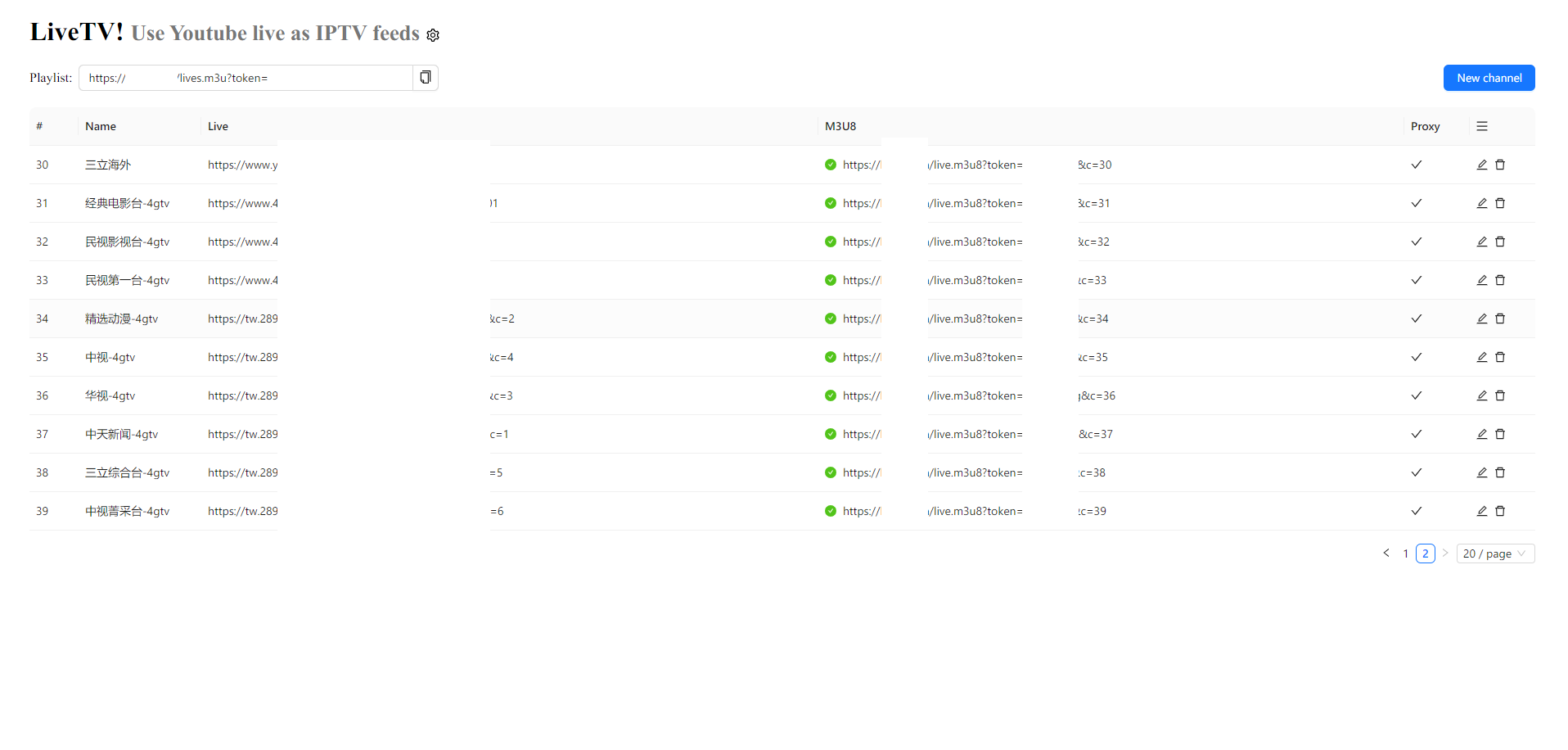 First of all, you need to click the gear button and "Auto Fill" in the setting area, set the correct URL, then click "Ok". Then you can add a channel. After the channel is added successfully, you can play the M3U8 file from the address column. When you use Kodi or similar player, you can consider using the M3U file URL in the playlist field, and a playlist containing all the channel information will be generated automatically. To protect your service from unauthorized access, you can set a secret in the settings dialog and then all your playlist and proxy services will need a unique token to access (based on your secret).
