KO
|
EN
gitlite — search
Search
#python
#java
#python3
#arduino
#golang
#machine-learning
#rust
#html
#flask
#javascript
#seismology
#nodejs
online-map-download
★ 22
Open GitHub ↗
在线下载XYZ地图瓦片
Download README (.md)
Explore Similar Repositories
Awesome-Mamba-360
:
No description available.
geo-11
:
Binaries of geo-11 by davegl1234 & co.
sa2dc
:
No description available.
Trimui-X
:
Scripts that add some funcionalities to the Trimui Smart Pro.
openwebrxplus-docker-builder
:
Docker image builder for OpenWebRX+
// repository documentation
Was this content helpful?
★ 0
(0 ratings)
Select Rating:
★
★
★
★
★
Submit Feedback
Recent Feedback
×
Download README
Do you want to download the
README.md
file for
online-map-download
?
Download (.md)
### 技术选型 Vue3 + element-plus + jszip + OpenLayers 此项目在UI部分基于项目:[xiaolidan00/offline-map-download: 纯前端离线瓦片地图下载 (github.com)](https://github.com/xiaolidan00/offline-map-download)的UI进行修改 ## 使用 此项目的在线地址为:[在线瓦片地图下载](https://zhnny.github.io/online-map-download/) 打开网站,输入XYZ瓦片的地址(默认的是ArcGIS的在线遥感影像),然后点击加载瓦片  点击“划范围”,然后开始绘制多边形,双击完成绘制,自动计算瓦片范围(红色矩形部分)  点击“下载”,打开下载信息界面,勾选需要下载的级别 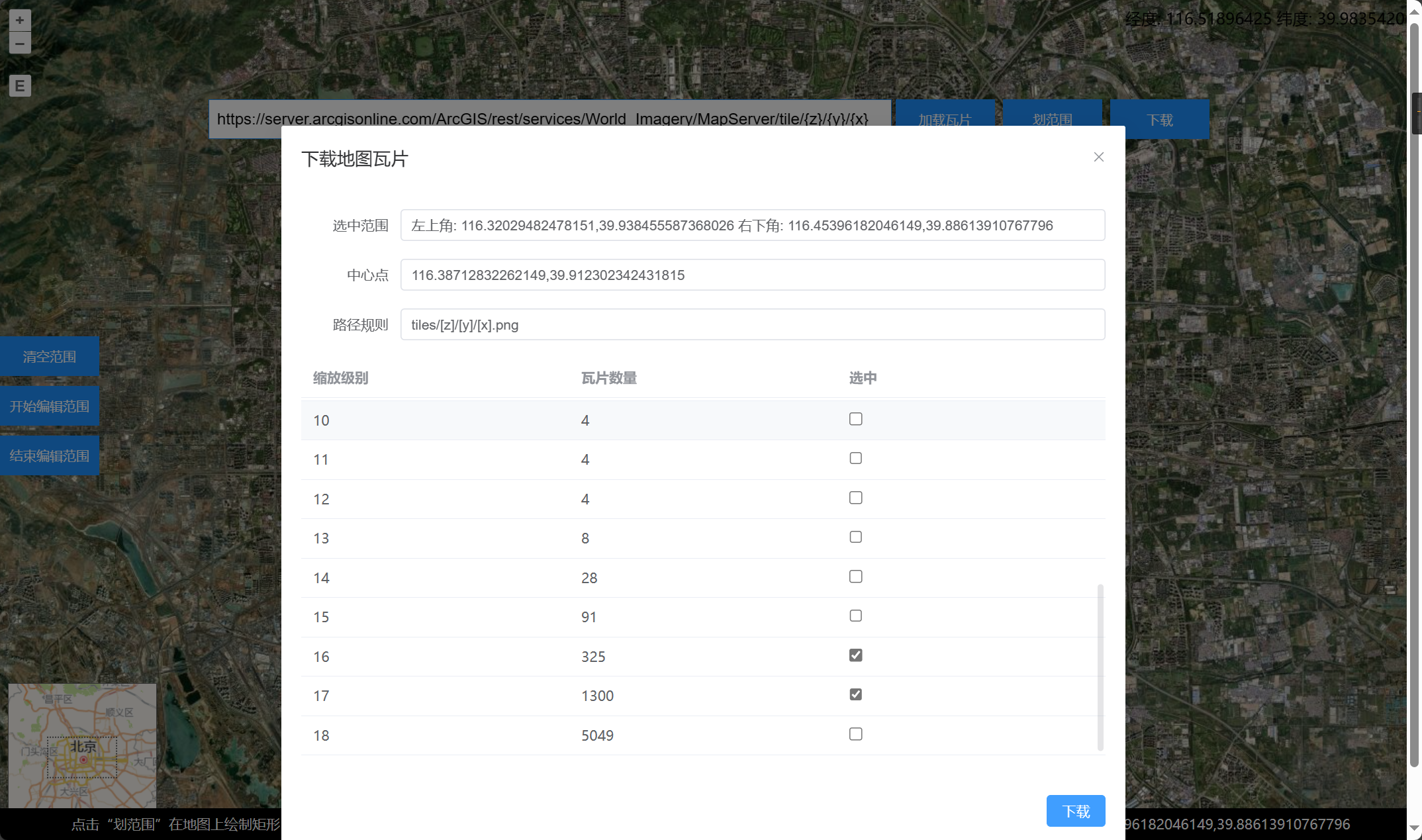 点击下载,弹出信息提示框  开始下载,等待下载完成 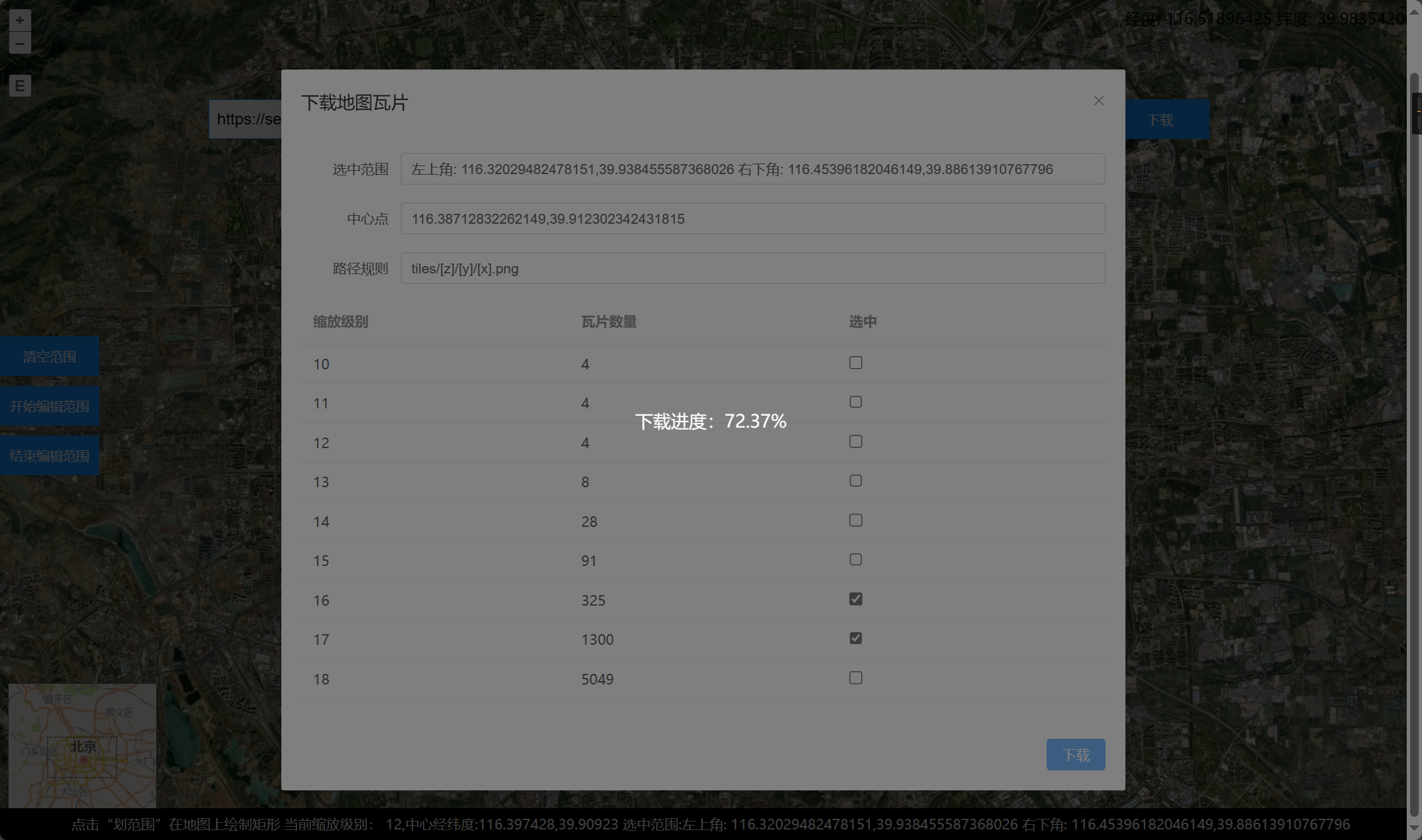 下载完成,打开压缩包查看瓦片  ### 核心代码 ```javascript function lon2tile(lon, zoom) { return (Math.floor((lon + 180) / 360 * Math.pow(2, zoom))); } function lat2tile(lat, zoom) { return (Math.floor((1 - Math.log(Math.tan(lat * Math.PI / 180) + 1 / Math.cos(lat * Math.PI / 180)) / Math.PI) / 2 * Math.pow(2, zoom))); } function download() { const latlngMin = toLonLat([rect.value[0], rect.value[3]]); const latlngMax = toLonLat([rect.value[2], rect.value[1]]); const list = []; for (let z = 0; z < 20; z++) { const xMin = lon2tile(latlngMin[0], z); const yMin = lat2tile(latlngMin[1], z); const xMax = lon2tile(latlngMax[0], z); const yMax = lat2tile(latlngMax[1], z); if (zoomMap.value[z]) { for (let x = xMin; x <= xMax; x++) { for (let y = yMin; y <= yMax; y++) { list.push({ x, y, z }); } } } } downloadTiles(list); } async function downloadTiles(list) { isLoading.value = true; const total = list.length; let count = 0; let zip = new JSZip(); for (let i = 0; i < list.length; i += 6) { let promises = []; if (i + 6 > list.length) { promises = list.slice(i, list.length).map(async (item) => { const blob = await downloadTile(item.x, item.y, item.z) zip.file(`${item.z}/${item.y}/${item.x}.png`, blob); count++; process.value = ((count / total) * 100).toFixed(2); }); } else { promises = list.slice(i, i + 6).map(async (item) => { const blob = await downloadTile(item.x, item.y, item.z) zip.file(`${item.z}/${item.y}/${item.x}.png`, blob); count++; process.value = ((count / total) * 100).toFixed(2); }); } await Promise.all(promises); } } function downloadTile(x, y, z) { return new Promise((resolve, reject) => { fetch(url.value.replace('{x}', x).replace('{y}', y).replace('{z}', z)) .then((res) => res.blob()) .then((blob) => { resolve(blob); }) .catch((err) => { reject(err); }); }); } ``` ### 网站部署 使用GitHub Actions和GitHub Pages进行打包部署此Vue3项目 具体的步骤可参考:[使用GitHub Actions和GitHub pages实现前端项目的自动打包部署 - 当时明月在曾照彩云归 - 博客园 (cnblogs.com)](https://www.cnblogs.com/jiujiubashiyi/p/18151965) 此项目的GitHub地址为:[zhnny/online-map-download: 在线下载XYZ地图瓦片 (github.com)](https://github.com/zhnny/online-map-download) 此项目的在线地址为:[在线瓦片地图下载](https://zhnny.github.io/online-map-download/)
