KO
|
EN
gitlite — search
Search
#javascript
#python
#hacktoberfest
#react
#ai
#typescript
#llm
#go
#golang
#android
#machine-learning
#rust
#deep-learning
#linux
notation
★ 9
Open GitHub ↗
No description available.
Download README (.md)
Explore Similar Repositories
TheDataStructuresSurvivalKit
:
📚Everything you will EVER need to survive Data Structures, in C++. In collaboration with @PreethiSamanthaBennet✨
qbtoesx
:
qb to esx
build-your-own-vue3
:
从0到1实现一个 Vue3.x 源码
MAPD-B
:
No description available.
streamlit-activity-viewer
:
No description available.
// repository documentation
Was this content helpful?
★ 0
(0 ratings)
Select Rating:
★
★
★
★
★
Submit Feedback
Recent Feedback
×
Download README
Do you want to download the
README.md
file for
notation
?
Download (.md)
# WP Notes - [Demo](demo.vitathemes.com/wp-notes) | [Download](https://wordpress.org/themes/wp-notes/) WP Notes is a simple, super fast, and content-first blog theme 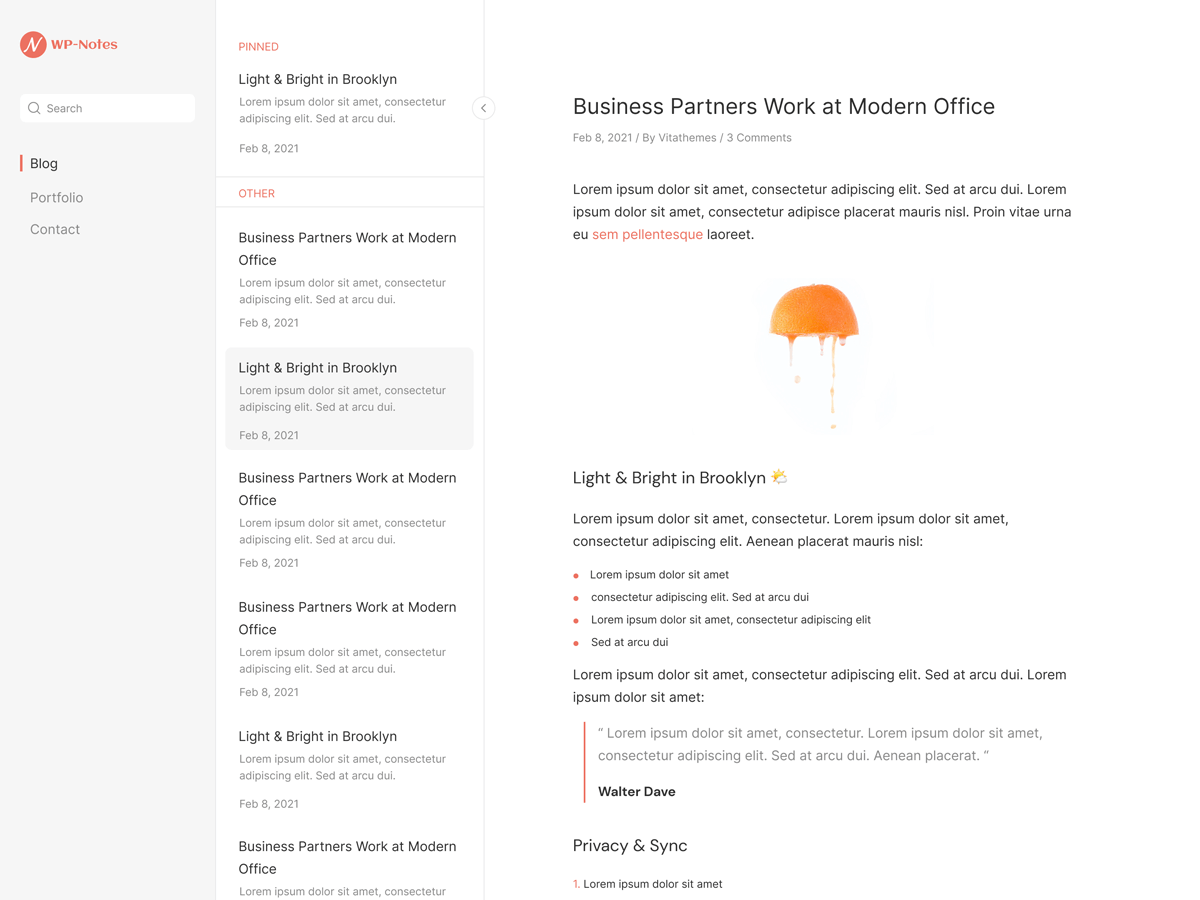 ## Features * Notebook design * No additional JS * Sass for stylesheets * Fast & lightweight (Google Speed (PageSpeed Insights): 100/100) * Theme options built directly into WordPress native live theme customizer * Responsive design * Cross-browser compatibility * Custom Google WebFonts * Child themes support * Developer friendly extendable code * Translation ready (with .POT files included) * Right-to-left (RTL) languages support * SEO optimized * GNU GPL version 2.0 licensed * …and much more See a working example at [demo.vitathemes.com/wp-notes](demo.vitathemes.com/wp-notes). ## Theme installation 1. Simply install as a normal WordPress theme and activate. 2. Install recommended plugins 3. In your admin panel, navigate to `Appearance > Customize`. 4. Put the finishing touches on your website by adding a logo, typography settings, custom colors and etc. ## Theme structure ```shell themes/wp-notes/ # → Root of your theme │── assets/ # → All assets goes here │ │── css # → Compiled css │ │── fonts # → Fonts │ │── js # → Js files │ └── src # → source files ├── languages/ # → Theme Language files ├── template-parts/ # → Theme Part files (Include) ├── node_modules/ # → Node.js packages ├── package.json # → Node.js dependencies and scripts │── classes/ # → Custom PHP classes ├── inc/ # → Theme functions │ ├── TGMPA/ # → TGMPA library │ ├── customizer.php # → All codes related to WordPress Customizer (We use Kirki Framework) │ ├── template-functions.php # → Custom template tweaks │ └── template-tags.php # → Custom template tags │ └── hooks.php # → Theme custom hooks │ └── tgmpa-config.php # → Configuration file for TGMPA └── page-templates/ # → Page Templates ``` ## Theme setup Edit `functions.php` to enable or disable theme features, setup navigation menus, post thumbnail sizes, and sidebars. ## Theme development * Run `npm install` from the theme directory to install dependencies * Run `gulp` from the root of theme directory and it's starting to watch any changes in scss files from the `assets/src/sass` folder ## License WP Notes is licensed under [GNU GPL](LICENSE). ## ❤️ Sponsors <a href="" target="_blank"><img width="200" src="https://resources.jetbrains.com/storage/products/company/brand/logos/jb_beam.png"/></a> Want to become a sponsor? you can sponsor & support VitaThemes by providing our team your service for free!
