KO
|
EN
gitlite — search
Search
#python
#java
#python3
#arduino
#golang
#machine-learning
#rust
#html
#flask
#javascript
#seismology
#nodejs
k8s-java-debug-daemon
★ 22
Open GitHub ↗
No description available.
Download README (.md)
Explore Similar Repositories
convnet_tutorials
:
Convolutional Network Tutorials (AMMI 2025)
SimpleSpider
:
A library of Spider which can simpify the code.
book-project-template
:
Template project for publishing a book in markdown
cci_exploring_machine_intelligence
:
UAL, CCI - MSc course: 19/20 "IU000128 Coding Three: Exploring Machine Intelligence"
InSamp
:
InSamp: InSAR Downsampler and Covariance Estimator (MATLAB version)
// repository documentation
Was this content helpful?
★ 0
(0 ratings)
Select Rating:
★
★
★
★
★
Submit Feedback
Recent Feedback
×
Download README
Do you want to download the
README.md
file for
k8s-java-debug-daemon
?
Download (.md)
# Java高CPU自动抓取堆栈信息 利用了 Grafana 的告警机制,配合阿里的 arthas,来完成高CPU使用率线程的堆栈抓取。 整体流程如下: 1. 为 Grafana 添加 webhook 类型的告警通知渠道,地址为该程序的 url(默认的hooks路径为 /hooks)。 2. 配置Grafana图表,并设置告警阈值 3. 当 webhook 触发时,程序会自动将 craw.sh 脚本拷贝到对应 Pod 的容器中并执行。 4. 程序将 stdout 保存到本地文件。 ## 效果预览 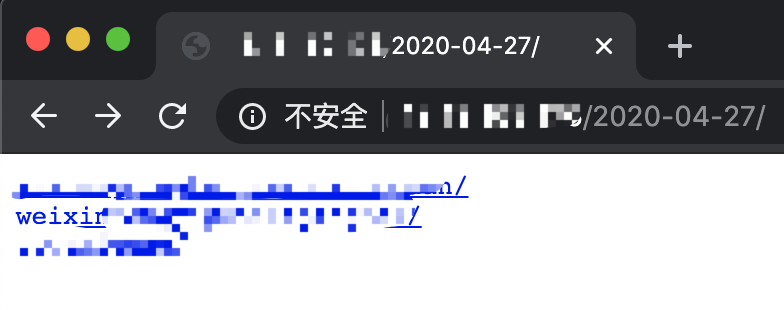 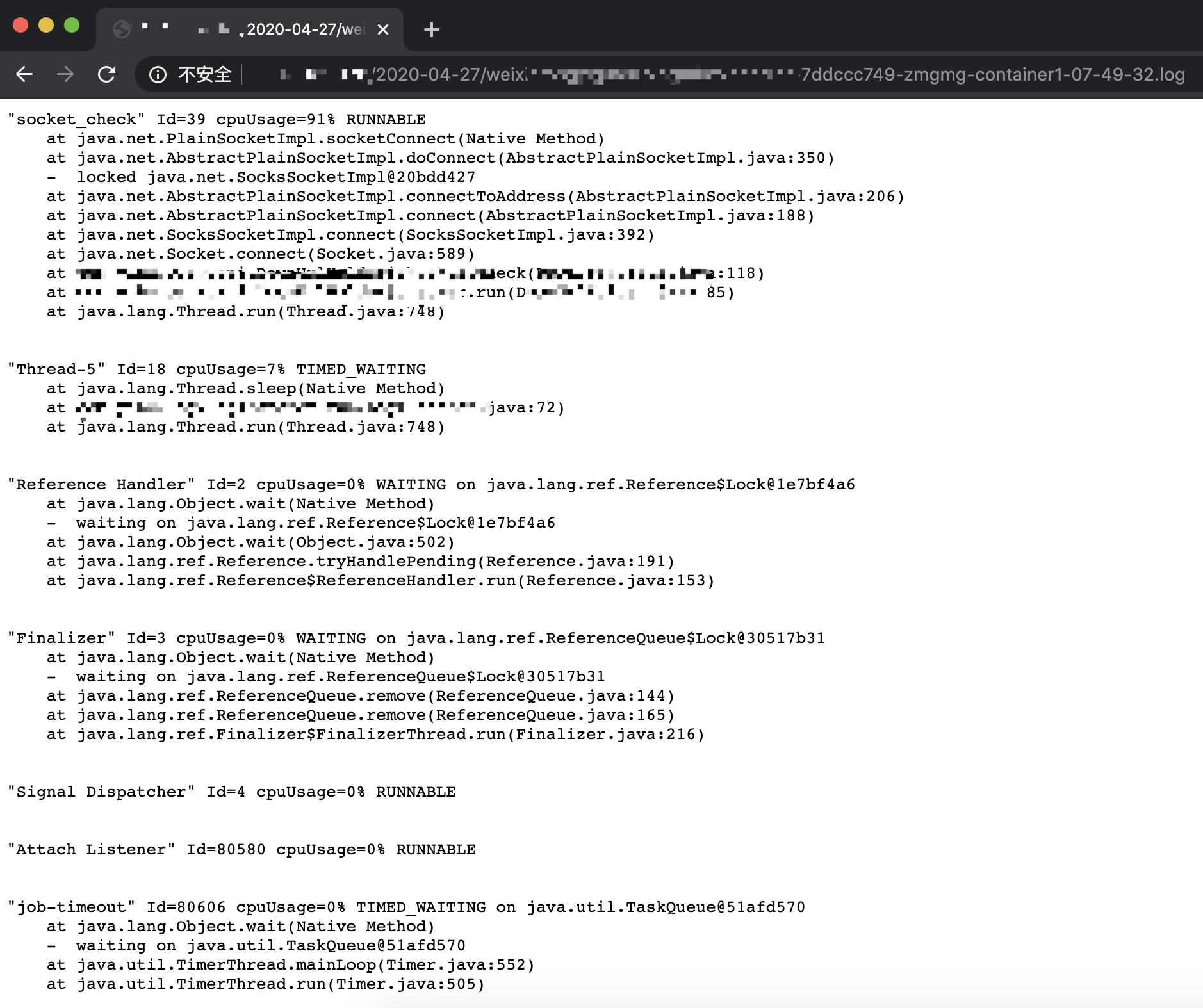 ## 默认行为 - 每 node 同时运行执行数为10 可以在 `./internal/defaultvalue.go` 中更改 ```go var defaultNodeLockManager = nodelock.NewLockManager(10) ``` - 默认使用集群内的Master配置 可以在 `./internal/defaultvalue.go` 中更改 ```go func DefaultKubernetesClient(){} // default func getConfigByInCluster(){} func getConfigByOutOfCluster(){} ``` - 默认使用并实现了一个基于本地文件的堆栈存储器, 路径位于工作路径下的 `stacks`中 可以在 `./internal/defaultvalue.go` 中更改 ```go func GetDefaultNodeLockManager(){} ``` - 默认取最繁忙的前50个线程的堆栈信息 (可在 `craw.sh` 中修改) - 采集样本时间为2秒 (可在 `craw.sh` 中修改) ## 如何使用 ### Docker Image [majian159/java-debug-daemon](https://hub.docker.com/r/majian159/java-debug-daemon) ### 为 Grafana 新建一个通知频道 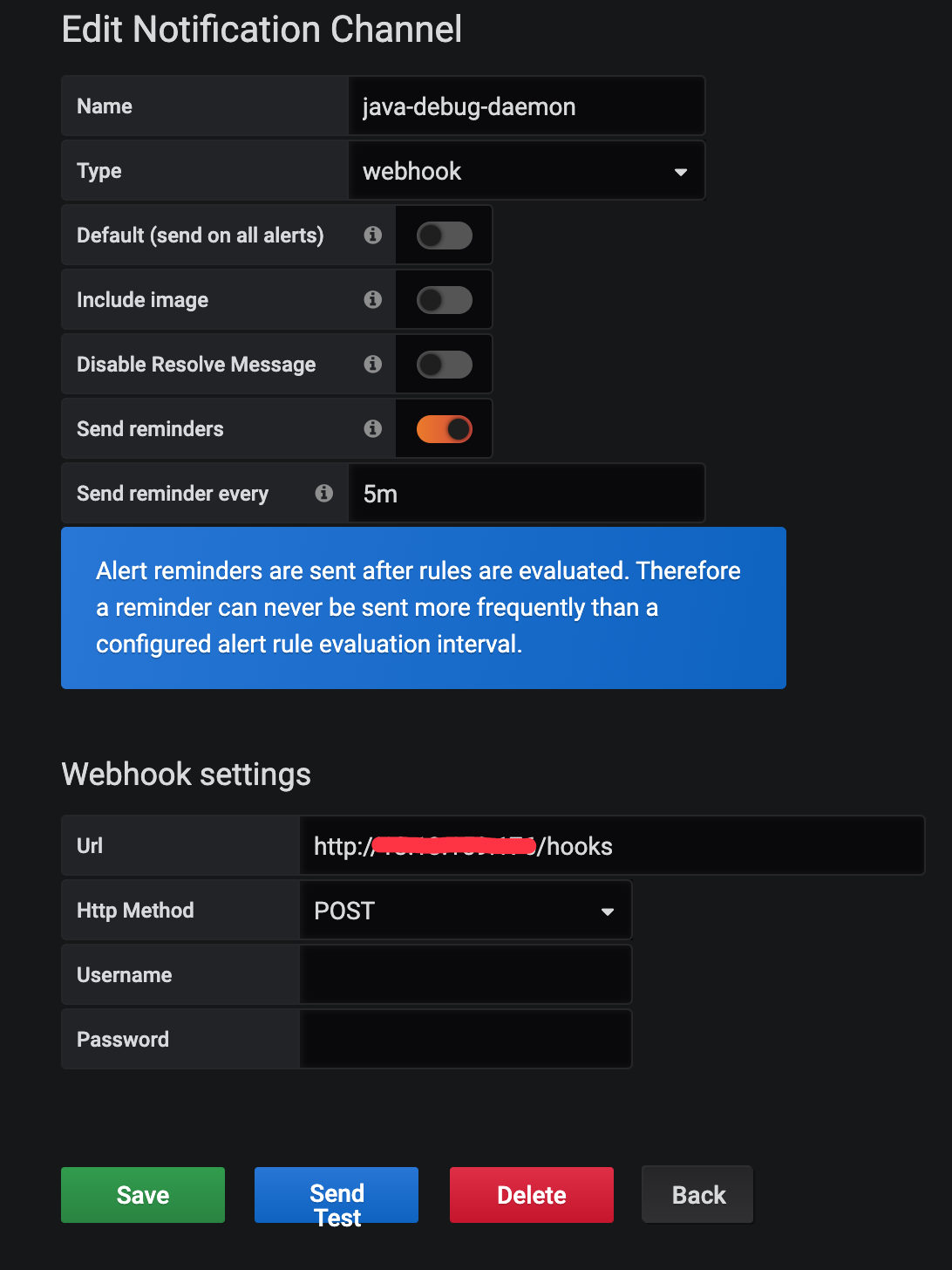 #### 注意点 1. 需要打开 Send reminders, 不然 Grafana 默认在触发告警后一直没有解决不会重复发送告警 2. Send reminder every 可以控制最快多久告警一次 ### 为 Grafana 新建一个告警图表 如果嫌麻烦可以直接导入以下配置, 在自行更改 ```json { "datasource": "prometheus", "alert": { "alertRuleTags": {}, "conditions": [ { "evaluator": { "params": [ 1 ], "type": "gt" }, "operator": { "type": "and" }, "query": { "params": [ "A", "5m", "now" ] }, "reducer": { "params": [], "type": "last" }, "type": "query" } ], "executionErrorState": "keep_state", "for": "10s", "frequency": "30s", "handler": 1, "name": "Pod 高CPU堆栈抓取", "noDataState": "no_data", "notifications": [ { "uid": "AGOJRCqWz" } ] }, "aliasColors": {}, "bars": false, "dashLength": 10, "dashes": false, "fill": 1, "fillGradient": 0, "gridPos": { "h": 9, "w": 24, "x": 0, "y": 2 }, "hiddenSeries": false, "id": 14, "legend": { "alignAsTable": true, "avg": true, "current": true, "max": true, "min": false, "rightSide": true, "show": true, "total": false, "values": true }, "lines": true, "linewidth": 1, "nullPointMode": "null", "options": { "dataLinks": [] }, "percentage": false, "pointradius": 2, "points": false, "renderer": "flot", "seriesOverrides": [], "spaceLength": 10, "stack": false, "steppedLine": false, "targets": [ { "expr": "container_memory_working_set_bytes{job=\"kubelet\", metrics_path=\"/metrics/cadvisor\", image!=\"\", container!=\"POD\"}* on (namespace, pod) group_left(node) max by(namespace, pod, node, container) (kube_pod_info)", "legendFormat": "{{node}} - {{namespace}} - {{pod}} - {{container}}", "refId": "A" } ], "thresholds": [ { "colorMode": "critical", "fill": true, "line": true, "op": "gt", "value": 1 } ], "timeFrom": null, "timeRegions": [], "timeShift": null, "title": "Pod CPU", "tooltip": { "shared": true, "sort": 0, "value_type": "individual" }, "type": "graph", "xaxis": { "buckets": null, "mode": "time", "name": null, "show": true, "values": [] }, "yaxes": [ { "format": "short", "label": null, "logBase": 1, "max": null, "min": null, "show": true }, { "format": "short", "label": null, "logBase": 1, "max": null, "min": null, "show": true } ], "yaxis": { "align": false, "alignLevel": null } } ``` #### Queries配置 Metrics 中填写 ```text container_memory_working_set_bytes{job="kubelet", metrics_path="/metrics/cadvisor", image!="", container!="POD"} * on (namespace, pod) group_left(node) max by(namespace, pod, node, container) (kube_pod_info) ``` Legend 中填写 ```text {{node}} - {{namespace}} - {{pod}} - {{container}} ``` 配置完如下: 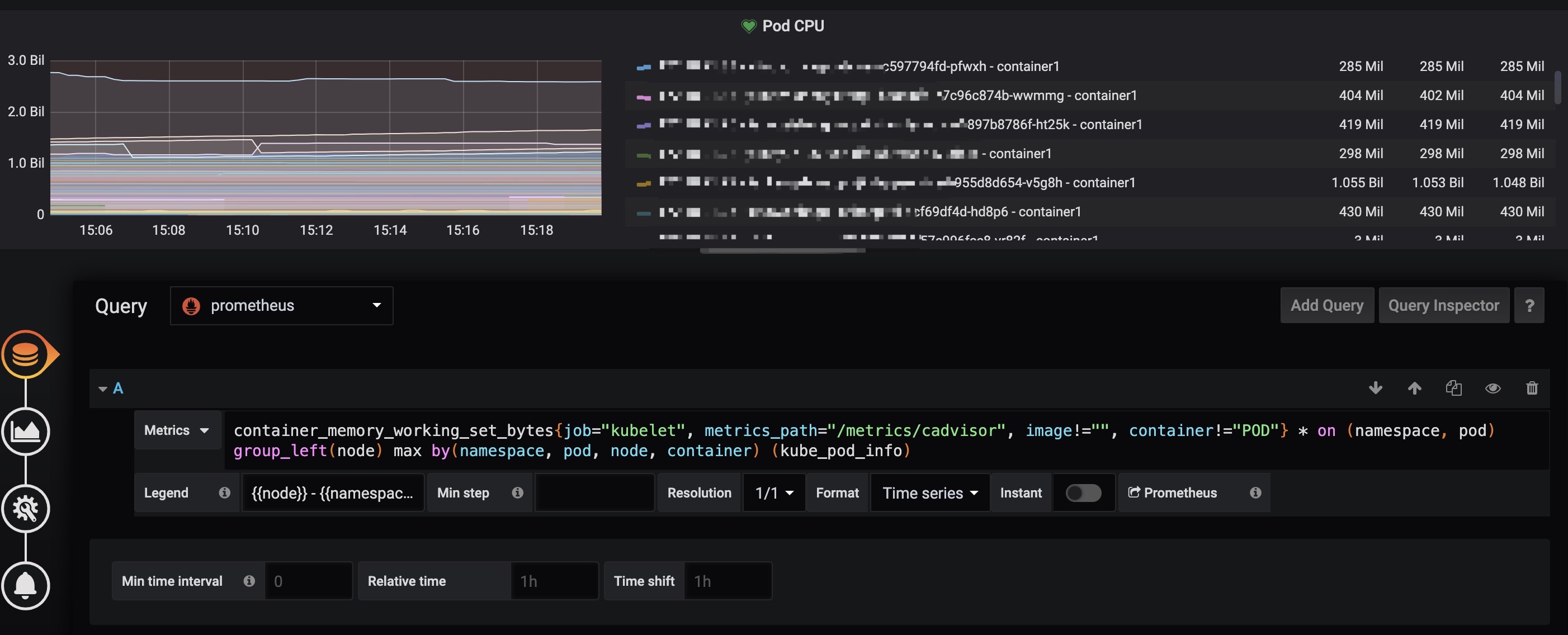 #### Alert配置 **IS ABOVE** CPU使用值,这边配置的是超过1核CPU就报警, 可以根据需要自己调节 **Evaluate every** 每多久计算一次 **For** Pedding时间 配置完应该如下: 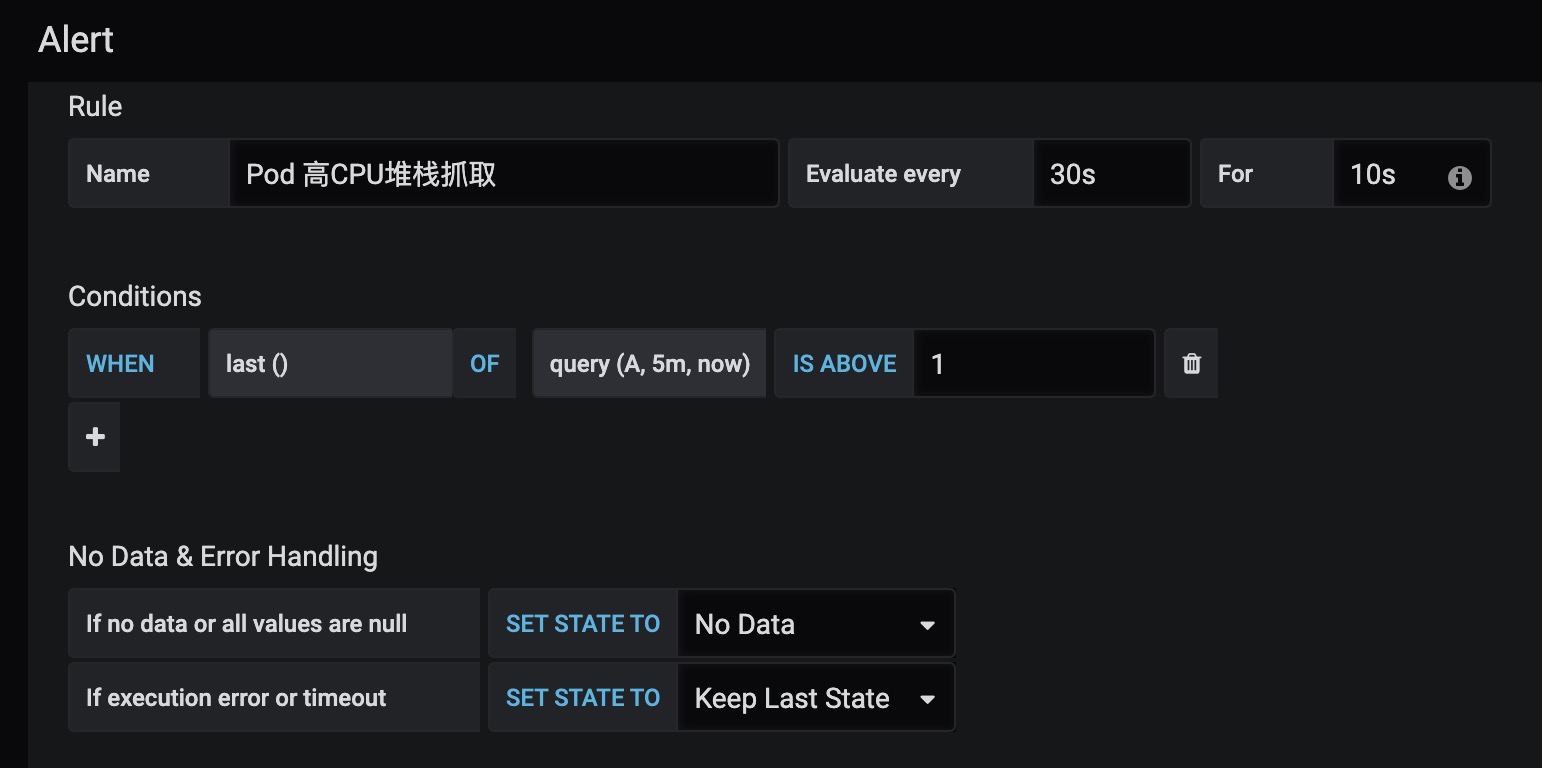 ## 构建 ### 二进制 ```sh # 为当前系统平台构建 make # 指定目标系统, GOOS: linux darwin window freebsd make GOOS=linux ``` ### Docker镜像 ```sh make docker # 自定义镜像tag make docker IMAGE=test ```
