KO
|
EN
gitlite — search
Search
#mcp
#python
#ai
#llm
#rust
#automation
#cli
#machine-learning
#typescript
#mcp-server
#java
#security
penn-club-ratings
★ 36
Open GitHub ↗
No description available.
Download README (.md)
Explore Similar Repositories
BS-Weather
:
天气软件 - 彼时天气
pytorch.snapshot.ensembles
:
PyTorch implementation of "SNAPSHOT ENSEMBLES: TRAIN 1, GET M FOR FREE" [WIP]
KrakenCore
:
💱 .NET client for Kraken Bitcoin & cryptocurrency exchange API
node-electrum-client
:
Electrum Client for node.js
web-issues
:
Issue Tracking for the Nexus Mods Website
// repository documentation
Was this content helpful?
★ 0
(0 ratings)
Select Rating:
★
★
★
★
★
Submit Feedback
Recent Feedback
×
Download README
Do you want to download the
README.md
file for
penn-club-ratings
?
Download (.md)
# flask-base [](https://circleci.com/gh/hack4impact/flask-base) [](https://waffle.io/hack4impact/flask-base) [](https://codeclimate.com/github/hack4impact/flask-base/coverage) [](https://codeclimate.com/github/hack4impact/flask-base)   <img src="readme_media/logo@2x.png" width="400"/> A Flask application template with the boilerplate code already done for you. **Documentation available at [http://hack4impact.github.io/flask-base](http://hack4impact.github.io/flask-base).** ## What's included? * Blueprints * User and permissions management * Flask-SQLAlchemy for databases * Flask-WTF for forms * Flask-Assets for asset management and SCSS compilation * Flask-Mail for sending emails * gzip compression * Redis Queue for handling asynchronous tasks * ZXCVBN password strength checker * CKEditor for editing pages ## Demos Home Page: 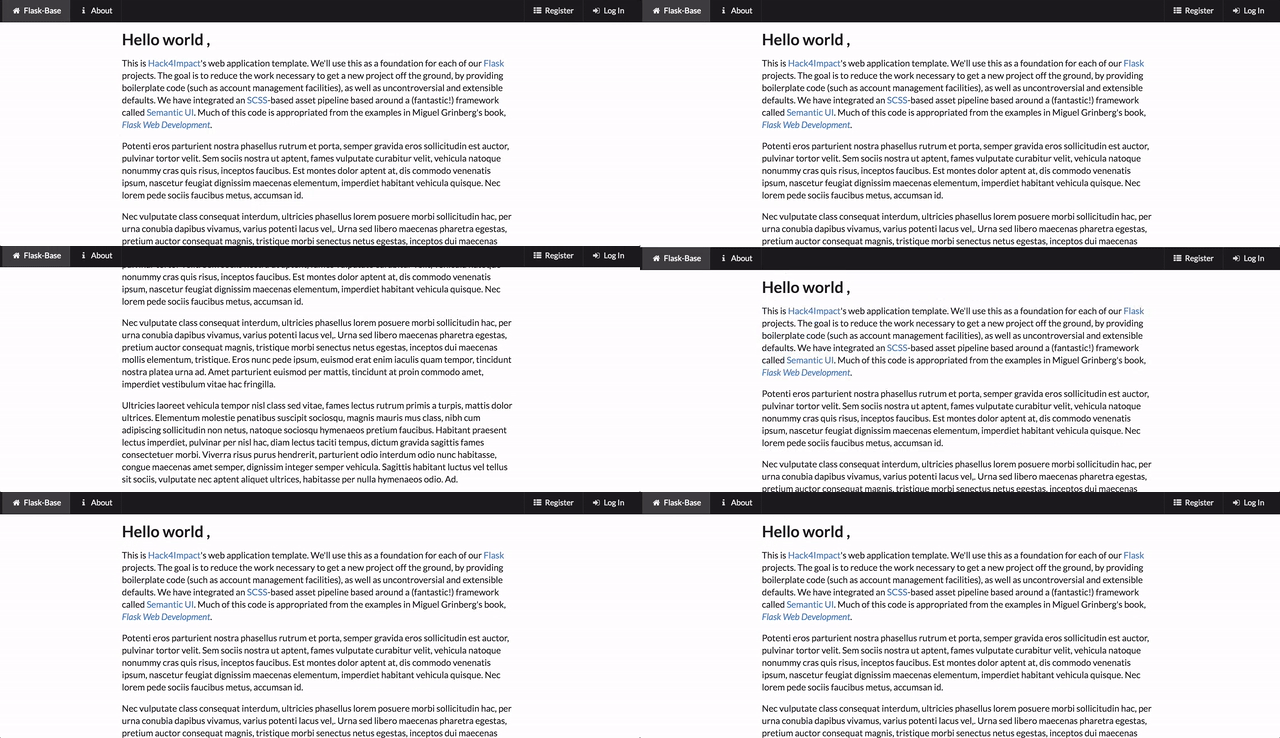 Registering User: 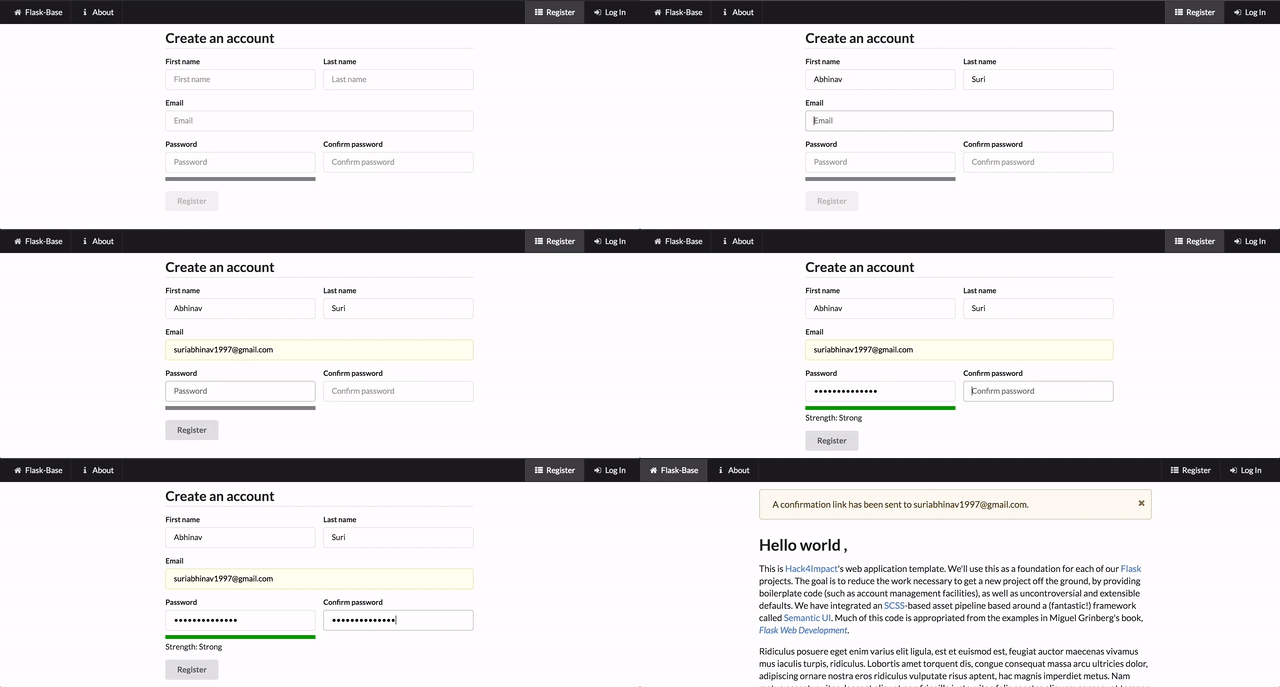 Admin Editing Page: 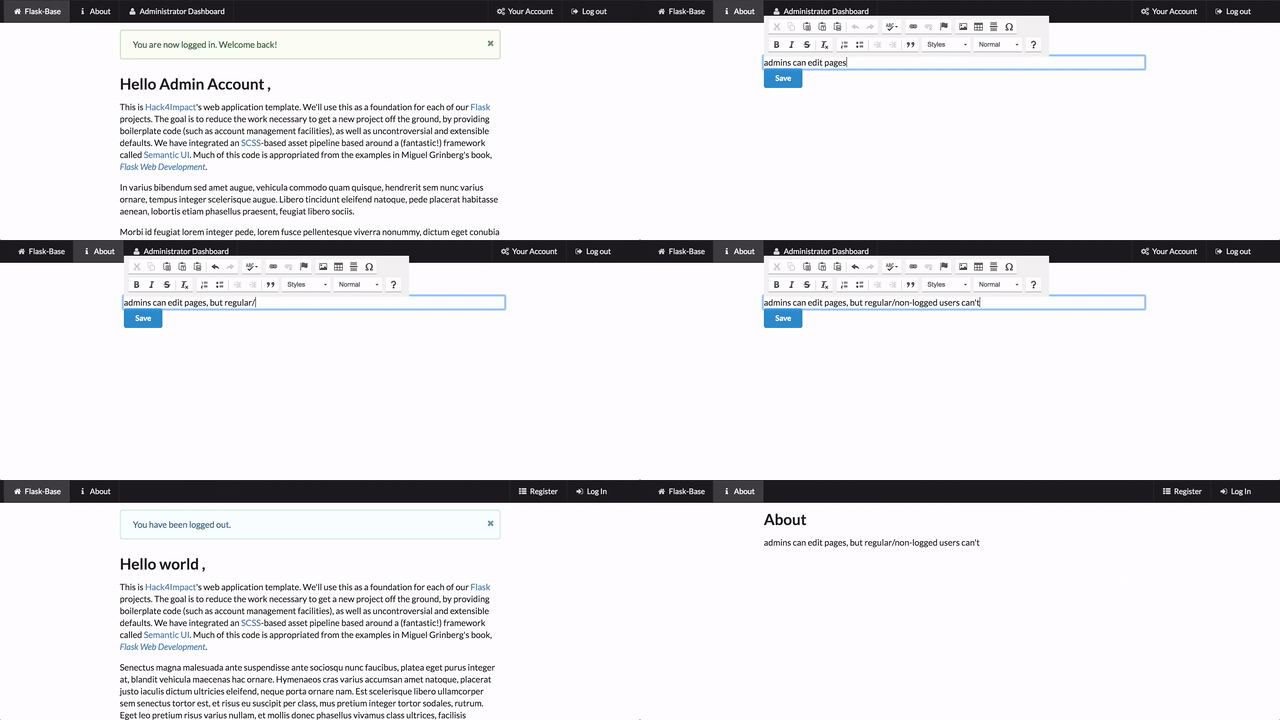 Admin Editing Users: 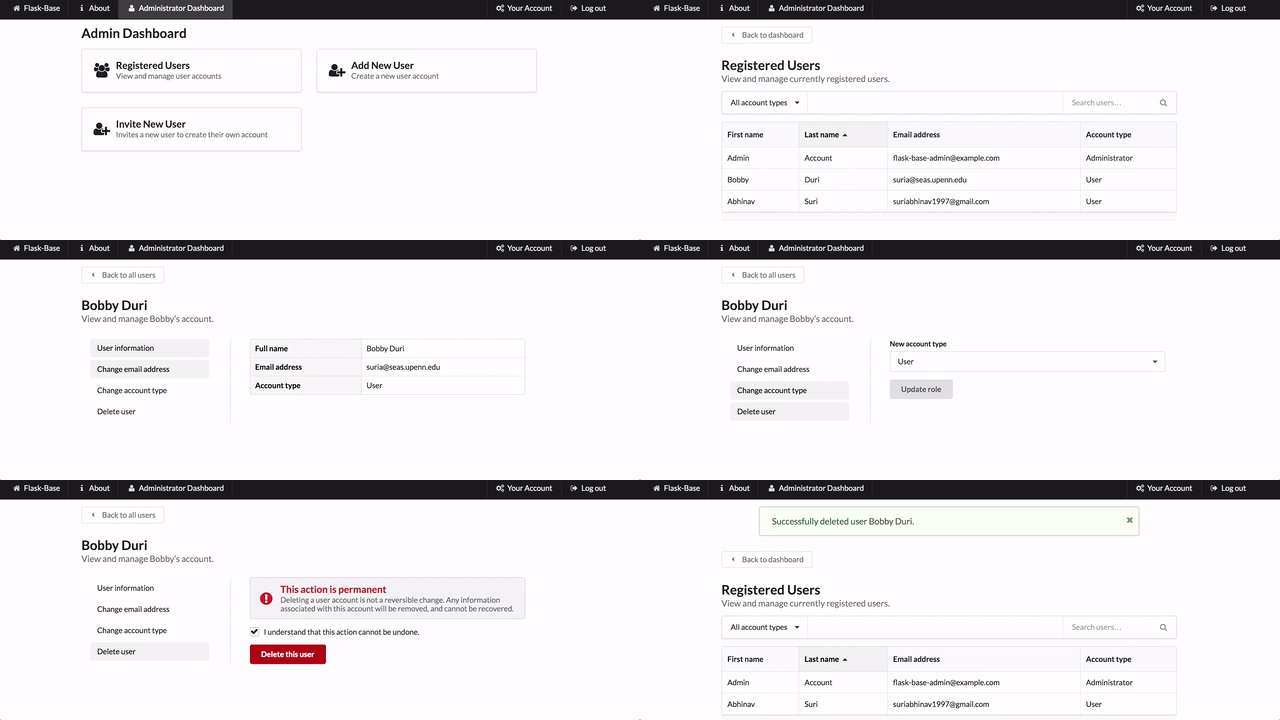 ## Setting up ##### Clone the repo ``` $ git clone https://github.com/hack4impact/flask-base.git $ cd flask-base ``` ##### Initialize a virtualenv ``` $ pip install virtualenv $ virtualenv -p /path/to/python3.x/installation env $ source env/bin/activate ``` For mac users it will most likely be ``` $ pip install virtualenv $ virtualenv -p python3 env $ source env/bin/activate ``` Note: if you are using a python2.x version, point the -p value towards your python2.x path ##### (If you're on a mac) Make sure xcode tools are installed ``` $ xcode-select --install ``` ##### Add Environment Variables Create a file called `config.env` that contains environment variables in the following syntax: `ENVIRONMENT_VARIABLE=value`. For example, the mailing environment variables can be set as the following. We recommend using Sendgrid for a mailing SMTP server. But anything else will work as well. ``` MAIL_USERNAME=SendgridUsername MAIL_PASSWORD=SendgridPassword SECRET_KEY=SuperRandomStringToBeUsedForEncryption ``` Other Key value pairs: * `ADMIN_EMAIL`: set to the default email for your first admin account (default is `flask-base-admin@example.com`) * `ADMIN_PASSWORD`: set to the default password for your first admin account (default is `password`) * `DATABASE_URL`: set to a postgresql database url (default is `data-dev.sqlite`) * `REDISTOGO_URL`: set to Redis To Go URL or any redis server url (default is `http://localhost:6379`) * `RAYGUN_APIKEY`: api key for raygun (default is `None`) * `FLASK_CONFIG`: can be `development`, `production`, `default`, `heroku`, `unix`, or `testing`. Most of the time you will use `development` or `production`. **Note: do not include the `config.env` file in any commits. This should remain private.** ##### Install the dependencies ``` $ pip install -r requirements.txt ``` ##### Other dependencies for running locally You need [Redis](http://redis.io/), and [Sass](http://sass-lang.com/). Chances are, these commands will work: **Sass:** ``` $ gem install sass ``` **Redis:** _Mac (using [homebrew](http://brew.sh/)):_ ``` $ brew install redis ``` _Linux:_ ``` $ sudo apt-get install redis-server ``` You will also need to install **PostgresQL** _Mac (using homebrew):_ ``` brew install postgresql ``` _Linux (based on this [issue](https://github.com/hack4impact/flask-base/issues/96)):_ ``` sudo apt-get install libpq-dev ``` ##### Create the database ``` $ python manage.py recreate_db ``` ##### Other setup (e.g. creating roles in database) ``` $ python manage.py setup_dev ``` Note that this will create an admin user with email and password specified by the `ADMIN_EMAIL` and `ADMIN_PASSWORD` config variables. If not specified, they are both `flask-base-admin@example.com` and `password` respectively. ##### [Optional] Add fake data to the database ``` $ python manage.py add_fake_data ``` ## Running the app ``` $ source env/bin/activate $ honcho start -f Local ``` For Windows users having issues with binding to a redis port locally, refer to [this issue](https://github.com/hack4impact/flask-base/issues/132). ## Formatting code Before you submit changes to flask-base, you may want to autoformat your code with `python manage.py format`. ## Contributing Contributions are welcome! Check out our [Waffle board](https://waffle.io/hack4impact/flask-base) which automatically syncs with this project's GitHub issues. Please refer to our [Code of Conduct](./CONDUCT.md) for more information. ## Documentation Changes To make changes to the documentation refer to the [Mkdocs documentation](http://www.mkdocs.org/#installation) for setup. To create a new documentation page, add a file to the `docs/` directory and edit `mkdocs.yml` to reference the file. When the new files are merged into `master` and pushed to github. Run `mkdocs gh-deploy` to update the online documentation. ## Related https://medium.freecodecamp.com/how-we-got-a-2-year-old-repo-trending-on-github-in-just-48-hours-12151039d78b#.se9jwnfk5 ## License [MIT License](LICENSE.md)
