KO
|
EN
gitlite — search
Search
#typescript
#ai-agents
#deepseek-harness
#dsh-plugin
#open-source
#ai
#cli
#dsh
#claude-code
#codex
#developer-tools
#react
forge-colab
★ 260
Open GitHub ↗
No description available.
Download README (.md)
Explore Similar Repositories
instrumentedsql
:
A sql driver that will wrap any other driver and log/trace all its calls
microservices-on-cloud-kubernetes
:
Microservices demo application on cloud-hosted Kubernetes cluster
Kaggle-Competition-Favorita
:
5th place solution for Kaggle competition Favorita Grocery Sales Forecasting
polars_ta
:
Technical Analysis Indicators for polars
sentry-electron
:
The official Sentry SDK for Electron
// repository documentation
Was this content helpful?
★ 0
(0 ratings)
Select Rating:
★
★
★
★
★
Submit Feedback
Recent Feedback
×
Download README
Do you want to download the
README.md
file for
forge-colab
?
Download (.md)
# Cagliostro Forge Colab [](https://colab.research.google.com/github/cagliostrolab/forge-colab/blob/main/cagliostro-forge-colab.ipynb) Welcome to the next evolution of Stable Diffusion notebooks! This is the successor to the [Cagliostro Colab UI](https://colab.research.google.com/github/Linaqruf/sd-notebook-collection/blob/main/cagliostro-colab-ui.ipynb), now supercharged with [lllyasviel/stable-diffusion-webui-forge](https://github.com/lllyasviel/stable-diffusion-webui-forge). ## ✨ Features - 🖱️ 1-Click Is All You Need - 🚀 Lightning-fast setup and installation process - 🖼️ Optimized for SDXL models and workflows - ⚙️ Pre-configured settings for optimal performance - 🎛️ Easy-to-use interface with sensible defaults - 📦 Support for custom model, VAE, and LoRA downloads - 💾 Integration with Google Drive for persistent storage - 🔒 Optional Gradio authentication for added security - 💾 Built-in download functionality for generated images ## 🚀 Usage 1. 📂 Open the [notebook](https://github.com/cagliostrolab/forge-colab/blob/main/cagliostro-forge-colab.ipynb) in Google Colab 2. ⚙️ Configure the settings in the installation cell 3. ▶️ Run the cells to set up the environment and launch the Web UI 4. 💾 Use the download cell to save your generated images Watch this video for a detailed walkthrough: [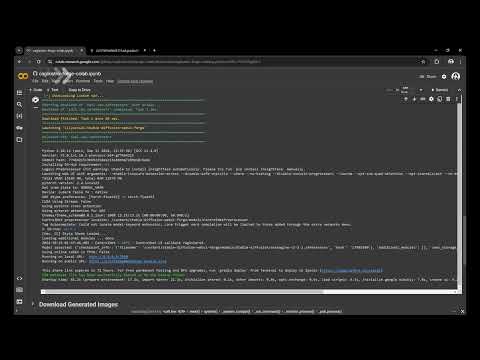](https://www.youtube.com/watch?v=9bbeYXpc30w) ## 🎨 Models The notebook comes pre-configured with options to download popular SDXL models: - 🌟 [Animagine XL 3.1](https://huggingface.co/cagliostrolab/animagine-xl-3.1) - 🎨 [Rae Diffusion XL V2](https://huggingface.co/Raelina/Rae-Diffusion-XL-V2) - 🏫 [Kivotos XL V2.0](https://huggingface.co/yodayo-ai/kivotos-xl-2.0) - 🌈 [UrangDiffusion 2.0](https://huggingface.co/kayfahaarukku/UrangDiffusion-2.0) You can also specify custom model URLs for download. ## 💎 Optimal Experience For the best performance and longer runtime, consider upgrading to Colab Pro. It provides access to better GPUs and extended session times, significantly enhancing your image generation experience. ## 📜 Change Log ### v1.0.0 (2024-10-14) - 🎉 Initial release ## 🤝 Contributing Feel free to open issues or submit pull requests for any improvements or bug fixes. ## 📜 License [Apache 2.0](LICENSE) --- *Acknowledgment: This README was generated with the assistance of Claude 3.5 Sonnet, an AI language model developed by Anthropic.*
