KO
|
EN
gitlite — search
Search
#python
#java
#python3
#arduino
#golang
#machine-learning
#rust
#html
#flask
#javascript
#seismology
#nodejs
acme-store
★ 13
Open GitHub ↗
The acme store built by Nextjs 13.
Download README (.md)
Explore Similar Repositories
CVE-2023-3519
:
No description available.
homeassistant_custom_siemensozw672
:
Home Assistant Custom Component for Siemens OZW672
b16-code
:
Examples and exercises for B16 - Algorithms.
libdecor
:
A client-side decorations library for Wayland client
CIDF
:
Causal Inference-based Debiasing Framework for Knowledge Graph Completion
// repository documentation
Was this content helpful?
★ 0
(0 ratings)
Select Rating:
★
★
★
★
★
Submit Feedback
Recent Feedback
×
Download README
Do you want to download the
README.md
file for
acme-store
?
Download (.md)
# Acme Store 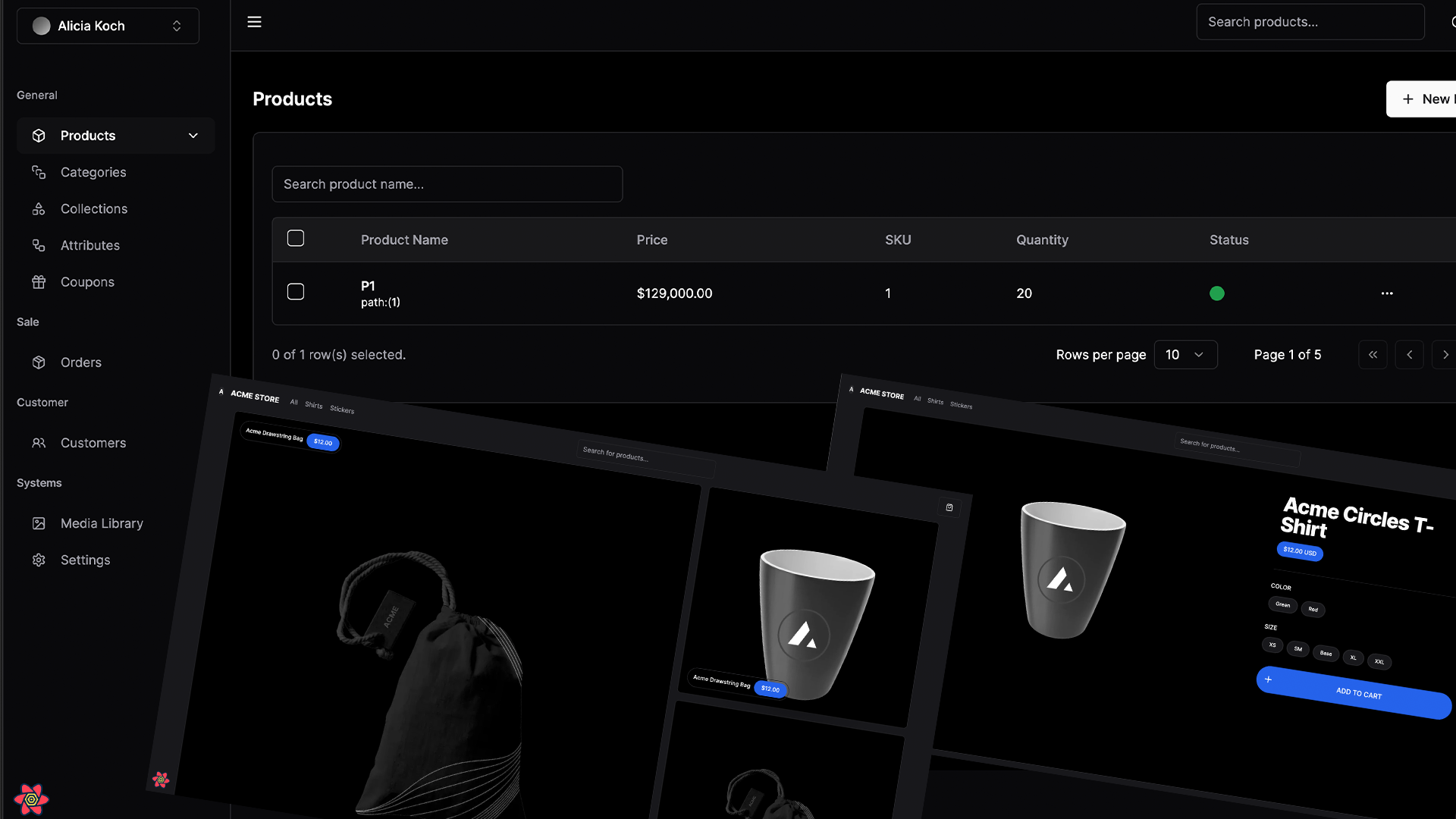 ## Tech Stack - [Next.js](https://nextjs.org) - [TRPC](https://trpc.io/) - [Tailwind CSS](https://tailwindcss.com) - [Next Auth](https://next-auth.js.org/) - [Prisma ORM](https://www.prisma.io/) - [Cloudinary](https://cloudinary.com/) - [React Email](https://react.email) - [Shadcn UI](https://ui.shadcn.com/) ## Features to be implemented - [x] Authentication with **Next-Auth** - [x] ORM using **Prisma ORM** - [x] Database on **Mysql** - [x] Caching query client on **@tanstack/react-query** - [x] Validation with **Zod** - [~] Role-based access-control - [ ] Custom template email (reset password, forgot password, etc) - [ ] File uploads with **Cloudinary** - [~] Storefront with products, categories, and subcategories - [ ] Checkout with **Paypal, COD, Backend Transfer** - [ ] Admin dashboard with - [ ] store information - [ ] products - [ ] orders - [ ] categories - [ ] collections - [ ] attributes - [ ] subscriptions - [ ] payments - [ ] emails - [ ] coupons - [ ] Media Library <!-- - [x] User subscriptions with **Stripe** --> <!-- - [x] Seller and customer workflows --> <!-- - [x] Blog using **MDX** and **Contentlayer** --> <!-- - [x] Newsletter subscription with **React Email** and **Resend** --> ## Getting Started First, run the development server: ```bash npm run dev # or yarn dev # or pnpm dev ``` Open [http://localhost:3000](http://localhost:3000) with your browser to see the result. You can start editing the page by modifying `app/page.tsx`. The page auto-updates as you edit the file. This project uses [`next/font`](https://nextjs.org/docs/basic-features/font-optimization) to automatically optimize and load Inter, a custom Google Font. ## Learn More To learn more about Next.js, take a look at the following resources: - [Next.js Documentation](https://nextjs.org/docs) - learn about Next.js features and API. - [Learn Next.js](https://nextjs.org/learn) - an interactive Next.js tutorial. You can check out [the Next.js GitHub repository](https://github.com/vercel/next.js/) - your feedback and contributions are welcome! ## Deploy on Vercel The easiest way to deploy your Next.js app is to use the [Vercel Platform](https://vercel.com/new?utm_medium=default-template&filter=next.js&utm_source=create-next-app&utm_campaign=create-next-app-readme) from the creators of Next.js. Check out our [Next.js deployment documentation](https://nextjs.org/docs/deployment) for more details.
