KO
|
EN
gitlite — search
Search
#php
#python
#ruby
#golang
#hacktoberfest
#javascript
#r
#java
#dotfiles
#utility
#rails
#community
lucide-godot
★ 7
Open GitHub ↗
No description available.
Download README (.md)
Explore Similar Repositories
lucide-studio
:
https://studio.lucide.dev
lucideium
:
Lucideium chromeos mod
gomponents-lucide
:
🌀 Beautiful & consistent icons for gomponents
vite-plugin-transform-lucide-imports
:
A vite plugin to transform your named lucide imports into default imports.
lucide-flutter
:
Archived package of Lucide Flutter
// repository documentation
Was this content helpful?
★ 0
(0 ratings)
Select Rating:
★
★
★
★
★
Submit Feedback
Recent Feedback
×
Download README
Do you want to download the
README.md
file for
lucide-godot
?
Download (.md)
# Lucide Icons for Godot 4 A Godot 4 plugin that integrates [Lucide](https://lucide.dev) — a clean, consistent open-source icon library with 1 500+ SVG icons — directly into your projects. Icons are downloaded from the official Lucide GitHub releases and rasterized on-the-fly at any size, with full control over color and stroke width. A built-in editor dock lets you browse, preview, and copy ready-to-use GDScript code for any icon. --- ## Features - **1 500+ icons** sourced from the official Lucide releases - **Custom `Lucide` node** — drop it in any scene like any other `TextureRect` - **`LucideTexture` resource** — use any Lucide icon as a texture on Buttons, Sprites, and any other node that accepts a `Texture2D` - **Fully configurable** — size, color, and stroke width per node, both in the Inspector and in code - **Auto-download** — icons are fetched from GitHub on first use; no manual setup required - **One-click update** — check and install the latest Lucide release from the editor dock - **Editor dock** — search, preview, and copy GDScript snippets for any icon - **Texture cache** — identical icon configurations are rasterized only once per session --- ## Requirements - Godot 4.1 or later - An internet connection for the initial icon download (or updates) --- ## Installation ### Via the Godot Asset Library 1. Open your project in Godot. 2. Go to **AssetLib** tab and search for **"Lucide Icons"**. 3. Click **Download**, then **Install**. 4. Enable the plugin under **Project → Project Settings → Plugins**. ### Manual 1. Download or clone this repository. 2. Copy the `addons/lucide/` folder into your project's `addons/` directory so the path becomes `res://addons/lucide/`. 3. Enable the plugin under **Project → Project Settings → Plugins → Lucide Icons**. On first activation the plugin will automatically download the latest Lucide icon set from GitHub. Make sure your machine has internet access at that point. --- ## Usage ### In the Scene Tree (Inspector) 1. Add a **Lucide** node to your scene (`Add Node → Lucide`). 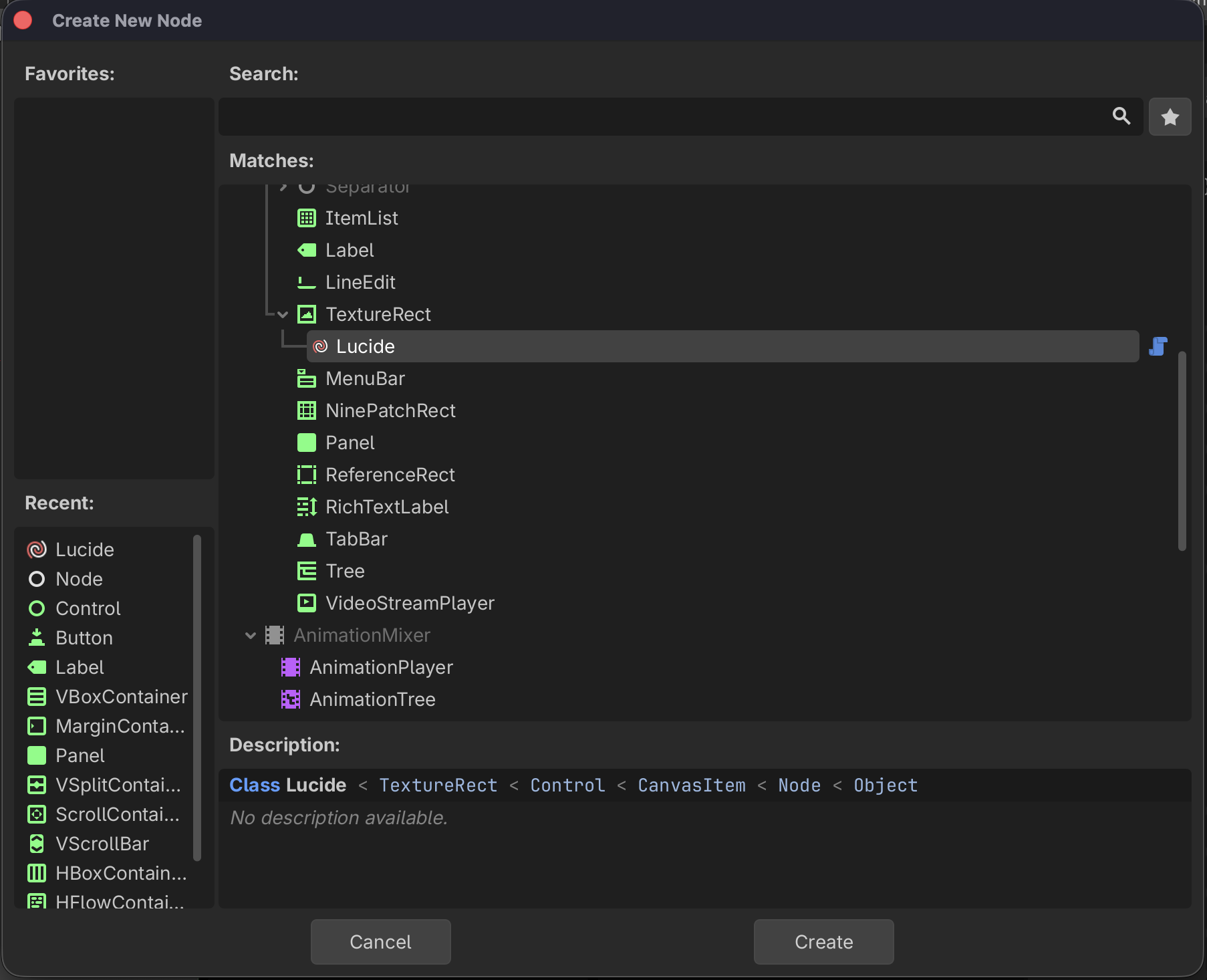 2. In the **Inspector** set the exported properties: 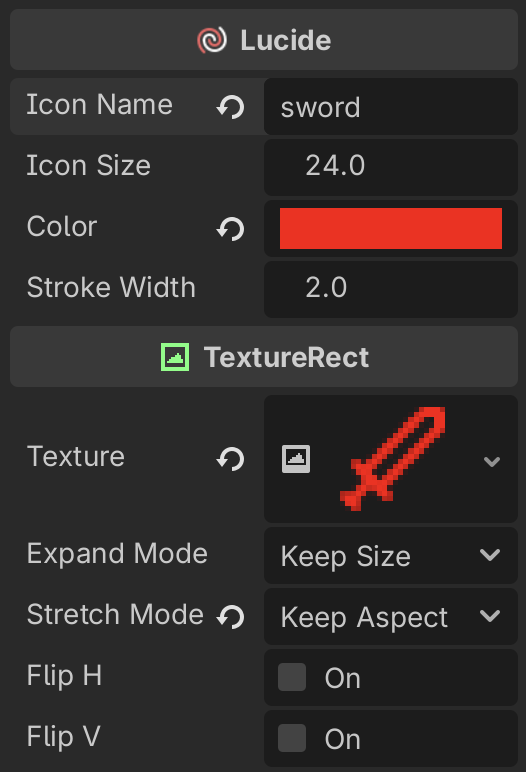 | Property | Type | Default | Description | |---|---|---|---| | `icon_name` | `String` | `""` | Name of the Lucide icon (e.g. `"house"`, `"circle-check"`) | | `icon_size` | `float` | `24` | Rendered size in pixels (width and height) | | `color` | `Color` | `WHITE` | Icon tint color | | `stroke_width` | `float` | `2.0` | SVG stroke width | ### In Code (GDScript) ```gdscript # Minimal — just the icon name var icon := Lucide.new("house") add_child(icon) # Full constructor: name, size, color, stroke var icon := Lucide.new("circle-check", 32, Color.GREEN, 1.5) add_child(icon) ``` You can also change properties after the node is in the scene tree: ```gdscript $MyIcon.icon_name = "star" $MyIcon.icon_size = 48 $MyIcon.color = Color.YELLOW $MyIcon.stroke_width = 1.0 ``` ### As a Texture Resource (`LucideTexture`) You can use any Lucide icon as a plain `Texture2D` on any node that has a texture slot — such as a `Button`'s **Icon**, a `Sprite2D`, or a `TextureButton`. 1. Click the texture slot in the Inspector (e.g. **Icon** on a `Button`). 2. Choose **New LucideTexture** from the dropdown. 3. Set **Icon Name**, **Icon Size**, **Color**, and **Stroke Width** in the Inspector. 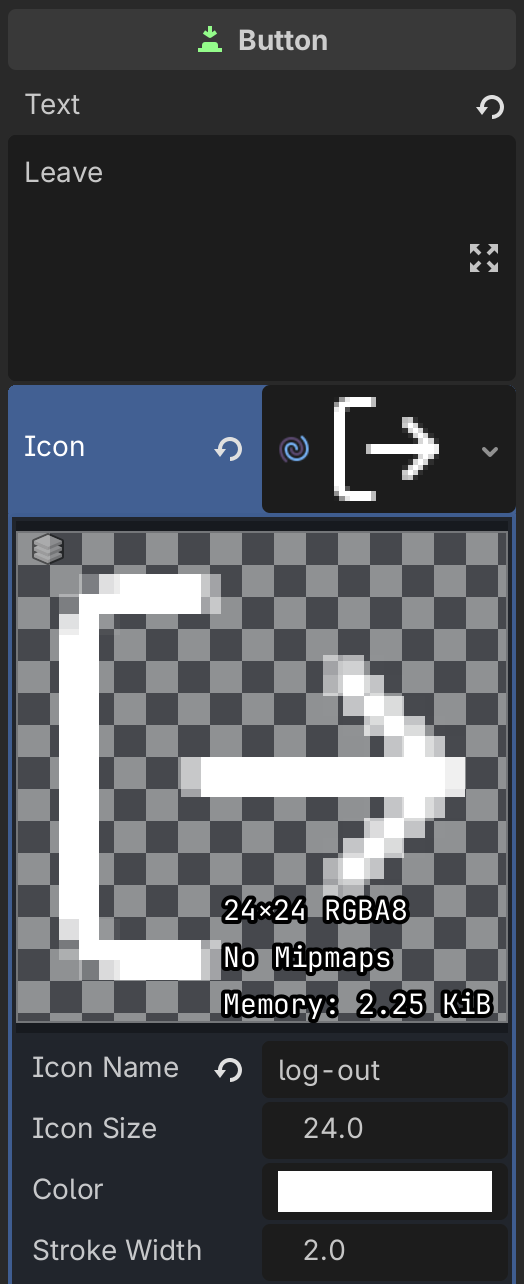 In code: ```gdscript var tex := LucideTexture.new() tex.icon_name = "log-out" tex.icon_size = 24 tex.color = Color.WHITE tex.stroke_width = 2.0 $Button.icon = tex ``` ### Icon Names Icon names match the Lucide identifier exactly, in kebab-case (e.g. `arrow-up-right`, `file-text`, `loader-circle`). The full list is available at [lucide.dev/icons](https://lucide.dev/icons). --- ## Editor Dock When the plugin is enabled a **Lucide Icons** dock appears in the bottom-right panel. 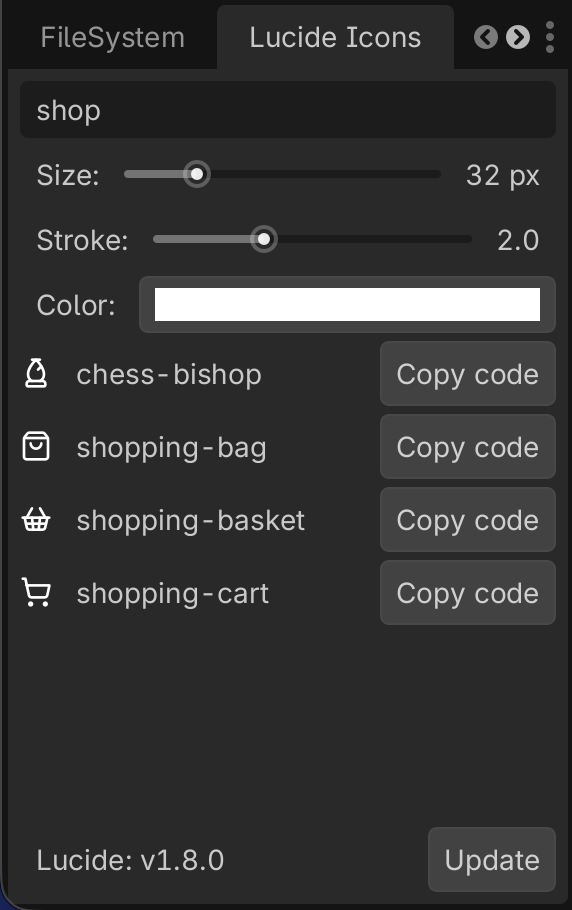 | Control | Description | |---|---| | **Search** | Filter icons by name in real time | | **Size** slider | Preview size (8 – 128 px) | | **Stroke** slider | Preview stroke width (0.5 – 5.0) | | **Color** picker | Preview tint color | | **Copy code** button | Copies a ready-to-use `Lucide.new(...)` call to the clipboard | | **Update** button | Checks GitHub for a newer Lucide release and downloads it | The dock previews update live as you adjust size, stroke, and color. --- ## How It Works ### Icon Loading Pipeline Each time an icon needs to be displayed the plugin: 1. Reads the SVG file from `res://addons/lucide/icons/<name>.svg`. 2. Injects the requested `color` and `stroke_width` values directly into the SVG markup. 3. Rasterizes the SVG to an `Image` at the requested scale. 4. Wraps it in an `ImageTexture` and assigns it to the `TextureRect`. ### Texture Cache A **static dictionary** (`Lucide._cache`) stores every rendered texture keyed by `"path|size|color|stroke"`. Subsequent requests for the same combination return the cached texture instantly, avoiding redundant disk reads and rasterization. ### Lazy Initialization Property setters skip `_reload()` until `_ready()` fires. This means constructing a node with `Lucide.new("icon", 32, color, 2.0)` triggers a single render pass instead of four. ### Auto-Download & Updates On `_enter_tree`, the plugin checks whether `res://addons/lucide/icons/` exists. If not, it queries the GitHub Releases API for the latest Lucide version and downloads the SVG zip automatically. The installed version is tracked in `.lucide-version` (excluded from version control). --- ## Project Structure ``` addons/lucide/ ├── plugin.cfg # Godot plugin manifest ├── plugin.gd # EditorPlugin — dock, download, update logic ├── lucide.gd # Lucide node (TextureRect subclass) ├── icon.svg # Plugin icon shown in the Godot editor ├── icons/ # Downloaded SVG icons (git-ignored) └── .lucide-version # Installed version tracker (git-ignored) ``` --- ## Changelog ### v1.1.0 - Added `LucideTexture` resource — use Lucide icons as a `Texture2D` on any node (buttons, sprites, etc.) - Fixed release asset lookup using the correct `name` field from the GitHub API ### v1.0.0 - Initial release --- ## License This plugin is released under the [MIT License](LICENSE). Lucide itself is also [MIT licensed](https://github.com/lucide-icons/lucide/blob/main/LICENSE). Icon attribution is not required but appreciated.
