KO
|
EN
gitlite — search
Search
#javascript
#python
#hacktoberfest
#react
#ai
#typescript
#llm
#go
#golang
#android
#machine-learning
#rust
#deep-learning
#linux
Emacs
★ 15
Open GitHub ↗
Emacs customizations
Download README (.md)
Explore Similar Repositories
notifications
:
This repo will no longer be updated. GoInstant will be discontinued as of August 31, 2014. Read our blog for more details.
catch
:
Haskell pattern match analsyis checker
openmini
:
An open source homage to the Minimoog
cpdflib-source
:
No description available.
lwf-loader
:
lwf-loader provides many functions which support LWF usages in game development.
// repository documentation
Was this content helpful?
★ 0
(0 ratings)
Select Rating:
★
★
★
★
★
Submit Feedback
Recent Feedback
×
Download README
Do you want to download the
README.md
file for
Emacs
?
Download (.md)
<h1>Emacs</h1> <h2>P4 Customization:</h2> <h3>P4 Sync Revivion:</h3> p4-sync-revision enables to sync given revision of the file if its not opened for pending changelist. <h3>Customized P4 Submit:</h3> Existing p4 submit function limits us to submit all the opened files. The customized p4-submit function will allow you to submit the current file(only if it is opened for some operation(edit, add etc.,), otherwise it will show all the opened files to submit) and it will prompt you if you are trying to submit an empty diff file. <h2>Speedbar customizations</h2> Added more features like setting default directory from cursor point and current buffer etc., to make speedbar directory navigation more user-friendly. <h2>Color theme:</h2> A dark theme based on vi default theme. </br></br> 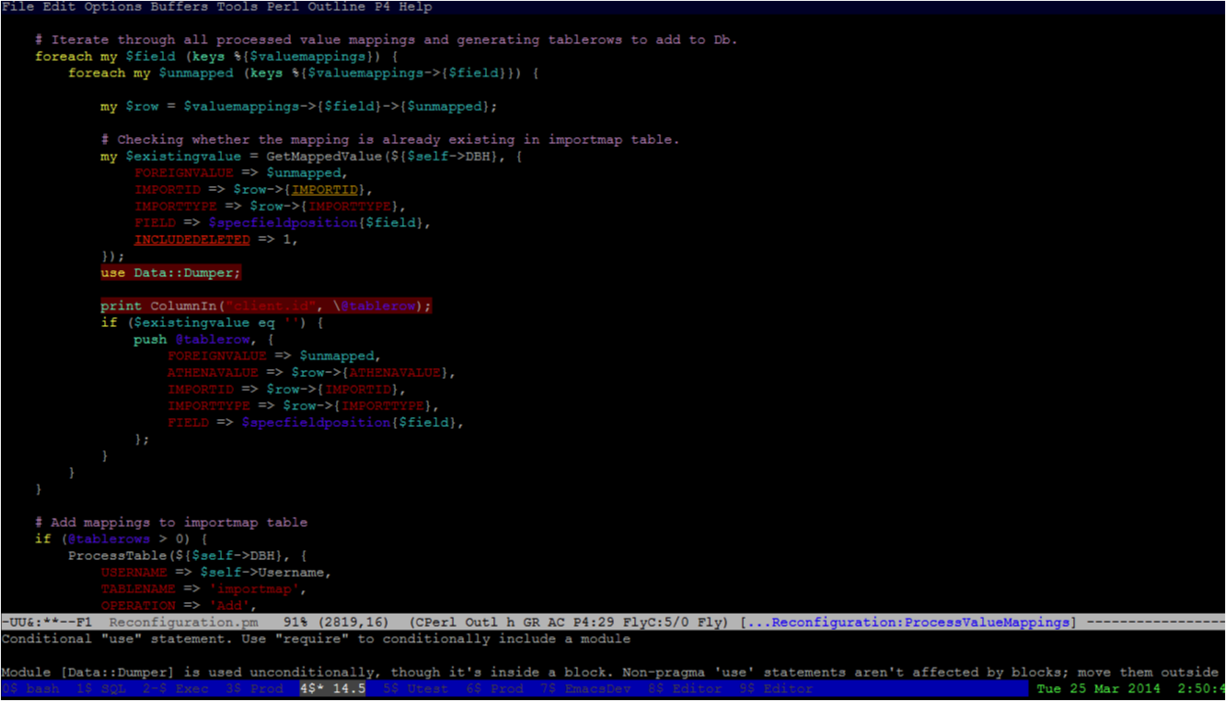 <h2>Turing-machine:</h2> Turing machine puzzle game for emacs. A puzzle is defined with a turing machine tape, target and its states. Play with the states to make the tape as target. I have given with some puzzles with various complexities and user can define their own puzzles and add it to the existing puzzles and play. <h2>Eclim-workspace:</h2> Enabling easy way to open eclipse workspace through eclim. - Listing recent eclipse workspaces and allowing to choose from them - Unlock the workspace if its restricted to one instance - Starting eclimd for the workspace - Runs user defined hooks once eclims started. (Ex: you can project explorer for the workspace) <h2>Customized which-func mode:</h2> - Which Function mode is a global minor mode. When enabled, the current function name is continuously displayed in emacs mode line, in certain major modes. - Modified format of the function name displayed in the mode-line, since fully qualified name of the function name may exceed the window width. - As of now, I've hard coded the max-length of the function name displayed in the mode-line. This should be customized based on the window-width and rest space in the mode-line. - Enable this for particular major mode: ``` ;; Adding hook to the cperl mode (eval-after-load 'cperl-mode '(add-hook 'cperl-mode-hook 'set-which-func-current t)) ``` <h2>kb-mode:</h2> Minor mode for managing temporary buffers which enables to kill temporary buffers easily by providing user-friendly functions to select buffers to be killed more importanytly timer object can be set to kill the temporary buffers automatically in given interval.
