KO
|
EN
gitlite — search
Search
#typescript
#ai-agents
#ai
#dsh-plugin
#deepseek-harness
#open-source
#claude-code
#codex
#cli
#developer-tools
#react
#windows
BulletJs
★ 97
Open GitHub ↗
👨💻一个原生js弹幕库
Download README (.md)
Explore Similar Repositories
skywalking-cli
:
Apache SkyWalking CLI
eleventy-plugin-prismic
:
Eleventy plugin and shortcodes to fetch and present Prismic content
jwt-node-vue
:
Repositório responsável pelo primeiro projeto da série de vídeos: Coding Stuff.
superdiary
:
Kotlin/Compose Multiplatform Diary App with shared UI (Android, iOS, Desktop, Web)
bitflags
:
Single-header header-only C++11 / C++14 / C++17 library for easily managing set of auto-generated type-safe flags.
// repository documentation
Was this content helpful?
★ 0
(0 ratings)
Select Rating:
★
★
★
★
★
Submit Feedback
Recent Feedback
×
Download README
Do you want to download the
README.md
file for
BulletJs
?
Download (.md)
## BulletJs 😀 一个原生 js 弹幕库,基于 CSS3 Animation - [segmentFault 文章地址](https://segmentfault.com/a/1190000021719074) - [演示页面](https://stackblitz.com/edit/web-platform-oqereb?file=index.html) - 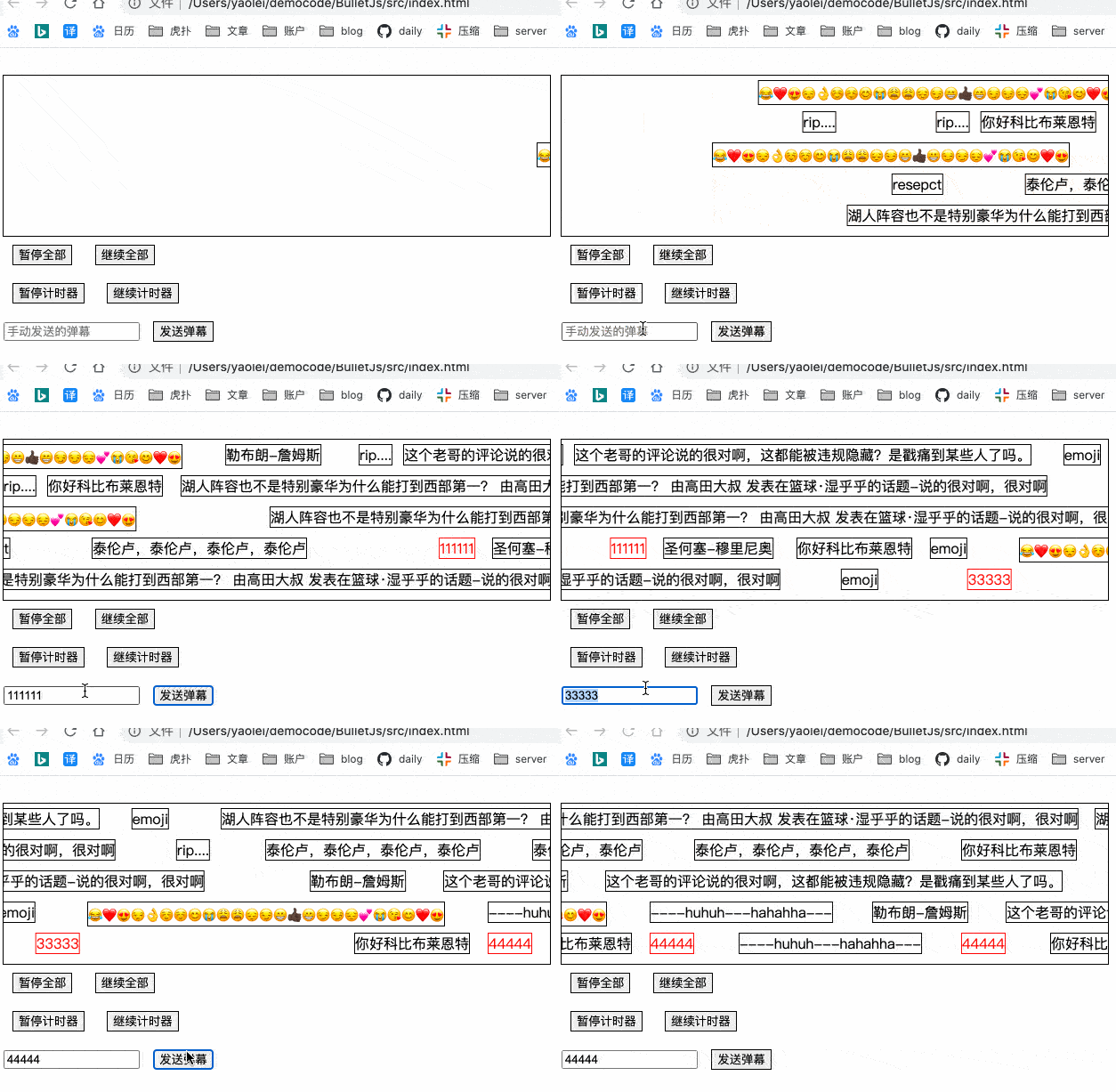 ### 使用方式 1. 直接 cdn 引入 ```js <script src="https://unpkg.com/js-bullets@latest/dist/BulletJs.min.js"></script> <script> // .screen 的 div 必须要有明确的宽高 const screen = new BulletJs('.screen', {}); screen.push('<span>12222222</span>') </script> ``` 2. ESModule 引入 ```js yarn add js-bullets // react import BulletJs from "js-bullets"; componentDidMount() { const screen = new BulletJs("#danmu-screen", {}) setInterval(() => { screen.push('<span>12222222</span>') }, 1000) } ``` 3. 简单粗暴的办法直接拷贝 `src` 目录下的代码到你的项目中使用,vue、react 项目均可 --- - 创建一个弹幕实例: `const screen = new BulletJs(dom selector, Options);` - 发送弹幕: `screen.push('弹幕内容')` - 暂停弹幕: `screen.pause([<bulletId>])`,无参则暂停全部 - 弹幕继续: `screen.resume([<bulletId>])`,无参则继续全部 - Options | 选项 | 含义 | 值类型 | 默认值 | 备注 | | ------------ | ------------------ | ------------------ | --------- | ---------------------------------------------------------------------------------- | | trackHeight | 轨道高度 | string | 50px | 均分轨道的高度 | | onStart | 自定义动画开始函数 | function | null | 开始开始回调 | | onEnd | 自定义动画结束函数 | function | null | 弹幕运动结束回调 | | pauseOnClick | 鼠标点击暂停 | boolean | false | 再次点击继续 | | pauseOnHover | 鼠标悬停暂停 | boolean | true | 鼠标进入暂停,离开继续 | | speed | 滚动速度 | number | 100 | `100px/s` 或 `null` 传入`null` 会根据 `duration`参数自动控制速度,弹幕越长速度越快 | | trackArr | 控制每一轨道的速度 | `{speed:number}[]` | undefined | 单独控制每一条轨道速度,数组索引对应轨道序号,如当前索引下无值则取 speed 参数的值 | | duration | 滚动时长 | string | 10s | `传入speed该参数无效` | - 建议参数配置如下: ```js { trackHeight: 35, // 每条轨道高度 speed: 100, // 速度 100px/s 根据实际情况去配置 pauseOnClick: true, // 点击暂停 pauseOnHover: true, // hover 暂停 } ``` ## **注意事项** 1. 由于包内部使用 `innerHTML` 来实现让开发者自定义样式,故有极大风险产生 [`XSS攻击`](https://tech.meituan.com/2018/09/27/fe-security.html),所以开发者在接收用户发出的弹幕时**一定要对输入内容做转义** ```js // 转义示例代码 https://stackoverflow.com/questions/30661497/xss-prevention-and-innerhtml function escapeHTML(unsafe_str) { return unsafe_str .replace(/&/g, '&') .replace(/</g, '<') .replace(/>/g, '>') .replace(/\"/g, '"') .replace(/\'/g, ''') .replace(/\//g, '/') } ``` 2. 弹幕原理:利用 `css3 animation 关键帧动画`, 从左移动到右,`duration` 控制速度 ```css @keyframe name { from { transform: translateX(width px); } to { transform: translateX(-100%); } } ``` 3. [弹幕防重叠原理](https://www.zhihu.com/question/370464345) 4. 另外一点需要注意的:我在项目里从接口里读出来数据每页 20 条,每隔 1s 去发一条弹幕(用 setTimeout),这时有个问题,当页面休眠休眠时,会出现 setTimeout 堆积的情况,解决办法:用 [requestAnimationFrame](https://zhuanlan.zhihu.com/p/34868095)替代 setTimeout,代码在 `src/util/raf.js` 里面 ## 项目灵感 - 本项目灵感来源于 [rc-bullets](https://github.com/zerosoul/rc-bullets),项目产生原因: - `rc-bullets` 是基于 `React`,可能很多使用其他框架的同学没法使用 - 新增了 `speed` 参数,让所有弹幕以相同速度运动(自己项目的需要) - 在`animationEnd`的时候增加了轨道置空处理 - 对 `queues` 队列的处理方式不同 - 弹幕格式 `dom 字符串`,方便使用者自定义弹幕样式 - 去掉了一些自己项目用不到的 api ### 更新日志 - 2023-12-04 - 用 `appendChild`代替`replaceChildren`解决移动端低版本浏览器的兼容问题 - 2022-07-10 - 文档及源码中增加 xss 风险的提示 - 支持对[不同轨道设置不同速度](https://github.com/hugeorange/BulletJs/issues/13) - 使用 prittier 对代码进行格式化 - 2021-01-22 更新 - 全局增加`isAllPaused`标志,当全部暂停后不会再有 push 或是 render ,`resume` 之后即可恢复 - 问题:`切记:不可覆盖内部样式类 __bullet-item-style `否则可能会出现弹幕重叠问题 - 增加演示页面 - 2020-08-24 更新 - 源码采用 ts 书写,增加 `.d.ts` 文件 - 采用 rollup 打包并发布到 npm,[rollup 打包教程](https://chenshenhai.github.io/rollupjs-note/note/chapter03/01.html) - 去除靠`IntersectionObserver`来对弹道进行调度,采用新的弹道选择算法,增加防重叠检测 - 支持同速/不同速弹幕 - 默认情况下直接丢弃排不上队的弹幕,不对其进行缓存,对于必定要上墙的弹幕在 push 时可以增加一个参数 `this.screen.push(danmu, {}, true)` (适用于用户自己发的弹幕,需要将第三个参数传为`true`) - 变更名字,想想用拼音起名还是太 low 了 😂😂😂😂
