KO
|
EN
gitlite — search
Search
#java
#nodejs
#python
#react
#redux
#atom
#php
#build
#docker
#rust
#craftcms
#c-sharp
es-midway-admin
★ 33
Open GitHub ↗
基于 midwayjs+typeorm 搭建的一套基础后台管理系统
Download README (.md)
Explore Similar Repositories
sf_data_engineering_bootcamp
:
Exercises, source files and anything else related to Snowflake Data Engineering Bootcamp course on O'Reilly learning platform.
ansible-HealthCheck
:
ansible-playbook执行主机巡检,生成网页巡检结果
acs712-esphome
:
ACS712 sensor component for esphome
S4ND-U-Net_speech_enhancement
:
No description available.
gpt-anki
:
Using Python, GPT4 and LangChain to Generate Custom Anki Decks
// repository documentation
Was this content helpful?
★ 0
(0 ratings)
Select Rating:
★
★
★
★
★
Submit Feedback
Recent Feedback
×
Download README
Do you want to download the
README.md
file for
es-midway-admin
?
Download (.md)
# es-midway-admin 基于midwayjs搭建的一套基础后台管理系统 [github仓库地址](https://github.com/vangleer/es-midway-admin) ## 使用技术 midwayjs + typeorm + redis ## 相关文档 - [(一)-基于midwayjs搭建的一套基础后台管理系统](https://juejin.cn/post/7216526817371750457) - [(二)-登录功能](https://juejin.cn/post/7217705828714545213) - [(三)-自定义组件&装饰器](https://juejin.cn/post/7221003401996075045) - [(四)-权限管理](https://juejin.cn/post/7222832297854074937) - [(五)-文件模块、excel导入导出、swagger接口文档生成](https://juejin.cn/post/7234430377909092389) - [(六)-操作日志、任务队列](https://juejin.cn/post/7242111660793364535) - [(七)-即时通讯、使用SocketIO开发聊天功能](https://juejin.cn/post/7246055010186559525) - [(八)-使用pm2、docker/docker-compose部署](https://juejin.cn/spost/7249165873360322618) ## 现有功能 - 登录注册、验证码 - 用户管理 - 角色管理 - 权限管理 - 文件模块、excel导入导出 - swagger - 聊天功能 ## 具体使用 ### 克隆代码到本地 ```sh git clone https://github.com/vangleer/es-midway-admin.git ``` ### 启动后端 需提前安装mysql和redis,导入默认数据 src/entity/init.sql(默认路由、配置等) > 注意:没安装 redis 需要把任务队列相关功能注释 ```sh cd es-midway-admin yarn yarn dev ``` ### 启动前端 ```sh cd web yarn yarn dev ``` 访问 http://localhost:3001/ 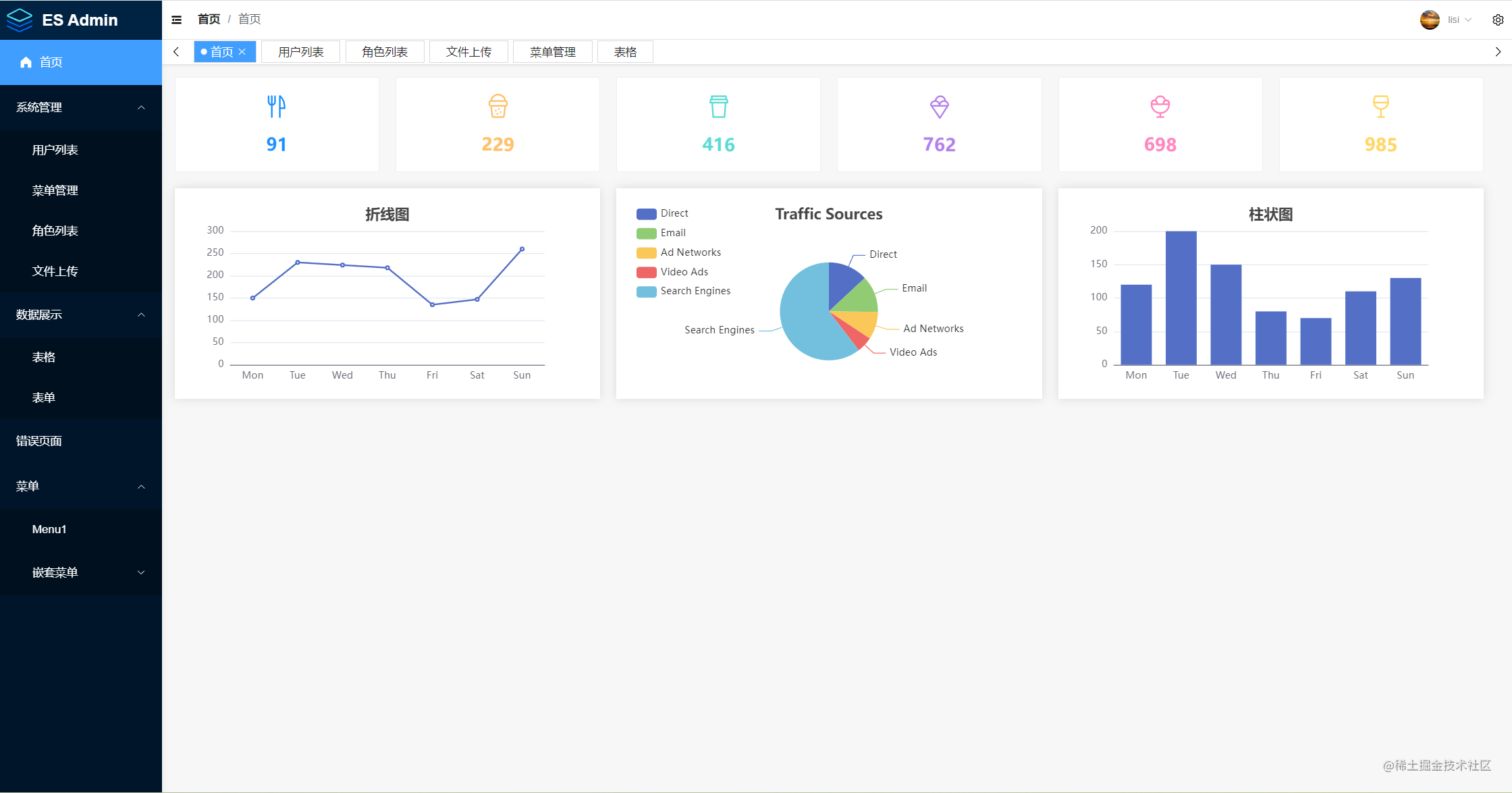 ## 项目搭建 这部分内容参考 [midwayjs官网](http://midwayjs.org/) 即可 ## 引入 typeorm > 这部分推荐参考官网 ### 安装依赖 ```sh npm i @midwayjs/typeorm@3 typeorm mysql2 --save ``` ### 配置连接信息和实体模型 ```typescript // src/config/config.default.ts export default { // ... typeorm: { dataSource: { default: { type: 'mysql', host: '127.0.0.1', port: 3306, username: 'root', password: 'root', database: 'db1', synchronize: true, // 如果第一次使用,不存在表,有同步的需求可以写 true,注意会丢数据 logging: false, // 配置实体模型-扫描实体 entities: ['**/entity/*.ts'], dateStrings: true } } } } ``` ## entity 实体层/模型层 ### BaseEntity 提取公共表字段 如(id、createTime、updateTime)等 ```typescript // src/entity/base.ts import { Entity, PrimaryGeneratedColumn, CreateDateColumn, UpdateDateColumn } from 'typeorm' @Entity('role') export class BaseEntity { @PrimaryGeneratedColumn() id: number @CreateDateColumn({ comment: '创建时间', type: 'timestamp' }) createTime: Date @UpdateDateColumn({ comment: '更新时间', type: 'timestamp' }) updateTime: Date } ``` ### 创建User实体 ```typescript // src/entity/user.ts import { Entity, Column } from 'typeorm' import { BaseEntity } from './base' @Entity('user') export class User extends BaseEntity { @Column({ comment: '用户名' }) username: string @Column({ comment: '密码(md5加密)' }) password: string @Column({ comment: '真实姓名', nullable: true }) realname: string @Column({ comment: '昵称', nullable: true }) nickname: string @Column({ comment: '角色Id(1,2,3)', nullable: true }) roleId: string } ``` ## service 业务层 ### BaseService 提取公共方法 ```typescript // src/service/base.ts import { Provide } from '@midwayjs/core' import { Repository } from 'typeorm' import { BaseEntity } from '../entity/base' @Provide() export abstract class BaseService<T extends BaseEntity> { public abstract entity: Repository<T> add(query) { return this.entity.save(query) } update(query) { return this.entity.update(query.id, query) } delete(ids: number | string | string[]) { return this.entity.delete(ids) } info(data) { return this.entity.findOne({ where: data }) } async page(data) { const { page = 1, size = 10 } = data const [list, total] = await this.entity.findAndCount({ where: {}, take: size, skip: (page - 1) * size }) return { list, pagination: { total, size, page } } } list(data?) { return this.entity.find({ where: data } as any) } } ``` ### UserService - 集成BaseService需要提供具体的entity,这样BaseService里面的公共方法才有效 - 如果用不着 BaseService 里的方法也可以不用继承 - 对于复杂的方法可以进行重写 ```typescript // src/service/user.ts import { Provide, Inject } from '@midwayjs/core' import { InjectEntityModel, } from '@midwayjs/typeorm' import { Repository } from 'typeorm' import { BaseService } from './base' import { User } from '../entity/user' import * as md5 from 'md5' import { CustomHttpError } from '../common/CustomHttpError' @Provide() export class UserService extends BaseService<User> { @InjectEntityModel(User) entity: Repository<User> async add(data: User) { const user = await this.entity.findOne({ where: { username: data.username } }) if (user) { throw new CustomHttpError('用户已存在') } if (data.password) { data.password = md5(data.password) } return await super.add(data) } async update(data: User) { if (data.password) { data.password = md5(data.password) } return await super.update(data) } } ``` ## Controller 控制层 ### BaseController 提取公共属性和方法 - 这里只提供了返回成功和失败方法 ```typescript // src/controller/base.ts import { Inject } from '@midwayjs/core' import { Context } from '@midwayjs/web' import { Result, IResult } from '../utils' export abstract class BaseController { @Inject() ctx: Context success<T>(data?: T, option: IResult<T> = {}): IResult<T> { return Result.success<T>({ data, ...option }) } error(message?, option: IResult = {}) { return Result.error({ message, ...option }) } } ``` - 上面用到了 Result对象的方法(由于其它地方如异常处理和中间件中也可能会使用到返回成功或失败的功能,所有对其进行了抽离) ```typescript // src/utils/result.ts export const DEFAULT_SUCCESS_CODE = 200 export const DEFAULT_ERROR_CODE = 900 export interface IResult<T = any> { data?: T code?: number message?: string } export const Result = { success<T>(option: IResult<T> = {}): IResult<T> { const { data = null, code = DEFAULT_SUCCESS_CODE, message = 'success' } = option return { code, data, message } }, error(option: IResult = {}): IResult { const { data = null, code = DEFAULT_ERROR_CODE, message = 'error' } = option return { code, data, message } } } ``` ### UserController ```typescript // src/controller/user.ts import { Body, Controller, Inject, Post } from '@midwayjs/core' import { User } from '../entity/user' import { UserService } from '../service/user' import { BaseController } from './base' @Controller('/user') export class UserController extends BaseController { @Inject() service: UserService @Post('/add') async add(@Body() data: User) { const res = await this.service.add(data) return this.success(res) } @Post('/update') async update(@Body() data: User) { await this.service.update(data) return this.success() } } ``` ## 异常处理 在 UserService中使用到了自定义异常,在midwayjs中我们可以轻松实现这一功能 ```typescript // src/common/CustomHttpError.ts import { MidwayHttpError, HttpStatus } from '@midwayjs/core' export class CustomHttpError extends MidwayHttpError { constructor(message) { super(message || '服务器出错啦!!!', HttpStatus.BAD_REQUEST) } } ``` - 这样我们就可以抛出自己定义的异常了,但问题是我想让接口调用者看到错误信息该怎么做呢?这就是我们接下来要讲的异常捕获(midwayjs也提供了非常便捷的方式实现异常捕获,使用装饰器 Catch) ```typescript // src/filter/exception.ts import { Catch } from '@midwayjs/core' import { Context } from 'egg' import { Result } from '../utils' @Catch() export class ExceptionFilter { async catch(err, ctx: Context) { ctx.logger.error(err) return Result.error({ code: err.status ?? 500, message: err.message }) } } ``` 上面只是定义了我们要捕获的异常,我们还需要将它应用到我们某个框架的 app 中,比如 http 协议的 app。 我们可以在 src/configuration.ts 中将错误处理过滤器应用上,由于参数可以是数组,我们可以应用多个错误处理器。 ```typescript import { App, Configuration, ILifeCycle } from '@midwayjs/core' import { Application } from 'egg' import { join } from 'path' import * as orm from '@midwayjs/typeorm' import * as egg from '@midwayjs/web' import { ExceptionFilter } from './filter/exception' @Configuration({ imports: [egg, orm], importConfigs: [join(__dirname, './config')], }) export class ContainerLifeCycle implements ILifeCycle { @App() app: Application async onReady() { this.app.useFilter(ExceptionFilter) // + } } ``` > 在[midwayjs官网](http://midwayjs.org/)有非常详细异常处理的使用 ## 最后 由于项目还在开发中,目前就实现了这些功能,后面会不断完善,也会出一些相关文章。 done... 点个赞在走呗!!!(●'◡'●)
