KO
|
EN
gitlite — search
Search
#python
#java
#python3
#arduino
#golang
#machine-learning
#rust
#html
#flask
#javascript
#seismology
#nodejs
hexi
★ 18
Open GitHub ↗
A generic motion simulator.
Download README (.md)
Explore Similar Repositories
Immutable
:
Missing non-mutating functions in Swift
spring-mvc-thymeleaf-crud
:
Spring MVC CRUD Application with Thymeleaf, HTML5, CSS3 and Bootstrap
Spawn1
:
No description available.
LikeWeChatSwitchButton
:
仿微信的滑动按钮
IoT-Blink
:
IoT Blink Demo using Pi + Ethereum
// repository documentation
Was this content helpful?
★ 0
(0 ratings)
Select Rating:
★
★
★
★
★
Submit Feedback
Recent Feedback
×
Download README
Do you want to download the
README.md
file for
hexi
?
Download (.md)
# hexi Hexi is a generic motion simulator. Developed as my graduation project ([thesis PDF in Chinese](./resources/thesis.pdf)). [Video demo on Youtube](https://youtu.be/wAmHUI8TY4Q) ## Features - Generic: can meet demands by developing plugins. - Supports Microsoft Flight Simulator X as an input signal source. - Implements the classical washout algorithm. - Supports visualizing simulation performance via a 3D Stewart GUI. | Screenshot: Realtime Signal Debugging | Screenshot: Realtime Stewart Visualiation | | :--------------------------------------: | :--------------------------------------: | | 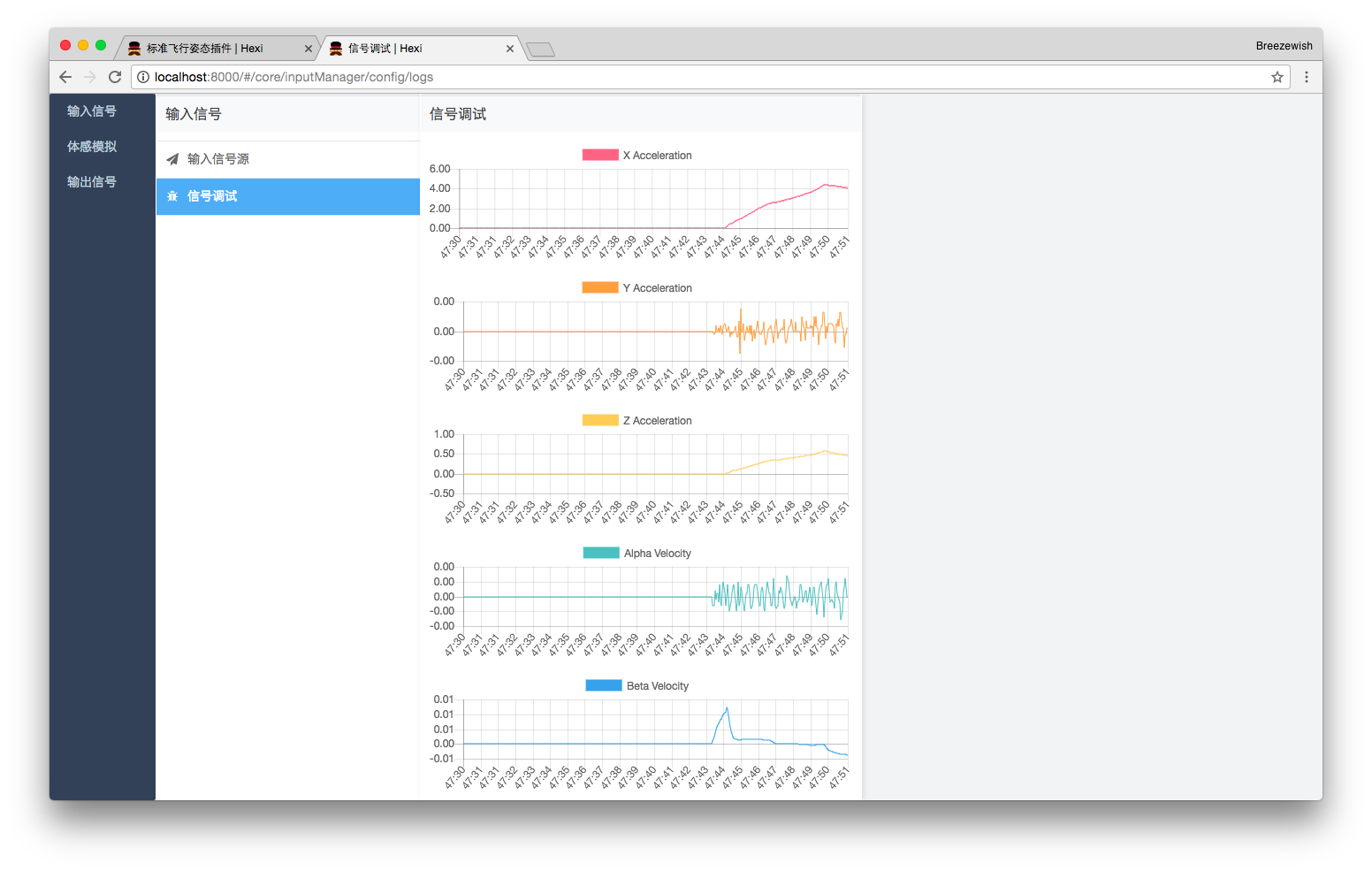 | 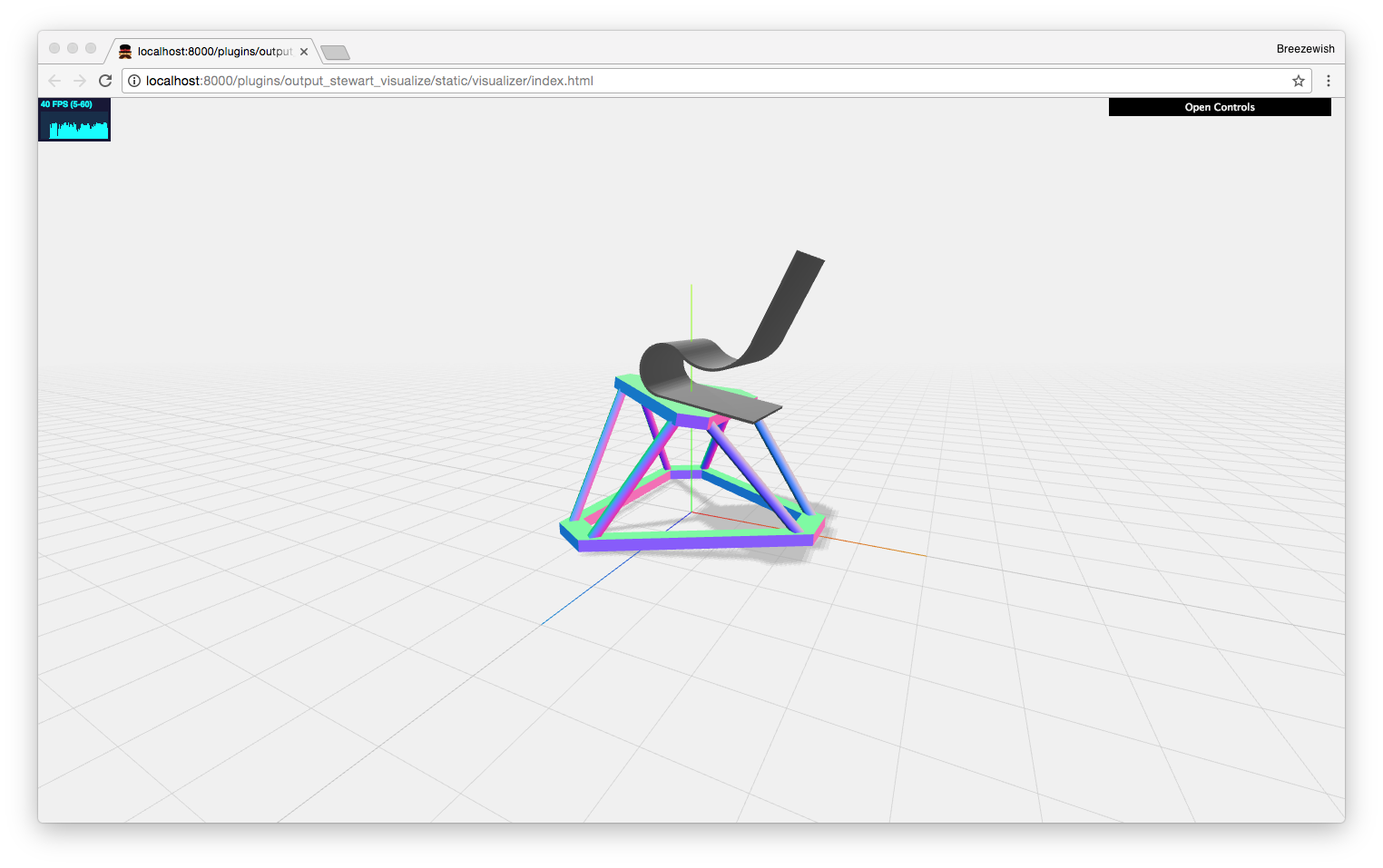 | ## !! Notice !! There are no hardware supports due to my limited money & time during the research. However a real-time 3D visualization is available as described above. Feel free to write output plugins to support a specific hardware and send me PRs! ## Alternatives & Comparison Similar softwares are [X-Sim](http://www.x-sim.de/forum/portal.php) and [XSimulator](https://www.xsimulator.net/). However this project has the following advantages: - Open-source & free of charge. - Cross platform: Windows, Linux, MacOS. - A greater plug-in system (more extensible). - Using modern technologies. - Possible better motion cueing performance (?). ## Possible Use of This Project - Refer to the software implemention the classical washout algorithm, especially the HP/LP filters (in Python). - Refer to the approach to connect to FSX (in .NET). - Refer to the design and implementation of a extensible system (via plug-in mechanism). - Refer to the implementation of rendering a 3D Stewart platform (via WebGL). - Refer to the implementation of a TCP + UDP high performance async data channel (in Python). - See how motion simulation really works! - Design and test new motion cueing algorithms. - Real-life motion simulation (if you can develop a hardware output plugin). ## Prerequisites - [Python 3.6 or above](https://www.python.org/downloads/) - [Nodejs 6.0 or above](https://nodejs.org/en/download/) ## Getting Started from Source This repository does not contain 3rd-party dependencies and prebuilt files. In order to start the platform from this repository, you need to build the project as described below. > Note: These steps are written for Linux/MacOS users. For Windows users, you may need to adjust commands a little, mainly the formats of directories. First, you need to install dependencies: ```bash # in the project's root directory: python3 -m pip install -r requirements.txt npm install # or: cnpm install ``` > You may need to use [cnpm](https://npm.taobao.org/) instead of npm if you are in China. To avoid compatibility issues, be sure to use cnpm by creating `alias` as described in its homepage instead of the default way. Next, you need to compile the user interface for core modules and plugins: ```bash # in the project's root directory: npm run build:coreDll npm run build:core npm run build:plugin -- --env.pluginName input_flight_attitude npm run build:plugin -- --env.pluginName input_fsx npm run build:plugin -- --env.pluginName mca_classical_washout npm run build:plugin -- --env.pluginName output_stewart_visualize ``` In addition, the OutputStewartVisualize plugin needs extra build steps: ```bash # in the project's root directory: cd hexi/plugins/output_stewart_visualize npm start ``` Finally, you can start the Hexi server now: ```bash # in the project's root directory: python3 -m hexi.server ``` ## For Developers This section is for developers who wish to modify the source code or write new plugins for Hexi. ### Core User Interface If you have modified the core user interface, you need to re-compile them to take effect: ```bash # in the project's root directory: npm run build:coreDll npm run build:core ``` Alternatively, you may want to enable the watch mode so that they are recompiled automatically once you have made changes: ```bash # in the project's root directory: npm run build:core -- --watch ``` ### Plugin User Interface After modifying the plugin user interface, re-compile is required as well: ```bash # in the project's root directory: npm run build:plugin -- --env.pluginName PLUGIN_NAME ``` Alternatively, you can also enable watch mode here: ```bash # in the project's root directory: npm run build:plugin -- --env.pluginName PLUGIN_NAME --watch ```
