KO
|
EN
gitlite — search
Search
#nodejs
#javascript
#shell
#php
#hacktoberfest
#java
#android
#r
#c-plus-plus
#dns
#dotfiles
#rails
lmstudio-Dify-Plugin
★ 27
Open GitHub ↗
a Dify plugin for LM Studio
Download README (.md)
Explore Similar Repositories
dify-plugin-webhook
:
Dify plugin to call Dify workflows and chatflows via webhook.
better-knowledge-base
:
Better Dify knowledge base plugin
DOC-Dify-Plugin
:
a Dify plugin to convert markdown text into docx file
PPT-Dify-Plugin
:
a Dify plugin to convert markdown text into .pptx file
ffmpeg-Dify-Plugin
:
an ffmpeg plugin for Dify
// repository documentation
Was this content helpful?
★ 0
(0 ratings)
Select Rating:
★
★
★
★
★
Submit Feedback
Recent Feedback
×
Download README
Do you want to download the
README.md
file for
lmstudio-Dify-Plugin
?
Download (.md)
# LM Studio Plugin for Dify **Author:** [Steven Lynn](https://github.com/stvlynn) **Version:** 0.0.1 **Type:** model **Repository:** https://github.com/stvlynn/lmstudio-Dify-Plugin --- This plugin allows you to connect your LM Studio local models to Dify. ## Features - Support for both Chat and Completion models - Support text embedding models ## Setup ### LM Studio 1. Install [LM Studio](https://lmstudio.ai/) on your computer 2. Run LM Studio and load a local model 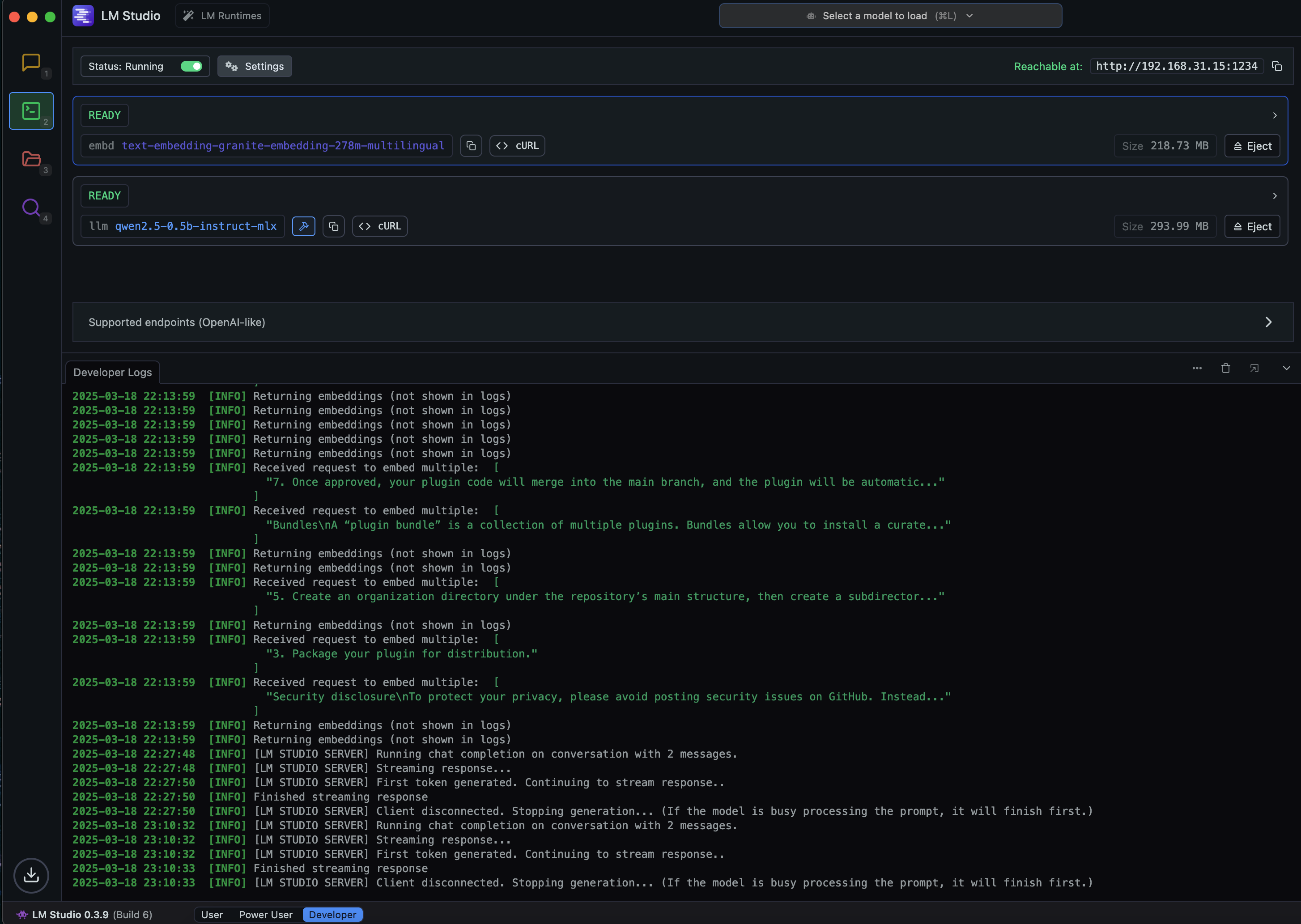 3. Configure LM Studio to serve the model via API (in server mode) 4. Configure the plugin with your LM Studio server URL (default is http://localhost:1234) ### Models 1. Install [LM Studio](https://https://marketplace.dify.ai/plugins/stvlynn/lmstudio) from Dify Marketplace. 2. Set up models in **Model Provider** -> **LM Studio** -> **Add Model** 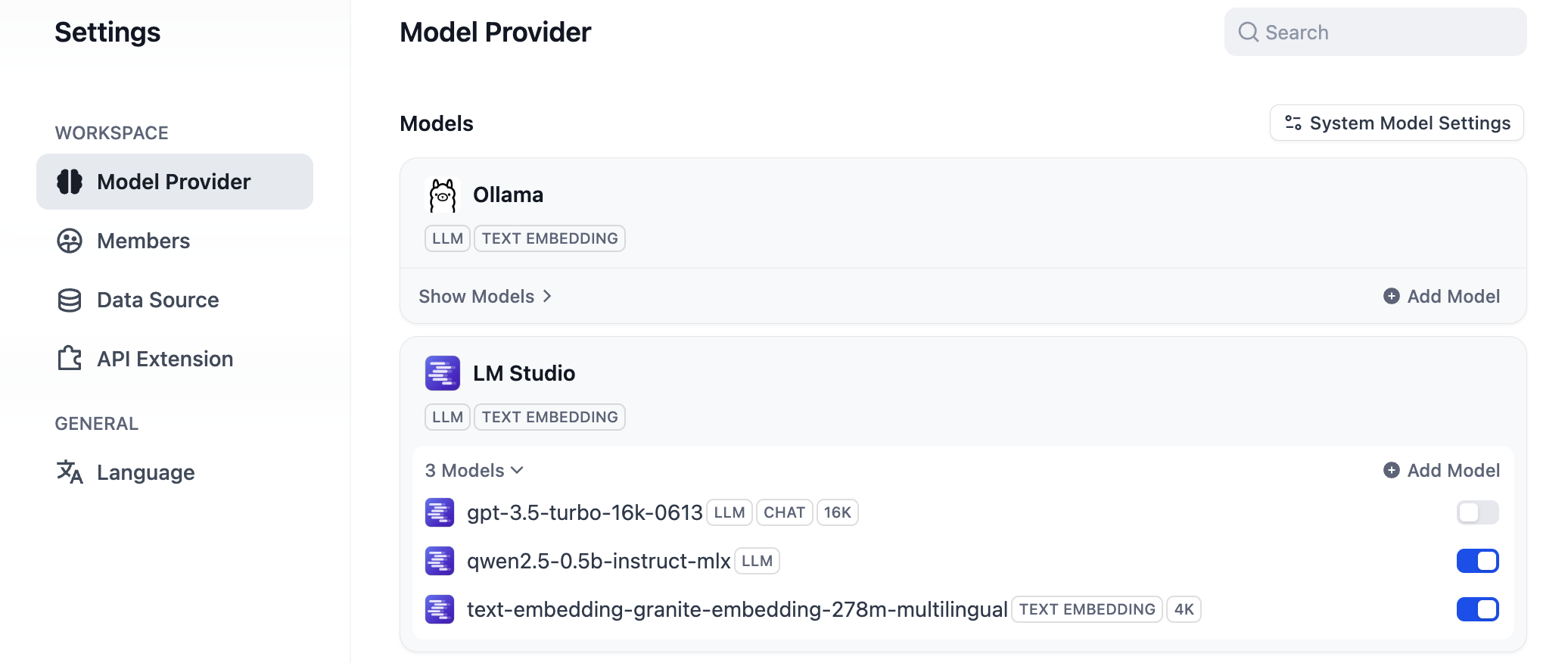 3. Add a model. 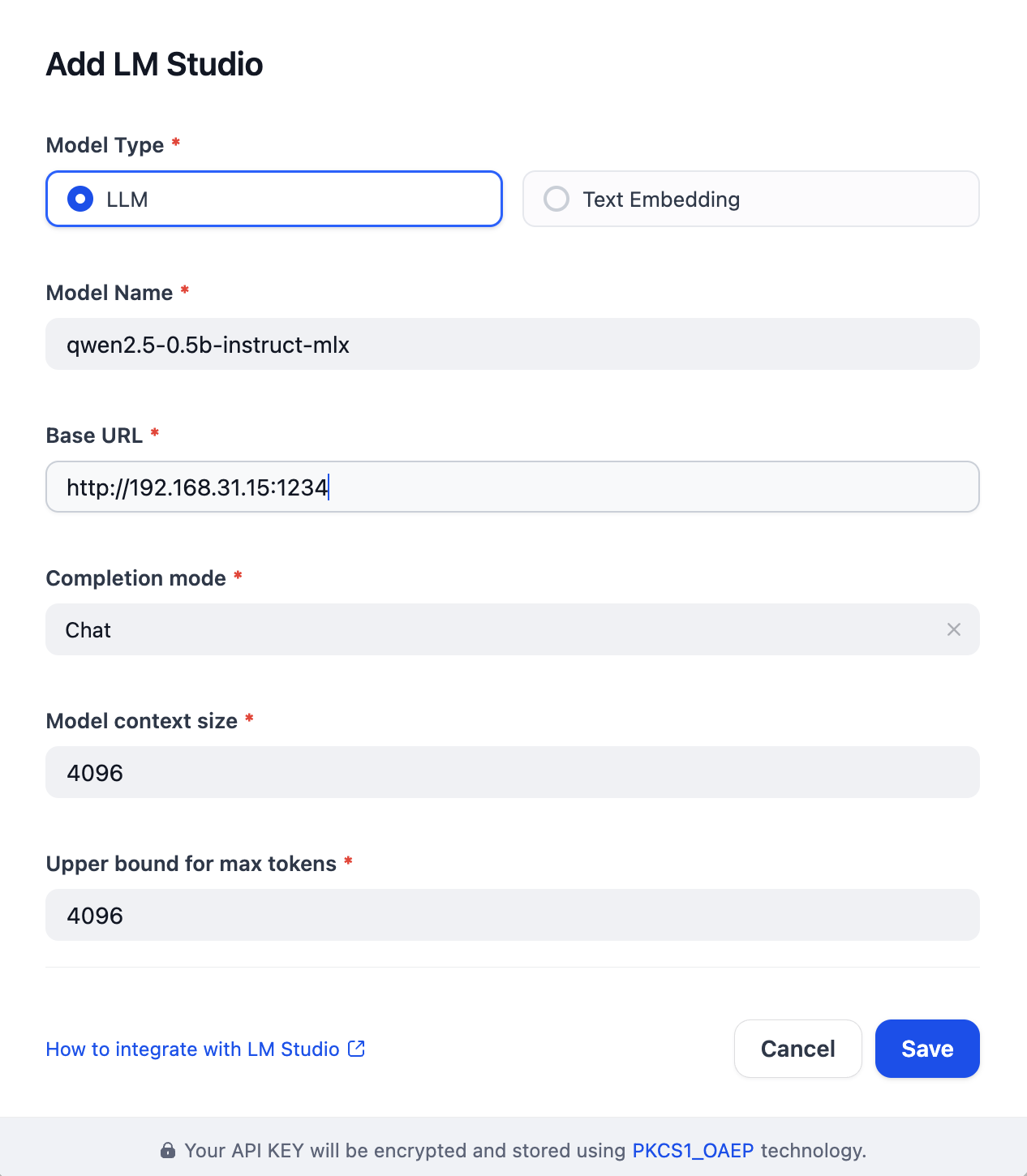 4. If you added an embedding model, apply it in **Model Provider** -> **System Model Setting** -> **embedding Model** 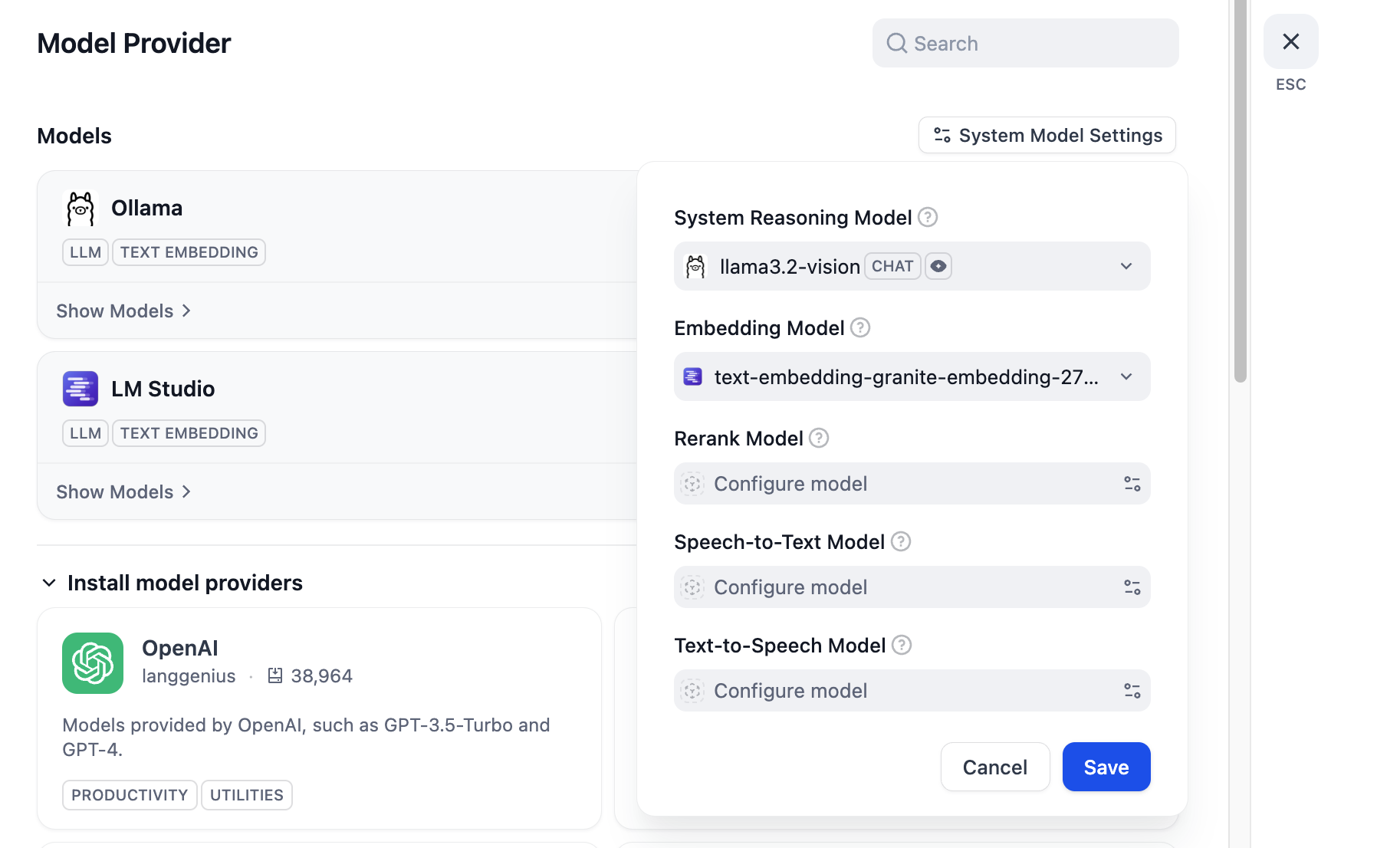 ## Requirements - LM Studio running with at least one model loaded - API server mode enabled in LM Studio ## Usage After setting up the plugin, you can use any loaded LM Studio model in your Dify applications by selecting it in the model dropdown. ## License [MIT](./LICENSE)
