KO
|
EN
gitlite — search
Search
#typescript
#ai-agents
#ai
#dsh-plugin
#deepseek-harness
#open-source
#claude-code
#codex
#cli
#developer-tools
#react
#windows
stelo-extension
★ 47
Open GitHub ↗
No description available.
Download README (.md)
Explore Similar Repositories
elm-storybook-example
:
An example of how you can build a design system with Elm + Storybook!
ModelRatatouille
:
Recycling diverse models
VinsFusionSC
:
VINS-Fusion combined with Switchable Constraints
file_fw
:
No description available.
chatGPT-auto-speech
:
listen and talk to your chatGPT. https://chrome.google.com/webstore/detail/chatgpt-auto-speech/jliflimkjclgbmfficnhimfdmmikpabb
// repository documentation
Was this content helpful?
★ 0
(0 ratings)
Select Rating:
★
★
★
★
★
Submit Feedback
Recent Feedback
×
Download README
Do you want to download the
README.md
file for
stelo-extension
?
Download (.md)
# Stelo Stelo allows you to explore the frontier of web3 with confidence that you won't get phished. Read more about Stelo and download the latest version from the Chrome Webstore on [stelolabs.com](https://stelolabs.com). 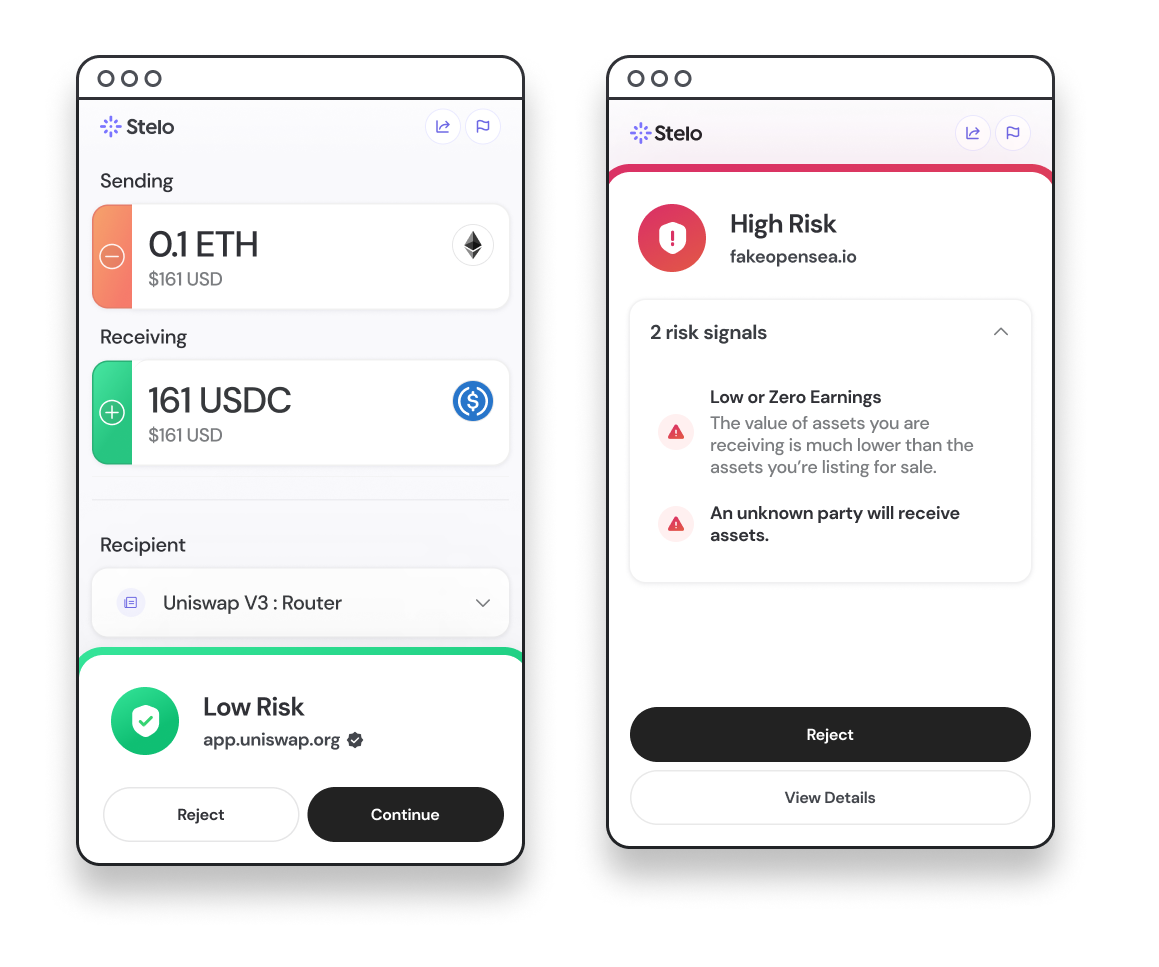 ## How it works Stelo sits in between websites and extension based wallets (like MetaMask) to interpret and enrich transactions with relevant onchain and offchain data. Technically, Stelo is able to inject into the transaction flow by wrapping the `window.ethereum` object that is inserted into the page and called by extension based wallets. The relevant code for this process is in [this](/apps/ext/src/chromeServices/RPCProviderFacade.ts) file and extracted below. ``` export class RPCProviderFacade { constructor() { if (window.ethereum) { log("wrapping window.ethereum"); this.wrap(window.ethereum); if (!!window.ethereum?.providers?.length) { window.ethereum?.providers.forEach(this.wrap.bind(this)); } } else { log("adding ethereum#initialized event listener "); window.addEventListener("ethereum#initialized", () => { log("ethereum#initialized: wrapping window.ethereum"); this.wrap(window.ethereum); }); } } ``` Stelo does not modify the request as long as the user accepts the request in Stelo. ``` async waitForDecision(request: EthersRequest) { const rpcRequestId = uuidv4(); const event = new CustomEvent("STELO", { detail: { rpcRequestId, ...request, userAddress: window.ethereum.selectedAddress, }, }); window.dispatchEvent(event); return new Promise((res, rej) => { window.addEventListener("message", (event) => { if ( event.data.origin === "stelo" && event.data.rpcRequestId === rpcRequestId ) { event.data.approval ? res(undefined) : rej({ message: "User Rejected Tx in Stelo" }); } }); }); } ``` ## Download latest build If you'd like to install Stelo locally instead of from the Chrome store you can download the latest release build [here](https://github.com/). Note that you will not receive updates that may contain crucial security improvements. ### Adding to Chrome - Unzip the build. - Add the extension to Chrome. - navigate to `chrome://extensions/` in your web browser. - Enable Developer mode (There should be a toggle in the upper right corner). - Click `Load Unpacked` (This should open up a file picker). - Select the newly created `./release` folder at the root of this project's directory. ## Building Locally If you'd like to build Stelo yourself you can do so as well. Note that you will not receive updates that may contain crucial security improvements. ### Dependencies - install [node.js 16](https://nodejs.org/ko/blog/release/v16.0.0/) - install [yarn](https://yarnpkg.com/) ### Creating a Local Build - After cloning this repository and changing into its directory. - `yarn install` to install the projects dependencies - `yarn build` to generate a static build. (this will create a `./apps/ext/release` folder). - Add the extension to Chrome. - navigate to `chrome://extensions/` in your web browser. - Enable Developer mode (There should be a toggle in the upper right corner). - Click `Load Unpacked` (This should open up a file picker). - Select the newly created `./apps/ext/release` folder.
