KO
|
EN
gitlite — search
Search
#nodejs
#cpp
#python
#react
#golang
#android
#javascript
#library
#php
#aws
#java
#networks
ffmpeg-Dify-Plugin
★ 19
Open GitHub ↗
an ffmpeg plugin for Dify
Download README (.md)
Explore Similar Repositories
dify-plugin-webhook
:
Dify plugin to call Dify workflows and chatflows via webhook.
better-knowledge-base
:
Better Dify knowledge base plugin
DOC-Dify-Plugin
:
a Dify plugin to convert markdown text into docx file
lmstudio-Dify-Plugin
:
a Dify plugin for LM Studio
PPT-Dify-Plugin
:
a Dify plugin to convert markdown text into .pptx file
// repository documentation
Was this content helpful?
★ 0
(0 ratings)
Select Rating:
★
★
★
★
★
Submit Feedback
Recent Feedback
×
Download README
Do you want to download the
README.md
file for
ffmpeg-Dify-Plugin
?
Download (.md)
# FFmpeg Plugin for Dify **Author:** [stvlynn](https://github.com/stvlynn) **Version:** 0.0.1 **Type:** tool ## Description FFmpeg plugin for Dify, enabling video and audio file processing and conversion. The plugin provides tools for retrieving video information, format conversion, trimming, compression, and audio extraction. ## Requirements - FFmpeg must be installed on the system - Python 3.12+ - **You must enable video file upload in Dify's Features > File Upload settings.** 1. Go to the **Features** tab in your Dify app and enable **File Upload**: 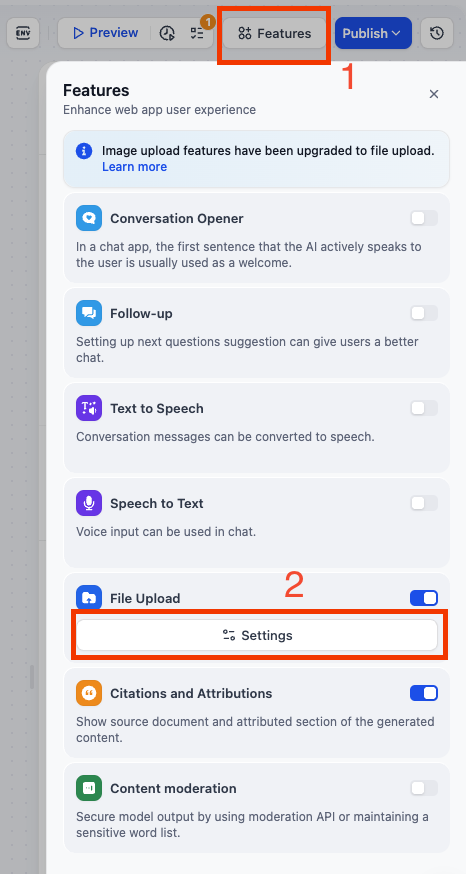 2. In the File Upload settings, make sure to check the **Video** file type : 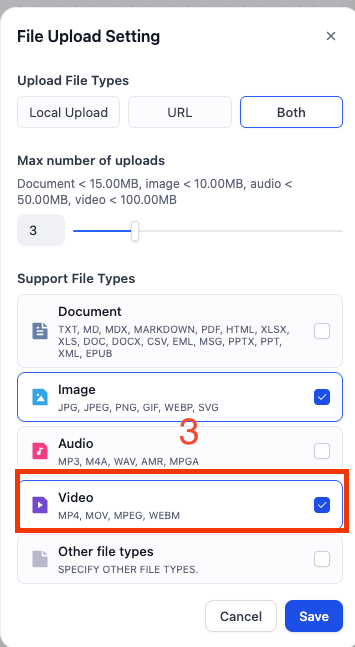 ## Features The plugin provides the following capabilities: ### 1. Video Information 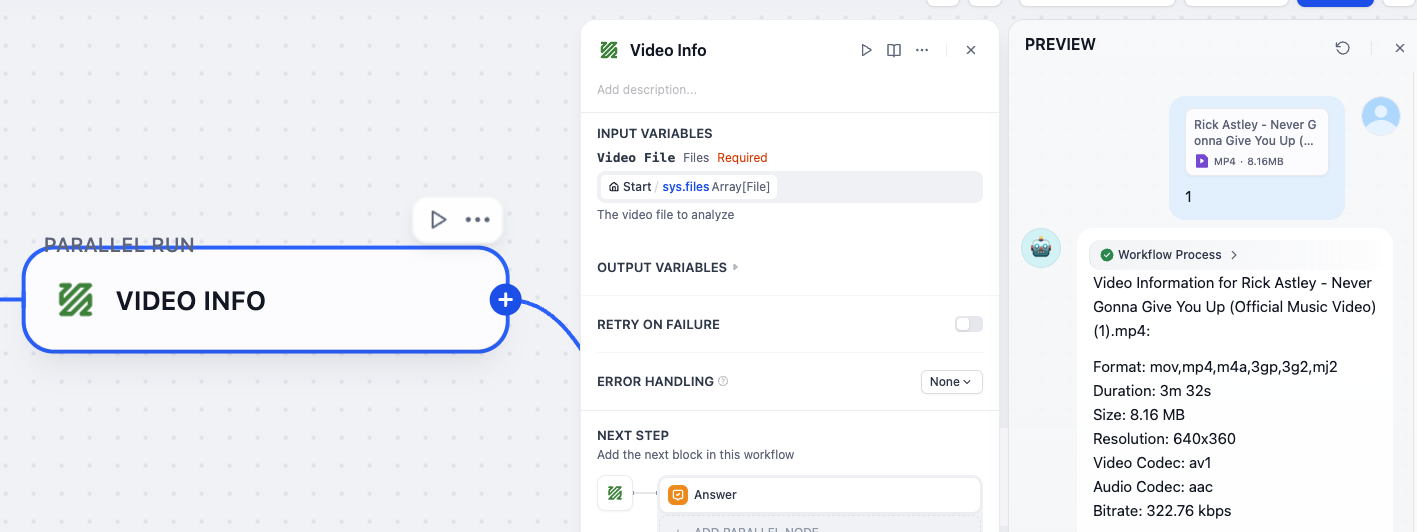 Gets detailed technical information about a video file, including format, duration, resolution, codecs, and other metadata. ### 2. Video Conversion 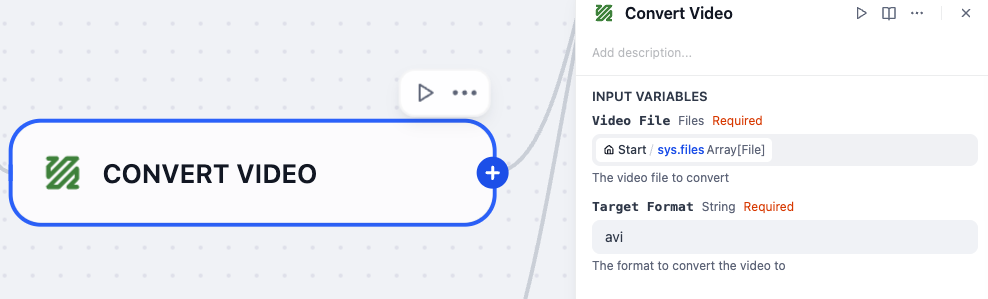 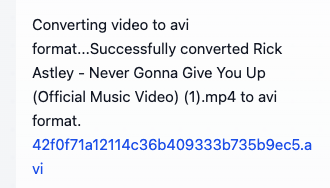 Converts video files from one format to another, supporting common formats like MP4, AVI, MOV, MKV, and more. ### 3. Video Trimming 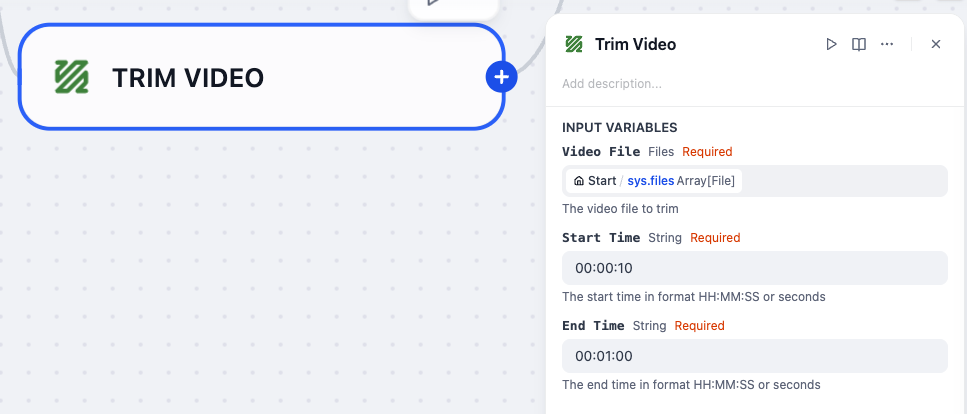 Extracts a specific section of a video by specifying start and end times, maintaining the original quality. ### 4. Video Compression 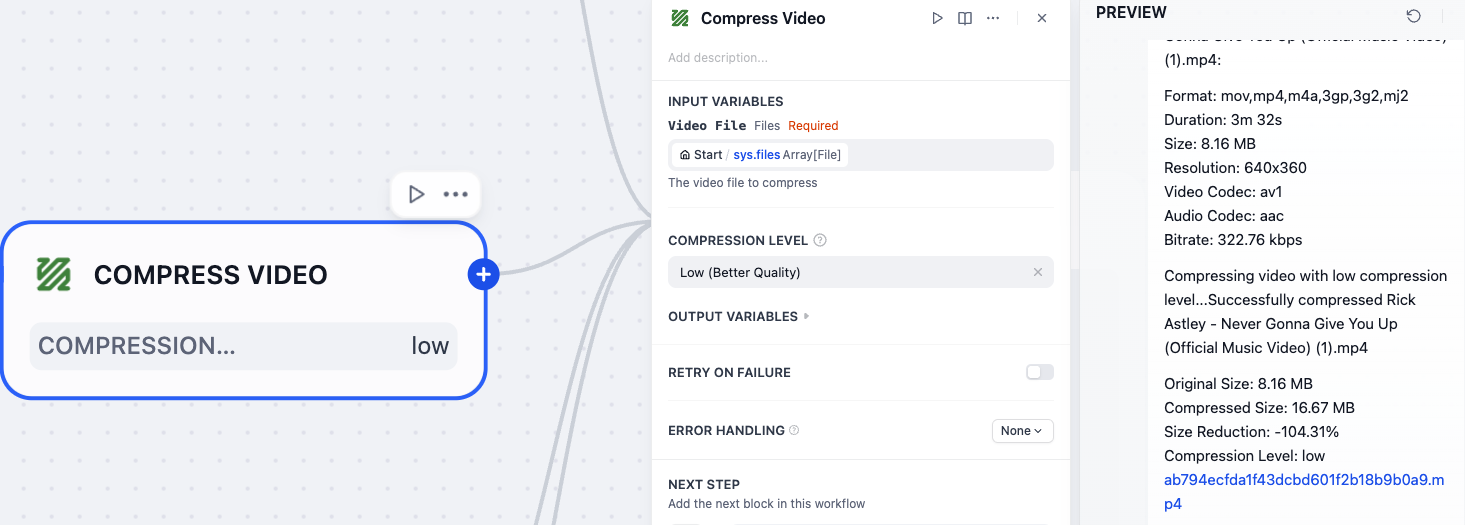 Compresses a video file to reduce its size while attempting to maintain reasonable quality. Useful for sharing videos or saving storage space. ### 5. Audio Extraction 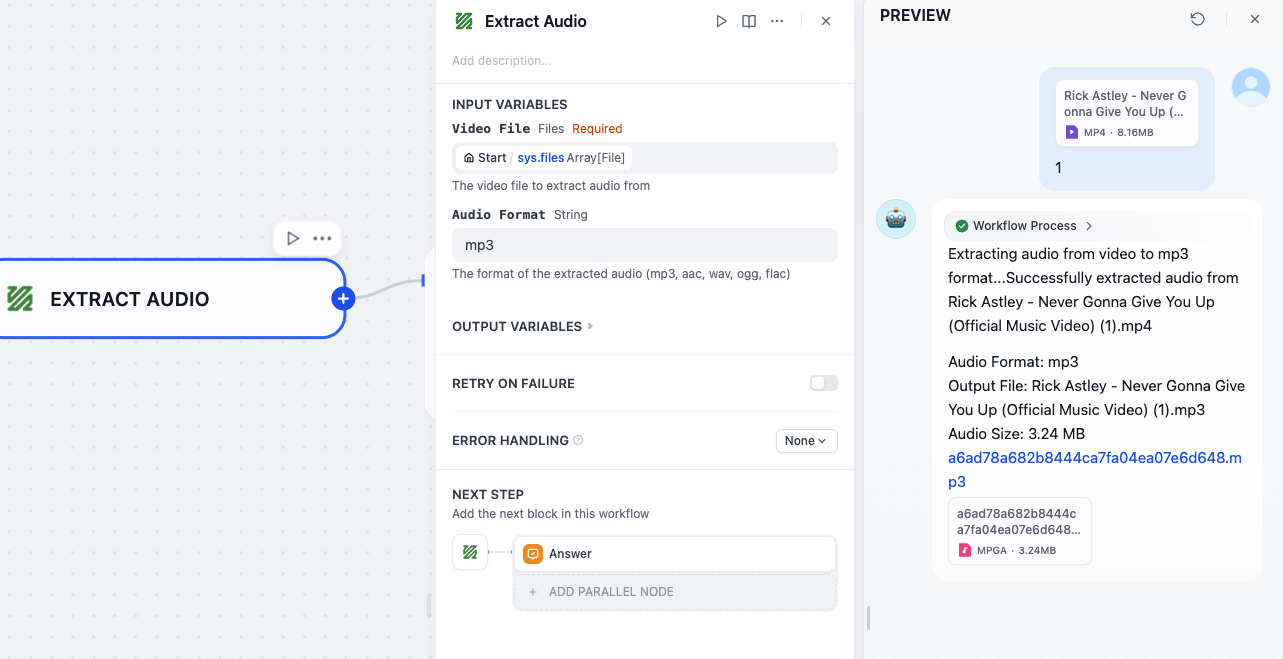 Extracts the audio track from a video file and saves it as an audio file in various formats. ## Parameters ### Video Information Parameters | Parameter | Type | Required | Description | |-----------|------|----------|-------------| | video | file | Yes | The video file to analyze | ### Video Conversion Parameters | Parameter | Type | Required | Description | |-----------|------|----------|-------------| | video | file | Yes | The video file to convert | | target_format | string | Yes | The format to convert the video to (mp4, avi, mov, mkv, etc.) | ### Video Trimming Parameters | Parameter | Type | Required | Description | |-----------|------|----------|-------------| | video | file | Yes | The video file to trim | | start_time | string | Yes | The start time (format: HH:MM:SS or seconds) | | end_time | string | Yes | The end time (format: HH:MM:SS or seconds) | ### Video Compression Parameters | Parameter | Type | Required | Description | |-----------|------|----------|-------------| | video | file | Yes | The video file to compress | | compression_level | select | No | Compression level: low, medium, high (default: medium) | ### Audio Extraction Parameters | Parameter | Type | Required | Description | |-----------|------|----------|-------------| | video | file | Yes | The video file to extract audio from | | audio_format | string | No | Format of extracted audio (mp3, aac, wav, ogg, flac) (default: mp3) | ## Usage Examples ### Get Video Information Example ```json { "video": [uploaded_video_file] } ``` ### Convert Video Example ```json { "video": [uploaded_video_file], "target_format": "mp4" } ``` ### Trim Video Example ```json { "video": [uploaded_video_file], "start_time": "00:01:30", "end_time": "00:02:45" } ``` ### Compress Video Example ```json { "video": [uploaded_video_file], "compression_level": "medium" } ``` ### Extract Audio Example ```json { "video": [uploaded_video_file], "audio_format": "mp3" } ``` ## Security Considerations - Ensure you have the necessary rights to process and convert the media files - The plugin uses temporary files which are automatically cleaned up after processing ## License [MIT](./LICENSE) ## Feedback and Issues If you encounter any problems or have suggestions for improvements: 1. Please open an issue in the [plugin's GitHub repository](https://github.com/stvlynn/ffmpeg-Dify-Plugin/issues) 2. Provide details about your problem, including error messages and steps to reproduce 3. **Do not** submit issues to the main [Dify](https://github.com/langgenius/dify) repository for plugin-specific problems
