KO
|
EN
gitlite — search
Search
#python
#ai
#automation
#typescript
#javascript
#mcp
#nodejs
#template
#react
#css3
#html5
#llm
picgo-plugin-web-uploader
★ 68
Open GitHub ↗
No description available.
Download README (.md)
Explore Similar Repositories
picgo-plugin-minio
:
No description available.
picgo-plugin-watermark
:
PicGo's watermark plugin
picgo-plugin-super-prefix
:
A PicGo plugin for elegant file name prefix
picgo-plugin-smms-user
:
a plugin for picgo for SM.MS
// repository documentation
Was this content helpful?
★ 0
(0 ratings)
Select Rating:
★
★
★
★
★
Submit Feedback
Recent Feedback
×
Download README
Do you want to download the
README.md
file for
picgo-plugin-web-uploader
?
Download (.md)
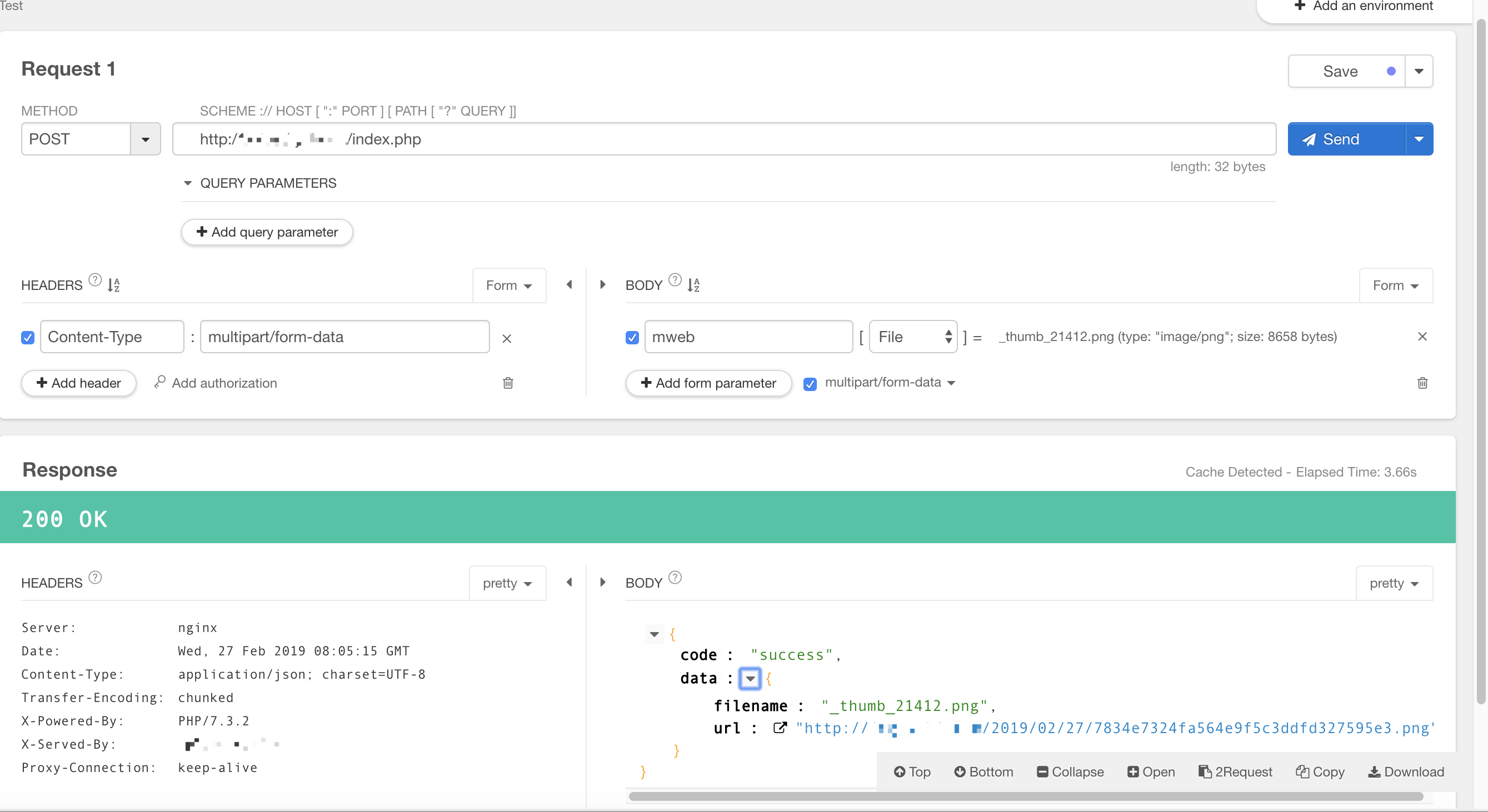
# picgo-plugin-web-uploader plugin for [PicGo](https://github.com/Molunerfinn/PicGo) - 自定义Web图床上传 ## 使用 ### 图床配置 - url: 图床上传API地址 - paramName: POST参数名 - jsonPath: 图片URL所在返回值的JsonPath(eg:data.url) - customHeader: 自定义请求头 标准JSON(eg: {"key":"value"} - customBody: 自定义Body 标准JSON(eg: {"key":"value"}) ### 服务端配置 1. 参照 [PicUploader](https://github.com/xiebruce/PicUploader) 配置同时上传多个免费图床 2. 可使用已打包的pic-upload docker镜像 ``` version: '3' services: pic-uploader: image: zqiannnn/pic-uploader:1.0 ports: - 8080:80 volumes: - ./server.conf:/etc/nginx/conf.d/server.conf environment: - STORAGE_TYPE=Qiniu,Netease,Aliyun,Ucloud,Qingcloud # 10G 10G - QINIU_AK=xx - QINIU_SK=xx - QINIU_BUCKET=xx - QINIU_DOMAIN=http://xx.bkt.clouddn.com # 50G 20G - NETEASE_AK=xx - NETEASE_AS=xx - NETEASE_BUCKET=xx - NETEASE_ENDPOINT=xx - NETEASE_DOMAIN=https://xx.nos-eastchina1.126.net # 无 - ALIYUN_AK=xx - ALIYUN_AS=xx - ALIYUN_BUCKET=xx - ALIYUN_ENDPOINT=xx - ALIYUN_DOMAIN=https://xx.aliyuncs.com # 20G 20G - UCLOUD_PUBLIC_KEY=xx - UCLOUD_PRIVATE_KEY=xx - UCLOUD_PROXY_SUFFIX=xx - UCLOUD_BUCKET=xx - UCLOUD_ENDPOINT=ufile.ucloud.com.cn - UCLOUD_DOMAIN=http://xx.ufileos.com # 30G 11G - QINGCLOUD_AK=xx - QINGCLOUD_SK=xx - QINGCLOUD_BUCKET=xx - QINGCLOUD_ZONE=xx # 最后一个domain可设置为步骤3中Nginx域名 - QINGCLOUD_DOMAIN=https://xx.qingstor.com # 自定义返回 - CUSTOM_FORMAT={"url":"{{url}}"} - WATERMARK=水印字符 ``` 3. 使用Nginx代理多个免费图床[nginx](https://www.xiebruce.top/644.html) ### 服务端测试 - Plugin配置  - Rest请求