KO
|
EN
gitlite — search
Search
#javascript
#python
#hacktoberfest
#react
#ai
#typescript
#llm
#go
#golang
#android
#machine-learning
#rust
#deep-learning
#linux
laps-self-service-portal
★ 9
Open GitHub ↗
No description available.
Download README (.md)
Explore Similar Repositories
cursor-token-prices-chrome-extension
:
No description available.
jetbrains
:
JetBrains Support for Geode
obsidian-zettelkasten-setup
:
Zettelkasten + PARA 방법론 기반 Obsidian Vault 템플릿. Claude Code 연동, Dataview/Templater 자동화 포함.
Awesome-GUI-World-Model
:
A curated list of papers and resources for GUI world models.
gmail_treemax
:
Simple app, provides a quick treemap visualization of your unread Gmail emails.
// repository documentation
Was this content helpful?
★ 0
(0 ratings)
Select Rating:
★
★
★
★
★
Submit Feedback
Recent Feedback
×
Download README
Do you want to download the
README.md
file for
laps-self-service-portal
?
Download (.md)
# 🔐 LAPS Self-Service Portal A self-service portal for Windows LAPS — lets users securely retrieve the local administrator password for **their own device**, without a helpdesk ticket. > Built on Azure Static Web Apps + Azure Functions, secured with Entra ID. Zero stored secrets for API access. --- ## ✨ Features - 🖥️ **Only-my-device rule** — users can only see and retrieve passwords for devices registered to them (enforced server-side) - 📝 **Mandatory justification** — configurable minimum length (default: 10 characters) - ⏱️ **60-second auto-hide** — password disappears with a countdown bar; copy available during the window - 📋 **Audit log** — every access attempt written to Azure Table Storage with user, device, justification, and IP - 🔑 **Managed Identity** — no stored secrets for Graph API access - 🛡️ **Easy Auth** — Entra ID JWT validated by Azure before your code runs; invalid or missing tokens rejected with 401 automatically - 🎨 **CSS theming** — full white-labeling via CSS custom properties - 🌐 **Custom domain** — supported via Azure Static Web Apps (Standard tier) --- ## 🧩 How it works 1. 👤 User signs in with their Entra ID account 2. 🖥️ The portal shows only **their own** registered devices (enforced server-side) 3. 📝 User selects a device and enters a justification 4. 🔓 LAPS password is shown for 60 seconds, then hidden automatically 5. 📋 Every access attempt is logged to Azure Table Storage --- ## 📸 Screenshots | Sign-in | Justification | |---------|--------------| | 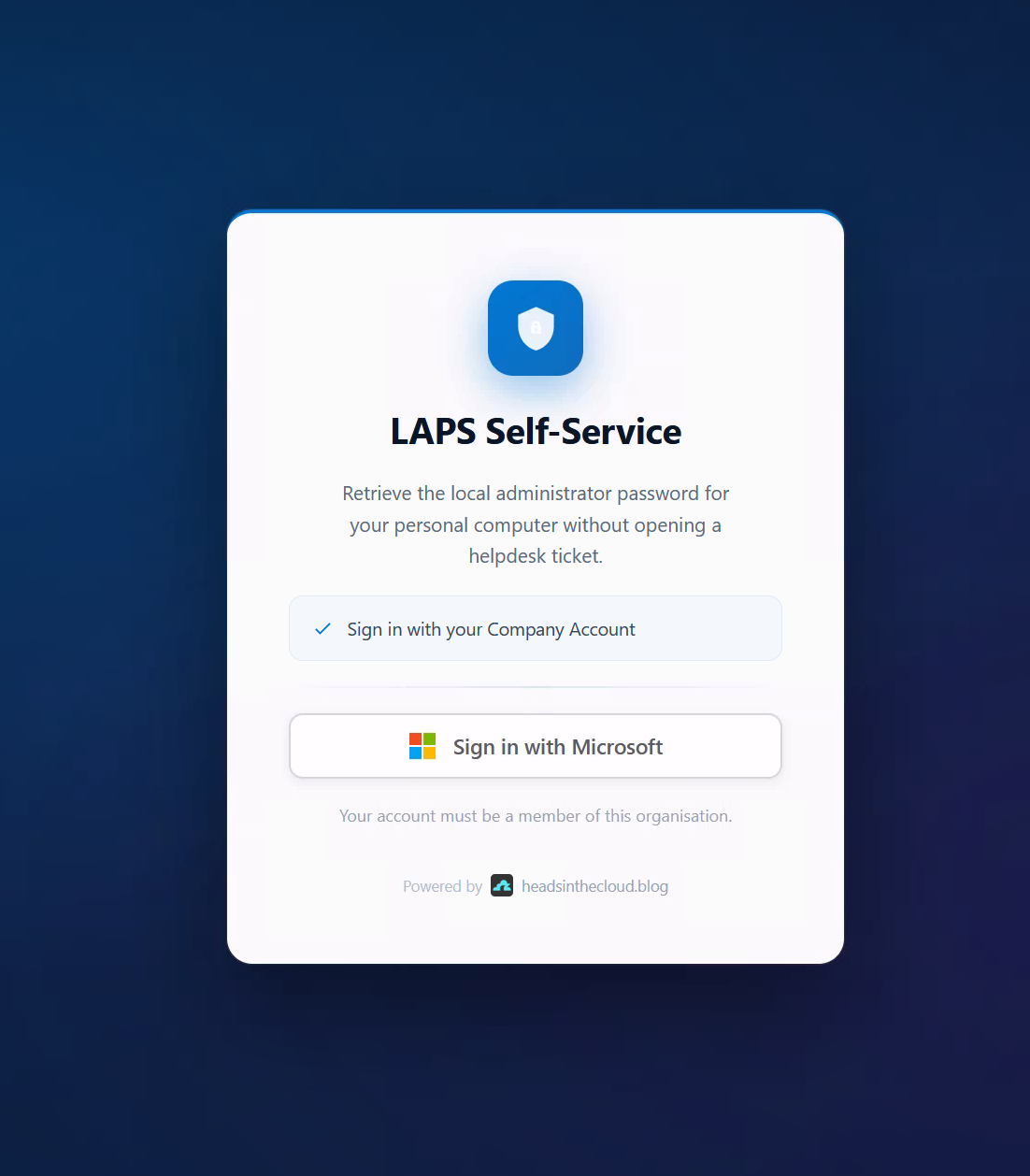 | 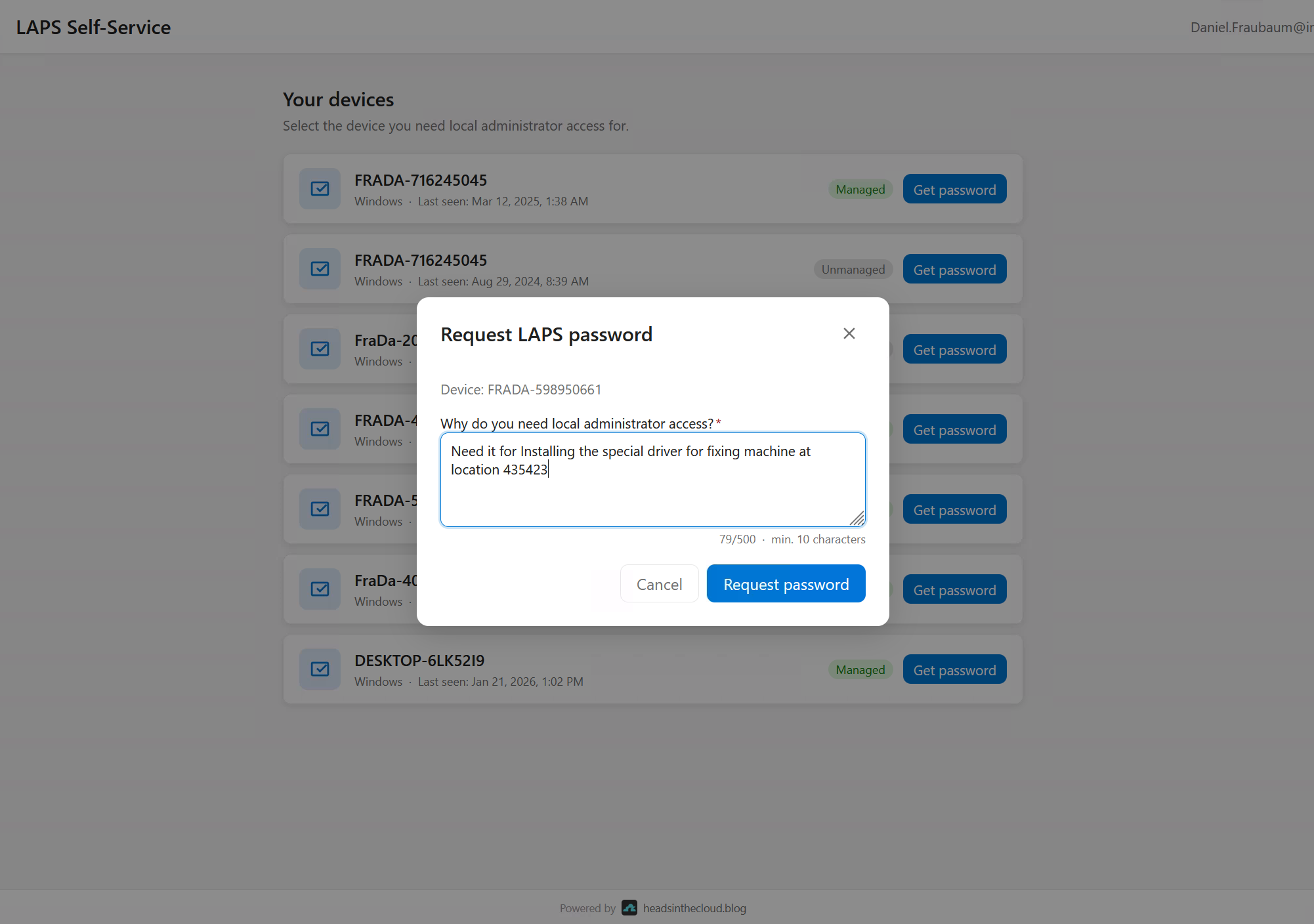 | | Password (60 s countdown) | Auto-expired | |--------------------------|-------------| | 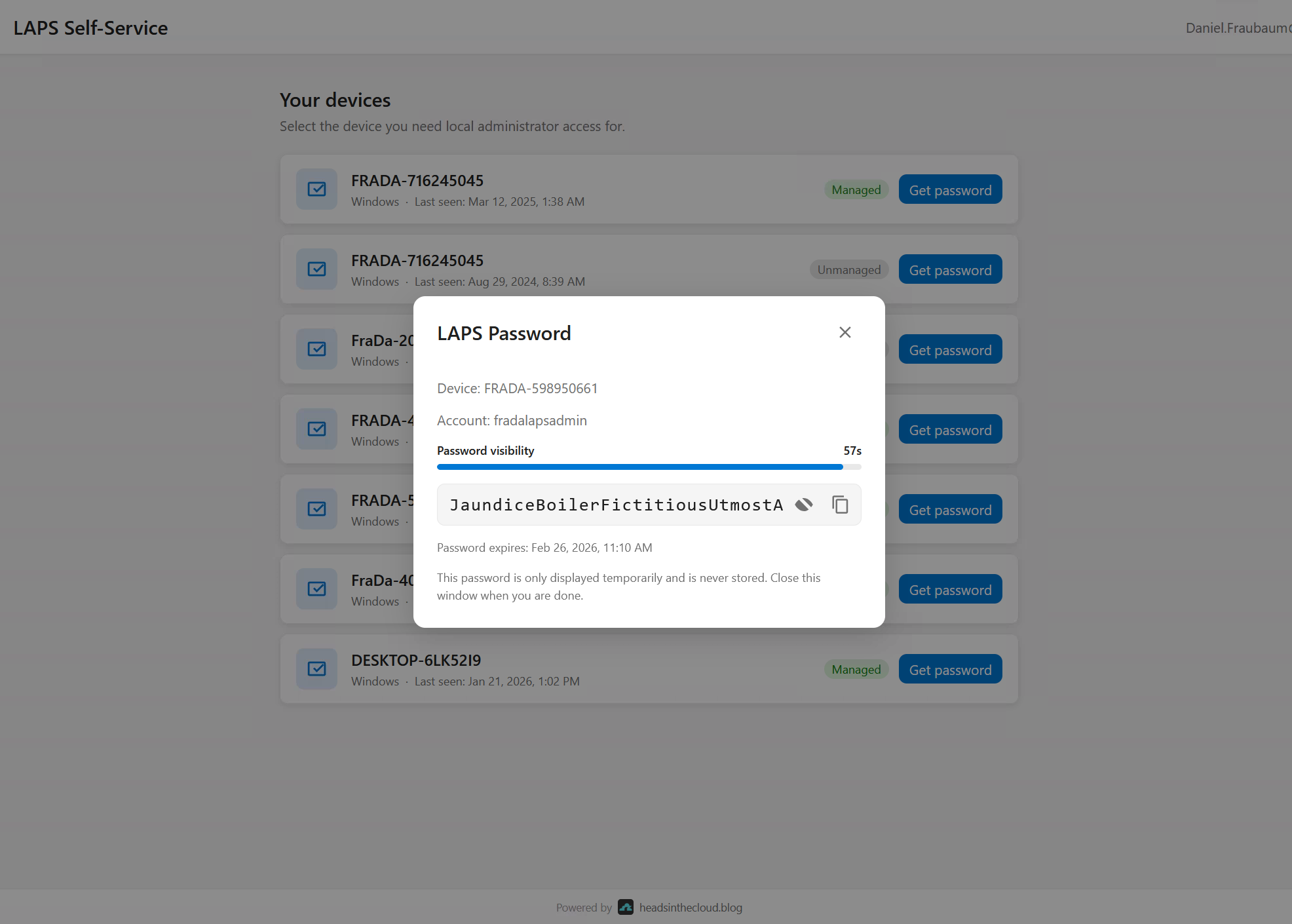 | 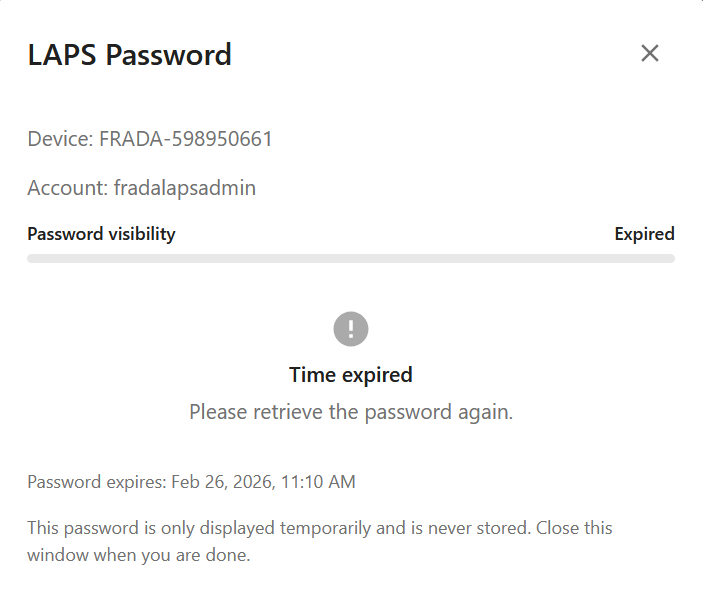 | | Audit log (Azure Table Storage) | |--------------------------------| | 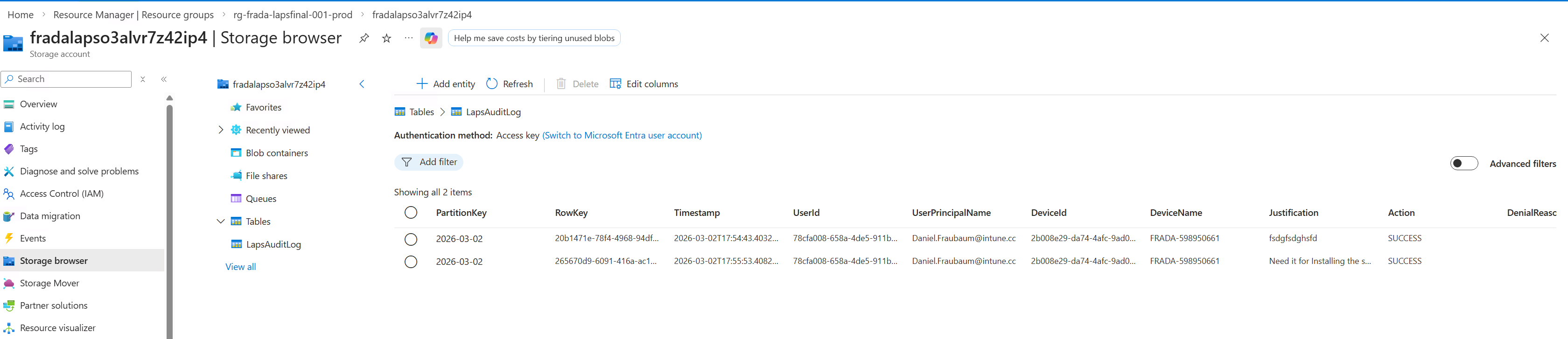 | --- ## ✅ Prerequisites ### 🛠️ Tools | Tool | Min. Version | Install | |------|-------------|---------| | Azure CLI | 2.50 | [aka.ms/installazurecli](https://aka.ms/installazurecli) | | Node.js | 24 LTS | [nodejs.org](https://nodejs.org) — includes npm | | Static Web Apps CLI | latest | `npm install -g @azure/static-web-apps-cli` | ### 🔐 Azure permissions | Scope | Role | |-------|------| | Azure subscription | **Contributor** | | Entra ID tenant | **Application Administrator** (or Global Administrator) | | Entra ID tenant | **Privileged Role Administrator** | > 💡 A Global Administrator covers all of the above by default. --- ## 🚀 Deploy ### 🍎 macOS / Linux / WSL **1. Install prerequisites** (once): ```bash # macOS (Homebrew) brew install azure-cli node npm install -g @azure/static-web-apps-cli ``` **2. Clone and deploy:** ```bash git clone https://github.com/daniel-fraubaum/laps-self-service-portal.git cd laps-self-service-portal chmod +x infra/deploy.sh ./infra/deploy.sh --project laps-prod ``` --- ### 🪟 Windows (PowerShell) **1. Install prerequisites** (once): - 🔵 [Azure CLI](https://aka.ms/installazurecli) — download and run the MSI installer - 🟢 [Node.js 24 LTS](https://nodejs.org) — download and run the installer (includes npm) - 📦 Static Web Apps CLI: ```powershell npm install -g @azure/static-web-apps-cli ``` **2. Clone and deploy:** ```powershell git clone https://github.com/daniel-fraubaum/laps-self-service-portal.git cd laps-self-service-portal .\infra\deploy.ps1 -Project laps-prod ``` --- The script asks for confirmation, then handles everything end-to-end (~10 minutes): | Step | Action | |------|--------| | 1️⃣ | Creates (or reuses) the Entra ID App Registration, sets the identifier URI | | 2️⃣ | Deploys all Azure infrastructure via Bicep (single pass) | | 3️⃣ | Assigns `Device.Read.All`, `DeviceLocalCredential.Read.All`, `Directory.Read.All` to the Managed Identity | | 4️⃣ | Deploys the backend (Azure Functions) | | 5️⃣ | Generates `frontend/authConfig.js` from deployment outputs | | 6️⃣ | Deploys the frontend (Azure Static Web App) | | 7️⃣ | Registers the Static Web App URL as a redirect URI on the App Registration | | 8️⃣ | Grants admin consent for `User.Read` | > ⏳ **Allow a few minutes after deployment before the portal is fully functional.** > Graph API role assignments (Managed Identity permissions) can take **2–5 minutes** to propagate in Entra ID. > If you see `403` / permission errors right after deployment, simply wait and refresh. --- ## ☁️ What gets deployed | Resource | Details | |----------|---------| | 📦 Resource Group | `rg-<projectName>` | | 📊 Log Analytics + Application Insights | Telemetry and custom events | | 💾 Storage Account | Runtime storage + `LapsAuditLog` audit table | | ⚙️ App Service Plan | Linux B1 | | 🌐 Azure Static Web App | Standard tier (SPA frontend) | | ⚡ Azure Function App | Node.js 24, system-assigned Managed Identity | | 🔐 Entra ID App Registration | MSAL user login + Easy Auth JWT validation | --- ## 💰 Estimated cost All prices are approximate, based on **West Europe**, low/idle usage. Billed in USD by Azure. | Resource | Tier | ~$/month | |----------|------|----------| | ⚙️ App Service Plan | Linux B1 | ~$13 | | 🌐 Azure Static Web App | Standard | ~$9 | | 💾 Storage Account | LRS, minimal usage | ~$1 | | 📊 Log Analytics + App Insights | Pay-per-use, minimal ingestion | ~$1 | | ⚡ Function App | Runs on B1 plan (no extra charge) | — | | 🔐 Entra ID App Registration | Free tier | — | | **Total** | | **~$24/month** | --- ## 🔒 Restricting access > ⚠️ **Security requirement — do this before going live.** > By default, **any user in your Entra ID tenant** can log in to the portal. > Enable assignment enforcement immediately after deployment. 1. 🏢 **Entra ID** → **Enterprise Applications** → search for your app (e.g. `laps-prod-laps-portal`) 2. ⚙️ **Properties** → set **"Assignment required?"** to **Yes** → **Save** 3. 👥 **Users and groups** → **Add assignment** → select your security group (e.g. `SG-LAPS-Self-Service`) Unassigned users receive `AADSTS50105` from Entra ID at sign-in — the portal and backend never see the request. > 💡 Always assign a security group rather than individual users — group membership can then be managed independently in Entra ID. See [docs/CONFIGURATION.md](docs/CONFIGURATION.md#access-control-restricting-who-can-use-the-portal) for CLI commands and details. ### 🛡️ Enforcing MFA > ⚠️ **MFA cannot be enforced from the application code.** MSAL can request a step-up challenge, but this is bypassable — a user with a valid token from another app could call the backend API directly. > The only secure enforcement is via **Entra ID Conditional Access**. Create a Conditional Access Policy targeting your app: 1. **Entra ID** → **Security** → **Conditional Access** → **+ New policy** 2. **Users**: your LAPS security group (e.g. `SG-LAPS-Self-Service`) 3. **Target resources**: select your App Registration (e.g. `laps-prod-laps-portal`) 4. **Grant**: ✔️ Require multi-factor authentication 5. **Enable policy**: On → **Create** Entra ID then enforces MFA at token issuance — before the portal or backend sees anything. --- ## 🔄 Re-deploy / updates ```bash # 🍎 macOS / Linux ./infra/deploy.sh --project laps-prod ``` ```powershell # 🪟 Windows PowerShell .\infra\deploy.ps1 -Project laps-prod ``` --- ## 🧩 Partial deploys ```bash # 🍎 macOS / Linux — code only (skip Bicep) ./infra/deploy.sh --project laps-prod --skip-infra # 🍎 macOS / Linux — infrastructure only (skip backend + frontend) ./infra/deploy.sh --project laps-prod --skip-backend --skip-frontend ``` ```powershell # 🪟 Windows PowerShell — code only (skip Bicep) .\infra\deploy.ps1 -Project laps-prod -SkipInfra # 🪟 Windows PowerShell — infrastructure only .\infra\deploy.ps1 -Project laps-prod -SkipBackend -SkipFrontend ``` ### 🌐 Custom domain ```bash # 🍎 macOS / Linux ./infra/deploy.sh \ --project laps-prod \ --location westeurope \ --domain laps.company.com ``` ```powershell # 🪟 Windows PowerShell .\infra\deploy.ps1 ` -Project laps-prod ` -Location westeurope ` -CustomDomain laps.company.com ``` > ⚠️ **After enabling a custom domain, add the new URL as a redirect URI on the App Registration.** > Open **Entra ID → App registrations → your-app → Authentication → Redirect URIs** and add `https://laps.company.com`. > Logins will fail with `AADSTS50011` until this is done. > See [docs/deployment.md](docs/deployment.md#update-app-registration-redirect-uri) for CLI commands. --- ## 🏗️ Architecture ``` [User Browser] │ MSAL Login (Authorization Code + PKCE) ▼ [Azure Static Web App] ← Single-file SPA (index.html + MSAL.js) │ Bearer Token (Entra ID JWT) ▼ [Azure Function App] ← Node.js 24, Easy Auth validates JWT before code runs │ App-only token (Managed Identity, no stored secrets) ▼ [Microsoft Graph] ├── /users/{id}/registeredDevices ← ownership check (only-my-device rule) └── /deviceLocalCredentials/{id} ← LAPS password retrieval [Azure Table Storage] ← LapsAuditLog (every access attempt, success or failure) [Application Insights] ← Telemetry and custom events ``` --- ## 📁 Project structure ``` ├── infra/ │ ├── deploy.sh ← Full deployment (Bash — macOS/Linux/WSL) │ ├── deploy.ps1 ← Full deployment (PowerShell — Windows) │ ├── main.bicep ← Bicep template (subscription scope) │ ├── bicepconfig.json ← Bicep linting rules │ ├── main.parameters.example.json ← Parameters template │ └── modules/ │ ├── monitoring.bicep ← Log Analytics + Application Insights │ ├── storage.bicep ← Storage Account + audit table │ ├── appServicePlan.bicep ← Linux App Service Plan (B1) │ ├── staticwebapp.bicep ← Frontend Static Web App │ └── functionapp.bicep ← Backend Function App + Easy Auth ├── frontend/ │ ├── index.html ← Single-page SPA (CSS + JS fully embedded) │ ├── authConfig.example.js ← Template – copy to authConfig.js and fill in │ ├── staticwebapp.config.json ← SWA routing + security headers │ └── css/ │ └── theme.css ← Branding overrides (colors, fonts, logo) ├── backend/ │ ├── host.json │ ├── package.json │ ├── eslint.config.js ← ESLint 9 flat config │ └── src/ │ ├── index.js ← Entry point (boots telemetry + registers functions) │ ├── functions/ │ │ ├── myDevices.js ← GET /api/my-devices │ │ └── lapsPassword.js ← POST /api/laps-password │ └── lib/ │ ├── auth.js ← Easy Auth + JWKS JWT verification │ ├── graph.js ← Microsoft Graph (DefaultAzureCredential) │ ├── telemetry.js ← Application Insights custom events │ └── audit.js ← Azure Table Storage audit log └── docs/ ├── architecture.md ← Architecture overview + auth flow ├── deployment.md ← Detailed deployment guide └── CONFIGURATION.md ← All config values explained ``` > **Note on App Registration:** Created and configured by the deploy scripts via `az ad app` CLI — not via a Bicep module. --- ## 📚 Documentation - 📖 [Deployment Guide](docs/deployment.md) — detailed steps, re-deploy, troubleshooting - ⚙️ [Configuration Reference](docs/CONFIGURATION.md) — all config values and where they come from --- ## ⚖️ License MIT — see [LICENSE](LICENSE)
