KO
|
EN
gitlite — search
Search
#javascript
#python
#hacktoberfest
#react
#ai
#typescript
#llm
#go
#golang
#android
#machine-learning
#rust
#deep-learning
#linux
Therms-Up
★ 9
Open GitHub ↗
TEI2021 Submission Appendix
Download README (.md)
Explore Similar Repositories
ner-spacy-doccano
:
NER using Doccano / Spacy EN
linux-on-litex-blackparrot
:
Linux on Litex for BlackParrot Core
Bubble-Sheet-Scanner
:
Bubble sheet multiple choice scanner and test grader using OpenCV.
svelte-and-typescript
:
Example project on how you can use Typescript with Svelte
Stocks-with-Python
:
Get SMS Notifications of changes in Stock Market with Python
// repository documentation
Was this content helpful?
★ 0
(0 ratings)
Select Rating:
★
★
★
★
★
Submit Feedback
Recent Feedback
×
Download README
Do you want to download the
README.md
file for
Therms-Up
?
Download (.md)
# Therms-Up!: DIY Inflatables and Interactive Materials by Upcycling Wasted Thermoplastic Bags Paper: https://dl.acm.org/doi/10.1145/3430524.3442457 Presentation video: https://www.youtube.com/watch?v=WulDmAd6fcY&feature=emb_logo&ab_channel=SciFri TEI2021 Submission Appendix In order to control the temperature of the 3D printer extruder via G-code that generated from the Inkscape, you need to add the following command on the head of the G-code, and the footer at the end of it. G-code can be editted by any notepad software or IDE You can find detailed information for the each command from here https://reprap.org/wiki/G-code # Header ```G-CODE G1 Z5.5 F1200; Linear move of Z height to be 5.5mm, with speed 1200mm/min M104 S160 ; set up the extruder temperature by changing the number next to the 'S' M105 M109 S160 ; set up the extruder temperature by changing the number next to the 'S', and WAIT M204 P500.00 R1000.00 T500.00 ;Setup Print/Retract/Travel acceleration M205 X8.00 Y8.00 Z0.40 E5.00 ;Setup Jerk G28 ; Move to origin(Home) G90 E0 ; Set to Absolute Positioning G0 Z20 ; Rapid move of Z height to be 20mm from the bed G21 ;Set unit to [mm] ``` # Footer ```G-CODE G0 Z20 G28 X0 Y0 M18 M106 S0 ;Turn-off fan M104 S0 ;Turn-off hotend M140 S0 ;Turn-off bed ``` # Reference for 3D Printer Set Up 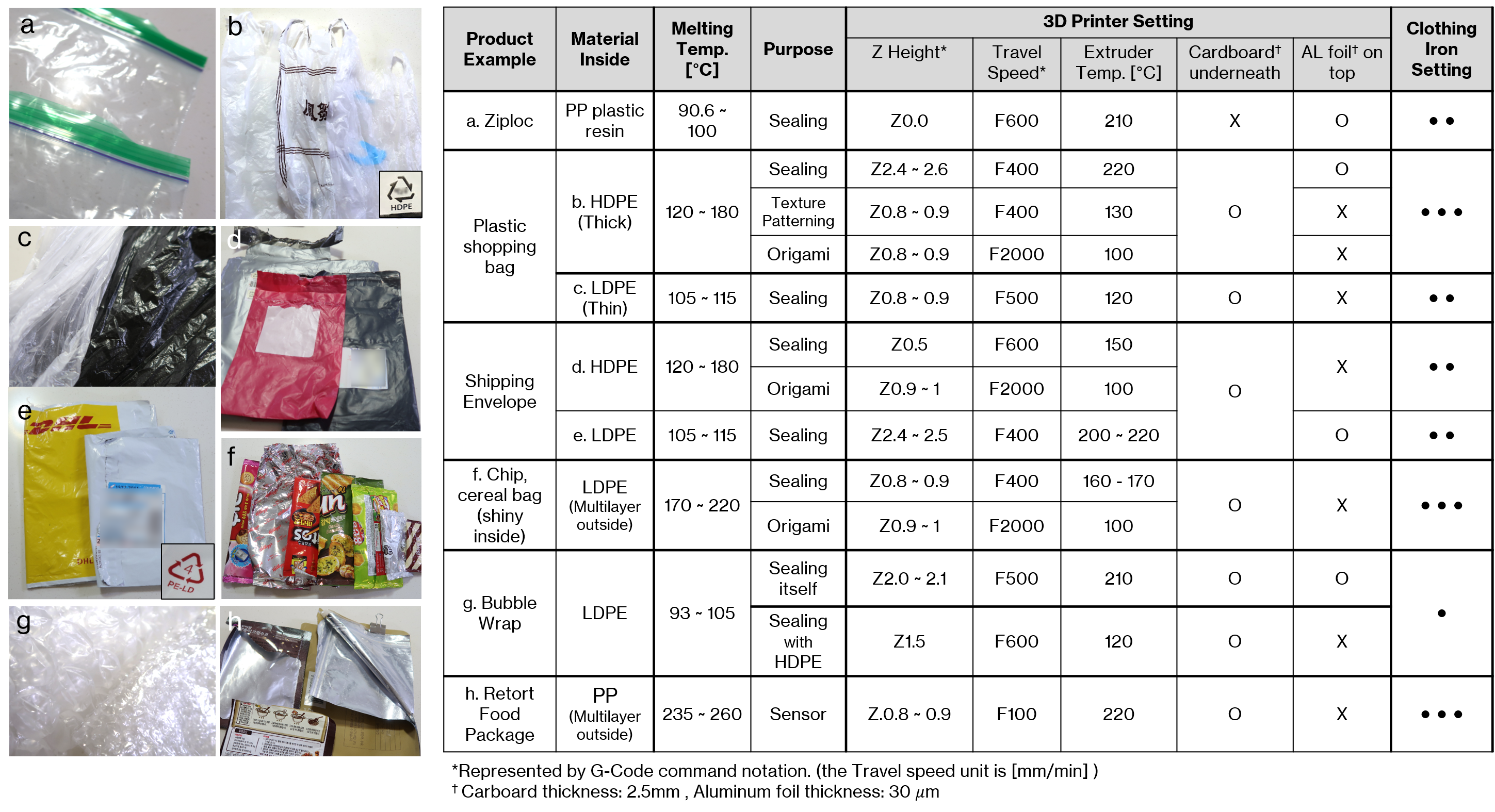 Putting a cardboard box underneath plastic bags/films is helpful for providing a damper with enough force to sandwisching the material when the extruder runs through the path. Aluminium foil is not necessary for the most of plastig bags like chip bag, shopping/shipping bag, but we found it is very helpful for heat-sealing a very thin plastic material like Zip-loc and bubble wrap since it is helpful for preventing any slice by extruder and also for distributing the extruder heat evenly. # Useful Resources Inkscape: https://inkscape.org/ Create Hatch Fill in Inkscape using Axidraw plug-in (download here): https://github.com/evil-mad/axidraw Create G-code using extra plug-in (to save time than using the Inskscape's built-in gcode tool extension) - J-Tech Laser tool Plug-in: https://jtechphotonics.com/?page_id=2012 - if you use the J-Tech Laser tool for generating the G-code, you can modify it to automaticly include the header and footer command shown below - by modifying the default setup of 'laser.py' file in [Program Files\Inkscape\share\inkscape\extensions] (might be varied depending on your computer env.) as shown in below  # Click the thumbnail below to watch a video [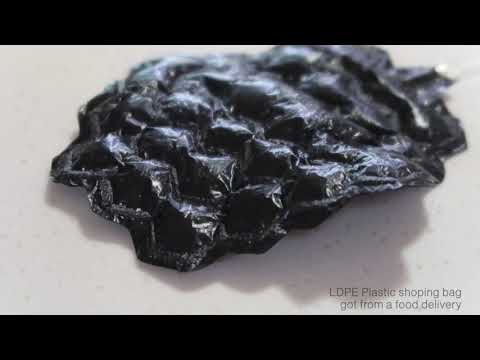](https://youtu.be/VF86Q81Hd6I)
