KO
|
EN
gitlite — search
Search
#python
#react
#docker
#javascript
#nodejs
#vue
#webpack
#java
#deep-learning
#ethereum
#android
#vuejs
FT81x_Arduino_Driver
★ 59
Open GitHub ↗
FT81x on ST7701S Arduino Driver
Download README (.md)
Explore Similar Repositories
Mini-FT8
:
Mini FT8 on M5 Cardputer for portable operations
pico_ft8_xcvr
:
A standalone FT8 transceiver based on the Raspberry Pi Pico microcontroller by Godwin Duan, AA1GD.
ft8mon
:
FT8 receiver in C++
FT8Commander
:
QSO Automation for WSJT
pico_ft8_xcvr
:
Fork of https://github.com/aa1gd/pico_ft8_xcvr project from AA1GD. Real-time FT8 decoding on Raspberry Pi Pico.
// repository documentation
Was this content helpful?
★ 0
(0 ratings)
Select Rating:
★
★
★
★
★
Submit Feedback
Recent Feedback
×
Download README
Do you want to download the
README.md
file for
FT81x_Arduino_Driver
?
Download (.md)
# FT81x Arduino Driver [![build-badge]](https://github.com/blazer82/FT81x_Arduino_Driver/actions?workflow=build) [![docs-badge]](https://github.com/blazer82/FT81x_Arduino_Driver/actions?workflow=docs) High quality display module for many Arduino project ideas! ## Hardware 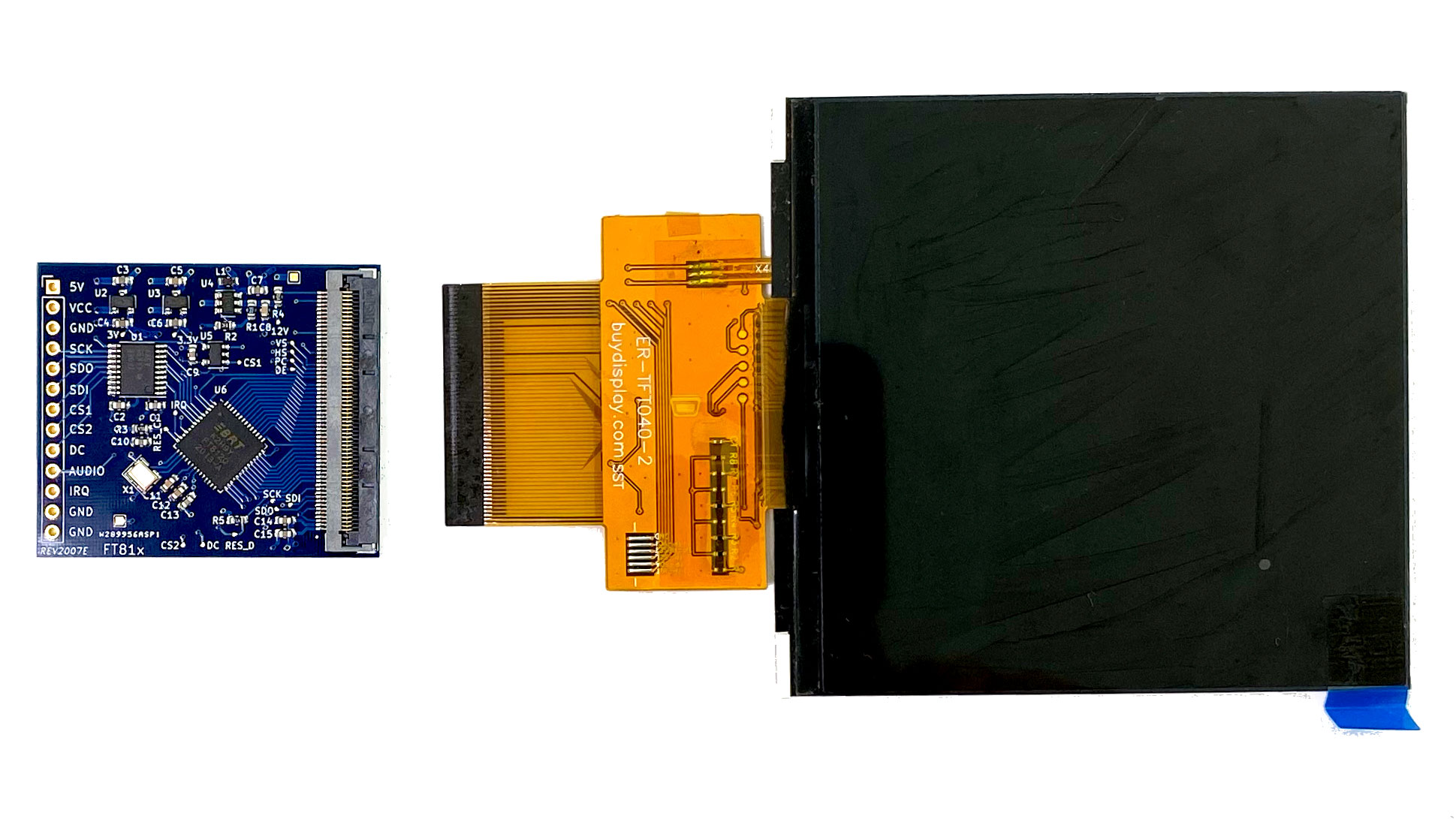 Schematics, KiCad files and Gerber files can be found inside the [hardware folder](extras/hardware) in this repository. The board is compatible with this [display](https://www.buydisplay.com/4-inch-tft-lcd-display-480x480-pixel-with-mipi-interface-for-iot-devices). The complete hardware is [available for sale on Tindie](https://www.tindie.com/products/prodbld/40-inch-ft81x-tft-lcd-display-module-for-arduino/). ## Highlights - 4 inch 480x480 pixel TFT display - up to 24 bit color support - 19 built-in fonts - built-in widgets (e.g. buttons, gauges, clock) - hardware support for JPEG and PNG - built-in sound effects (audio circuitry required) - bitmap support with 1 MByte graphics RAM - open source Arduino library with many example sketches - compatible with 3.3V and 5V logic levels ## Supported Boards The hardware and software has been tested with the following boards: - :heavy_check_mark: Arduino Uno (ATmega328P) - :heavy_check_mark: Arduino Nano (ATmega328) - :heavy_check_mark: Arduino Nano Every (ATMega4809) - :heavy_check_mark: Arduino Due (AT91SAM3X8E) - :heavy_check_mark: NodeMCU-32S (ESP32) - :heavy_check_mark: Teensy 4.0 (ARM Cortex M7) If your board is missing and has full Arduino support chances are that it's fully supported by this library, too. If you have tested additional boards (successfully or unsuccessfully) feel free to contact me or open an issue. ## Features | | | | |-|-|-| |[x] Line|[x] Circle|[x] Rectangle| |[x] Gradient|[x] Text|[x] Bitmap images| |[x] Animated spinner|[x] Sound effects|[x] Buttons| |[x] Analog clock|[x] Gauge|[x] Line strip| |[x] JPEG support|[x] PNG support|[x] Scrollbar| |[x] Audio playback|[x] Progress bar|[ ] Custom fonts| |[ ] Dial|[ ] Toggle|[ ] Video playback| |[ ] Keys||| ## Usage ```c++ #include "FT81x.h" FT81x ft81x = FT81x(10, 9, 8); void setup() { SPI.begin(); ft81x.begin(); ft81x.beginDisplayList(); ft81x.clear(FT81x_COLOR_RGB(0, 0, 0)); ft81x.drawText(240, 200, 31, FT81x_COLOR_RGB(255, 255, 255), FT81x_OPT_CENTER, "Hello World\0"); ft81x.swapScreen(); } ``` For more information see the numerous [example sketches](examples) as well as the [API Documentation](https://blazer82.github.io/FT81x_Arduino_Driver/api/class_f_t81x.html). ## Getting Started For more information on how to get started with the display driver board, please refer to the [Getting Started Guide](https://blazer82.github.io/FT81x_Arduino_Driver). ## License Summary ### Software MIT License ### Hardware The hardware is licensed under [CERN-OHL-S v2](https://cern.ch/cern-ohl). [![oshwa-mark]](https://certification.oshwa.org/de000089.html) [build-badge]: https://github.com/blazer82/FT81x_Arduino_Driver/workflows/build/badge.svg [docs-badge]: https://github.com/blazer82/FT81x_Arduino_Driver/workflows/docs/badge.svg [oshwa-mark]: https://raw.githubusercontent.com/blazer82/FT81x_Arduino_Driver/master/extras/assets/OSHW_mark_DE000089_150.png
