KO
|
EN
gitlite — search
Search
#typescript
#ai-agents
#ai
#dsh-plugin
#deepseek-harness
#open-source
#cli
#claude-code
#codex
#developer-tools
#react
#windows
cloacked-pixel
★ 634
Open GitHub ↗
LSB steganography and detection
Download README (.md)
Explore Similar Repositories
pinar
:
🌲☀️ Customizable, lightweight React Native carousel component with accessibility support.
DbContextScope
:
A simple and flexible way to manage your Entity Framework DbContext instances
firebase-module
:
🔥 Easily integrate Firebase into your Nuxt project. 🔥
SwiftSpreadsheet
:
Spreadsheet CollectionViewLayout in Swift. Fully customizable. 🔶
zod-openapi
:
Use Zod Schemas to create OpenAPI v3.x documentation
// repository documentation
Was this content helpful?
★ 0
(0 ratings)
Select Rating:
★
★
★
★
★
Submit Feedback
Recent Feedback
×
Download README
Do you want to download the
README.md
file for
cloacked-pixel
?
Download (.md)
 cloacked-pixel ========== Platform independent Python tool to implement LSB image steganography and a basic detection technique. Features: - Encrypt data before insertion. - Embed within LSBs. - Extract hidden data. - Basic analysis of images to detect LSB steganography. How to use: $ python lsb.py LSB steganogprahy. Hide files within least significant bits of images. Usage: lsb.py hide <img_file> <payload_file> <password> lsb.py extract <stego_file> <out_file> <password> lsb.py analyse <stego_file> Hide ---- All data is encrypted before being embedded into a picture. Encryption is not optional. Two consequences of this are that: - The payload will be slightly larger. - The encrypted payload will have a high entropy and will be similar to random data. This is why the frequency of 0s and 1s in the LSB position should be the same – 0.5. In many cases, real images don’t have this propriety and we’ll be able to distinguish unaltered images from the ones with embedded data. More below. Encrypt and hide an archive: $ python lsb.py hide samples/orig.jpg samples/secret.zip p@$5w0rD [*] Input image size: 640x425 pixels. [*] Usable payload size: 99.61 KB. [+] Payload size: 74.636 KB [+] Encrypted payload size: 74.676 KB [+] samples/secret.zip embedded successfully! Original image: 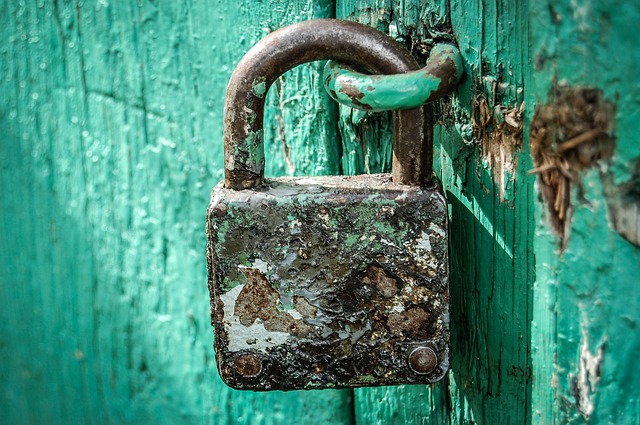 Image with 75k archive embedded: 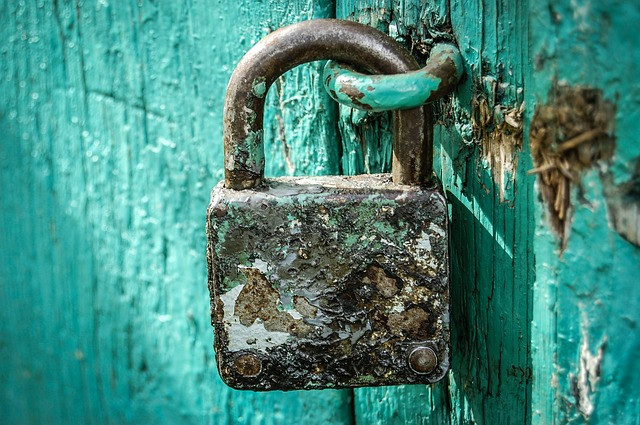 Extract ------- $ python lsb.py extract samples/orig.jpg-stego.png out p@$5w0rD [+] Image size: 640x425 pixels. [+] Written extracted data to out. $ file out out: Zip archive data, at least v1.0 to extract Detection --------- A simple way to detect tampering with least significant bits of images is based on the observation above – regions within tampered images will have the average of LSBs around 0.5, because the LSBs contain encrypted data, which is similar in structure with random data. So in order to analyse an image, we split it into blocks, and for each block calculate the average of LSBs. To analyse a file, we use the following syntax: $ python lsb.py analyse <stego_file> **Example** 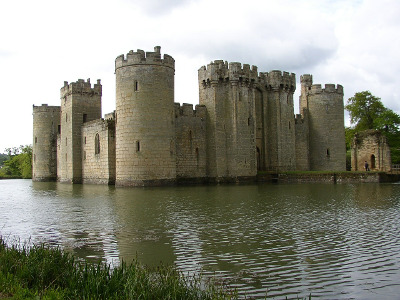 Now let’s analyse the original: $ python lsb.py analyse castle.jpg 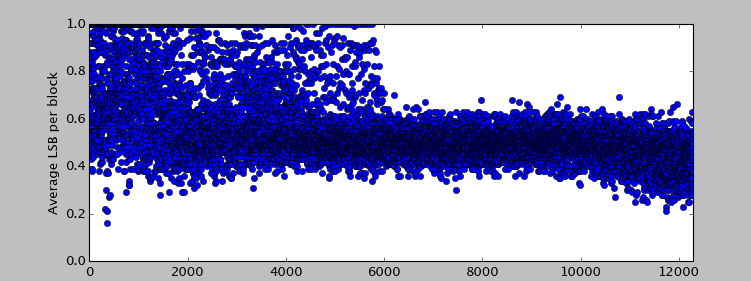 … and now the one containing our payload: $ python lsb.py analyse castle.jpg-stego.png 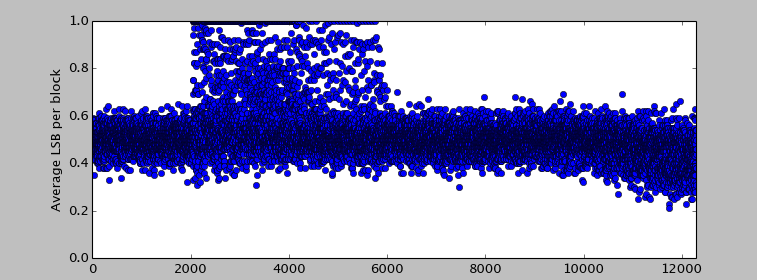 Notes ----- - It is entirely possible to have images with the mean of LSBs already very close to 0.5. In this case, this method will produce false positives. - More elaborate theoretical methods also exist, mostly based on statistics. However, false positives and false negatives cannot be completely eliminated.
