KO
|
EN
gitlite — search
Search
#javascript
#python
#hacktoberfest
#react
#ai
#typescript
#llm
#go
#golang
#android
#machine-learning
#rust
#deep-learning
#linux
beamer-s4ndm4n
★ 9
Open GitHub ↗
Dark theme for LaTeX beamer
Download README (.md)
Explore Similar Repositories
finnish-dictionary
:
Finnish dictionary created by Institute for the languages of Finland
fineract-cn-template
:
Apache Fineract CN template for creating new services. Contains best practices examples and documentation
personality
:
Apache developers Big-Five personality profiler
netease_cover_chrome_plugin
:
A Chrome extension for easily download Netease music cover 网易云音乐封面下载插件
docker-apache-load-balancer
:
Debian based docker image containing apache2 load balancer for use as reverse proxy and/or load balancer.
// repository documentation
Was this content helpful?
★ 0
(0 ratings)
Select Rating:
★
★
★
★
★
Submit Feedback
Recent Feedback
×
Download README
Do you want to download the
README.md
file for
beamer-s4ndm4n
?
Download (.md)
# s4ndm4n Dark Theme for LaTeX `beamer` `beamer-s4ndm4n` is a dark theme to be used with LaTeX `beamer` for your presentation slides. Since it uses `fontspec`, it requires either XeLaTeX or LuaLaTeX. Beside the title page – being very plain and using the standard metadata such as title, subtitle, author, institute and date – the frames have a footline, which is divided into five boxes with different shades of gray. They contain the author's name, the presentation's title, the date, the current page number and the total page number. ## Usage * Copy the `sty` file and the `gfx` directory to the directory of you current LaTeX `beamer` project. * Add `\usepackage{beamer-s4ndm4n}` to your `tex` file with document class `beamer`. * Use `block` elements to structure your content within the frames. * There is an example slide deck `beamer-s4ndm4n-example.tex`. Get inspired by it. 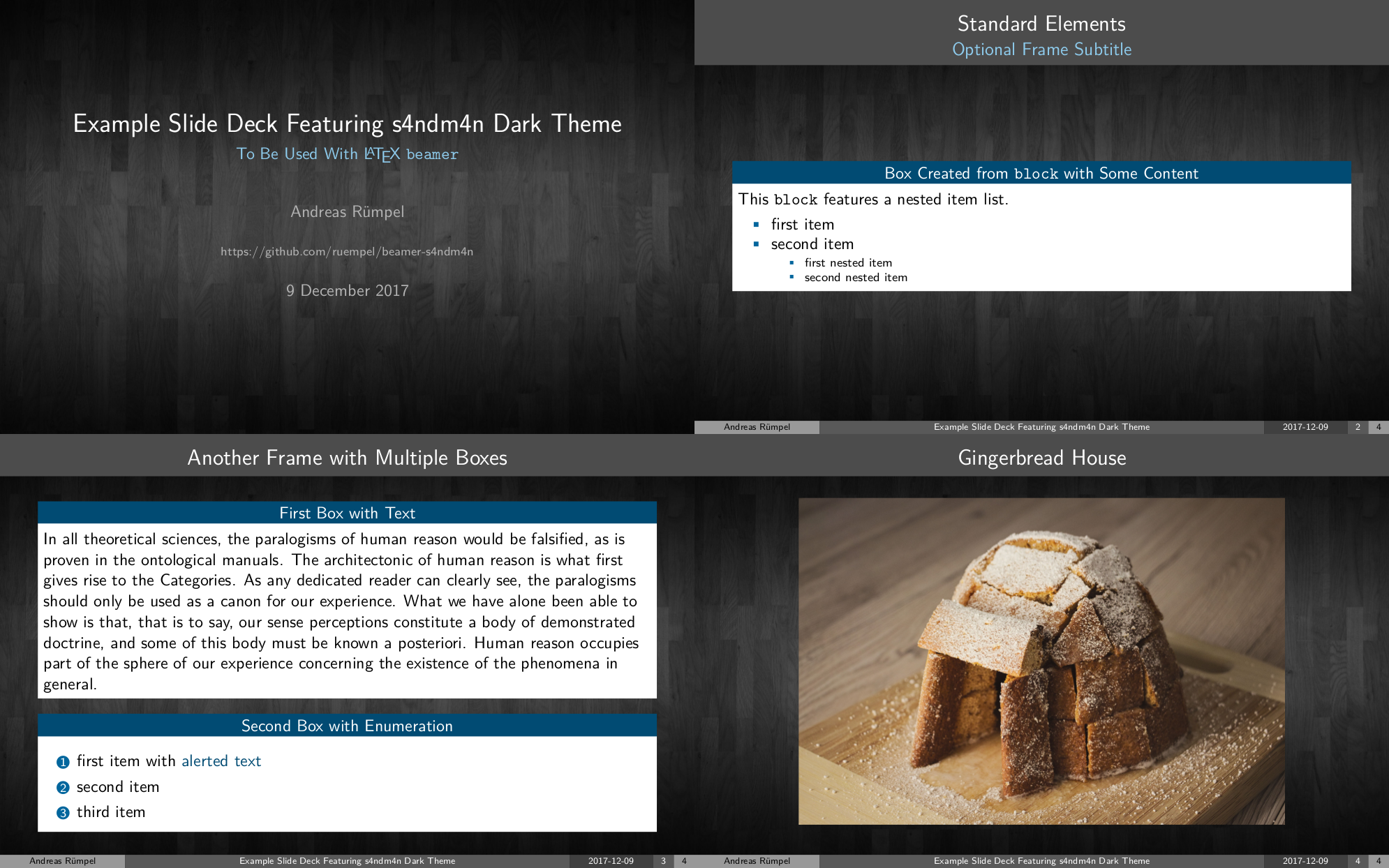 ## Configuration * Change the *background picture* in the `sty` file. * There is an *accent color* defined, which controls all accent color shades. Change it in the `sty` file.
