KO
|
EN
gitlite — search
Search
#javascript
#python
#hacktoberfest
#react
#ai
#typescript
#llm
#go
#golang
#android
#machine-learning
#rust
#deep-learning
#linux
polaroid_carousel
★ 9
Open GitHub ↗
No description available.
Download README (.md)
Explore Similar Repositories
maple-ctf-2023-public
:
Challenges and solutions for Maple CTF 2023.
ReZero-Dock
:
No description available.
Megaman-Maverick
:
Mega Man fan game built using LibGDX and a custom game engine
kitty
:
kitty is a kernel designed for multiple architectures, maintained by BYUI students
sdi-mipi-video-converter
:
SDI to MIPI CSI-2 video converter
// repository documentation
Was this content helpful?
★ 0
(0 ratings)
Select Rating:
★
★
★
★
★
Submit Feedback
Recent Feedback
×
Download README
Do you want to download the
README.md
file for
polaroid_carousel
?
Download (.md)
# Polaroid Carousel A unique Flutter package for creating a polaroid-style carousel with item animations that slide from front to back or back to front. Add a touch of nostalgia to your Flutter app by using this package to display your content in a fun and interactive way. 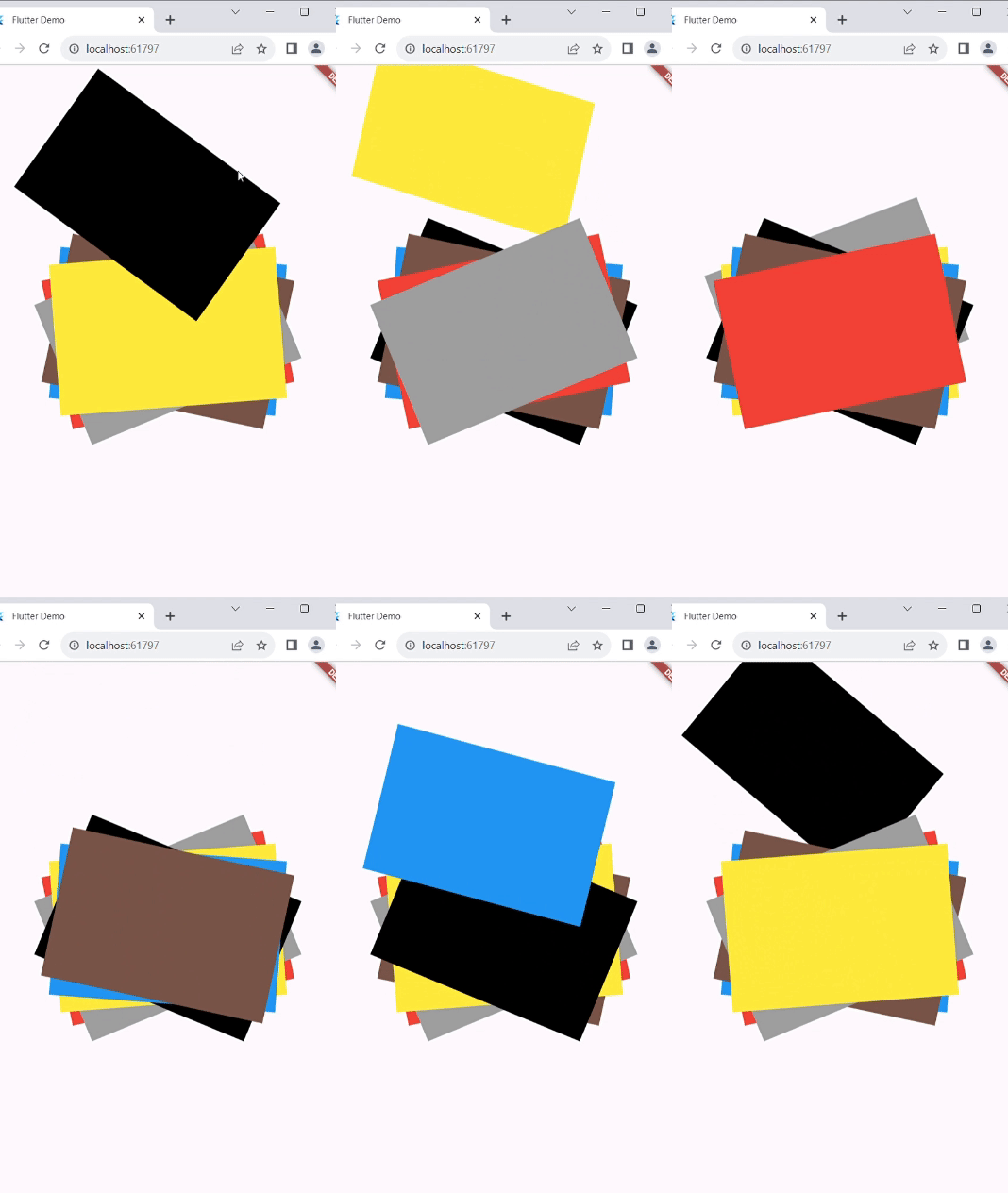 ## Features - Front-to-back and back-to-front item sliding animations using order property. - Customizable carousel item rotation (x,y,z) and translation direction (left,right,top,bottom). - Smooth animation curves for a delightful user experience. ## Installation To use this package, follow these steps: 1. Add the latest version of the package to your `pubspec.yaml` file and run `dart pub get`: ``` dependencies: polaroid_carousel: ^1.0.0 ``` 2. Import the package in your Dart code and use it in your Flutter app: ``` import 'package:polaroid_carousel/polaroid_carousel.dart'; ``` ## Usage Here's an example of how to use the PolaroidCarousel widget in your Flutter application: - This widget accepts a list of widgets and displays them in animation. If you desire a specific rotation for each item, wrap each child with a transform and specify the desired rotation angle using rotateZ() like in [Example](example.dart). ```dart class Example extends StatelessWidget { const Example({Key? key}) : super(key: key); @override Widget build(BuildContext context) { List<Widget> list = [ Container( height: 200, width: 300, color: Colors.black, ), Container( height: 200, width: 300, color: Colors.blue, ), Container( height: 200, width: 300, color: Colors.brown, ), Container( height: 200, width: 300, color: Colors.red, ), Container( height: 200, width: 300, color: Colors.grey, ), Container( height: 200, width: 300, color: Colors.yellow, ), ]; return Scaffold( body: Center( child: PolaroidCarousel( //these to property are necessary // value to which list item translate // advice : if the children are rotated like the example and you are not able to specify the translateFactor // then the max translateFactor should be √((childHeight^2, childWidth^2)) of child with maximum size //but try to adjust translateFactor according to your need translateFactor: 360, children: list, // these properties are optional // duration: const Duration(seconds: 1), // rotate: const Rotate(x: 0.001,y: 0.02,z: 0.001), // curve: Curves.easeInOut, // order: Order.frontToBack, // translate: Translate.top, ), ), ); } } ``` ## Examples Check out the [Example](example.dart) for different use cases and ideas on how to use the PolaroidCarousel widget in your app. ## Detail Explanation You can find the full article on this package on [Medium](https://medium.com/@hashmack007/creating-dynamic-card-carousels-with-polaroid-carousel-in-flutter-702545b933dd). ## Contributing If you find a bug or have a feature request, please open an issue. Contributions are welcome! ## License This package is licensed under the MIT License. See the [LICENSE](LICENSE) file for details.
