KO
|
EN
gitlite — search
Search
#python
#java
#python3
#arduino
#golang
#machine-learning
#rust
#html
#flask
#javascript
#seismology
#nodejs
CapableRobot_USBHub_Driver
★ 22
Open GitHub ↗
No description available.
Download README (.md)
Explore Similar Repositories
crnn-tutorial
:
Training Convolutional Recurrent Neural Network (CRNN) using PyTorch
weapp-auth-demo
:
微信小程序授权统一管理方案(包含对wx对象的扩展)
Dylib-Hijack-Scanner
:
JavaScript for Automation (JXA) version of Patrick Wardle's tool that searches applications for dylib hijacking opportunities
spring-boot-stripe-payment-integration
:
No description available.
t38c
:
Tile38 client library for Go
// repository documentation
Was this content helpful?
★ 0
(0 ratings)
Select Rating:
★
★
★
★
★
Submit Feedback
Recent Feedback
×
Download README
Do you want to download the
README.md
file for
CapableRobot_USBHub_Driver
?
Download (.md)
# Capable Robot Programmable USB Hub Driver This package has two functions: - It provides access to internal state of the Capable Robot USB Hub, allowing you to monitor and control the Hub from an upstream computer. - It creates a transparent CircuitPython Bridge, allowing unmodified CircuitPython code to run on the host computer and interact with I2C & SPI devices attached to the USB Hub. 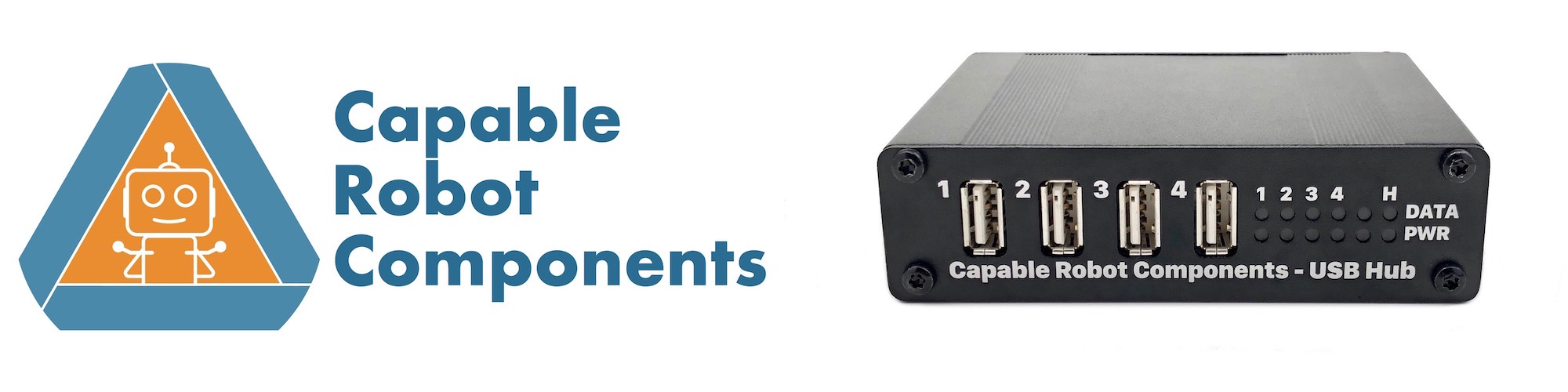 ## Installing Install and update using [pip](https://pip.pypa.io/en/stable/quickstart/): pip install capablerobot_usbhub --upgrade This driver requires Python 3.6 or newer. **Additional Linux Instructions** On Linux, the the udev permission system will likely prevent normal users from accessing the USB Hub's endpoint which allows for Hub Monitoring, Control, and I2C Bridging. To resolve this, install the provided udev rule: ``` sudo cp 50-capablerobot-usbhub.rules /etc/udev/rules.d/ sudo udevadm control --reload sudo udevadm trigger ``` Then unplug and replug your USB Hub. Note, the provided udev rule allows all system users to access the Hub, but can be changed to a specific user or user group. **Additional Windows Instructions** On Windows, the low-level USB driver for the Hub's VID/PID must be re-assigned from the default one to the libusbk driver. This can be done with the [Zadig](https://zadig.akeo.ie) GUI, or by executing the following commands: ``` pip install capablerobot_usbregister usbregister device usbhub ``` For additional details on how the `usbregister` command-line utility work, please vist the [CapableRobot_USBRegister](https://github.com/CapableRobot/CapableRobot_USBRegister) repository. ## Usage & Examples The [examples](https://github.com/CapableRobot/CapableRobot_USBHub_Driver/tree/master/examples) folder has some code samples of how to use this Python API to control the Programmable USB Hub. There is also another [example repository](https://github.com/CapableRobot/CapableRobot_USBHub_CircuitPython_Examples) which includes additional host-side code as well as examples of customizing behavior via changing the Hub's firmware. ## Working Functionality - Reading USB Hub registers over USB and decoding of register data. - Writing USB Hub registers over USB. - Reading & writing I2C data thru the Hub. - Python API to control and read the two GPIO pins. - CircuitPython I2C Bridge to the rear I2C1 port. - CircuitPython SPI Bridge to the internal mikroBUS header. ## Not Working / Not Implemented Yet _No known errata at this time_ ## Contributing Contributions are welcome! Please read our [Code of Conduct](https://github.com/capablerobot/CapableRobot_CircuitPython_USBHub_Bridge/blob/master/CODE_OF_CONDUCT.md) before contributing to help this project stay welcoming.
