KO
|
EN
gitlite — search
Search
#python
#java
#python3
#arduino
#golang
#machine-learning
#rust
#html
#flask
#javascript
#seismology
#nodejs
Task-Management-Dashboard
★ 17
Open GitHub ↗
No description available.
Download README (.md)
Explore Similar Repositories
CodeWalker.API
:
Local API for Codewalker to automate model extraction.
PolyflowAutoBot-NTE
:
No description available.
XCXDE-ModLoader
:
exlaunch plugin for loading files outside of sts.ard in Xenoblade Chronicles X: Definitive Edition
tauri-plugin-machine-uid
:
Tauri Plugin for retrieving machine UID
FsMath
:
FsMath is a lightweight maths library designed for modern F# workflows
// repository documentation
Was this content helpful?
★ 0
(0 ratings)
Select Rating:
★
★
★
★
★
Submit Feedback
Recent Feedback
×
Download README
Do you want to download the
README.md
file for
Task-Management-Dashboard
?
Download (.md)
# Task Management Dashboard A sleek and efficient Task Management Dashboard built with **React**, **Tailwind CSS**, and **shadcn/ui**. This project enables users to organize, track, and manage their tasks seamlessly. --- ## ✨ Features ### 1. **Task List View** - Display tasks in a table/list format with columns for: - **Title** - **Priority** (High/Medium/Low) - **Status** (Todo/In Progress/Done) - **Due Date** - Search and filter tasks. - Sort tasks by various columns. ### 2. **Task Management** - Create new tasks via a modal form. - Edit existing tasks. - Delete tasks with confirmation. - Mark tasks as complete. ### 3. **Dashboard Overview** - View summary statistics: - Total tasks. - Completed tasks. - Overdue tasks. - A simple chart showing task distribution by status. --- ## ⚙️ Tech Stack - **React** for building the UI. - **shadcn/ui** for pre-built and customizable components. - **Tailwind CSS** for responsive design and styling. - **Local Storage** for efficient data persistence. --- ## 📸 Screenshots ### 1. Full App View 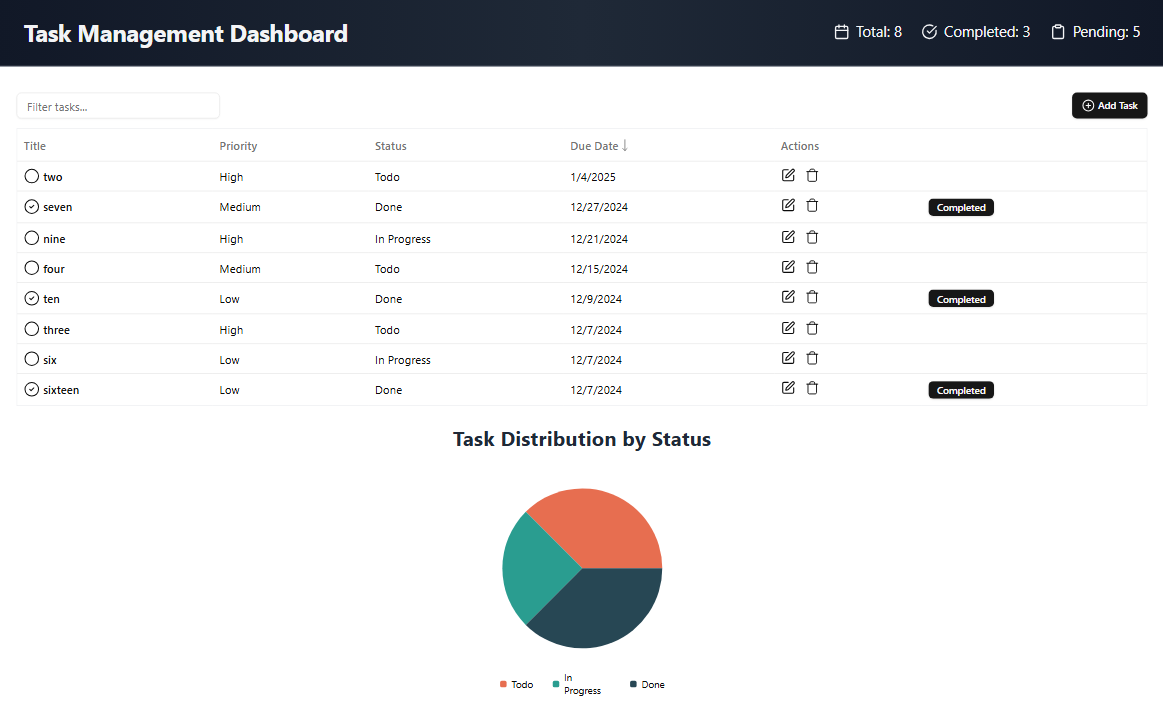 ### 2. Task List View 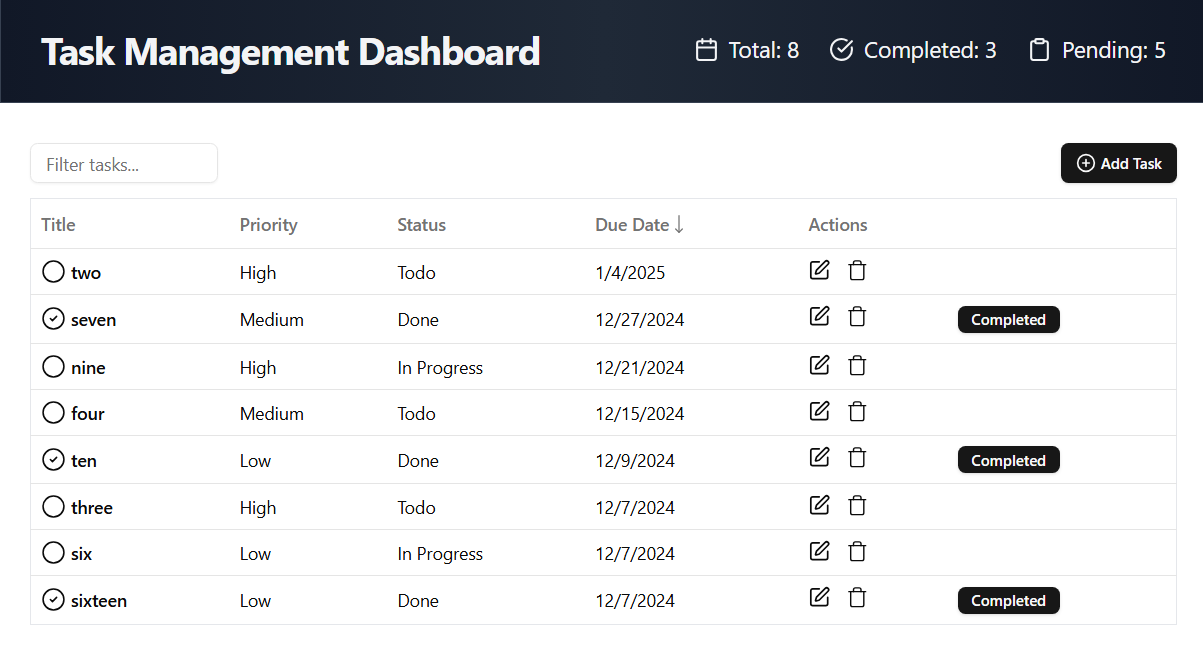 ### 3. Chart View 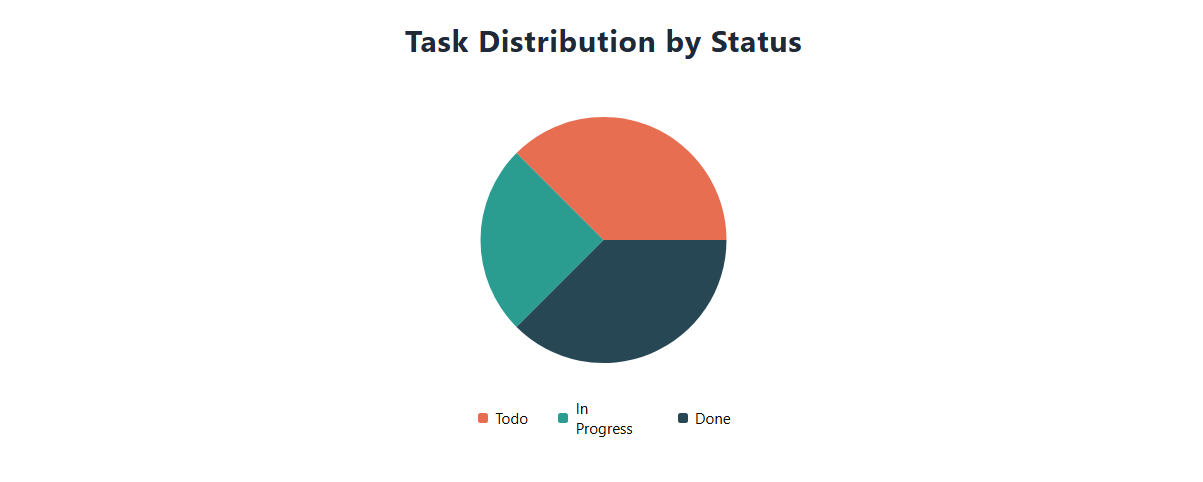 ## 🚀 Getting Started ### Prerequisites - Node.js and npm installed. ### Installation 1. Clone the repository: ```bash git clone https://github.com/Bobby-coder/Task-Management-Dashboard.git ``` 2. Navigate to the project directory: ```bash cd task-management-dashboard ``` 3. Install dependencies: ```bash npm install ``` 4. Start the development server: ```bash npm run dev ```
