KO
|
EN
gitlite — search
Search
#python
#java
#python3
#arduino
#golang
#machine-learning
#rust
#html
#flask
#javascript
#seismology
#nodejs
skill-tree-backend
★ 10
Open GitHub ↗
No description available.
Download README (.md)
Explore Similar Repositories
LinkSimplifier
:
一款轻量、高效的云盘直链解析工具,支持解析QQ邮箱文件中转站和蓝奏云的直链并下载到本地。提供基于 C# WPF 的桌面客户端和基于 Cloudflare Workers & Pages 的 Web 版本。
laravel-on-vercel
:
No description available.
ilo-sona
:
Small language model for toki pona.
gpg-pysuite
:
Python GPG suite
CNVD_Modify
:
适用于CNVD的篡改猴(Tampermonkey、Greasemonkey)脚本
// repository documentation
Was this content helpful?
★ 0
(0 ratings)
Select Rating:
★
★
★
★
★
Submit Feedback
Recent Feedback
×
Download README
Do you want to download the
README.md
file for
skill-tree-backend
?
Download (.md)
# Skill Tree Backend ## Required Tools - [Homebrew](https://brew.sh/) (If you're using macOS) - [Maven](https://maven.apache.org/download.cgi) (version 3.9.6 or higher) - [Java](https://www.oracle.com/in/java/technologies/downloads/#java17) (version 17) - [IntelliJ Community or Ultimate Edition](https://www.jetbrains.com/idea/download/other.html) - [Docker Desktop](https://www.docker.com/products/docker-desktop/) ## Development Setup ### Install Maven #### macOS 1. To install maven type the following command in your terminal: ```bash brew install maven ``` 2. Verify your installation using the following command: ```bash mvn -version ``` If maven is installed correctly you should see the maven version in the terminal: ```bash Apache Maven 3.9.7 ``` #### Windows 1. To install Maven on Windows, we head over to the Apache Maven site to download the latest version and select the Maven zip file, for example, apache-maven-3.9.6-bin.zip. 2. Adding Maven to the Environment Path We add both M2_HOME and MAVEN_HOME variables to the Windows environment using system properties and point them to our Maven folder. 3. Verify the Maven installation by typing: mvn -version 4. Then, we update the PATH variable by appending the Maven bin folder — %M2_HOME%\bin — so that we can run the Maven command everywhere. ### Setup database and configure env - To setup the database & create a `.env` file run the following command in your terminal: ```bash make setup ``` - To edit your environment variables edit the `.env` file. #### NOTE: - If you do not have `make` installed, run the `docker-run` and `copy-env` commands from the `Makefile` manually. ### Install EnvFile Plugin in IntelliJ - To read the values from your `.env` you will need install the `EnvFile` plugin. - To Install the plugin to go `settings` > `Plugins` > `Marketplace` > EnvFile. 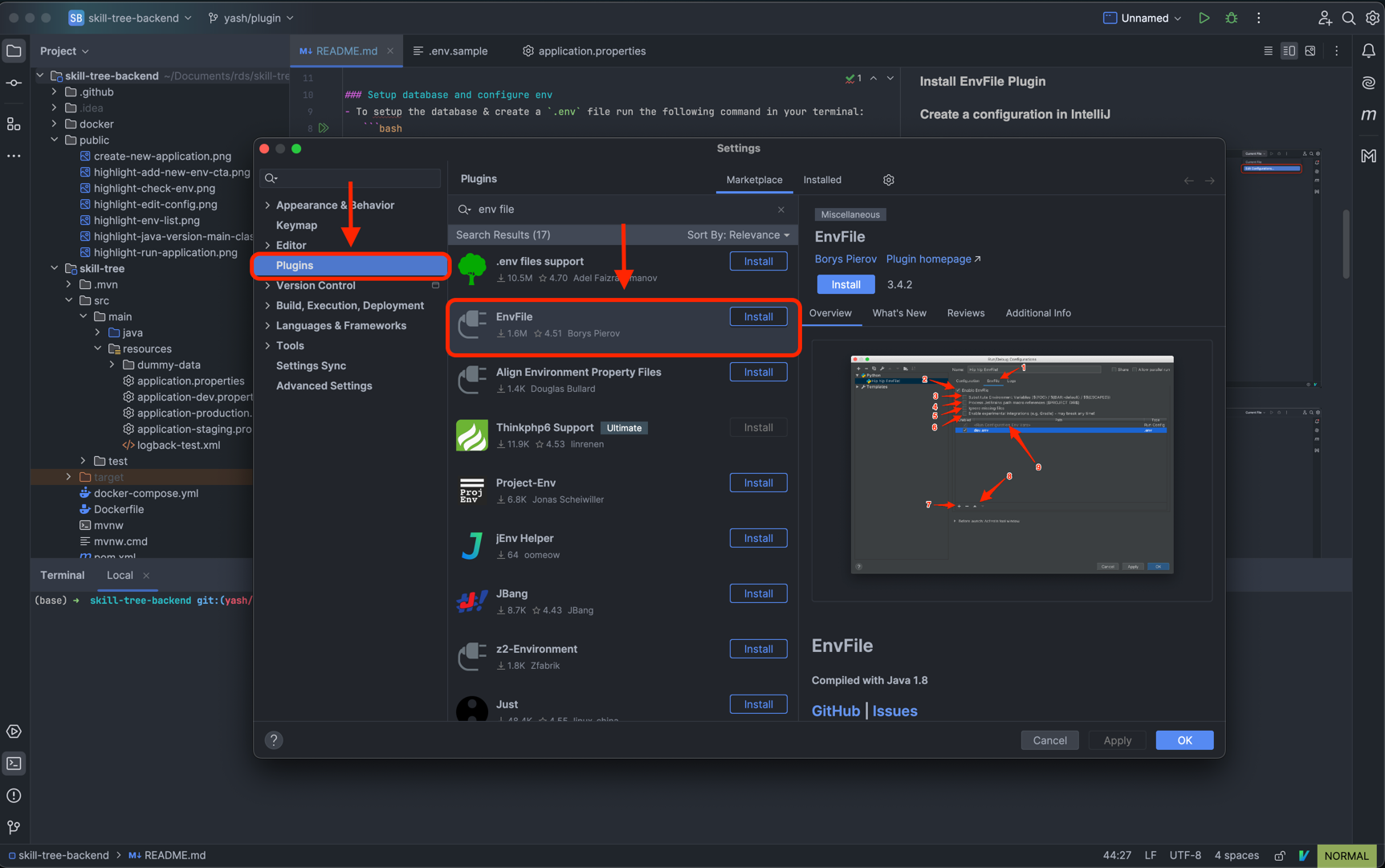 ### Create a configuration in IntelliJ - Press the Edit configurations button on the top right of your screen 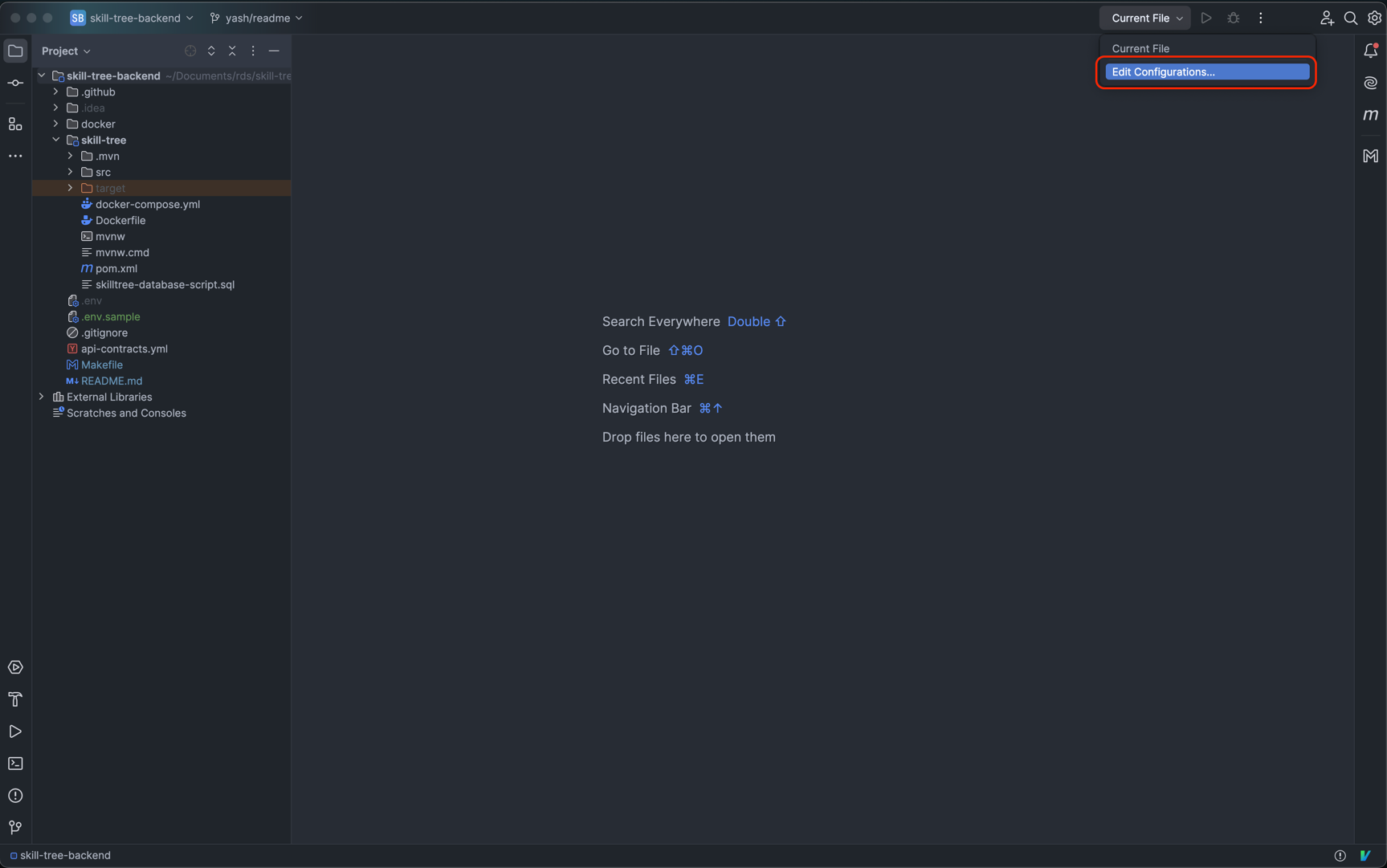 - Create a new application 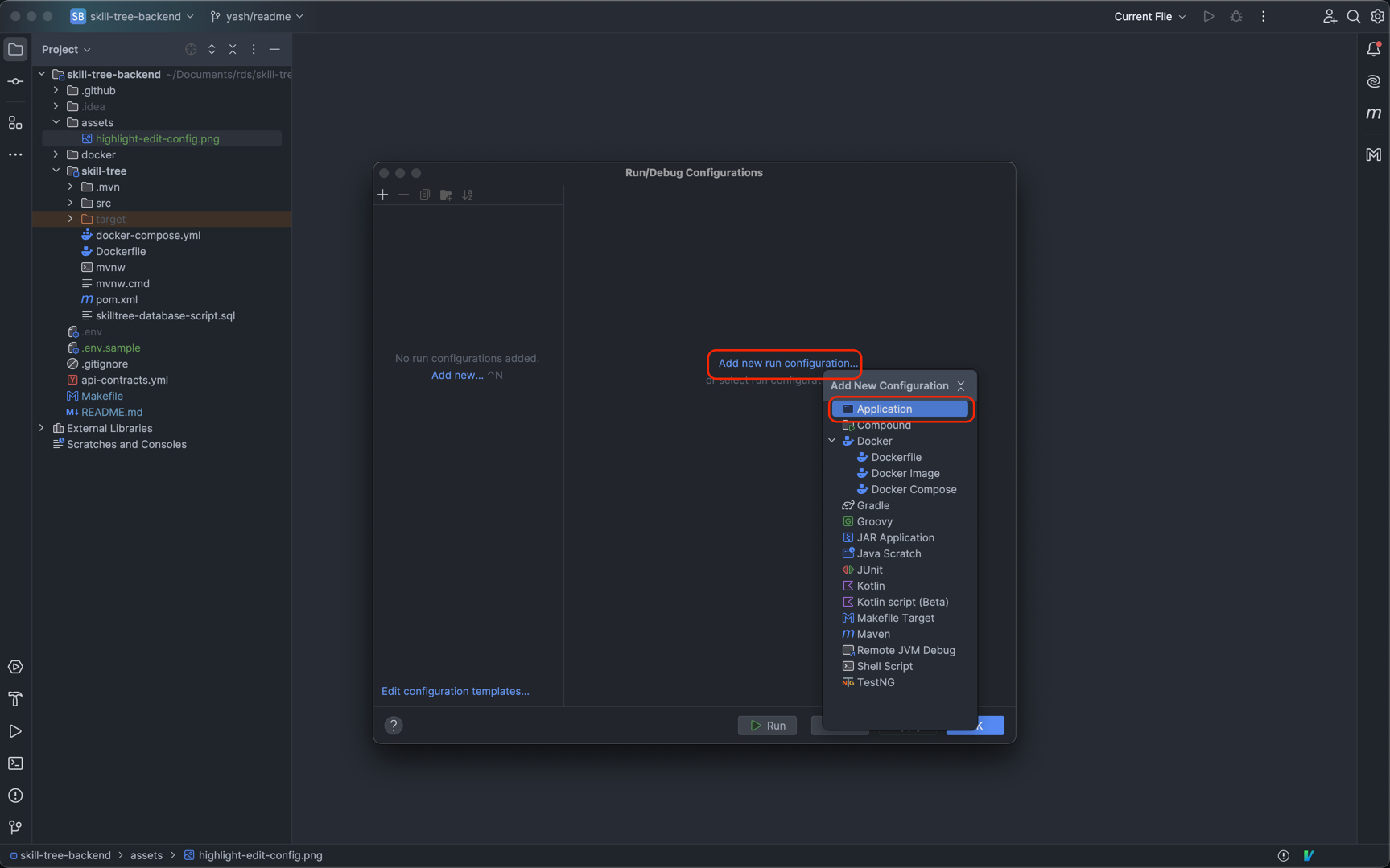 - Select `Java version 17`, `Skill tree` and `SkillTreeApplication` 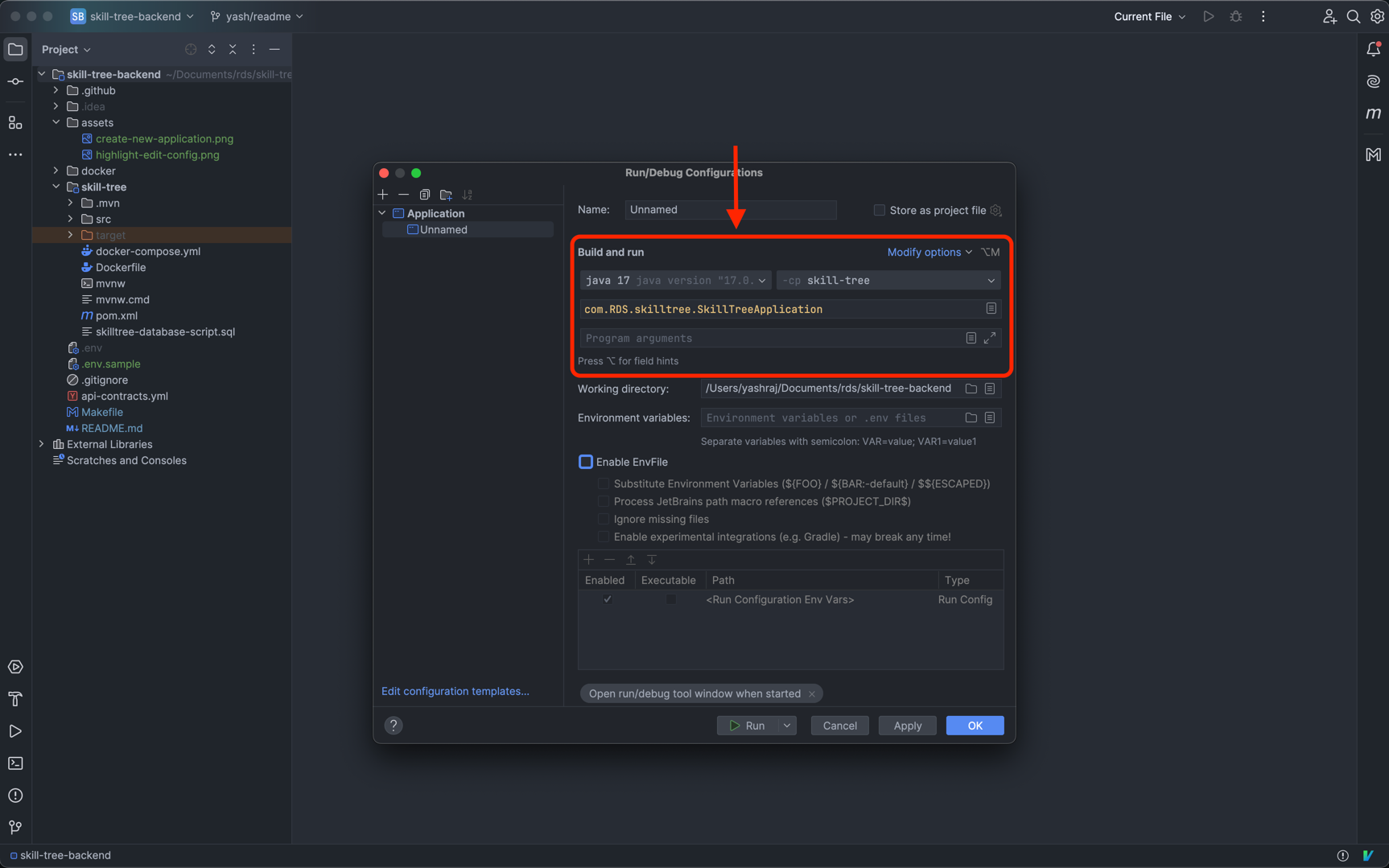 - Check `EnvFile` and `Substitute Environment Variables` 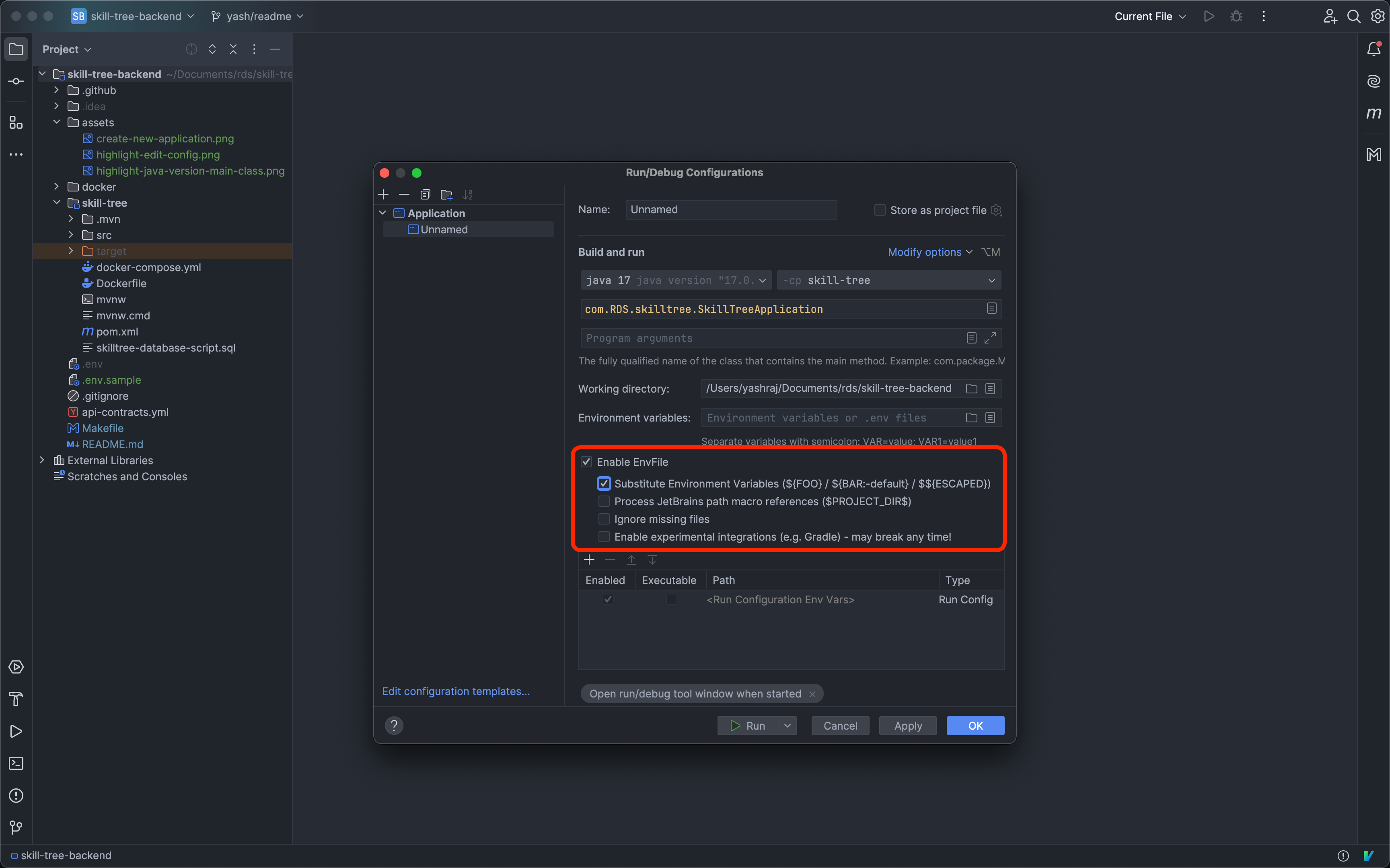 - Add path to the `.env` file you created above 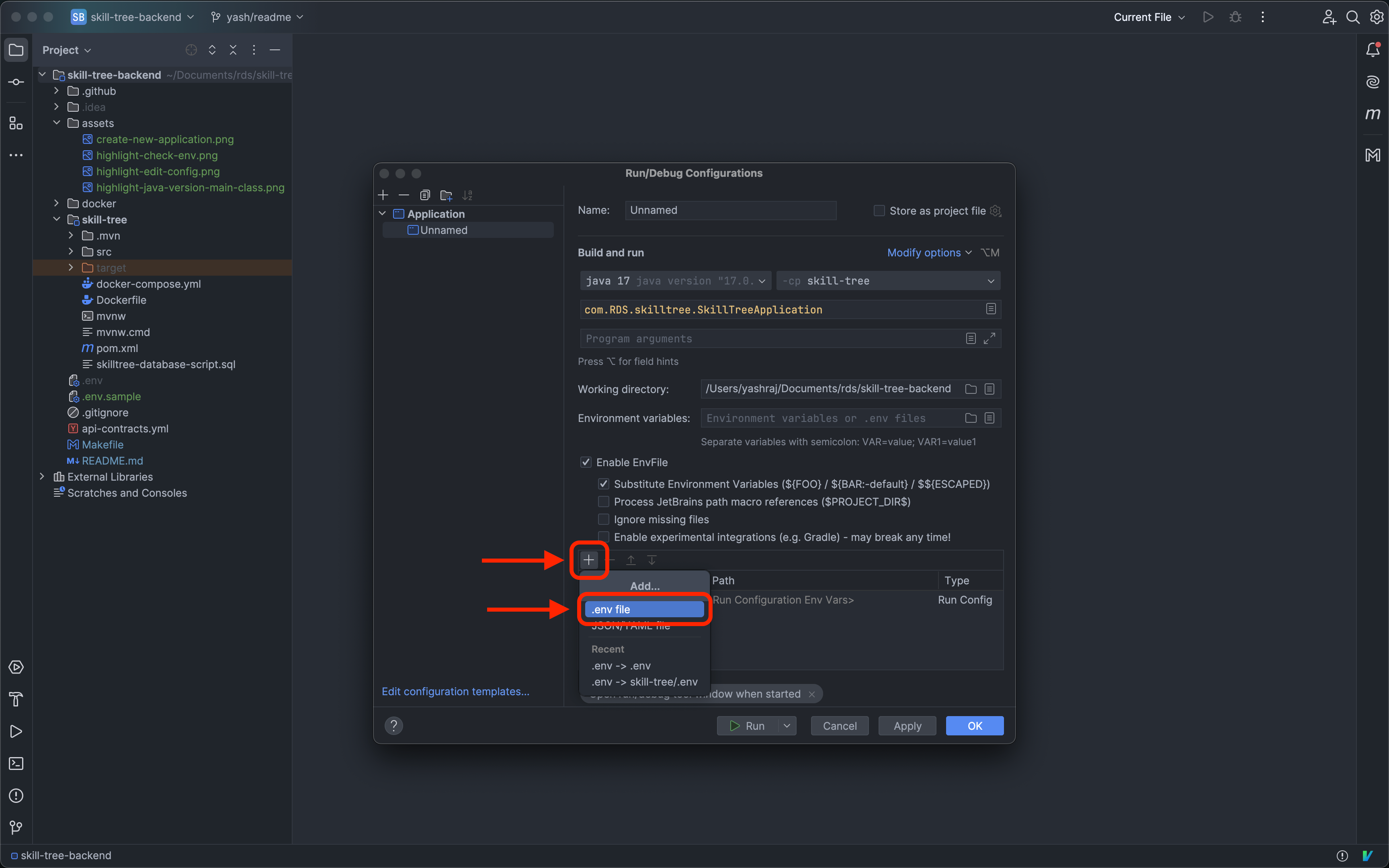 - You should a new entry like so: 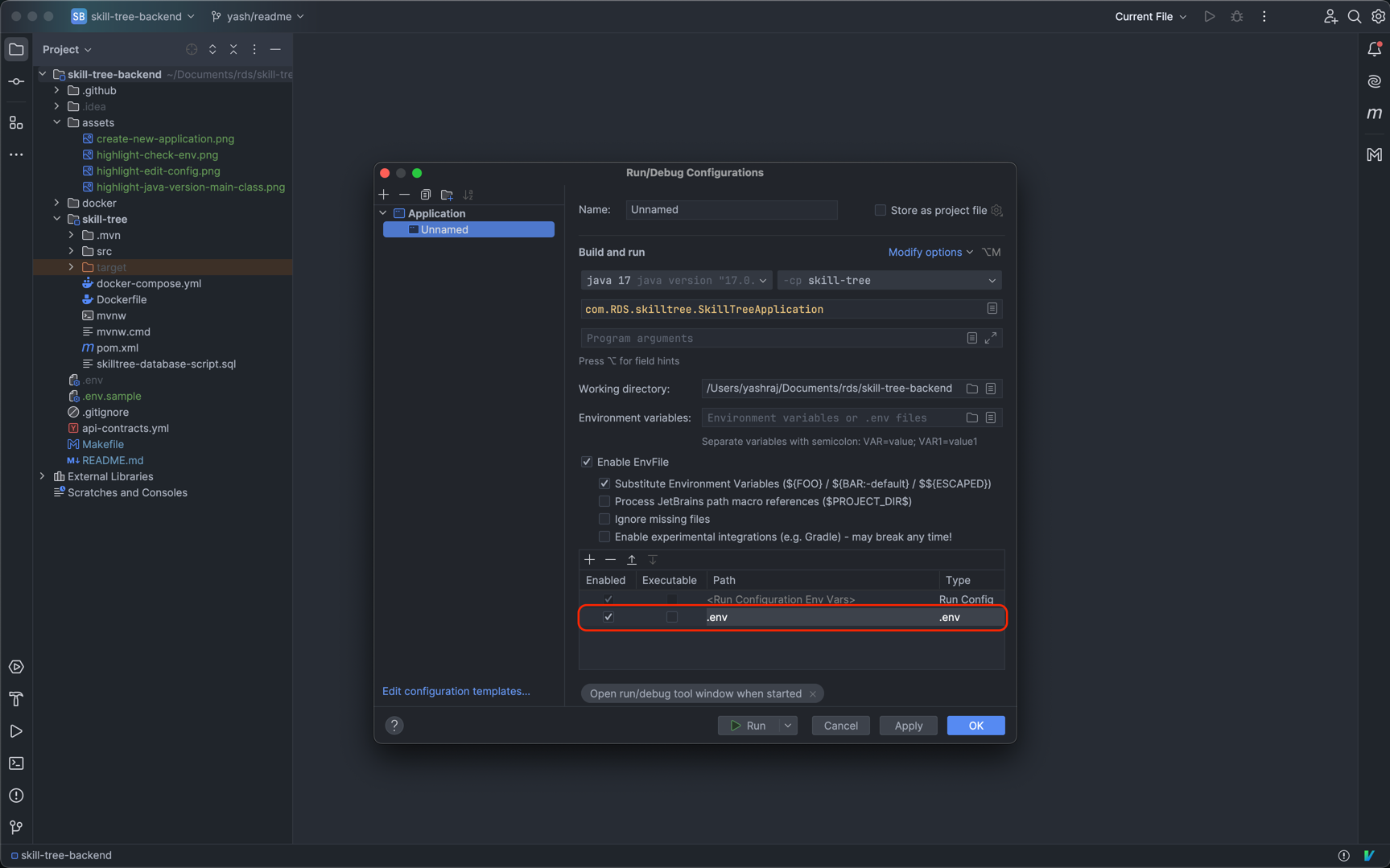 - Click on `Apply` and then `Ok` ### Running your application - Press the `Run` button on the top right of your screen to run the application. 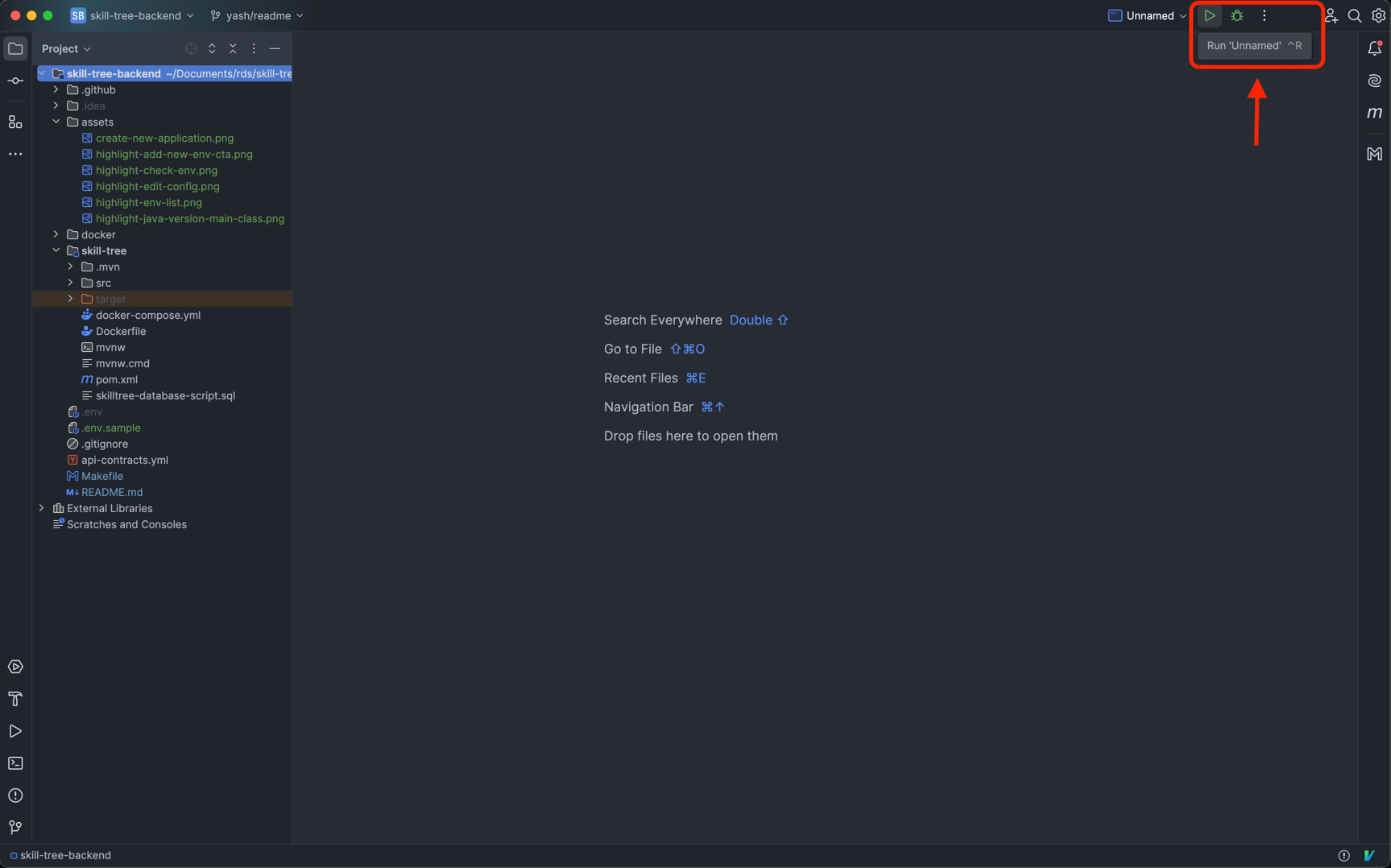 ## Steps to authenticate a user during development - Run RDS backend on your local machine - Copy the `public key` from `local.js` (if not in `local.js` copy it from `development.js`) and add it in your `.env` file. - Run skill tree frontend, click on `signin with github` button - Once authenticated you will be redirected to `localhost:4000` (skill tree frontend homepage) and a `rds-session-v2-development` cookie will be set in the browser which will be used for authentication when making API calls. - NOTE: - make sure that `incompleteUserDetails` is false for the user in firestore, else the redirect will not work as intended. ## To Authenticate Yourself Using [Website - backend](https://github.com/Real-Dev-Squad/website-backend) On Local - http://localhost:3000/auth/github/login?redirectURL=https://staging-skilltree.realdevsquad.com/tasks?v2=true This will create a cookie in your browser `rds-session-v2-development` On Staging - https://staging-api.realdevsquad.com/auth/github/login?redirectURL=https://staging-skilltree.realdevsquad.com/tasks?v2=true This will create a cookie in your browser named `rds-session-v2-staging` ## Contributing ### Code Formatting This repo uses https://github.com/diffplug/spotless/tree/main/plugin-maven#java for formatting files. Please build using `mvn compile` in local or run `mvn spotless:apply` before pushing the code to fix any formatting errors. To check if the codebase is formatted, you can explicitly use `mvn spotless:check` The Continuous Integration build for pushed commits may fail when a Pull Request is created if your code doesn't follow project's formatting guideline. ## 👥 Contributors Thanks to all the contributors who made this project awesome 🙌 <a href="https://github.com/Real-Dev-Squad/skill-tree-backend/graphs/contributors"> <img src="https://contrib.rocks/image?repo=Real-Dev-Squad/skill-tree-backend" /> </a>
