KO
|
EN
gitlite — search
Search
#python
#java
#python3
#arduino
#golang
#machine-learning
#rust
#html
#flask
#javascript
#seismology
#nodejs
ZAP-MCP
★ 20
Open GitHub ↗
VIBE CODING 😈 lol
Download README (.md)
Explore Similar Repositories
Aura-Decor
:
my graduation project AR application integrating custom 3D models to deliver immersive.
framed
:
Table data manipulation and generation library
Gluetun-qBittorrent-Port-Updater-Script-For-unRAID
:
Gluetun qBittorrent Port Updater Script For unRAID
searls-auth
:
Searls-flavored login for Rails apps
atproto-clj
:
No description available.
// repository documentation
Was this content helpful?
★ 0
(0 ratings)
Select Rating:
★
★
★
★
★
Submit Feedback
Recent Feedback
×
Download README
Do you want to download the
README.md
file for
ZAP-MCP
?
Download (.md)
# ZAP-MCP: Model Context Protocol for OWASP ZAP A powerful integration between OWASP ZAP and AI models through the Model Context Protocol (MCP). This project enables AI-driven security testing by allowing AI models to directly interact with ZAP's scanning capabilities. ## Star History [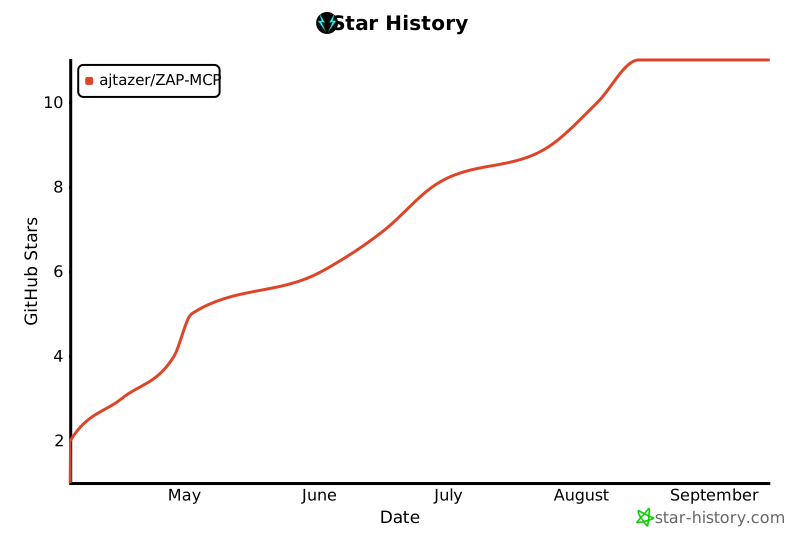](https://www.star-history.com/#ajtazer/ZAP-MCP&Date) ## Overview ZAP-MCP provides a bridge between AI models (like Claude) and OWASP ZAP, enabling automated security testing and analysis. It uses a client-server architecture where ZAP-MCP acts as the server, exposing standardized functions that can be called by AI models through the MCP protocol. ## Features - **AI-Driven Security Testing**: Enable AI models to perform security scans and analysis - **Real-time Scan Monitoring**: Track scan progress and get instant alerts - **Automated Analysis**: Generate security reports and recommendations - **Flexible Integration**: Works with various AI models through the MCP protocol - **WebSocket Communication**: Real-time updates and interactions ## Prerequisites - Python 3.8+ - OWASP ZAP running locally or remotely - Claude Desktop App (or other MCP-compatible client) ## Installation 1. Clone the repository: ```bash git clone https://github.com/tazer/ZAP-MCP.git cd ZAP-MCP ``` 2. Install dependencies: ```bash pip install -r requirements.txt ``` 3. Set up the MCP server: ```bash ./setup_mcp.sh ``` 4. Configure ZAP-MCP: - Copy `claude_desktop_config.json` to your Claude app's config directory - Update the ZAP API key and URL in the config file ## Usage 1. Start the MCP server: ```bash mcp-server --config claude_desktop_config.json --model-dir ./models ``` 2. Configure your Claude desktop app: - Open Claude app settings - Enable MCP server integration - Set the WebSocket URL to: `ws://localhost:7456/ws` 3. Start using ZAP-MCP: - The Claude app will now have access to ZAP scanning tools - You can request security scans, get alerts, and generate reports ## Available Tools The MCP server exposes these ZAP-specific tools: - `start_scan`: Start a new ZAP scan on a target URL - `get_scan_status`: Check the status of a running scan - `get_alerts`: Get all alerts from the current scan - `get_scan_summary`: Get a summary of the current scan ## Configuration The `claude_desktop_config.json` file contains all necessary settings: ```json { "mcp_server": { "host": "localhost", "port": 7456, "model": "claude-instant-v1", "max_tokens": 1000, "temperature": 0.7, "zap_api_key": "your-zap-api-key", "zap_url": "http://localhost:8080" }, "local_models": { "path": "./models", "prefer_local": true }, "zap_settings": { "scan_timeout": 300, "max_concurrent_scans": 5, "alert_threshold": "HIGH", "scan_policy": "default" } } ``` ## Development This project was developed using Cursor AI, an intelligent coding assistant that helped streamline the development process and ensure code quality. ## Author - **TAZER** - Initial work and maintenance ## License This project is licensed under the MIT License - see the LICENSE file for details. ## Acknowledgments - OWASP ZAP team for their excellent security testing tool - Anthropic for Claude AI - Cursor AI for their assistance in development
