KO
|
EN
gitlite — search
Search
#python
#java
#python3
#arduino
#golang
#machine-learning
#rust
#html
#flask
#javascript
#seismology
#nodejs
flutter_dialog_queue
★ 10
Open GitHub ↗
No description available.
Download README (.md)
Explore Similar Repositories
opentelemetry-system-metrics
:
Enabling process-level system metrics (CPU, Memory, Disk, Network) to be observed using opentelemetry.
fortty
:
Create colorful terminal applications in Fortran
VTOP_API
:
No description available.
WalletMiner
:
No description available.
Spongebob_Resurrected_Remake
:
This is a Remaster/Remake of SpongeBob SquarePants: Revenge of the Flying Dutchman for the PS2/GC in Unreal Engine 5.
// repository documentation
Was this content helpful?
★ 0
(0 ratings)
Select Rating:
★
★
★
★
★
Submit Feedback
Recent Feedback
×
Download README
Do you want to download the
README.md
file for
flutter_dialog_queue
?
Download (.md)
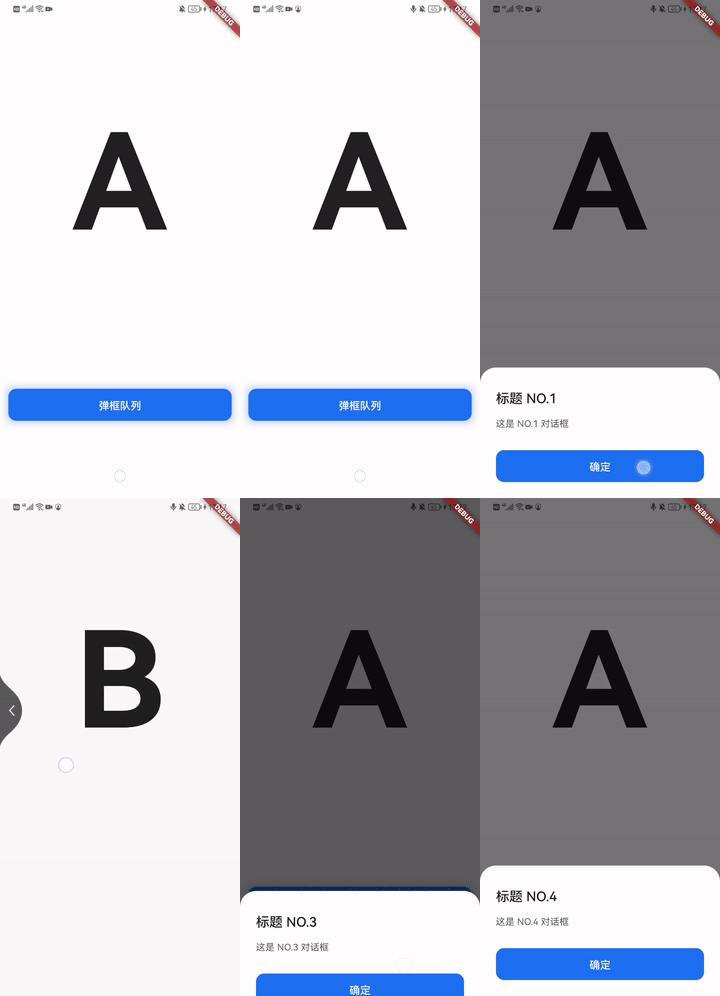
A dialog queue for you to manage your dialogs to display on flutter platform [中文](https://github.com/TDForLife/flutter_dialog_queue/blob/main/README_CN.md) ## Features - **Support pop dialog orderly** - **Support pop dialog by priority** - **Support deduplicate dialog in the queue** - **Support pause \ resume the pop action**   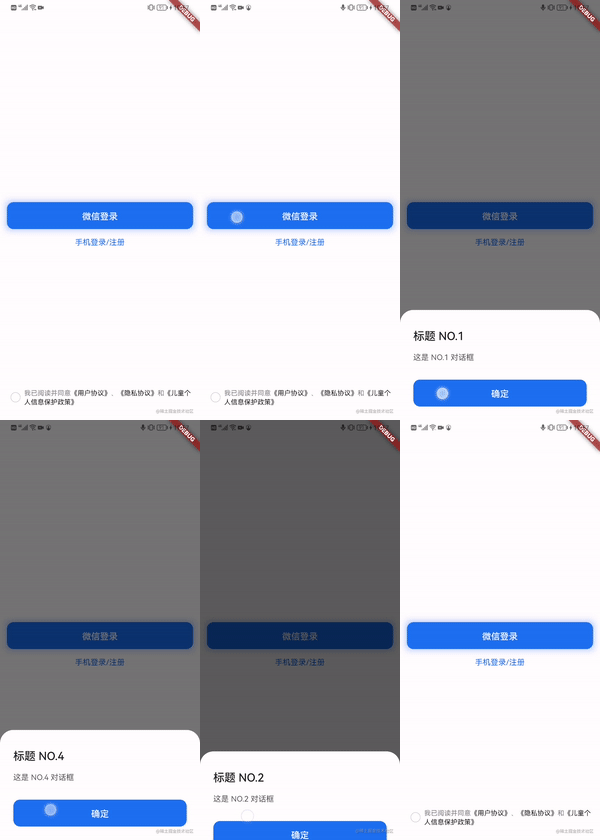 ## Getting started Installation Add the following lines to pubspec.yaml on your app module. Then run flutter pub get. ```yaml dependencies: dialog_queue: ">=1.0.1" ... ``` ## Usage **Step 1** : Add DialogQueueRouteObserver in your MaterialApp ```dart class App extends StatelessWidget { @override Widget build(BuildContext context) { return MaterialApp( navigatorObservers: [DialogQueueRouteObserver()], ); } } ``` **Step 2** : Replace "showDialog" with DialogQueue.instance.addDialog Old usage ```dart showModalBottomSheet<T>( context: context, backgroundColor: Colors.white, isScrollControlled: true, isDismissible: false, builder: (BuildContext context) { return SafeArea(child: Text('Hello DialogQueue')); }, ); ``` New usage ```dart DialogQueue.instance.addDialog(DialogQueueElement(() { return showModalBottomSheet( context: context, backgroundColor: Colors.white, isScrollControlled: true, isDismissible: false, builder: (BuildContext context) { return SafeArea(child: Text('Hello DialogQueue')); } ); }, tag: tag, priority: priority, uniqueKey: uniqueKey)); ``` ## Other usage 1. You can pause \ resume the pop action of queue at any time ```dart DialogQueue.instance.resume(); DialogQueue.instance.pause(); ``` 2. If you want to break off the queue when route to PageB,and resume it after PageA popped, then you can use: ```dart DialogQueue.instance.pushNameThenResume(navigatorState, PageB); ```