KO
|
EN
gitlite — search
Search
#python
#docker
#golang
#python3
#deep-learning
#javascript
#flutter
#kotlin
#android
#pytorch
#nodejs
#api
ecommerce-api
★ 35
Open GitHub ↗
Rest api of e-commerce web application
Download README (.md)
Explore Similar Repositories
ESP32-CAM-VideoCam
:
Easy Install Video Camera App for ESP32-CAM
flutter-seccion-6
:
No description available.
flutter_clean_starter
:
A production-ready Flutter project template following Clean Architecture and Modular Design principles. Designed to help you kickstart scalable, maintainable, and beautiful Flutter apps—fast.
directus-extension-svgmap-picker-interface
:
Select a value from a SVG Map box
dots
:
macos dotfiles
// repository documentation
Was this content helpful?
★ 0
(0 ratings)
Select Rating:
★
★
★
★
★
Submit Feedback
Recent Feedback
×
Download README
Do you want to download the
README.md
file for
ecommerce-api
?
Download (.md)
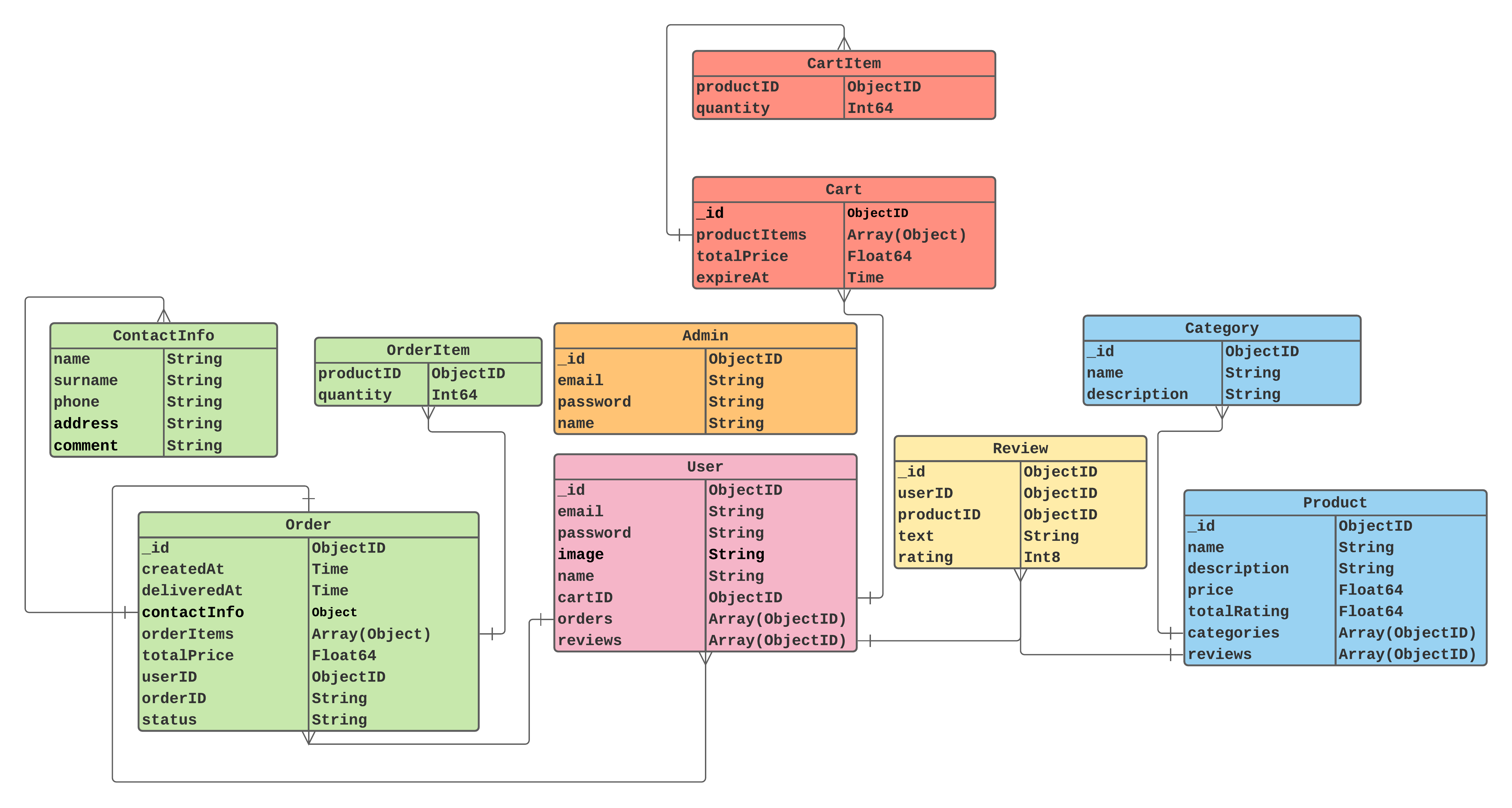
# E-commerce Rest API API for web stores to sell different types of products. Integrated with payment system Stripe. Also has admin dashboard. 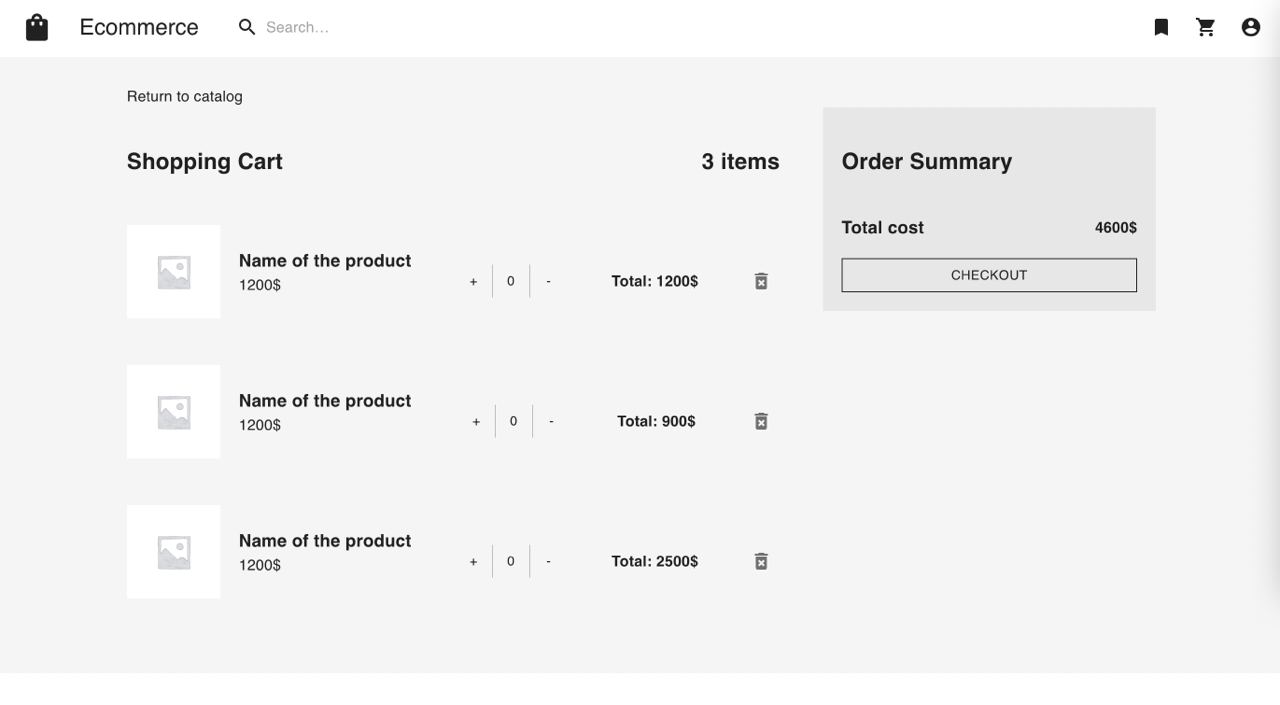 ### [Swagger API documentation](https://app.swaggerhub.com/apis-docs/paw1a/E-commerce) # Contents 1. [Run](#Run) 2. [API](#API) 3. [Implementation](#Implementation) # Run To run application you need: - docker-compose - .env file ## Env configuration To run API locally you should create your own .env file in the root directory or rename `.env-example` to `.env` Example `.env`: ```env HOST=localhost PORT=8080 STRIPE_KEY=<your stripe key> JWT_SECRET=jwtSecret DB_NAME=ecommerce DB_URI=mongodb://mongo:27017 DB_USERNAME= DB_PASSWORD= TEST_DB_NAME=ecommerce-test TEST_DB_URI=mongodb://localhost:27017 TEST_DB_USERNAME= TEST_DB_PASSWORD= REDIS_URI=redis:6379 ``` ## Local run ``` make run ``` or ``` docker-compose up ``` Run test data generation for MongoDB ``` make init ``` Run frontend only ``` docker-compose up frontend ``` # API Base url: `<host>:8080/api/v1/` API documentation can be found [here](https://app.swaggerhub.com/apis-docs/paw1a/E-commerce) # Implementation - REST API - Clean architecture design - Using MongoDB as a main data storage - Using Redis for cache and user session storage - Env based application configuration - Automatically generated Swagger API docs - Run with docker-compose - Full automated CI/CD process - Configured deploy to AWS - React.js frontend (*in progress*) - Stripe API payment integration ### Project structure ``` . ├── .bin // app binary files ├── .data // directory to store local db data ├── .github // github actions ci/cd directory ├── cmd // entry point ├── db // db generation scripts for mongo ├── deploy // deploy docker files ├── docs // swagger docs and readme images ├── frontend // react.js app directory ├── internal │ ├── app // main application package │ ├── config // config loading utils │ ├── delivery // http handlers layer │ ├── domain // all business entities and dto's │ ├── repository // database repository layer │ └── service // business logic services layer ├── pkg │ ├── auth // jwt auth utils │ ├── database // database connection utils │ ├── logging // logger configuration │ └── payment // payment service configuration └─ ``` # Diagram