KO
|
EN
gitlite — search
Search
#javascript
#nodejs
#php
#android
#java
#hacktoberfest
#arduino
#go
#wordpress
#c-plus-plus
#csharp
#wordpress-plugin
coalpy
★ 56
Open GitHub ↗
coalpy - compute abstraction layer for python
Download README (.md)
Explore Similar Repositories
coala
:
COALA: Co-Aligned Autoencoders for Learning Semantically Enriched Audio Representations
coal.nvim
:
A dark theme for NeoVim
Coal-Rock-Recognition
:
This is an engineering software demo and also my graduation project.
canary-in-a-coalmine
:
No description available.
coalesce
:
A modern client-side persistence framework
// repository documentation
Was this content helpful?
★ 0
(0 ratings)
Select Rating:
★
★
★
★
★
Submit Feedback
Recent Feedback
×
Download README
Do you want to download the
README.md
file for
coalpy
?
Download (.md)
# coalpy Compute abstraction layer for python. [](https://opensource.org/licenses/MIT) [](https://github.com/kecho/coalpy/actions/workflows/ci.yaml) [CoalPy](https://coalpy.org) is a free low friction python (3.10, 3.11) native module for Windows and Linux. Coalpy's main goal is to make modern DirectX12 or Vulkan GPU compute software easy to write and deploy. 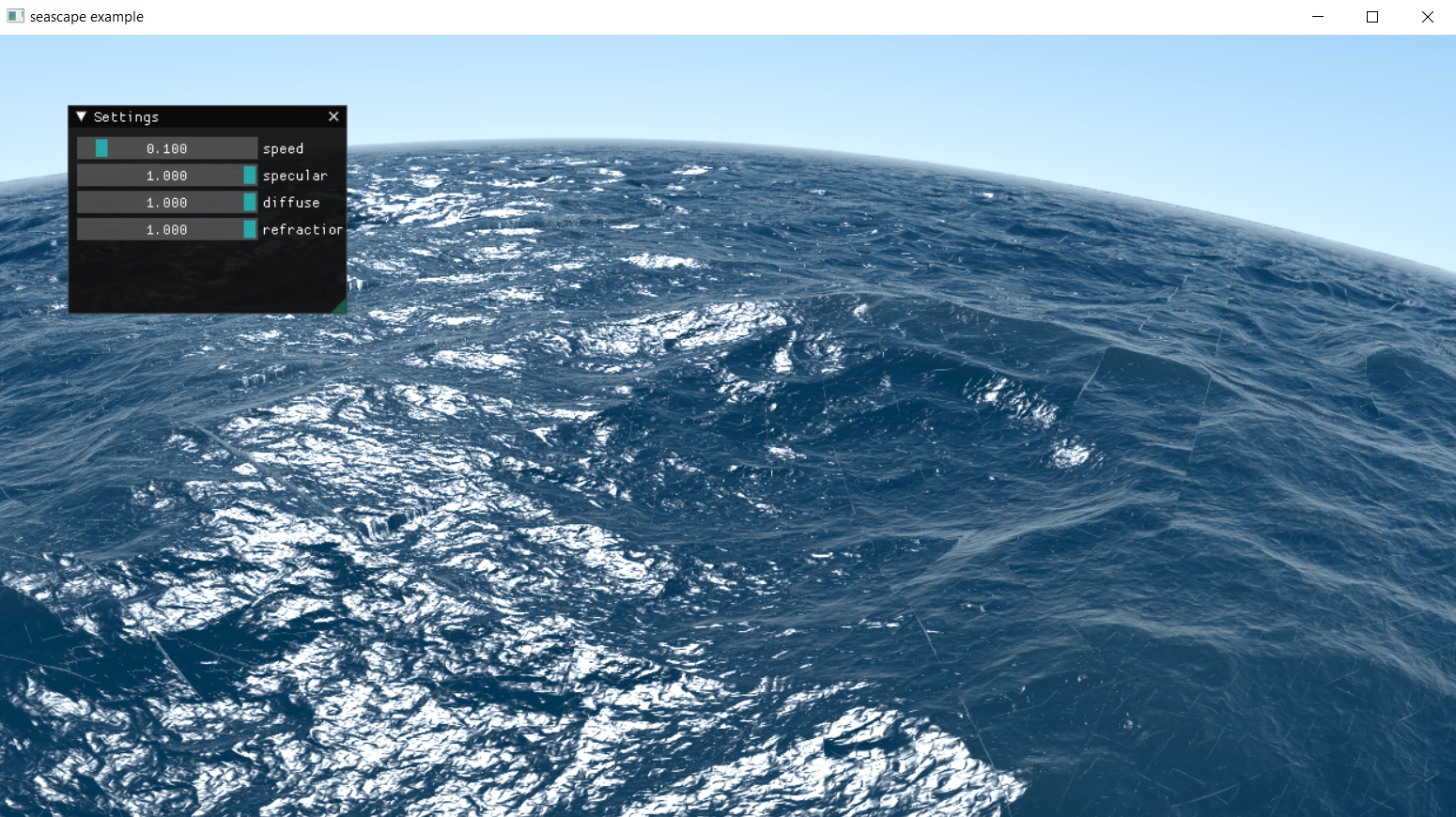 ## Python module Get started with API documentation here: [coalpy.gpu documentation](https://coalpy.org/apidocs/0.51/coalpy.gpu.html) To install, just run the pip command: ``` pip install coalpy ``` To check that coalpy is installed properly run the seascape example: ``` python -m coalpy.examples.seascape ``` And presto! ## About Contributing The following section specifies guidelines for contributing to the coalpy project. ### Building requirements * Install Python supported versions ** Preferably [3.11](https://www.python.org/downloads/release/python-3112/) ** Other versions include 3.10 * Ensure you have a version of visual studio with support for VC * Ensure you are on the latest and greatest version of windows 10 ### Directories * Source - everything inside here gets compiled by the build system. * modules - Internal c++ implementation of coalpy. * pymodules/gpu - The Python glue code, which translates the c++ coalpy module into public functions and types ready to be used in python. * scripts - Python scripts that get packaged with the coalpy module. * [libpng|libjpeg|zlib|imgui] - External libraries, which are compiled in source. * tests - Internal graphics and system test suites for coalpy, does not test the Python layer, only the internal layer. * Build - Build scripts for the tundra build system. * External - External precompiled libraries used. * Tools - Executables and tools used to assist in building. In this case the tundra build system is contained here. * docs - Documentation folder. This documentation utilizes github pages, which can be seen [here](https://kecho.github.io/coalpy/coalpy.gpu.html) ## Compiling in Windows To compile in Windows, use the build.bat script file: ``` build.bat debug ``` for release mode ``` build.bat release ``` To generate a solution for visual studio, use the gensln.bat script: ``` gensln.bat ``` To run the internal c++ tests, run the coalpy_tests.exe program generated: ``` t2-output\win64-msvc-debug-default\coalpy_tests.exe ``` For information about the test suites commands, such as filters / repeating tests etc use the -h flag. ## Compiling in Linux (Ubuntu 20.x LTS+) Before compiling into linux, the necessary dependencies must be installed. For ubuntu apt package manager, you can run the script: ``` sudo ./linux-deps.sh ``` Then proceed to install vulkan lunar SDK as assigned below. #### Vulkan Lunar SDK Follow this by installing vulkan lunar SDK: [vulkan lunar SDK](https://vulkan.lunarg.com/doc/view/latest/linux/getting_started_ubuntu.html) ### Compiling for Linux To compile for Linux, use the build.sh script file: ``` ./build.sh debug ``` for release mode ``` ./build.sh release ``` ## Creating Python package cd into the t2-output\win64-msvc-[debug|release]-default\coalpy_pip directory. Run the command: ``` python -m build ``` Ensure you have the latest version of the build module. To configure metadata of the pip package modify things inside the Source/pipfiles folder. ## Updating documentation All documentation of the coalpy Python API is self contained inside the Source/pymodules/gpu folder. Inside we fill doc strings inside types and functions exported to Python. To generate the documentation, cd into the t2-output/win64-msvc-[release|debug|production]-default folder, and run the commands: ``` python -m pydoc -w coalpy python -m pydoc -w coalpy.gpu ``` This will generate coalpy.html and coalpy.gpu.html which can be copied into the docs directory. ## Credits Coalpy utilizes a few great open source libraries. Links with the authors and source provided here: * [libjpeg - JPEG library by @LuaDist](https://github.com/LuaDist/libjpeg/) * [libpng - PNG library by @glennrp](https://github.com/glennrp/libpng) * [zlib - compression library by @madler](https://github.com/madler/zlib) * [imgui - User interface library by @ocornut](https://github.com/ocornut/imgui) * [DirectXShaderCompiler - hlsl compiler by @microsoft](https://github.com/microsoft/DirectXShaderCompiler) Special thanks to my amazing wife Katie: I love you.
