KO
|
EN
gitlite — search
Search
#javascript
#python
#hacktoberfest
#react
#ai
#typescript
#llm
#go
#golang
#android
#machine-learning
#rust
#deep-learning
#linux
dotfiles
★ 9
Open GitHub ↗
My personal dotfiles
Download README (.md)
Explore Similar Repositories
hls-video-sharing
:
HKOSCon 2018 sharing: Video.js with HLS
Aircraft-door-detection-based-on-contour-fusion
:
A Fast Algorithm of Aircraft Door Detection Based on Image Processing
odoo-print
:
Odoo module for direct printing
MultiDOE
:
This MultiDOE toolbox regroups many existing tools for generating sample points using many specific DOE techniques.
Wifi_Bt_Esp32_Quad_Relay
:
Code and document for Wifi BT Esp32 Quad Relay Board
// repository documentation
Was this content helpful?
★ 0
(0 ratings)
Select Rating:
★
★
★
★
★
Submit Feedback
Recent Feedback
×
Download README
Do you want to download the
README.md
file for
dotfiles
?
Download (.md)
# Dotfiles My neovim and terminal (tmux in Kitty) based development setup. Always a work progress! <!-- TODO: replace with urls instead of assets --> 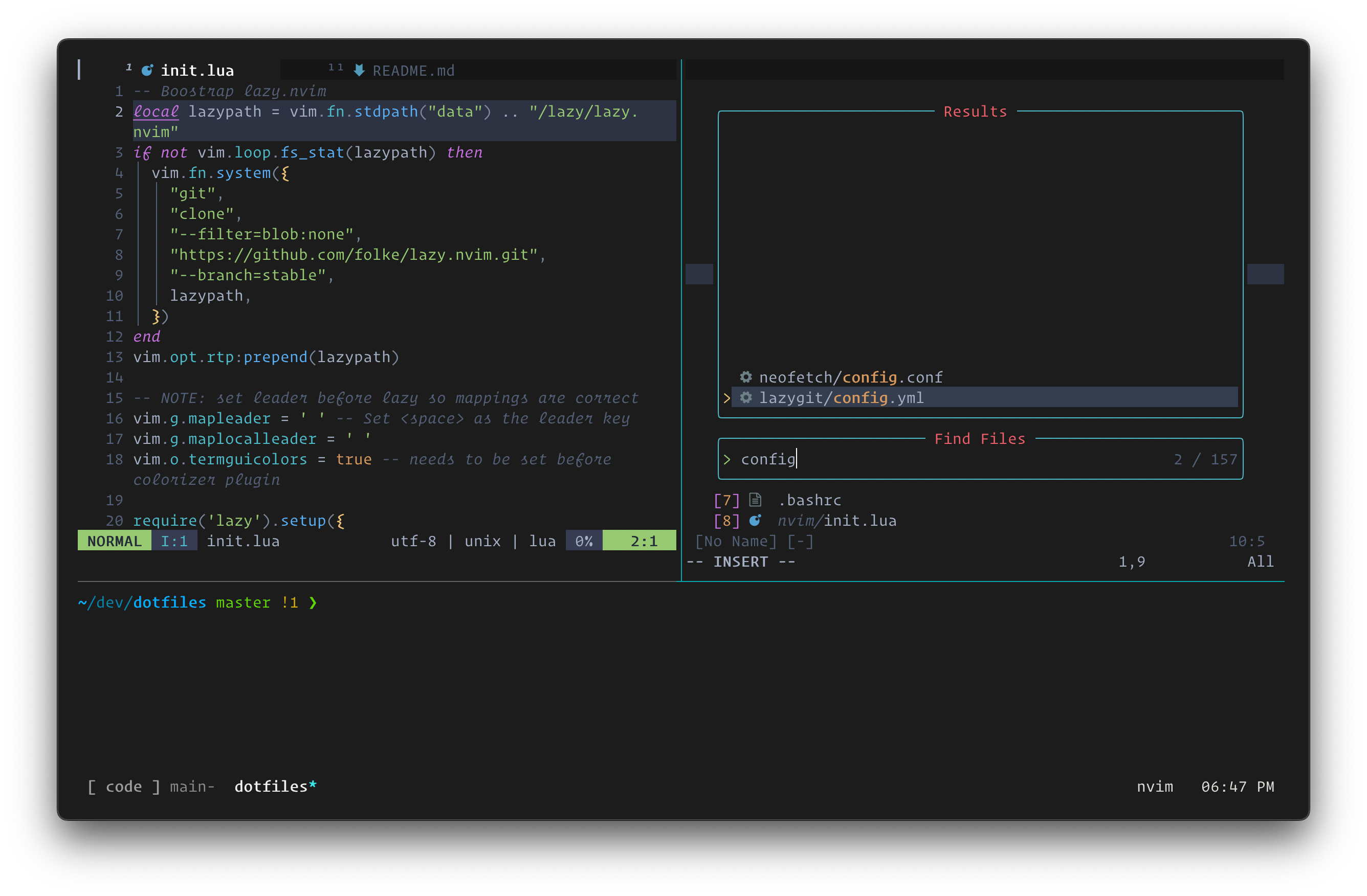 ## Quick Start Copy over configuration files with `stow`. WARNING: this does not include all dependencies. ``` make all ``` ## Neovim Configuration: [init.lua](nvim/.config/nvim/init.lua) Key plugins: - **Plugin Manager**: lazy.nvim - **Colorscheme**: onedark/catppuccin - **Smarts**: Treesitter, LSP, completion, snippets, fuzzy finder - **Visuals**: statusline, tabline, scrollbar, whichkey, startpage - **Motions/operators/jump**: textobjects, comments, surrounds, sorting - **Terminal Integrations**: lazygit, ranger Set up [below](#neovim-setup). ## Terminal Application: [Kitty](https://sw.kovidgoyal.net/kitty/) **Shell + Framework**: `zsh` + `oh-my-zsh` - autocompletions, vi-mode, syntax highlighting, fzf, z jumping ### Package managers #### Brew [Instructions here.](#install-brew) #### Python TODO #### NPM TODO #### Rust Install with rustup: ``` curl --proto '=https' --tlsv1.2 -sSf https://sh.rustup.rs | sh ``` ### Packages These are mostly brew packages. <!-- TODO: add a brewfile to run with brew bundle --> #### Tools <!-- - TODO: consider adding mise as a version manager --> - `asdf` version manager - `bat` better cat (syntax highlighting and pager) - `direnv` load and unload environment variables based on directory - `eza` better ls - `fd` better find (fd-find for `apt`) - `fzf` fuzzy finder - `gdu` better ncdu, disk usage viewer - `kanata` cross platform keyboard layout manager - `ripgrep` better grep (and faster than ag) - `stow` symlink manager - `tlrc` community written short man pages (command is tldr; tlrc is rust client of tldr) - `zoxide` directory jumper #### TUI - `lazygit` git interface - `nchat` telegram - `neovim` better vim (async, community developed) - `tmux` terminal multiplexer - `tmuxp` terminal session manager - `yazi` file manager, seemingly faster than ranger #### Phone/Android - `android-platform-tools` (cask) - `qrcp` qr code generator for wifi transfer - `scrcpy` android screen mirror/recorder (requires adb) #### Fun - `fastfetch` display system info (replaces neofetch) #### Dependencies - `git-delta` for git and lazygit, better diff - `gnu-sed` for nvim, vim-spectre - `imagemagick` for image rendering with kitty - `poppler` for yazi, pdf preview - `unar` for yazi, archive preview - `zsh-completions` for zsh, command line autocompletions #### GUI - `kitty` (cask) terminal emulator - `emacs` (cask) text editor / environment / operating system #### Terminal Multiplexer: `tmux` - Configuration: [tmux.conf](tmux/.tmux.conf) - keymaps, session keybind toggle ### MacOS #### Install brew ``` /bin/bash -c "$(curl -fsSL https://raw.githubusercontent.com/Homebrew/install/HEAD/install.sh)" ``` #### Disable mouse acceleration ``` defaults write .GlobalPreferences com.apple.mouse.scaling -1 ``` #### Enable key repeat ``` defaults write -g ApplePressAndHoldEnabled -bool false ``` - Settings -> Keyboard -> Key repeat rate & Delay until repeat #### Applications: ##### Menubar - `Dato`: calendar and meetings - `Monitor Control`: monitor brightness - `Stats`: system monitoring - `Thaw`: menubar management (FOSS, replaces Bartender, Ice) ##### Utilities - `BetterTouchTool`: add shortcuts; 3 finger tap -> middle click <!-- TODO: replace with browserosaurus, FOSS alternative --> - `Choosy`: browser launcher - `Dropover`: drag & drop temporary file shelf - `Hammerspoon`: mac scripting - `JankyBorders`: visually highlight focused window (need to start brew service) - `Karabiner Elements`: remap keys; RShift -> Backspace; Fn -> Fn on external keyboards (maintain for builtin) - `LocalSend`: file transfer - `Mac Mouse Fix`: invert mouse scrolling, fancy remaps, add smooth scrolling - `Raycast`: launcher - `Shortcat`: keyboard shortcuts everywhere <!-- TODO: consider flameshot, FOSS alternative --> - `Shottr`: screenshot tool - `Syncthing`: file sync #### Brew services - syncthing - borders ### oh-my-zsh Install zsh framework ``` sh -c "$(curl -fsSL https://raw.githubusercontent.com/robbyrussell/oh-my-zsh/master/tools/install.sh)" ``` Install zsh plugin manager ``` https://github.com/tarjoilija/zgen | git clone https://github.com/tarjoilija/zgen.git "${HOME}/.zgen" ``` Set up fzf ``` $(brew --prefix)/opt/fzf/install ``` ### Neovim setup Install neovim and pynvim (to support python plugins in nvim) ``` brew install neovim pip3 install --upgrade pynvim ``` Ensure python is working with `:checkhealth` #### Dependencies - `deno` - for peek.nvim - `fzf` - `rust` - for fff.nvim - `lua` - for various plugins ### Hammerspoon Configuration: [init.lua](hammerspoon/init.lua) - window management, sleep toggle, toggle apps ### Keyboard Remap Capslock to Control under MacOs settings: Keyboard -> Keyboard Shortcuts -> Modifier Keys Keyboard layers (0-index), global keyboard bindings are managed through ZSA Oryx firmware, Hammerspoon, and Karabiner Elements - Symbols, numbers - `Layer 1` - System control, arrow keys - `Layer 2` + `,./`: media - `shift` + `ctrl` + `,./`: media - `Layer 2` + `hjkl`: arrow keys - `shift` + `ctrl` + `hjkl`: arrow keys - Window movement - `cmd` + `ctrl` + `hjkl mnbv`: move, resize - `cmd` + `ctrl` + `shift` + `hjkl`, change display ### Configure git for github - Create ssh key for git (press enter for default file location) - https://docs.github.com/en/authentication/connecting-to-github-with-ssh/generating-a-new-ssh-key-and-adding-it-to-the-ssh-agent <!-- NOTE: might need to update this to use ed25519 --> ``` ssh-keygen -t rsa -b 4096 -C "youremail@domain.com" ``` - Start ssh-agent in background ``` eval "$(ssh-agent -s)" ``` - Add SSH key ``` ssh-add ~/.ssh/id_rsa ``` - Set config file to automatically load key ``` echo "Host *\n AddKeysToAgent yes\n UseKeychain yes\n IdentityFile ~/.ssh/id_rsa" > ~/.ssh/config ``` - Add key to GH account at https://github.com/settings/keys, using this command to copy key to clipboard: ``` pbcopy < ~/.ssh/id_rsa.pub ``` ### SSH key authentication ``` ssh-add ~/.ssh/id_ed25519 ssh-copy-id <username>@<hostname> ``` ## RaspberryPi Setup See detailed instructions in the [raspberrypi directory](raspberrypi/README.md) - fish (shell) + fisher (plugin manager) + tmux (terminal multiplexer)
