KO
|
EN
gitlite — search
Search
#python
#javascript
#react
#flutter
#nodejs
#reactjs
#pytorch
#typescript
#nextjs
#solidity
#python3
#deep-learning
eqrcode
★ 229
Open GitHub ↗
Simple QRCode Generator in Elixir
Download README (.md)
Explore Similar Repositories
scores
:
scores: Metrics for the verification, evaluation and optimisation of forecasts, predictions or models.
data-analysis-using-python
:
Exploratory data analysis 📊using python 🐍of used car 🚘 database taken from ⓚ𝖆𝖌𝖌𝖑𝖊
argocd-hub-spoke-demo
:
Deploy resources to multiple kubernetes clusters using Argo CD.
CombineFirebase
:
Combine wrapper on Google's iOS Firebase library.
barcode-detector
:
A Barcode Detection API ponyfill/polyfill that uses ZXing-C++ WebAssembly under the hood.
// repository documentation
Was this content helpful?
★ 0
(0 ratings)
Select Rating:
★
★
★
★
★
Submit Feedback
Recent Feedback
×
Download README
Do you want to download the
README.md
file for
eqrcode
?
Download (.md)
# EQRCode Simple QR Code Generator written in Elixir with no other dependencies. ## Installation ```elixir def deps do [ {:eqrcode, "~> 0.2.0"} ] end ``` ## Using EQRCode (Basic Usage) You can use EQRCode to generate QR Code in SVG or PNG format. ```elixir qr_code_content = "your_qr_code_content" # To SVG qr_code_content |> EQRCode.encode() |> EQRCode.svg() # To PNG qr_code_content |> EQRCode.encode() |> EQRCode.png() ``` 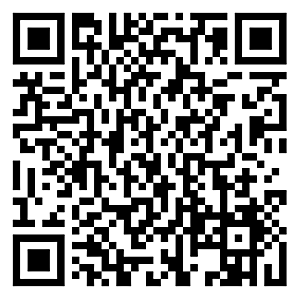 Note that the PNG format is only the binary. You still have to write the data to a file: ```elixir qr_code_png = qr_code_content |> EQRCode.encode() |> EQRCode.png() File.write("path/where/you/want/to/save.png", qr_code_png, [:binary]) ``` You should be able to see the file generated in the path you specified. ## Image Rendering Options ### SVG You can pass in options into `EQRCode.svg()`: ```elixir qr_code_content |> EQRCode.encode() |> EQRCode.svg(color: "#03B6AD", shape: "circle", width: 300, background_color: "#FFF") ```  You can specify the following attributes of the QR code: * `color`: In hexadecimal format. The default is `#000` * `background_color`: In hexadecimal format or `:transparent`. The default is `#FFF`. * `shape`: Only `square` or `circle`. The default is `square` * `width`: The width of the QR code in pixel. Without the width attribute, the QR code size will be dynamically generated based on the input string. * `viewbox`: When set to `true`, the SVG element will specify its height and width using `viewBox`, instead of explicit `height` and `width` tags. Default options are `[color: "#000", shape: "square", background_color: "#FFF"]`. ### PNG You can specify the following attributes of the QR code: * `color`: In binary format in the RGB order. The default is `<<0, 0, 0>>` * `background_color`: In binary format or `:transparent`. The default is `<<255, 255, 255>>` * `width`: The width of the QR code in pixel. (the actual size may vary, due to the number of modules in the code) By default, QR code size will be dynamically generated based on the input string. ### ASCII You can also render the QRCode in your console: ```elixir qr_code_content |> EQRCode.encode() |> EQRCode.render() ``` ## Credits We reused most of the code from [sunboshan/qrcode](https://github.com/sunboshan/qrcode) to generate the matrix required to render the QR Code. We also reference [rqrcode](https://github.com/whomwah/rqrcode) on how to generate SVG from the QR Code matrix. ## Copyright and License Copyright (c) 2024 Silicon Jungles This library is released under the MIT License. See the [LICENSE.md](./LICENSE.md) file.
