KO
|
EN
gitlite — search
Search
#javascript
#python
#hacktoberfest
#react
#ai
#typescript
#llm
#go
#golang
#android
#machine-learning
#rust
#deep-learning
#linux
linsweep
★ 8
Open GitHub ↗
Binary Ninja Plugin - Simple Linear Sweep
Download README (.md)
Explore Similar Repositories
ToolProgression
:
A small mod, which allows to set harvest levels of tools and blocks
SWMenuController
:
Custom menu controller like UIMenuController.
ml-biomass
:
An example of linking TERN AusCover field and image data to predict biomass
mocha-aura
:
Salesforce Lightning components integration with mochajs
TFCommon
:
Common classes and utils for Tensorflow
// repository documentation
Was this content helpful?
★ 0
(0 ratings)
Select Rating:
★
★
★
★
★
Submit Feedback
Recent Feedback
×
Download README
Do you want to download the
README.md
file for
linsweep
?
Download (.md)
# Simple Linear Sweep for BinaryNinja Author: **butters** _A simple linear sweep for x86 and x86_64._ ## Description: This plugin is a temporary solution until a linear sweep is included in core. It identifies functions by searching for common prologues and makes an attempt to avoid some false positives by analysing the created function. The plugin will certainly have false positives, primarily during Aggressive mode when it will occasionally define the start of a function a few instructions beyond the start. The start may be missed entirely or may be identified by a later prologue suggestion. Due to the awesome feature of Binary Ninja which allows for overlapping functions, this is not a much as a problem as with other tools. There are three modes, Cautious, Aggressive and User. #### Cautious: Analyzes the first 3 bytes of all existing functions and then uses the most common values as prologues for additional function searching within the bounds of the .text section, if it is defined. #### Aggressive: Performs the Cautious analysis and also searches the entire binary for a list of common prologues for the architecture. #### User: If during analysis you want to search for a specific prologue only, switch to the hex editor at the appropriate location. 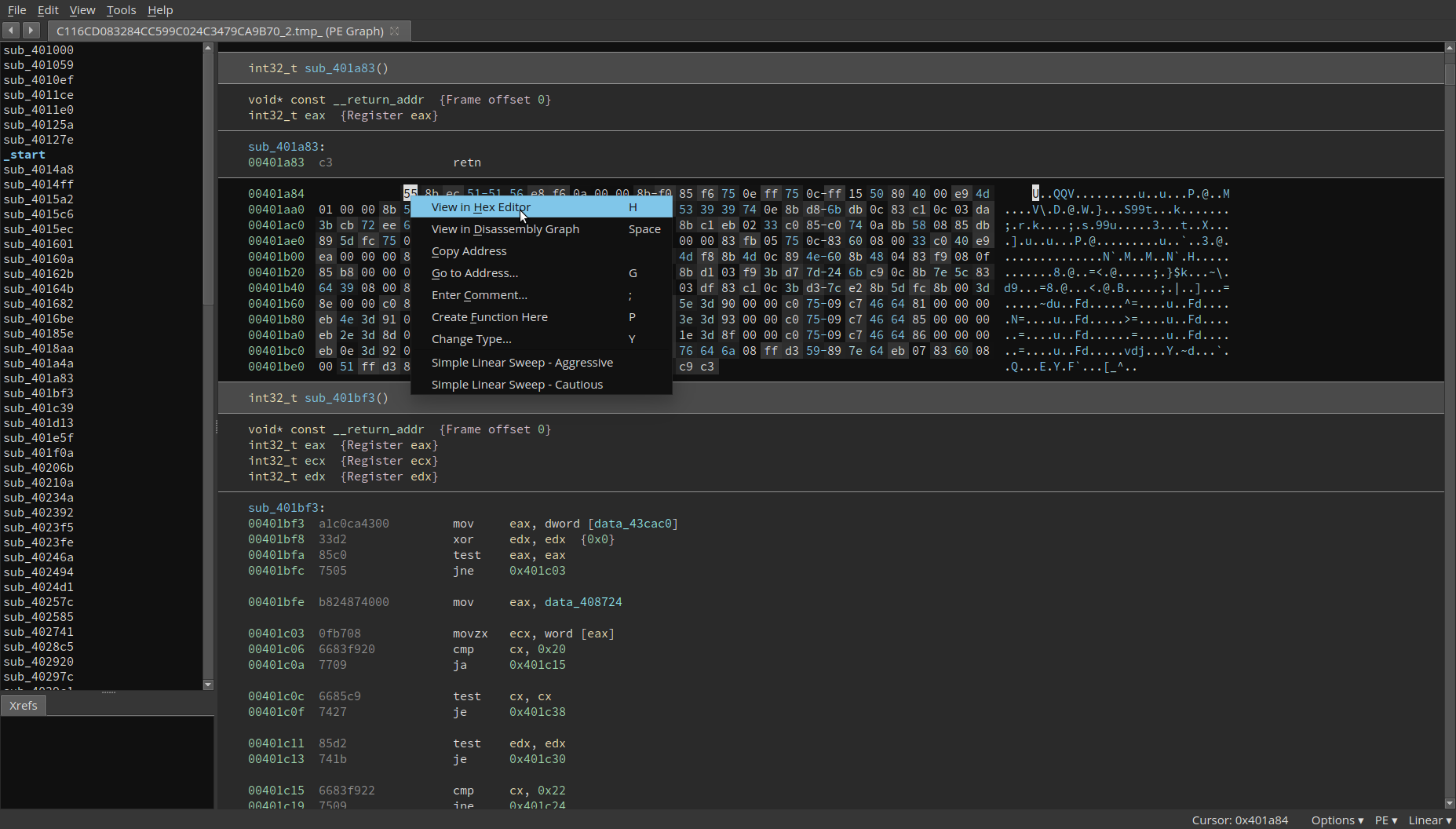 Select the bytes you want to search for and through the right-click menu, select Simple Linear Sweep - User. 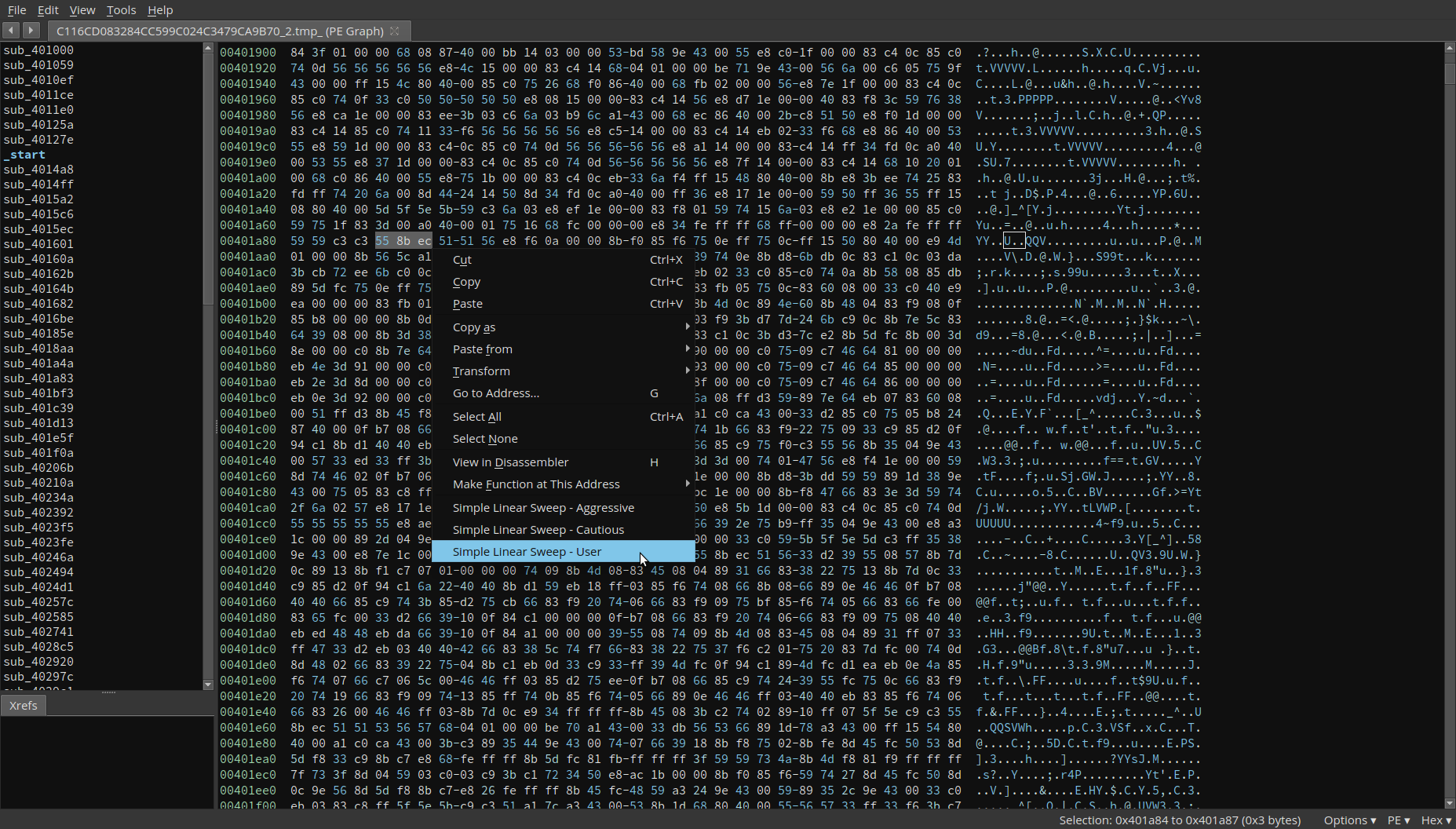 The selected bytes will be used for a prologue search. 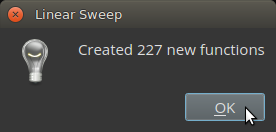 ## Installation: To install this plugin, navigate to your Binary Ninja plugins directory, and run ```git clone https://github.com/lstotch/binaryninja-linsweep.git linsweep``` ## Minimum Version This plugin requires the following minimum version of Binary Ninja: * release (Commercial) - 1.0.729-dev * release (Personal) - 1.0.729-dev ## License This plugin is released under a [MIT](LICENSE) license.
