KO
|
EN
gitlite — search
Search
#python
#java
#python3
#arduino
#golang
#machine-learning
#rust
#html
#flask
#javascript
#seismology
#nodejs
ColorArcProgressBar
★ 20
Open GitHub ↗
A circle ProgressBar/SeekBar
Download README (.md)
Explore Similar Repositories
ZHYcms
:
SpringMVC+mongodb+freemarker+apiToken开源内容管理系统
kubernetes-che
:
Example deploying Eclipse Che on a Kubernetes cluster
maptionary
:
C# library for parsing JSON, XML, and YAML into a super convenient to use data structure.
har-remix
:
Easily serve a HAR archive with loose matching and alterations.
Computer-Vision
:
Computer vision exercise with Python and OpenCV.
// repository documentation
Was this content helpful?
★ 0
(0 ratings)
Select Rating:
★
★
★
★
★
Submit Feedback
Recent Feedback
×
Download README
Do you want to download the
README.md
file for
ColorArcProgressBar
?
Download (.md)
# ColorArcProgressBar ###声明: #####这个开源组件由shinelw创建,由于使用过程中有一些问题,所以重写了部分功能,并且增加拖动功能,可以当SeekBar使用 #####原作者项目github地址:[https://github.com/Shinelw/ColorArcProgressBar](https://github.com/Shinelw/ColorArcProgressBar) **修复:** 1. 不能通过XML配置控件的大小,源码里面写死了,写成占屏幕的百分比。 2. 有几个属性的颜色值设置无效。比如默认的弧形背景色 3. 放大缩小控件之后对应的字体没有相应的调整大小 4. 一些属性单词命名修改 这是一个可定制的圆形进度条,通过xml参数配置可实现QQ健康中步数的弧形进度显示、仪盘表显示速度、最常见的下载进度条等功能。 ## 效果图 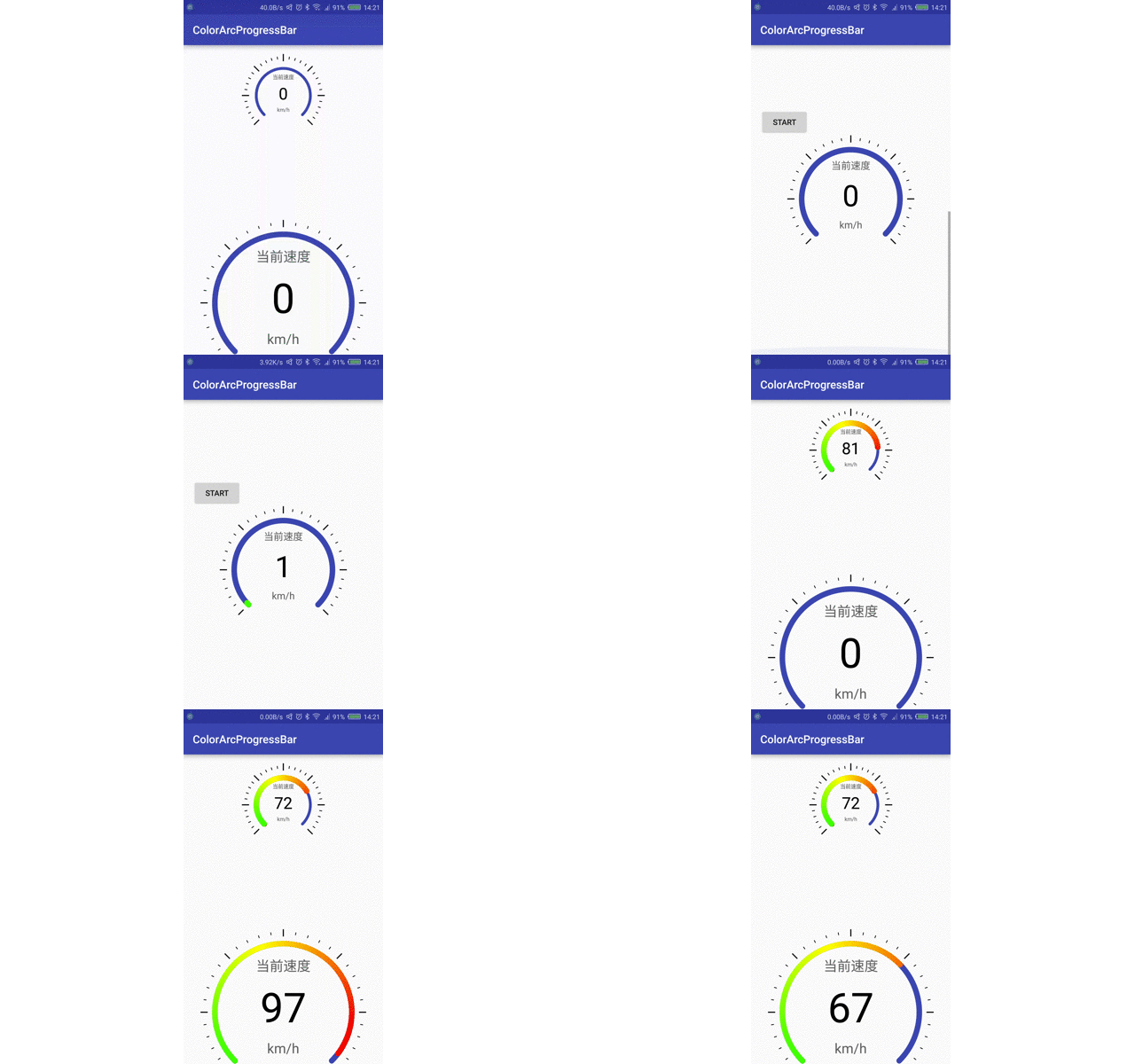 ##2、XML ``` <com.shinelw.library.ColorArcProgressBar android:id="@+id/bar1" android:layout_width="150dp" android:layout_height="150dp" android:layout_gravity="center_horizontal" android:layout_marginBottom="150dp" app:bg_arc_color="@color/colorPrimary" app:bg_arc_width="5dp" app:front_color1="#00ff00" app:front_color2="#ffff00" app:front_color3="#ff0000" app:front_width="10dp" app:is_need_content="true" app:is_need_dial="true" app:is_need_title="true" app:is_need_unit="true" app:max_value="100" app:is_seek_enable="true" app:string_title="当前速度" app:string_unit="km/h" app:sweep_angle="270" /> ``` ##3、代码 ``` progressbar.setCurrentValues(100); ``` ##4、自定义 ###1)定义圆弧度数 ``` app: sweep_angle ="270" ``` ###2)定义渐变色 ``` app:front_color1="#00ff00" app:front_color2="#ffff00" app:front_color3="#ff0000" ``` ###3)定义两条圆弧的粗细 ``` app:bg_arc_width="2dp" app:front_width="10dp" ``` ###4)设置圆弧中显示文字 ``` app:is_need_unit="true" app:string_unit="步" app:is_need_title="true" app:string_title="截止当前已走" ```
