KO
|
EN
gitlite — search
Search
#typescript
#ai-agents
#ai
#dsh-plugin
#deepseek-harness
#open-source
#claude-code
#codex
#cli
#developer-tools
#react
#windows
2jciebu-usb-raspberrypi
★ 33
Open GitHub ↗
No description available.
Download README (.md)
Explore Similar Repositories
nb_obfuscator
:
win32/x64 obfuscate framework
Timeline
:
Awesome UI: Timeline with images in Xamarin.Forms.
Generalized-Intersection-over-Union
:
Unofficial Pytorch Implementation of GIoU:[CVPR2019]Generalized Intersection over Union
rstudio
:
Containerised instance of RStudio, installed with the Tidyverse collection of packages.
vue-direction
:
👋 Declarative, direction-aware hover in Vuejs
// repository documentation
Was this content helpful?
★ 0
(0 ratings)
Select Rating:
★
★
★
★
★
Submit Feedback
Recent Feedback
×
Download README
Do you want to download the
README.md
file for
2jciebu-usb-raspberrypi
?
Download (.md)
# 2jciebu-usb-raspberrypi It is a sample program for evaluating Omron's sensor 2JCIE-BU with Raspberry Pi 3 Model B. 2JCIE-BU is a multifunction sensor module that can be used for sensing various environmental information. Various sensors such as temperature, humidity, light, barometric pressure, noise, 3 axis acceleration, etc. are equipped. Earthquakes can be judged based on highly accurate vibration acceleration. We utilize a volatile organic compound (VOC GAS) sensor to realize continuous monitoring of indoor air quality. USB and Bluetooth® are provided as interfaces. ## language - [English](./README.md) - [Japanase](./README_ja.md) ## Description - sample_2jciebu.py It is a sample program that can acquire sensing data with the USB serial interface and check it on the console. The LED lights up while data is being acquired. ***DEMO:*** When you run sample_2jciebu.py, you can see the sensing data on console. 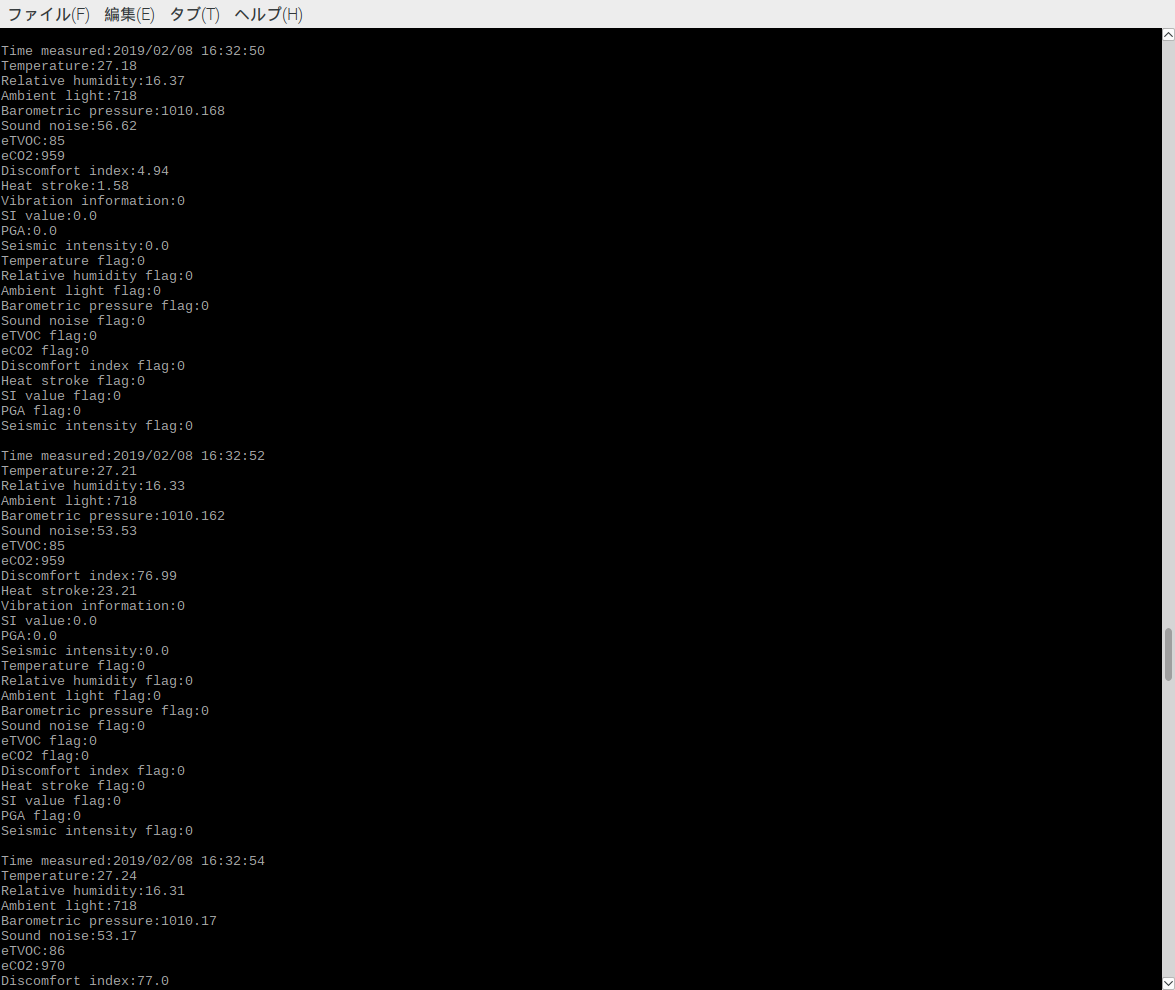 ## Installation 1. It is necessary to install dependency software beforehand. [Dependencies](#link) 2. Open Terminal and execute the following command. ``` $ mkdir omron_sensor $ cd omron_sensor $ git clone https://github.com/omron-devhub/2jciebu-usb-raspberrypi.git ``` ## Usage Procedure to operate the sample program. - sample_2jciebu.py Open Terminal and execute the following command. ``` $ sudo modprobe ftdi_sio $ sudo chmod 777 /sys/bus/usb-serial/drivers/ftdi_sio/new_id $ sudo echo 0590 00d4 > /sys/bus/usb-serial/drivers/ftdi_sio/new_id $ sudo python3 sample_2jciebu.py ``` To stop, press Ctrl + C. ## Dependencies 2jciebu-usb-raspberrypi requires the following dependencies: - [Python3](https://www.python.org/) - [pyserial](https://pythonhosted.org/pyserial/pyserial.html#installation) ## Contributors Thank you to all our [contributors](https://github.com/omron-devhub/2jciebu-usb-raspberrypi/graphs/contributors) ! ## Licence Copyright (c) OMRON Corporation. All rights reserved. Licensed under the MIT License.
