KO
|
EN
gitlite — search
Search
#python
#java
#python3
#arduino
#golang
#machine-learning
#rust
#html
#flask
#javascript
#seismology
#nodejs
WasteDrop
★ 11
Open GitHub ↗
Recyle game for kids
Download README (.md)
Explore Similar Repositories
Community
:
In this repository you will find samples and application provided by the community
rosey
:
Data science utilities for statistics and machine learning
slack-plugins
:
Slack使いやすくするためのUserScript
keras-tutorial
:
3-hour tutorial on building deep learning models with Keras.
TonnerreSearch
:
A necessary component for building your own Spotlight on macOS with Swift
// repository documentation
Was this content helpful?
★ 0
(0 ratings)
Select Rating:
★
★
★
★
★
Submit Feedback
Recent Feedback
×
Download README
Do you want to download the
README.md
file for
WasteDrop
?
Download (.md)
# WasteDrop Recyle game for kids ## Screenshots 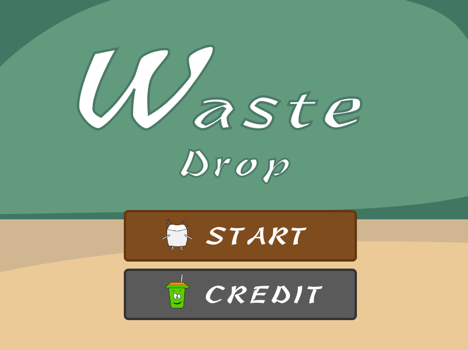 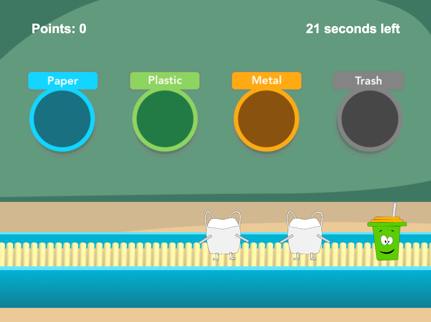 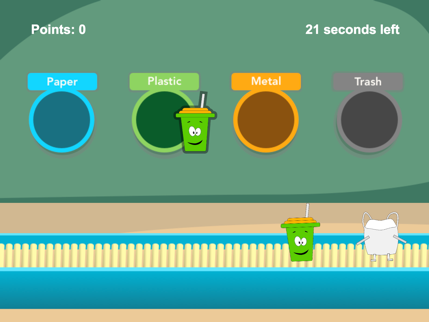 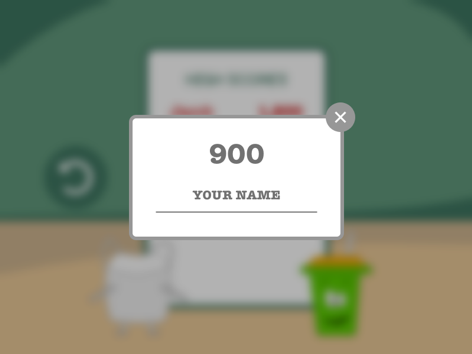  ## Getting Started ### Prerequisites - docker v18.03.0 ### Build the Docker Image To build the docker image, run the following command in the terminal: ``` docker build -t harryliu/waste-drop:alpha . ``` ### Configure the LeaderBoard Create `data/leader-board.data.json` file inside project root directory: ```bash mkdir data nano data/leader-board.data.json ``` and replace its content with: ```json [] ``` ### Setting Up Environment Variables Create `.env` file inside project root directory: ```bash nano .env ``` and replace its content with: ``` SECRET=waste-drop ``` ### Launch the Container To lunch the docker container, run the following in the terminal: ```bash docker run -v ${PWD}:/usr/src/app -p 8081:3000 --env-file=.env -dt harryliu/waste-drop:alpha ``` Now you can play the game by visiting `http://localhost:8081` in the broswer. ## Deployment ### Ubuntu & Nginx To configure custom domain name for the game, you first need to create a nginx configuration file for the virtual host: ```bash sudo nano /etc/nginx/sites-available/000-example.com ``` and replace content of the configuration with: ```bash server { listen 80 http2; listen [::]:80 http2; server_name example.com; location / { proxy_no_cache 1; proxy_cache_bypass 1; proxy_pass http://127.0.0.1:8081; } } ``` You also need to create a symbolic link for the configuration: ```bash sudo ln -s /etc/nginx/sites-available/000-example.com /etc/nginx/sites-enabled/000-example.com ``` and reload it: ``` sudo systemctl reload nginx ``` Now you can play the game by visiting `http://example.com` in the broswer. ## Author - **Yang Liu** - *Initial work* - [byliuyang](https://github.com/byliuyang) ## Acknowledgement Special thanks to **soundimage.org** and **freesound.org** for providing the sounds effects.
