KO
|
EN
gitlite — search
Search
#python
#java
#python3
#arduino
#golang
#machine-learning
#rust
#html
#flask
#javascript
#seismology
#nodejs
Snippets-SAAS-Production
★ 12
Open GitHub ↗
No description available.
Download README (.md)
Explore Similar Repositories
cookiebox
:
A type safe cookie management crate for the Actix Web framework.
boxfish
:
Universal proxy toolchain
Ymnets.net-
:
Ymnets.net框架文件上传漏洞
lichess-live-win-probability-tutorial
:
No description available.
cfnatA
:
cfnat的安卓系统一键启动包,需要手机有root权限,无惧杀后台,并且多任务界面不会有显示后台
// repository documentation
Was this content helpful?
★ 0
(0 ratings)
Select Rating:
★
★
★
★
★
Submit Feedback
Recent Feedback
×
Download README
Do you want to download the
README.md
file for
Snippets-SAAS-Production
?
Download (.md)
# 🚀 Snippets **Empowering Developers with Shareable Code Solutions** A full-stack Next.js application that combines code snippet sharing, AI-powered assistance, real-time chat, code execution, and a social developer community—all in one platform. [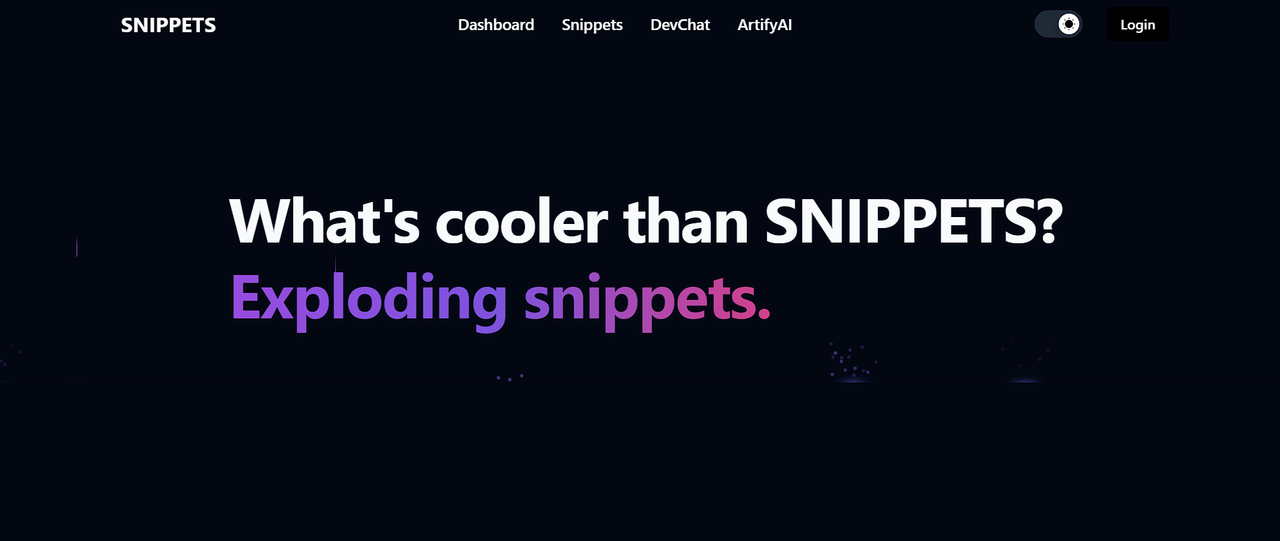](https://postimg.cc/MXcjgfFY) 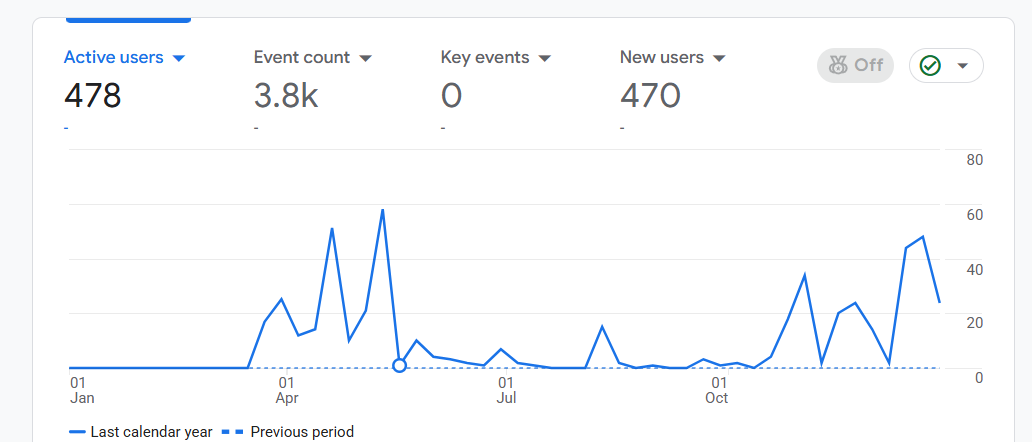 ## ✨ Features ### 📝 Code Snippets - Share and discover code snippets across multiple programming languages - Syntax highlighting and formatting - Comment and engage with other developers' code - Upload and organize your own code snippets ### 🤖 AI-Powered Tools - **ArtifyAI**: Conversational AI assistant powered by Google Gemini for coding help - **AI Image Generator**: Create images from text prompts using Nebius AI (Flux model) - **Code Execution**: Run code in 8 languages (JavaScript, TypeScript, Python, Java, C#, PHP, C, C++) directly in the browser - **AI Interviewer**: Practice technical interviews with AI personas ### 💬 DevChat - Real-time messaging between developers - Pusher-powered WebSocket communication - Connect with the community instantly ### 📰 Social Feed - Share updates, images, and thoughts - Like and comment on posts - Build your developer network ### 🐛 Bug Tracker - Track and manage bugs with status updates - Set start and end dates - Organize your development workflow ### 👤 User Profiles - Customizable profile with background and profile images - Display workplace, location, and about information - Badge system for achievements - View user snippets and activity ## 🛠️ Tech Stack - **Framework**: Next.js 14 (App Router) - **Language**: TypeScript - **Database**: MongoDB with Prisma ORM - **Authentication**: JWT (HTTP-only cookies) - **Styling**: Tailwind CSS + shadcn/ui - **Real-time**: Pusher WebSockets - **AI Services**: - Google Gemini (conversational AI) - Nebius AI (image generation) - Piston API (code execution) - **Image Storage**: Cloudinary - **Email**: Nodemailer (Gmail SMTP) - **Forms**: React Hook Form + Zod validation - **Animations**: Framer Motion - **Code Editor**: Monaco Editor ## 📦 Installation ### Prerequisites - Node.js 18+ and npm - MongoDB database (local or cloud) - API keys for external services (see Environment Variables) ### Setup 1. **Clone the repository** ```bash git clone <repository-url> cd snippets-latest ``` 2. **Install dependencies** ```bash npm install ``` 3. **Set up environment variables** Create a `.env` file in the root directory: ```env # Database DATABASE_URL="mongodb+srv://username:password@cluster.mongodb.net/snippets" # Authentication JWT_SECRET="your-secret-key-here" # AI Services GOOGLE_GEMINI_API_KEY="your-gemini-api-key" NEBIUS_API_KEY="your-nebius-api-key" # Cloudinary (Image Storage) CLOUD_NAME="your-cloudinary-cloud-name" CLOUDINARY_API_KEY="your-cloudinary-api-key" CLOUDINARY_API_SECRET="your-cloudinary-api-secret" # Email (Gmail SMTP) SMTP_EMAIL="your-email@gmail.com" SMTP_PASSWORD="your-gmail-app-password" # Pusher (Real-time messaging) PUSHER_APP_ID="your-pusher-app-id" PUSHER_SECRET="your-pusher-secret" NEXT_PUBLIC_PUSHER_KEY="your-pusher-public-key" NEXT_PUBLIC_PUSHER_CLUSTER="your-pusher-cluster" ``` 4. **Set up the database** ```bash # Generate Prisma Client npx prisma generate # Run database migrations npx prisma migrate dev ``` 5. **Start the development server** ```bash npm run dev ``` Open [http://localhost:3000](http://localhost:3000) in your browser. ## 🚀 Usage ### Development Commands ```bash # Start development server npm run dev # Build for production npm run build # Start production server npm start # Run linting npm run lint # Clean build and restart npm run clean ``` ### Database Commands ```bash # Open Prisma Studio (database GUI) npx prisma studio # Create a new migration npx prisma migrate dev --name description # Reset database (WARNING: deletes all data) npx prisma migrate reset ``` ## 📂 Project Structure ``` snippets-latest/ ├── src/ │ ├── app/ # Next.js App Router pages │ │ ├── (auth)/ # Authentication pages │ │ ├── (home)/ # Landing page │ │ ├── (private)/ # Protected routes │ │ ├── api/ # API routes │ │ ├── snippets/ # Code snippets feature │ │ ├── feeds/ # Social feed │ │ ├── userChat/ # Real-time chat │ │ ├── askAi/ # AI assistant │ │ └── explore/ # Tools (editor, bug tracker, etc.) │ ├── components/ # React components │ │ └── ui/ # shadcn/ui components │ ├── lib/ # Utilities and configurations │ ├── helpers/ # Helper functions │ ├── hooks/ # Custom React hooks │ └── types/ # TypeScript types ├── actions/ # Server actions ├── prisma/ # Database schema └── public/ # Static assets ``` ## 🔐 API Keys Setup ### Google Gemini API 1. Visit [Google AI Studio](https://makersuite.google.com/app/apikey) 2. Create an API key 3. Add to `.env` as `GOOGLE_GEMINI_API_KEY` ### Nebius AI (Image Generation) 1. Sign up at [Nebius AI](https://nebius.com/) 2. Get your API key 3. Add to `.env` as `NEBIUS_API_KEY` ### Cloudinary (Image Storage) 1. Create account at [Cloudinary](https://cloudinary.com/) 2. Get cloud name, API key, and secret from dashboard 3. Add to `.env` ### Pusher (Real-time) 1. Sign up at [Pusher](https://pusher.com/) 2. Create a new Channels app 3. Copy app credentials to `.env` ### Gmail SMTP 1. Enable 2-factor authentication on your Gmail account 2. Generate an [App Password](https://myaccount.google.com/apppasswords) 3. Use this password in `SMTP_PASSWORD` ## 🎨 Features in Detail ### Code Editor - Monaco Editor integration (VS Code engine) - Support for 8 programming languages - Real-time code execution via Piston API - Syntax highlighting and IntelliSense ### Authentication - Secure JWT-based authentication - HTTP-only cookies (10-day expiry) - Email verification system - Password reset functionality ### Real-time Chat - Pusher WebSocket integration - Private messaging between users - Message history persistence - Online status indicators ### Social Features - Create and share posts with images - Like and comment system - User profiles with customization - Follow/friend system ## 🤝 Contributing Contributions are welcome! Please follow these steps: 1. Fork the repository 2. Create a feature branch (`git checkout -b feature/AmazingFeature`) 3. Commit your changes (`git commit -m 'Add some AmazingFeature'`) 4. Push to the branch (`git push origin feature/AmazingFeature`) 5. Open a Pull Request ## 📄 License This project is licensed under the MIT License. ## 📧 Contact For questions or support, please open an issue on GitHub. ## 🙏 Acknowledgments - [Next.js](https://nextjs.org/) - React framework - [Prisma](https://www.prisma.io/) - Database ORM - [shadcn/ui](https://ui.shadcn.com/) - UI components - [Tailwind CSS](https://tailwindcss.com/) - Styling - [Google Gemini](https://ai.google.dev/) - AI capabilities - [Pusher](https://pusher.com/) - Real-time functionality --- ## 📸 Screenshots [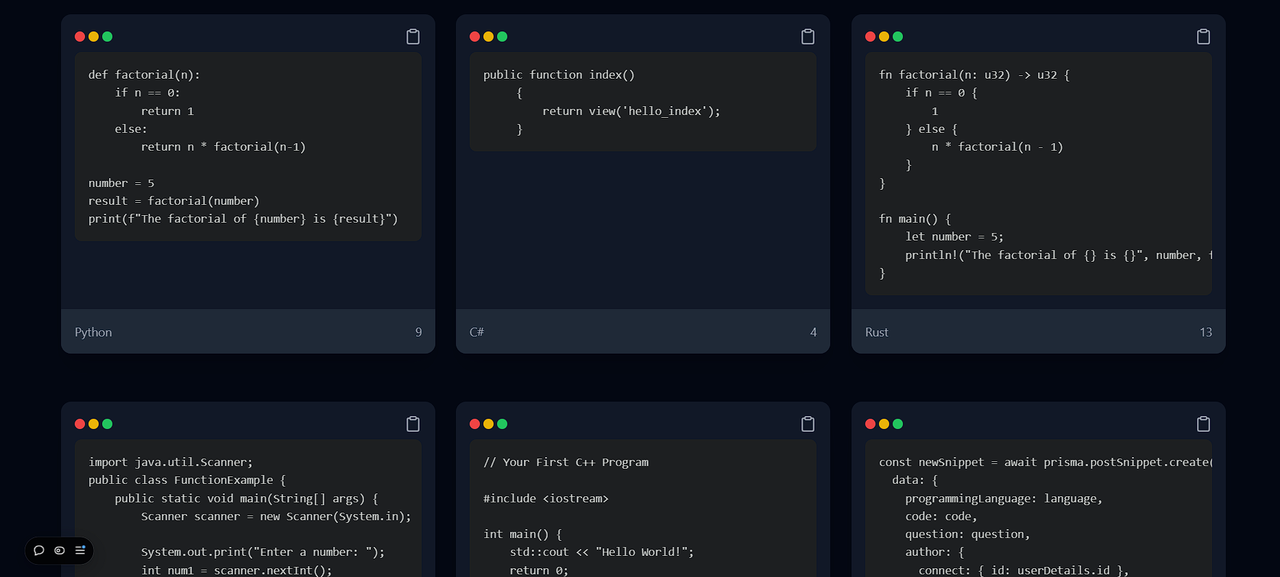](https://postimg.cc/8JLgrHCH) [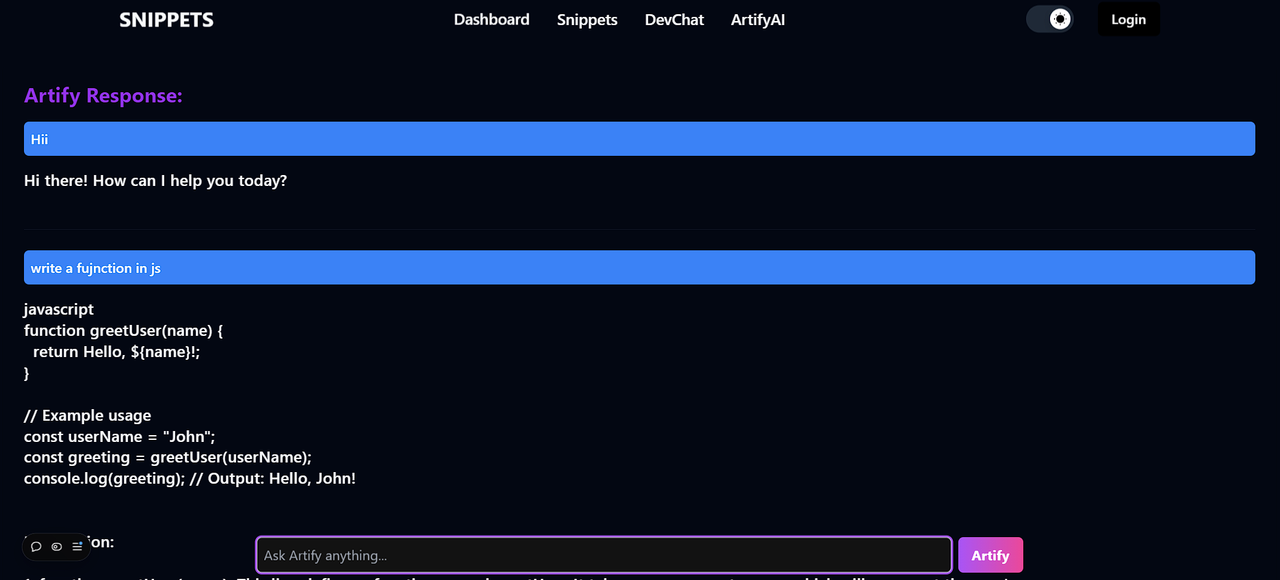](https://postimg.cc/yWPYQ1VT) --- **Built with ❤️ by developers, for developers**
