KO
|
EN
gitlite — search
Search
#javascript
#python
#hacktoberfest
#react
#ai
#typescript
#llm
#go
#golang
#android
#machine-learning
#rust
#deep-learning
#linux
snaky
★ 9
Open GitHub ↗
snake game implementation using 2d array in Go
Download README (.md)
Explore Similar Repositories
BallWar
:
一个用unity自制的领土战争游戏编辑器
Tacotron-pytorch
:
Tacotron series TTS model implemented with Pytorch
python-flask-api-base
:
No description available.
openvscode-server
:
forked from gitpod-io/openvscode-server
startwebapp
:
Starting of any web application soon to be created, using .net core api & angular.
// repository documentation
Was this content helpful?
★ 0
(0 ratings)
Select Rating:
★
★
★
★
★
Submit Feedback
Recent Feedback
×
Download README
Do you want to download the
README.md
file for
snaky
?
Download (.md)
# Snake Game Implementation Snake game implementation in Go using a 2-dimensional array. ### Demo 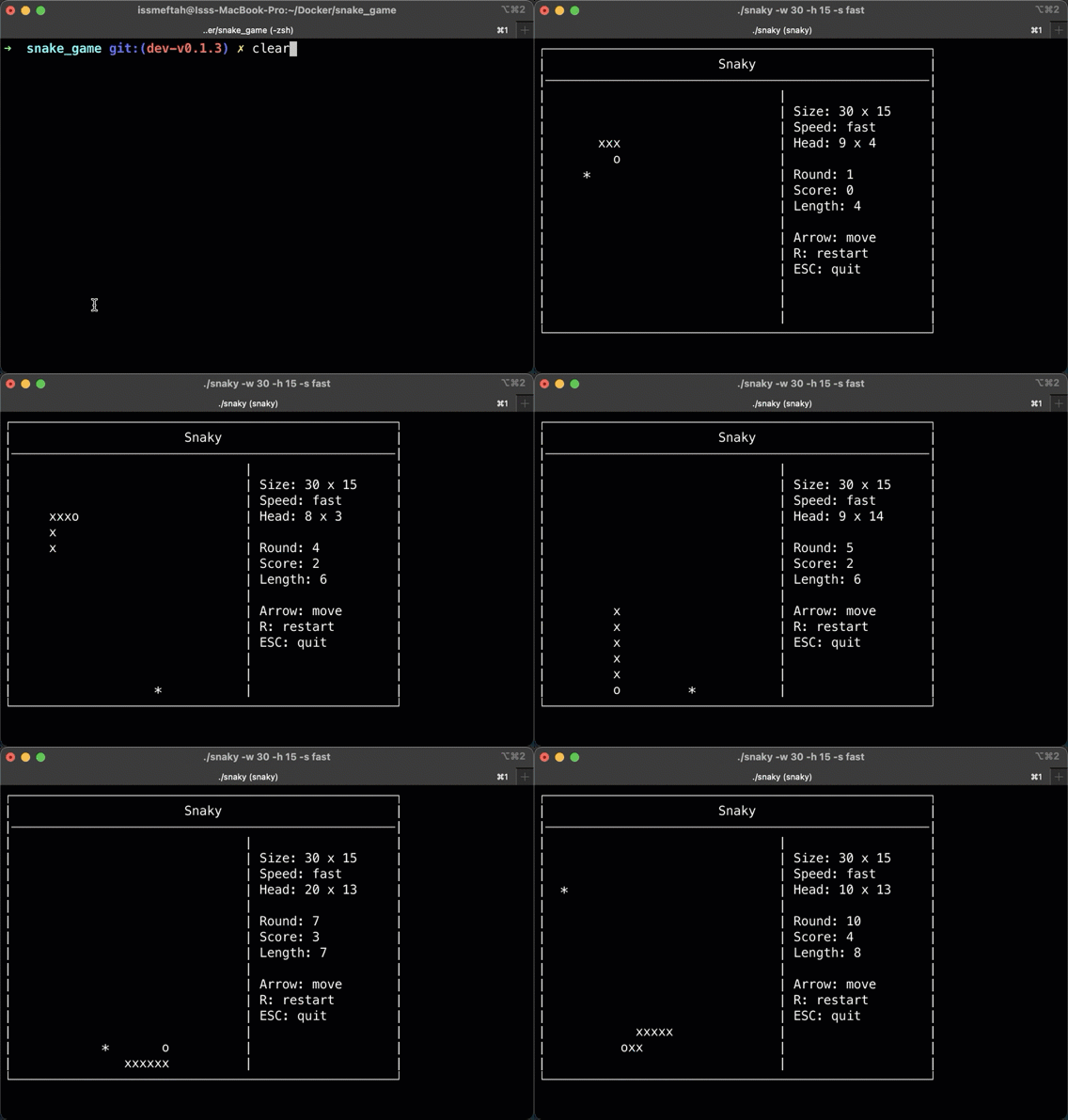 ### Install download the package - `git clone https://github.com/twiny/snaky` - `cd snaky/` run the game directly using the Go command - `go run cmd/launcher/main.go -x 30 -y 15 -s slow` or build it - `go build -o snaky -v cmd/launcher/main.go` - `chmod +x ./snaky` ### Command usage - `./snaky -h` print help message. - `-x` game grid width - `-y` game grid height - `-s` game speed (string default: medium) - slow|medium|fast ### How to play - `keyboard arrow key` changes Snake direction. - `S` Key starts the game. - `P` Key pauses the game. - `R` restart the game. - `ESC` or `Ctrl+C` exit the game. ## Implementation The snake game logic: - The snake keeps on moving in a straight line unless the direction is changed. - If the snake ate the food it grows. then a new food will be placed on the grid. the new position must not be on the snake body nor the same as the previous one. - If the snake bites itself or hits the wall, the game ends. The snaky game consist of two main structures: ### 1 - `Game` struct `Game` struct that represents the current game. it contains `Snake`, `Food` & `Board` structs - `Board` holds the current game information: - `Grid` is a 2d array. where snake body and food will be marked/mapped for rendering - `Cell` is the coordinate of a point on the grid - `Icon` used to paint the Cell when rendering board. ### 2 - `Renderer` interface A `Renderer` is an interface that renders the game `Board`, and it consists of two methods. - `Listen(chan Event) error`: this listens to user inputs and sends them to a channel of `Event`. - `Render(b *Board) error`: this renders a game `Board` and prints it to the user. This way, `renderer` can be easily replaced. The renderer range the grid Cell by Cell and depends on its value (Icon) it either print Head, Body, or Food. ## TODO - [x] fix case food is generated on snake body. - [x] snake auto move forward. - [x] fix snake moving direction. - [x] change food icon. - [x] fix when snake hit itself or borders. - [x] show a message to the user when the game ends/restarts. - [x] initially the snake is stopped. disable auto-start. - [ ] add more test cases.
