KO
|
EN
gitlite — search
Search
#python
#java
#python3
#arduino
#golang
#machine-learning
#rust
#html
#flask
#javascript
#seismology
#nodejs
BiliNote
★ 13
Open GitHub ↗
No description available.
Download README (.md)
Explore Similar Repositories
ocireg-mcp
:
An MCP (Model Context Protocol) server that provides tools for querying OCI registries and image references.
qwen-cli-zig
:
An attempt to make Gemini 2.5 create a simple chat program with Zig
mcp-registry
:
MCP Registry Demo - A reference implementation on Azure API Center
WS-4.3
:
No description available.
Video-SafetyBench
:
[NeurIPS DB 2025] Video-SafetyBench: A Benchmark for Safety Evaluation of Video LVLMs
// repository documentation
Was this content helpful?
★ 0
(0 ratings)
Select Rating:
★
★
★
★
★
Submit Feedback
Recent Feedback
×
Download README
Do you want to download the
README.md
file for
BiliNote
?
Download (.md)
<div style="display: flex; justify-content: center; align-items: center; gap: 10px; "> <p align="center"> <img src="./doc/icon.svg" alt="BiliNote Banner" width="50" height="50" /> </p> <h1 align="center" > BiliNote v1.5.0</h1> </div> <p align="center"><i>AI 视频笔记生成工具 让 AI 为你的视频做笔记</i></p> <p align="center"> <img src="https://img.shields.io/badge/license-MIT-blue.svg" /> <img src="https://img.shields.io/badge/frontend-react-blue" /> <img src="https://img.shields.io/badge/backend-fastapi-green" /> <img src="https://img.shields.io/badge/GPT-openai%20%7C%20deepseek%20%7C%20qwen-ff69b4" /> <img src="https://img.shields.io/badge/docker-compose-blue" /> <img src="https://img.shields.io/badge/status-active-success" /> <img src="https://img.shields.io/github/stars/jefferyhcool/BiliNote?style=social" /> </p> ## ✨ 项目简介 BiliNote 是一个开源的 AI 视频笔记助手,支持通过哔哩哔哩、YouTube、抖音等视频链接,自动提取内容并生成结构清晰、重点明确的 Markdown 格式笔记。支持插入截图、原片跳转等功能。 ## 🚀 体验地址 [https://www.bilinote.app](https://www.bilinote.app) 注意:由于 项目部署在 Cloudflare Pages,访问速度可能存在一些问题,请耐心等待。 ## 📦 Windows 打包版 本项目提供了 Windows 系统的 exe 文件,可在[release](https://github.com/JefferyHcool/BiliNote/releases/tag/v1.1.1)进行下载。**注意一定要在没有中文路径的环境下运行。** ## 🔧 功能特性 - 支持多平台:Bilibili、YouTube、本地视频、抖音(后续会加入更多平台) - 支持返回笔记格式选择 - 支持笔记风格选择 - 支持多模态视频理解 - 支持多版本记录保留 - 支持自行配置 GPT 大模型 - 本地模型音频转写(支持 Fast-Whisper) - GPT 大模型总结视频内容 - 自动生成结构化 Markdown 笔记 - 可选插入截图(自动截取) - 可选内容跳转链接(关联原视频) - 任务记录与历史回看 ## 📸 截图预览 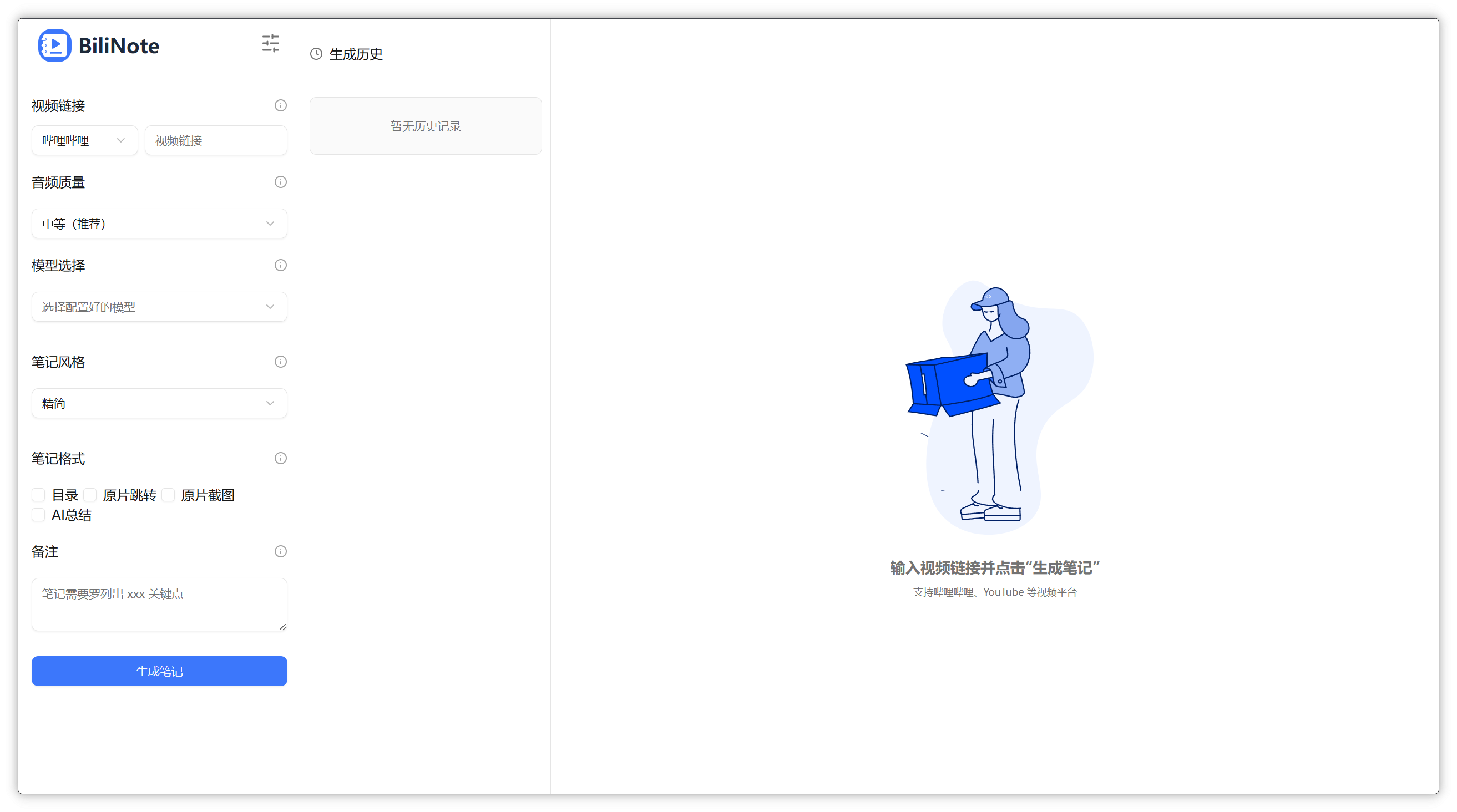 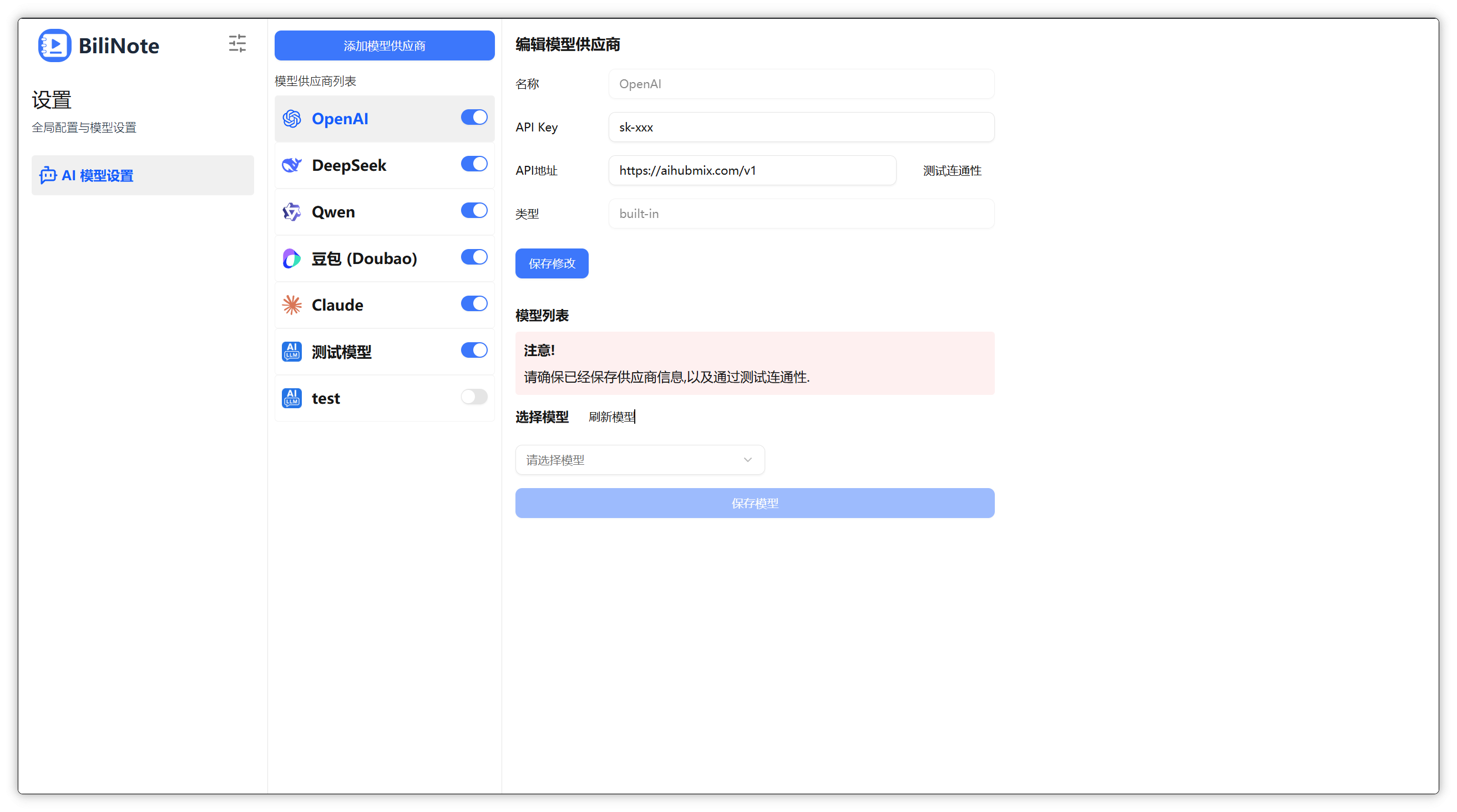 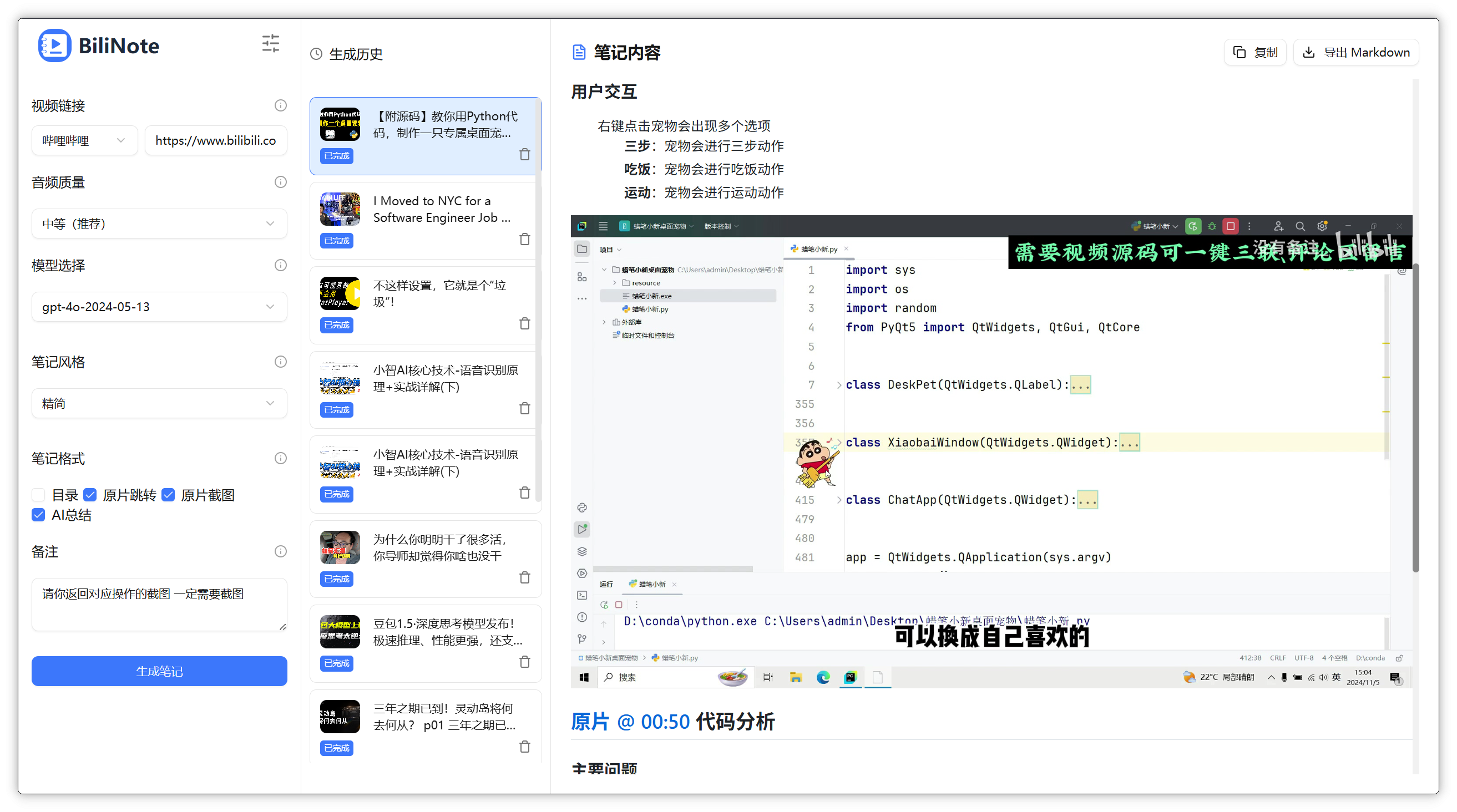 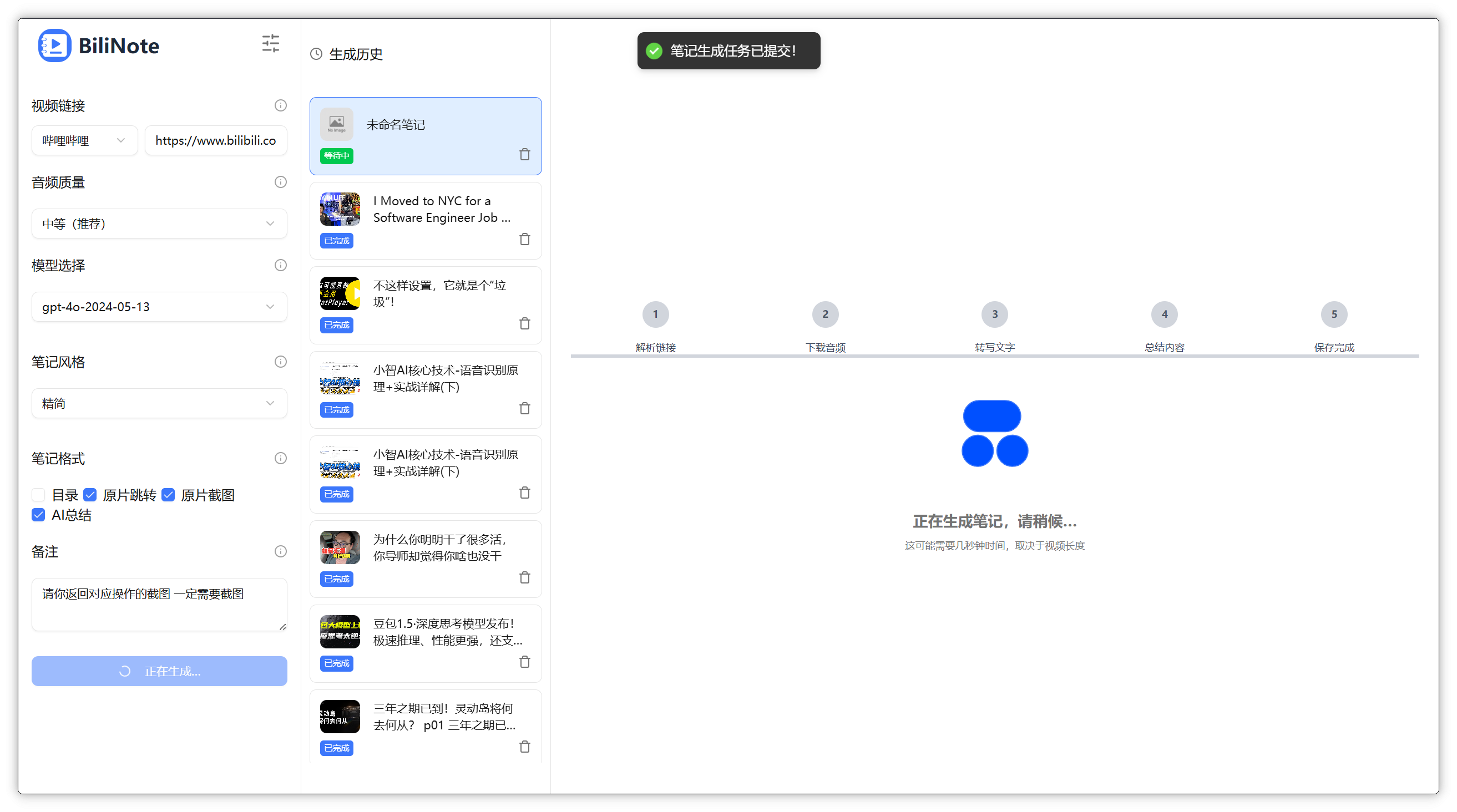 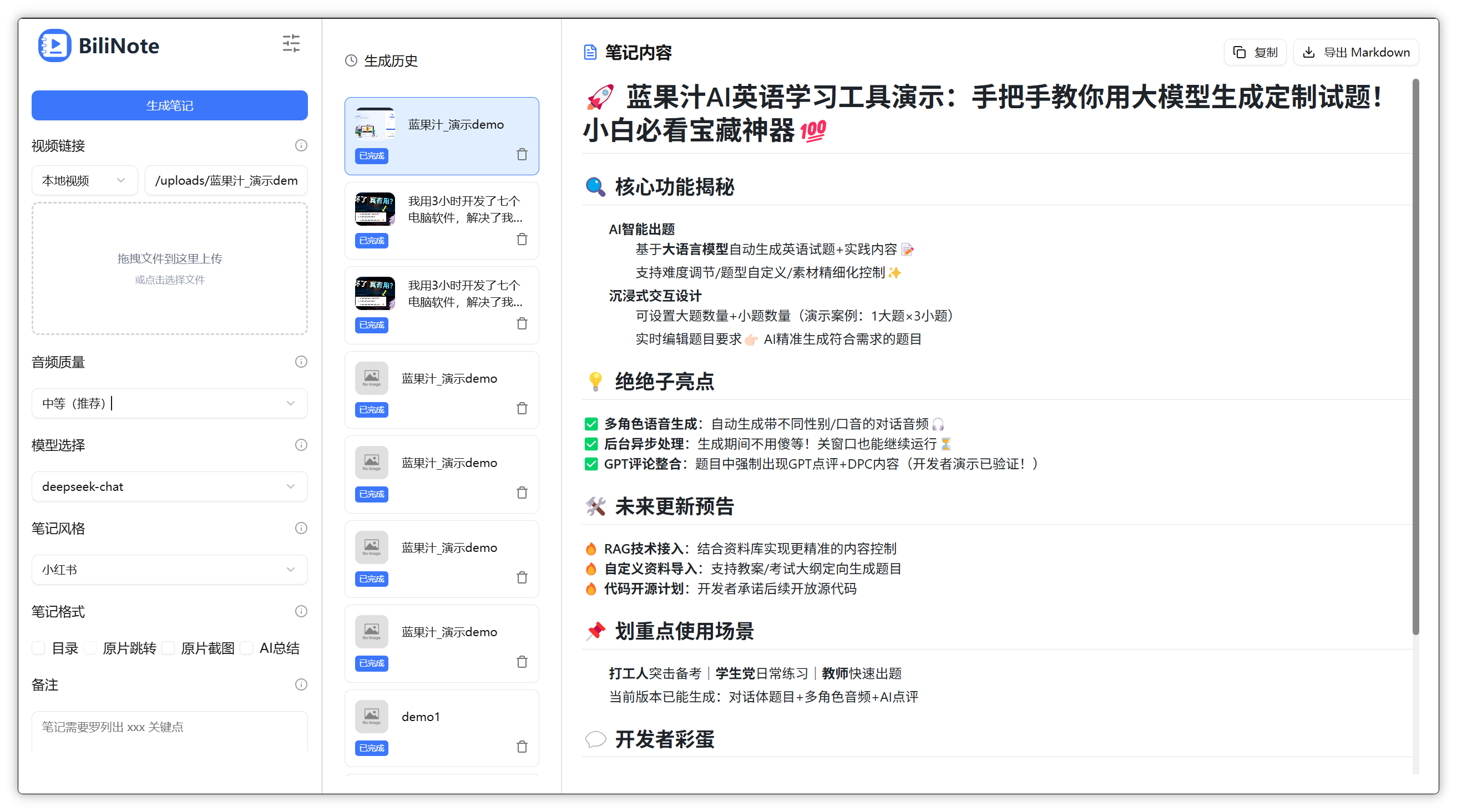 ## 🚀 快速开始 ### 1. 克隆仓库 ```bash git clone https://github.com/JefferyHcool/BiliNote.git cd BiliNote mv .env.example .env ``` ### 2. 启动后端(FastAPI) ```bash cd backend pip install -r requirements.txt python main.py ``` ### 3. 启动前端(Vite + React) ```bash cd BillNote_frontend pnpm install pnpm dev ``` 访问:`http://localhost:5173` ## ⚙️ 依赖说明 ### 🎬 FFmpeg 本项目依赖 ffmpeg 用于音频处理与转码,必须安装: ```bash # Mac (brew) brew install ffmpeg # Ubuntu / Debian sudo apt install ffmpeg # Windows # 请从官网下载安装:https://ffmpeg.org/download.html ``` > ⚠️ 若系统无法识别 ffmpeg,请将其加入系统环境变量 PATH ### 🚀 CUDA 加速(可选) 若你希望更快地执行音频转写任务,可使用具备 NVIDIA GPU 的机器,并启用 fast-whisper + CUDA 加速版本: 具体 `fast-whisper` 配置方法,请参考:[fast-whisper 项目地址](http://github.com/SYSTRAN/faster-whisper#requirements) ### 🐳 使用 Docker 一键部署 确保你已安装 Docker 和 Docker Compose: #### 1. 克隆本项目 ```bash git clone https://github.com/JefferyHcool/BiliNote.git cd BiliNote mv .env.example .env ``` #### 2. 启动 Docker Compose ``` bash docker compose up --build ``` 默认端口: 前端:http://localhost:${FRONTEND_PORT} 后端:http://localhost:${BACKEND_PORT} .env 文件中可自定义端口与环境配置。 ## ⚙️ 环境变量配置 > ⚠️ v.1.1.0 以后无需通过环境变量配置 AI 后端 `.env` 示例: ```ini API_BASE_URL=http://localhost:8000 OUT_DIR=note_results IMAGE_BASE_URL=/static/screenshots # transcriber 相关配置 TRANSCRIBER_TYPE=fast-whisper # fast-whisper/bcut/kuaishou/mlx-whisper(仅Apple平台) WHISPER_MODEL_SIZE=base #抖音Cookie设置 DOUYIN_COOKIES= ``` ## 🧠 TODO - [ ] 支持抖音及快手等视频平台 - [x] 支持前端设置切换 AI 模型切换、语音转文字模型 - [x] AI 摘要风格自定义(学术风、口语风、重点提取等) - [ ] 笔记导出为 PDF / Word / Notion - [x] 加入更多模型支持 - [x] 加入更多音频转文本模型支持 ### Contact and Join-联系和加入社区 - BiliNote 交流QQ群:785367111 - BiliNote 交流微信群: <img src="https://common-1304618721.cos.ap-chengdu.myqcloud.com/20250501113553.png" alt="wechat" style="zoom:33%;" /> ## 🔎代码参考 - 本项目中的 `抖音下载功能` 部分代码参考引用自:[Evil0ctal/Douyin_TikTok_Download_API](https://github.com/Evil0ctal/Douyin_TikTok_Download_API) ## 📜 License MIT License --- 💬 你的支持与反馈是我持续优化的动力!欢迎 PR、提 issue、Star ⭐️ ##⭐ Star History [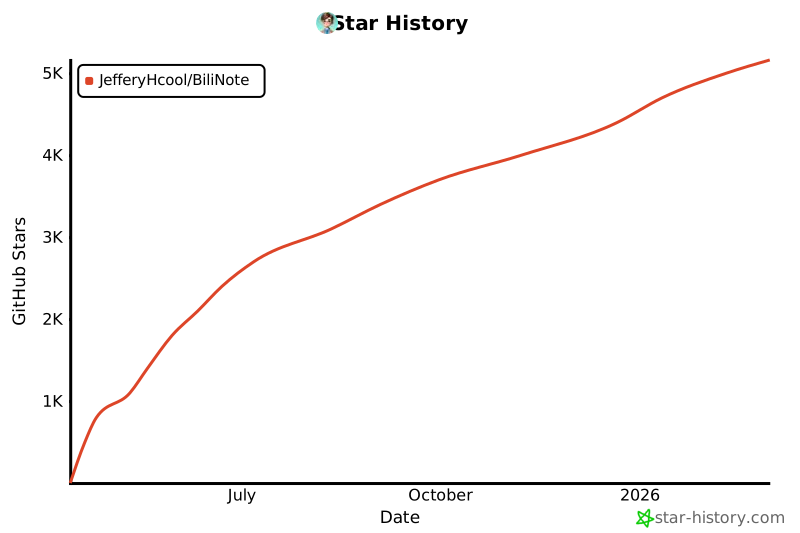](https://www.star-history.com/#JefferyHcool/BiliNote&Date) ## YouTube机器人验证解决方法 如果在使用YouTube视频时,遇到"Sign in to confirm you're not a bot"(机器人验证)问题,请按以下步骤设置cookies: 1. 用Chrome浏览器登录YouTube 2. 在YouTube网站上,右键点击任意位置 -> 选择"检查"或"Inspect" 3. 在开发者工具中,选择"Application"或"应用程序"标签 4. 在左侧边栏中,展开"Storage" -> "Cookies",然后选择"https://www.youtube.com" 5. 在cookie表格中,找到并复制以下几个重要的cookie值(整行): - VISITOR_INFO1_LIVE - LOGIN_INFO - YSC - PREF - SID - HSID - SSID - APISID - SAPISID 6. 将这些cookie按以下格式添加到`backend/.env`文件中: ``` YOUTUBE_COOKIES="VISITOR_INFO1_LIVE=xxx; LOGIN_INFO=xxx; YSC=xxx; PREF=xxx; SID=xxx; HSID=xxx; SSID=xxx; APISID=xxx; SAPISID=xxx" ``` 7. 保存文件并重启后端服务 这样可以解决YouTube的机器人验证问题,让视频下载功能正常工作。 ## B站视频403 Forbidden解决方法 如果在下载B站视频时遇到"HTTP Error 403: Forbidden"错误,请按以下步骤设置cookies: 1. 用Chrome浏览器登录B站(bilibili.com) 2. 在B站网站上,右键点击任意位置 -> 选择"检查"或"Inspect" 3. 在开发者工具中,选择"Application"或"应用程序"标签 4. 在左侧边栏中,展开"Storage" -> "Cookies",然后选择"https://www.bilibili.com" 5. 在cookie表格中,找到并复制以下几个重要的cookie值(整行): - SESSDATA - bili_jct - DedeUserID - DedeUserID__ckMd5 6. 将这些cookie按以下格式添加到`backend/.env`文件中: ``` BILIBILI_COOKIES="SESSDATA=xxx; bili_jct=xxx; DedeUserID=xxx; DedeUserID__ckMd5=xxx" ``` 7. 保存文件并重启后端服务 这样可以解决B站的403错误问题,让视频下载功能正常工作。请确保您使用的是自己的账号cookie,不要泄露给他人。
