KO
|
EN
gitlite — search
Search
#javascript
#python
#hacktoberfest
#react
#ai
#typescript
#llm
#go
#golang
#android
#machine-learning
#rust
#deep-learning
#linux
SZU_rush_for_lessons
★ 8
Open GitHub ↗
深大抢课-基于Python-Selenium的简单抢课脚本
Download README (.md)
Explore Similar Repositories
mod_dubbo
:
Dubbo module for Nginx
fluent-assertions
:
The Fluent Assertions library written in Dart.
DarkMode
:
🌓 Enabling switching between Dark Mode and Light Mode in an Android app using Kotlin code base in a few seconds.
invoice
:
51电子发票SDK
BeetsPluginStructuredComments
:
No description available.
// repository documentation
Was this content helpful?
★ 0
(0 ratings)
Select Rating:
★
★
★
★
★
Submit Feedback
Recent Feedback
×
Download README
Do you want to download the
README.md
file for
SZU_rush_for_lessons
?
Download (.md)
# SZU_Rush_for_Lessons #### 一个非常简单的,基于python-selenium的深大抢课脚本,纯靠控制浏览器重复点击发送请求。 ##### 最近一次使用是2020年下半学期的抢课,就是疫情那个学期的抢课,后面如果不能用了会继续更新。 #### 提供了VPN和webVPN两种模式下的抢课,目前只能抢本班课程、方案内课程,可以同时抢多门课。 ##### 使用过程: ###### 需要安装python3的环境、selenium模块和playsound模块,还有浏览器的驱动。 python环境自己解决 然后clone一下: ```bash git clone https://github.com/chimaoshu/SZU_Rush_for_Lessons.git ``` 然后安装两个模块 ```bash pip install selenium pip install playsound ``` playsound模块可有可无,只是最后抢课成功会叮~~提醒你一下,看代码就知道了。 然后是selenium的驱动,代码自带的那个驱动是chrome 81.0的。如果无法启动你的chrome,请到官网下载: [https://chromedriver.chromium.org/downloads](https://chromedriver.chromium.org/downloads) 选择一个和你的chrome版本相同的driver下载,然后丢到代码的目录下,或者丢到python的安装目录下,和python.exe同目录。 ##### 嗯,这样准备就完成了,使用方法: ```bash python Spider.py vpn python Spider.py webvpn ``` ##### 对应两种模式。 ##### 记得把代码里面的USERNAME和PASSWORD改成你自己的。 之后照着控制台的提醒做就好了,需要f12,然后查看并复制课程id,输入后按enter。 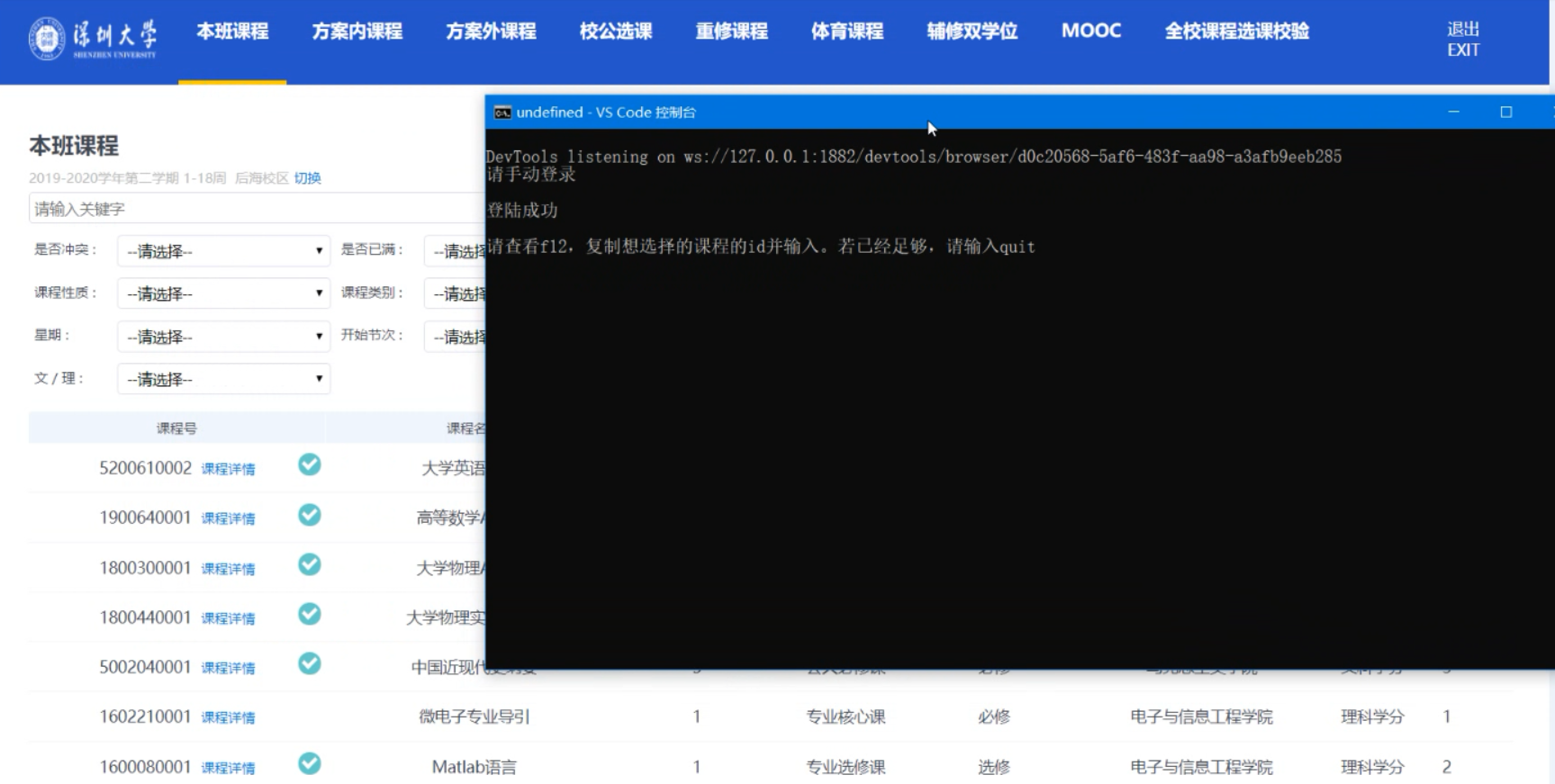 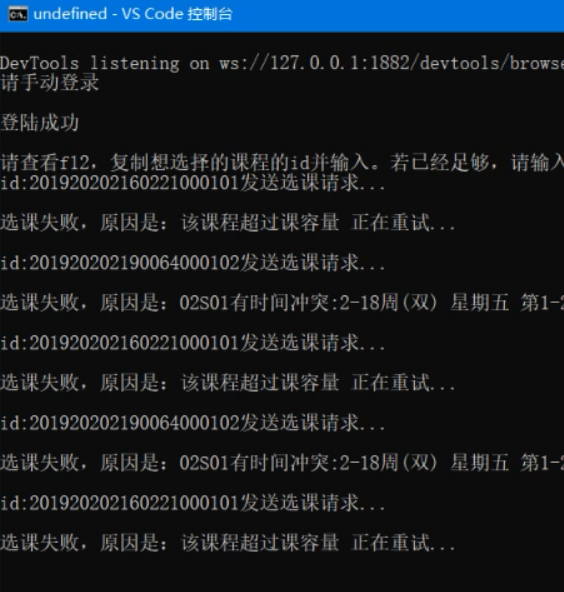 之后浏览器会重复发送请求直到选课成功。 欢迎大佬们帮忙改进。
