KO
|
EN
gitlite — search
Search
#javascript
#php
#nodejs
#python
#hacktoberfest
#c
#theme
#angularjs
#blog
#dotfiles
#arduino
#app
dingtalk-dify-connector
★ 45
Open GitHub ↗
把 Dify 中的 Agent 接入到钉钉 AI 助理中
Download README (.md)
Explore Similar Repositories
AmiBootEnv
:
No description available.
UCB-CS61A-Textbook
:
The textbook of UCB-CS61A
claude-code-logger
:
No description available.
portfolio-project-js---gsap
:
No description available.
Template-Latex
:
No description available.
// repository documentation
Was this content helpful?
★ 0
(0 ratings)
Select Rating:
★
★
★
★
★
Submit Feedback
Recent Feedback
×
Download README
Do you want to download the
README.md
file for
dingtalk-dify-connector
?
Download (.md)
# DingTalk Dify 连接器 实现钉钉 AI 助理和 Dify 的连接。 通过 Dify 实现一个钉钉 AI 助理,采用钉钉 AI 助理平台提供的 Stream 直通模式,不用公网服务器和域名即可部署。 5分钟集成一个 Dify Agent 到钉钉中。 ## 效果展示 将 Dify 中搭建的 Agent 接入到钉钉中: 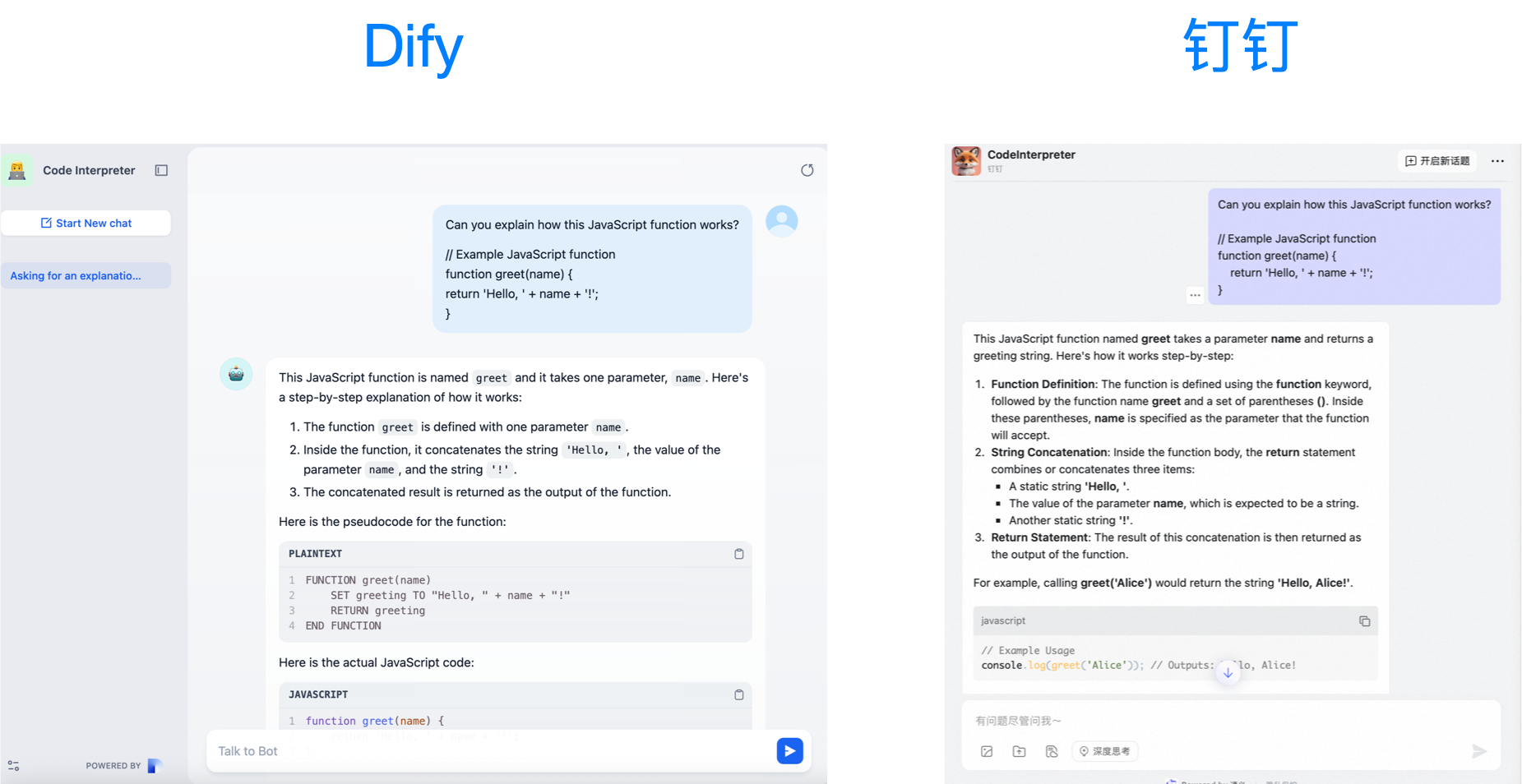 ## 环境变量配置 - DINGTALK_CLIENT_ID,钉钉 AI 助理的凭证,参考[钉钉 AI 助理直通模式开发教程 - Python](https://opensource.dingtalk.com/developerpedia/docs/explore/tutorials/assistant_ability/passthrough_mode/python) - DINGTALK_CLIENT_SECRET,钉钉 AI 助理的凭证,参考[钉钉 AI 助理直通模式开发教程 - Python](https://opensource.dingtalk.com/developerpedia/docs/explore/tutorials/assistant_ability/passthrough_mode/python) - DIFY_API_KEY,Dify Agent 发布后获得的 API Key,参考[Dify - Developing with APIs](https://docs.dify.ai/guides/application-publishing/developing-with-apis) - DIFY_BASE_URL,选填,默认值:https://api.dify.ai/v1 ## 钉钉 AI 助理直通模式配置 1. 关闭所有技能,目的是用 Dify 管理技能,而不是钉钉 2. 在规划中关闭增强推理,目的是改成用 Dify 的推理,而不是钉钉的 3. 添加直通模式的自定义技能,yaml 文件参考 [stream.yaml](stream.yaml) ## 运行 ```python python3 main.py ``` 备注:本项目代码在 Python 3.13 测试通过。 ## 注意事项 1. 当前仅支持非流式交互,如果自定义搭建卡片展示不出来数据的话,需要检查是否开启了流式组件。 ## 参考资料 1. [钉钉 AI 助理直通模式开发教程 - Python](https://opensource.dingtalk.com/developerpedia/docs/explore/tutorials/assistant_ability/passthrough_mode/python) 2. [Dify - Developing with APIs](https://docs.dify.ai/guides/application-publishing/developing-with-apis)
