KO
|
EN
gitlite — search
Search
#javascript
#python
#hacktoberfest
#react
#ai
#typescript
#llm
#go
#golang
#android
#machine-learning
#rust
#deep-learning
#linux
aws-amplify-gatsby-auth
★ 20
Open GitHub ↗
No description available.
Download README (.md)
Explore Similar Repositories
docker-openlitespeed-php
:
# eXtremeSHOK.com Docker OpenLiteSpeed with php
MDT-Task-Sequence-Debugger
:
Task Sequence Debugger for MDT
phishPaste
:
Utility to copy templates, pages, and sending profiles between different Gophish accounts
docsify-js-template
:
Starter template for a Markdown-based docs site 📒 🕸
Youmakeup_Baseline
:
No description available.
// repository documentation
Was this content helpful?
★ 0
(0 ratings)
Select Rating:
★
★
★
★
★
Submit Feedback
Recent Feedback
×
Download README
Do you want to download the
README.md
file for
aws-amplify-gatsby-auth
?
Download (.md)
> This repository is no longer under maintenance. # Gatsby Auth starter with AWS Amplify (ARCHIVED) This auth starter implements a basic authentication flow for signing up signing in users as well as protected client side routing using [AWS Amplify](https://amplify.aws). Auth features: - User sign up - User sign in - Multi-factor Authentication - User sign-out 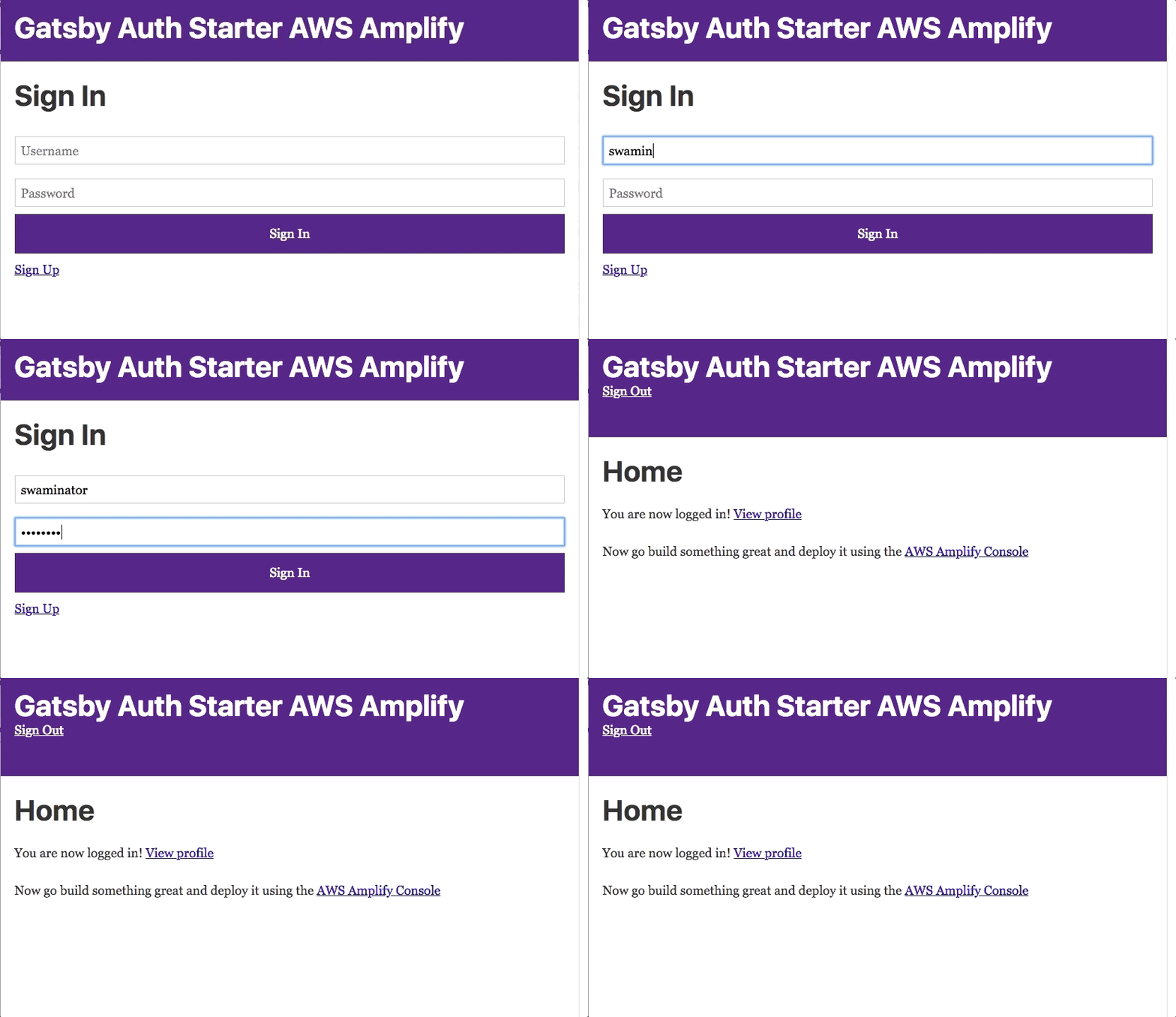 # Deploy to the Amplify console Click the button to deploy a fullstack app in your AWS account: [](https://console.aws.amazon.com/amplify/home#/deploy?repo=https://github.com/aws-samples/aws-amplify-gatsby-auth) You can now continuously deploy changes to your frontend or backend and Amplify Console will automatically deploy those changes. <!-- <img src="https://github.com/swaminator/gatsby-auth-starter-aws-amplify/blob/master/src/images/amplify-console.gif" width="800"/> --> 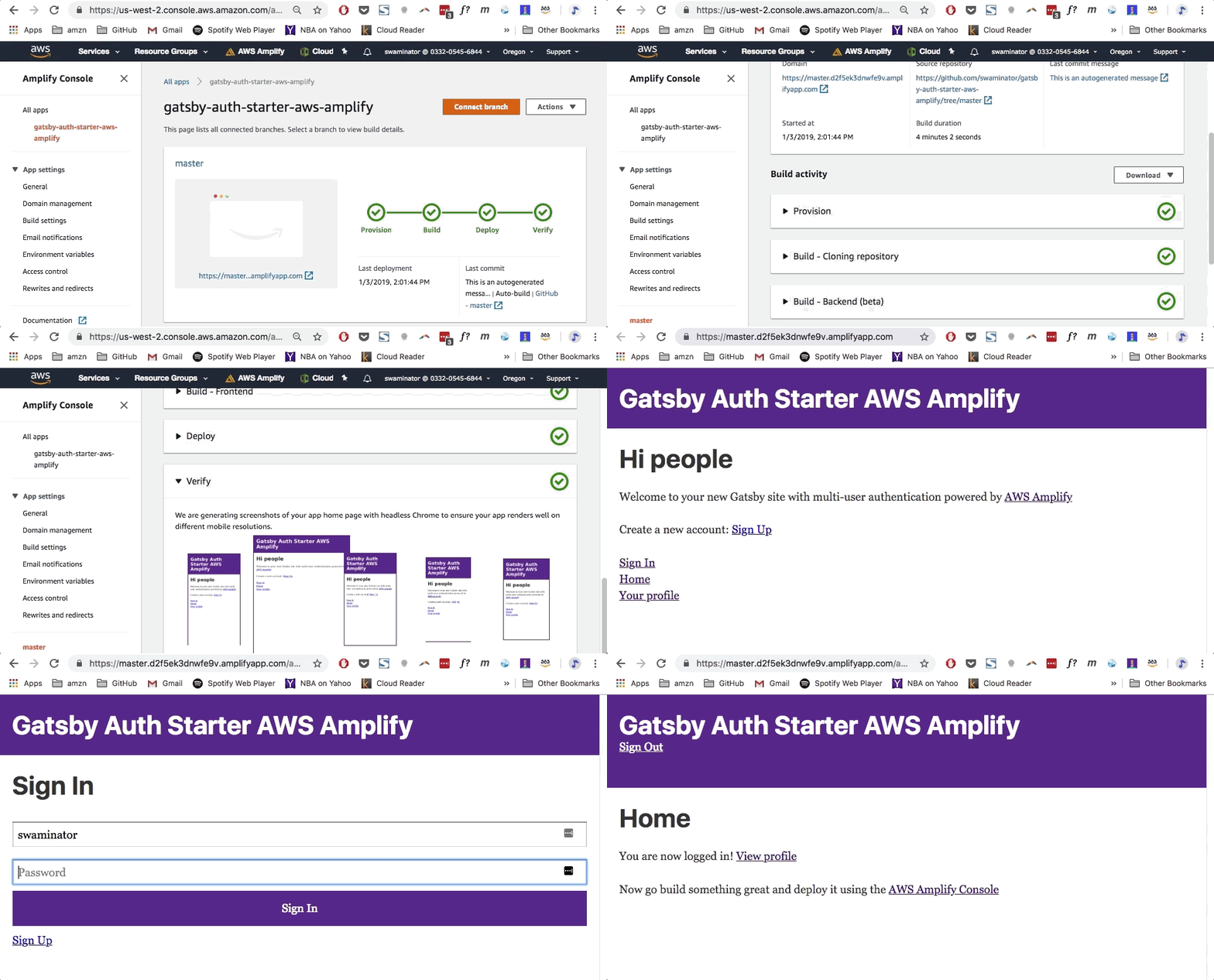 # Run locally 1. Create the project ```sh gatsby new gatsby-amplify-auth https://github.com/dabit3/gatsby-auth-starter-aws-amplify ``` 2. Change into the new directory ```sh cd gatsby-amplify-auth ``` 3. Change into the new directory ```sh yarn # or npm install ``` 4. Install & configure the AWS Amplify CLI. ```sh npm install -g @aws-amplify/cli amplify configure ``` > To see a video of how to configure the CLI, click [here](https://www.youtube.com/watch?v=fWbM5DLh25U) 5. Create a new AWS Amplify Project ``` amplify init ``` > Here, walk through the following steps: - Enter a name for the project __YOURPROJECTNAME__ - Enter a name for the environment __master__ - Choose your default editor: __Visual Studio Code__ (or your editor of choice) - Choose the type of app that you're building __javascript__ - What javascript framework are you using __react__ - Source Directory Path: __src__ - Distribution Directory Path: __public__ - Build Command: __npm run-script build__ - Start Command: __npm run-script develop__ 6. Push the updated project configuration to AWS. It will deploy a CloudFormation template that has an Amazon Cognito resource that enables user authentication. ```sh amplify push ``` 7. Then you can run it by: ```sh gatsby develop ``` ### License This library is licensed under the MIT-0 License. See the LICENSE file.
