KO
|
EN
gitlite — search
Search
#javascript
#python
#hacktoberfest
#react
#ai
#typescript
#llm
#go
#golang
#android
#machine-learning
#rust
#deep-learning
#linux
spritely
★ 18
Open GitHub ↗
a simple sprite editor
Download README (.md)
Explore Similar Repositories
CVE-2020-12078
:
The official exploit for Open-AudIT v3.3.1 Remote Code Execution CVE-2020-12078
retrofit-adapter-flow
:
retrofit-adapter-flow
play_with_siguza_first_0day
:
a toy to play with siguza's very first 0 day - sandbox escape
fdet
:
An easy to use face detection module based on MTCNN and RetinaFace algorithms.
jitsynth
:
No description available.
// repository documentation
Was this content helpful?
★ 0
(0 ratings)
Select Rating:
★
★
★
★
★
Submit Feedback
Recent Feedback
×
Download README
Do you want to download the
README.md
file for
spritely
?
Download (.md)
# spritely > spritely is currently being refactored see the [project](https://github.com/users/dfirebaugh/projects/1/views/1) for tasks. <!-- <img alt="GitHub Workflow Status" src="https://img.shields.io/github/workflow/status/dfirebaugh/spritely-editor/Build%20and%20deploy"> --> Spritely is a sprite editor for making tiny sprites. Spritely makes a 64 sprite sprite sheet in the format of png. Each sprite is 8x8 pixels with 16 colors. ## Demo A limited demo can be found here: https://dfirebaugh.github.io/spritely/ 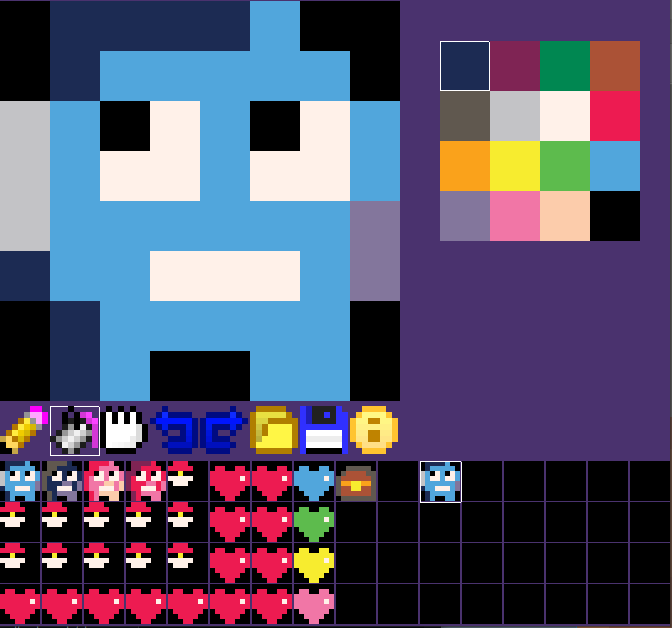 ## Build Requirements ``` $ apt-get install libsdl2-ttf-dev libsdl2-image-dev python3.9-dev libpng-dev ``` ## Build with zig You can build this project with [zig](https://ziglang.org/download/). (i'm using zig version 0.11.0) ```bash zig build ``` This will build a binary at `./zig-out/bin/spritely` You can also use the following command to run the app. ```bash zig build run ``` ## Webassembly build Running `make web` will build spritely using emscripten. So in order to run it, you need to download it from : https://emscripten.org/docs/getting_started/downloads.html `make web` will create two files: `index.js` and `index.wasm`. Using the given `index.html` and a simple web server you can use spritely in your web browser! > note: chrome doesn't support `file://` XHR request ### run the wasm build ```bash make run-wasm ``` > You can run a simple web server by going to the `web` folder and then run a web server using python2 with `python2 -m SimpleHTTPServer 8080` or python3 with `python -m http.server 8080`
