KO
|
EN
gitlite — search
Search
#typescript
#ai-agents
#deepseek-harness
#dsh-plugin
#open-source
#ai
#cli
#dsh
#claude-code
#codex
#developer-tools
#react
UKSpainVisa
★ 77
Open GitHub ↗
UKSpainVisa
Download README (.md)
Explore Similar Repositories
mysql-maxint
:
Script to make MySQL ID hit the max value
nonebot_plugin_smart_reply
:
nonebot2的融合了openai, 词库的智障回复插件
kover-report
:
Github action that publishes the Kover code coverage report as a comment in pull requests
stacked-cases
:
Collection of full body (stacked) cases for a various split keyboards
datex
:
时间格式化工具 - 日期标准化/时间间隔计算/时间处理/时区切换_datetime format library
// repository documentation
Was this content helpful?
★ 0
(0 ratings)
Select Rating:
★
★
★
★
★
Submit Feedback
Recent Feedback
×
Download README
Do you want to download the
README.md
file for
UKSpainVisa
?
Download (.md)
# UKSpainVisa ### I. Introduction CSN7841/UKSpainVisa是一个开源的刷slot的python脚本,本人自己的签证是800RMB代刷来的。 偶然之下看到了vxwong的[spain-visa-monitor](https://github.com/vxwong/spain-visa-monitor)项目,从而有了改进优化的想法。 代码主要使用[selenium](https://github.com/SeleniumHQ/selenium)实现页面点击和输入, 使用ultrafunkamsterdam的[undetected-chromedriver](https://github.com/ultrafunkamsterdam/undetected-chromedriver)来实现绕过浏览器检测。 本项目开源免费,仅供解决个人问题,禁止兜售代码等商业行为,GITHUB的代码嵌入指纹,商业运用可能会被追究责任。 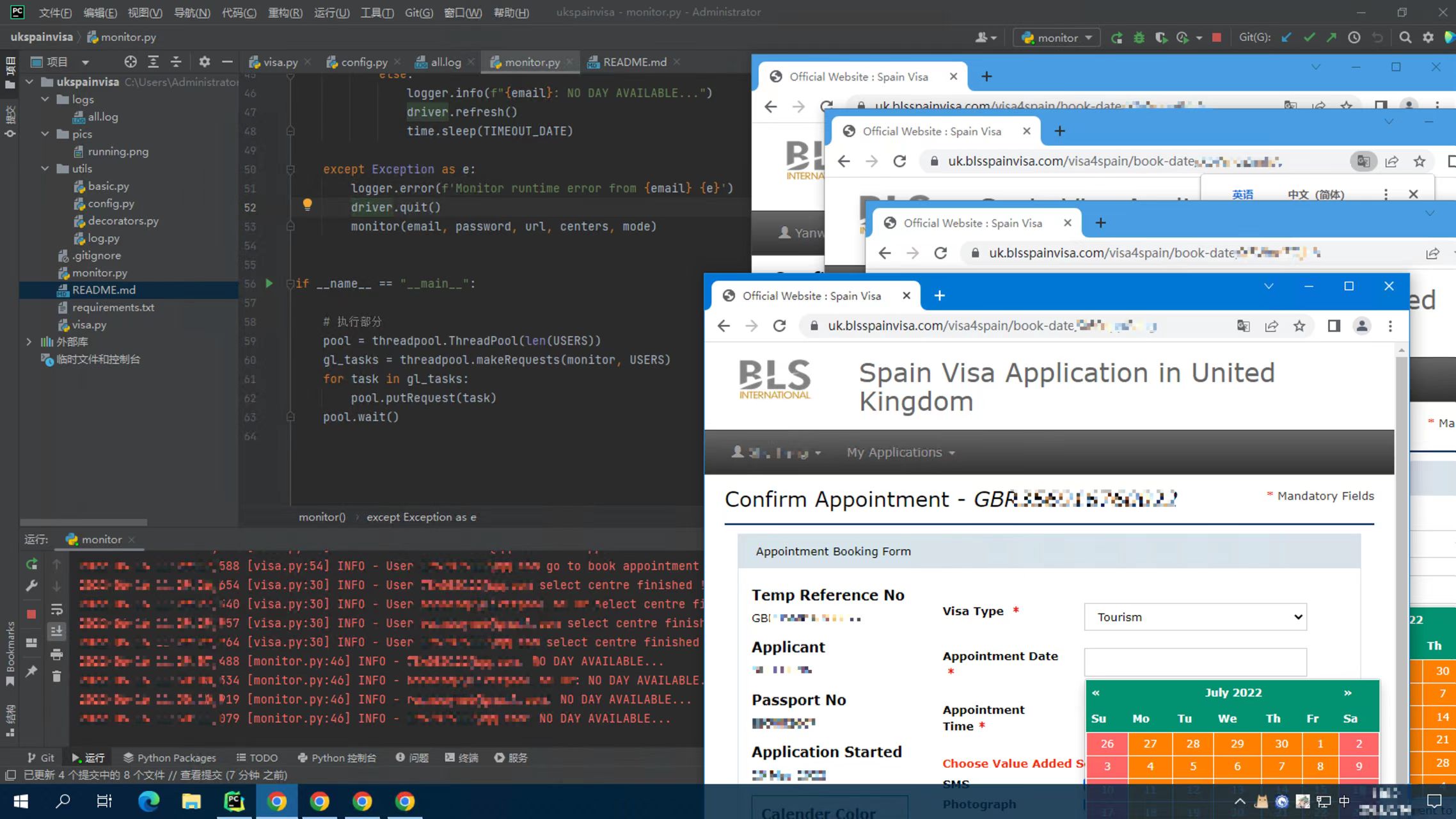 ### II. Functions 从打开页面到输入密码,从选择日期到自动确认,一切流程全自动,主需要在config.py下进行配置即可。 !!!新增的线程池功能,可以多线程并发,多账号使用。 保留了vxwong的语音提示功能,只不过是在你点击了confirm之后了。。。 ### III. File Structure 搬运自vxwong的readme.md的"二,文件介绍"部分有兴趣可以查看原版[spain-visa-monitor](https://github.com/vxwong/spain-visa-monitor) ```text . ├── monitor.py # 主程序流程 ├── visa.py # 主要功能流程位置 ├── utils │ ├── basic.py │ ├── config.py # 配置文件,使用前修改 │ ├── decorators.py │ └── log.py ├── requirements.txt # pip install -r requirements.txt 使用前安装依赖 └── readme.md ``` ### IV. Run for your Visa! 1. 安装Python,请参考vxwong的内容。 3. 修改config.py ```python # =============== GENERAL SETTINGS =============== TIMEOUT = 90 # 无日期后刷新间隔 # =============== VISA CENTER SELECTION =============== CENTER_MAN = ('England', 'Manchester', 'Normal', 'Tourism') CENTER_EDN = ('Scotland', 'Edinburgh', 'Normal', 'Tourism') CENTER_LON = ('Bristol', 'London', 'Normal', 'Tourist') # ======================= MODE ========================= # 日期选择页面的4个勾勾,从上到下的顺序,可以自己选择 # 不使用加急 MODE_NORMAL = ('Yes', 'Yes', 'No', 'Yes') # 使用加急 MODE_FAST = ('Yes', 'Yes', 'Yes', 'Yes') # =============== PERSONAL CONFIG FOR VISA =============== FIXED = 'https://uk.blsspainvisa.com/visa4spain/book-appointment/' # ======================= USER LIST ======================= # 这里添加客户 # 账号参数: Email, 密码, 链接地址, 中心地点(CENTER_MAN, CENTER_EDN, CENTER_LON), 是否优先(MODE_NORMAL, MODE_FAST), None是启动线程池的默认参数 No1 = (['yourEmail@xxx.com', '@password@', 'X6Wnq5mw23', CENTER_MAN, MODE_FAST], None) # None 必须保留线程池参数 No2 = (['secondPersonEmail@xxx.com', '@password@', 'X6Wnq5ms5f', CENTER_EDN, MODE_NORMAL], None) # 加入线程池,就算前面配置了账号,不加入这里面也没用,USERS就是要在主程序中调用的线程池 USERS = [No1, No2] # !!!! ``` 3. 安装依赖 (搬运自vxwong 三、3.) 打开cmd/终端,输入pip install[空格],将requirements.txt拖入cmd/终端,回车 ```shell pip install -r requirements.txt ``` 4. 运行 可以使用IDE直接运行,也可以使用终端,终端使用参考vxwong "三、4." 启动后就不要乱动了,浏览器会自行完成操作,每隔一阵会因为元素过期(网页登录时间限制)自己重启。
