KO
|
EN
gitlite — search
Search
#javascript
#python
#react
#api
#nextjs
#docker
#game
#chatgpt
#css3
#flutter
#php
#typescript
swamp
★ 64
Open GitHub ↗
Navigate your backed up data without drowning.
Download README (.md)
Explore Similar Repositories
tantivy-go
:
Tantivy go bindings
gse-bleve
:
Go use bleve with gse tokenizer
gojieba-bleve
:
GoJieba Bleve support
searchgoose
:
🦢 Elasticsearch-like simple, lightweight, distributed RESTful search-engine using bleve written in go 🔍
bleve-mapping-ui
:
web-based UI editor for bleve index mappings
// repository documentation
Was this content helpful?
★ 0
(0 ratings)
Select Rating:
★
★
★
★
★
Submit Feedback
Recent Feedback
×
Download README
Do you want to download the
README.md
file for
swamp
?
Download (.md)
 # Swamp A GNOME application to index, search, stream, download and export files in [Restic](https://restic.net) repositories. [Quick start guide](docs/quickstart.md). **⚠️ Currently alpha quality:** * [Ubuntu Desktop 20.04](https://releases.ubuntu.com/20.04) (with GNOME) is the only environment currently supported * It may crash often * It may behave unreliably * The on-disk data and index format may change before the final release, and data migration isn't guaranteed, forcing you to re-index your repositories eventually * It may have obvious and important issues that could compromise the safety and security of your data * Large chunks of the code are still in a PoC state and may lack readability, proper error handling or reporting * Some functionality is still missing There's a more comprehensive overview of what's missing for those technically inclined or willing to contribute in the [release plan document](docs/release_plan.md). ## Features ### Read-only Swamp doesn't write to your Restic repository. It works just fine with read-only repositories. ### Desktop integration The GNOME keyring is the place where the repository credentials are stored. Other features like [MPRIS](https://specifications.freedesktop.org/mpris-spec/latest/) (to play media files) and [UPower](https://upower.freedesktop.org/) (to prevent the indexing process when on battery) are planed. Dark/Light themes are also supported. 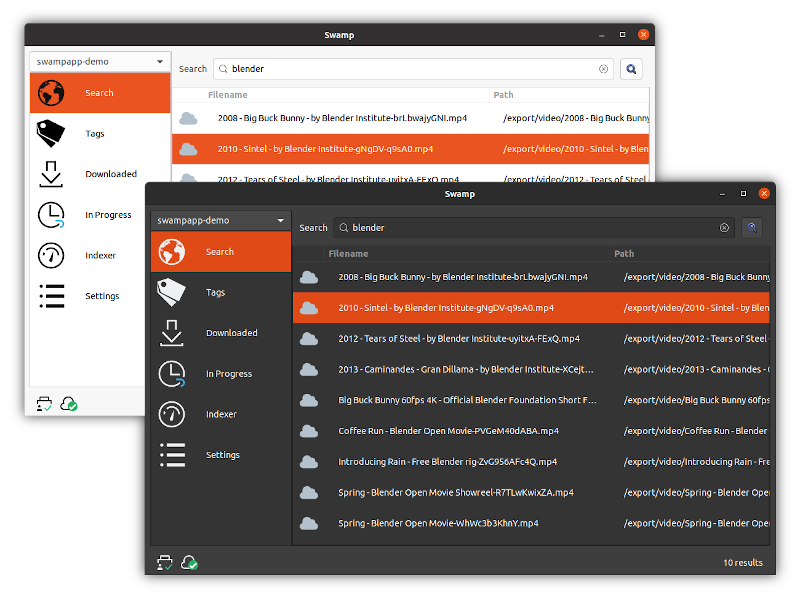 ### Supports any Restic backend Swamp is powered by [Restic](https://restic.net), meaning that it can index and search S3, Rest Server, local, rclone backends, etc. (Limited to S3, local and rest in the current alpha version) ### Powerful query language Swamp uses and extends [the Bleve query language](https://blevesearch.com/docs/Query/) to make locating/searching for backed up files easy. 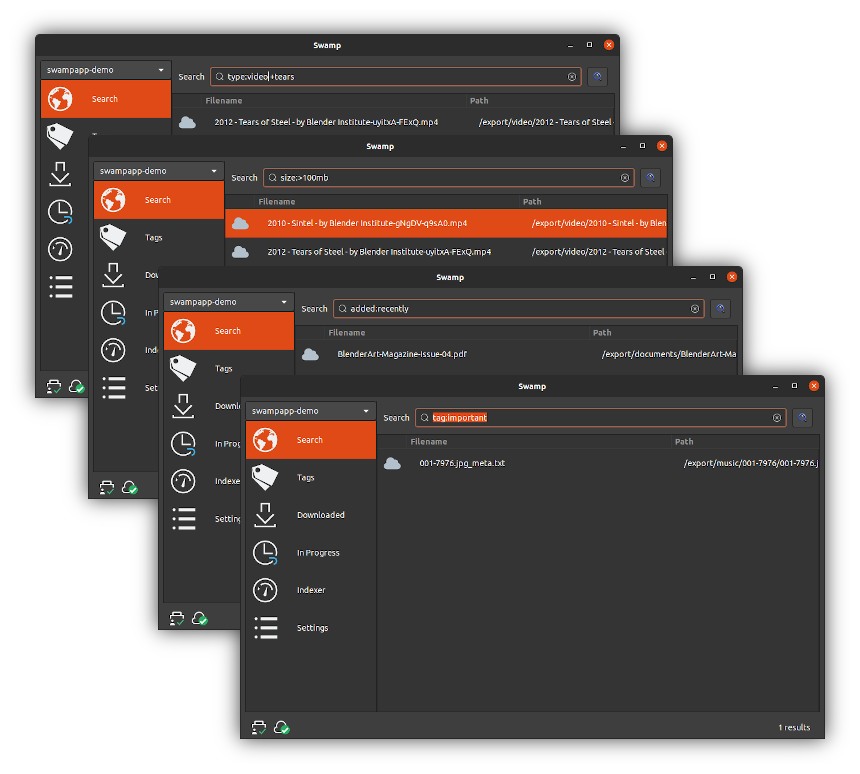 With the query language you can do things like: * Search for files bigger or smaller than a given size * Find duplicated files * Find documents, videos, audio files, etc easily * Find recently backed up files * Find recently modified files And much more. See the  for some additional examples. ### Reasonably fast indexing Capable of indexing 1000+ files per second in a regular laptop. Polls for new Restic snapshots regularly to index them automatically. 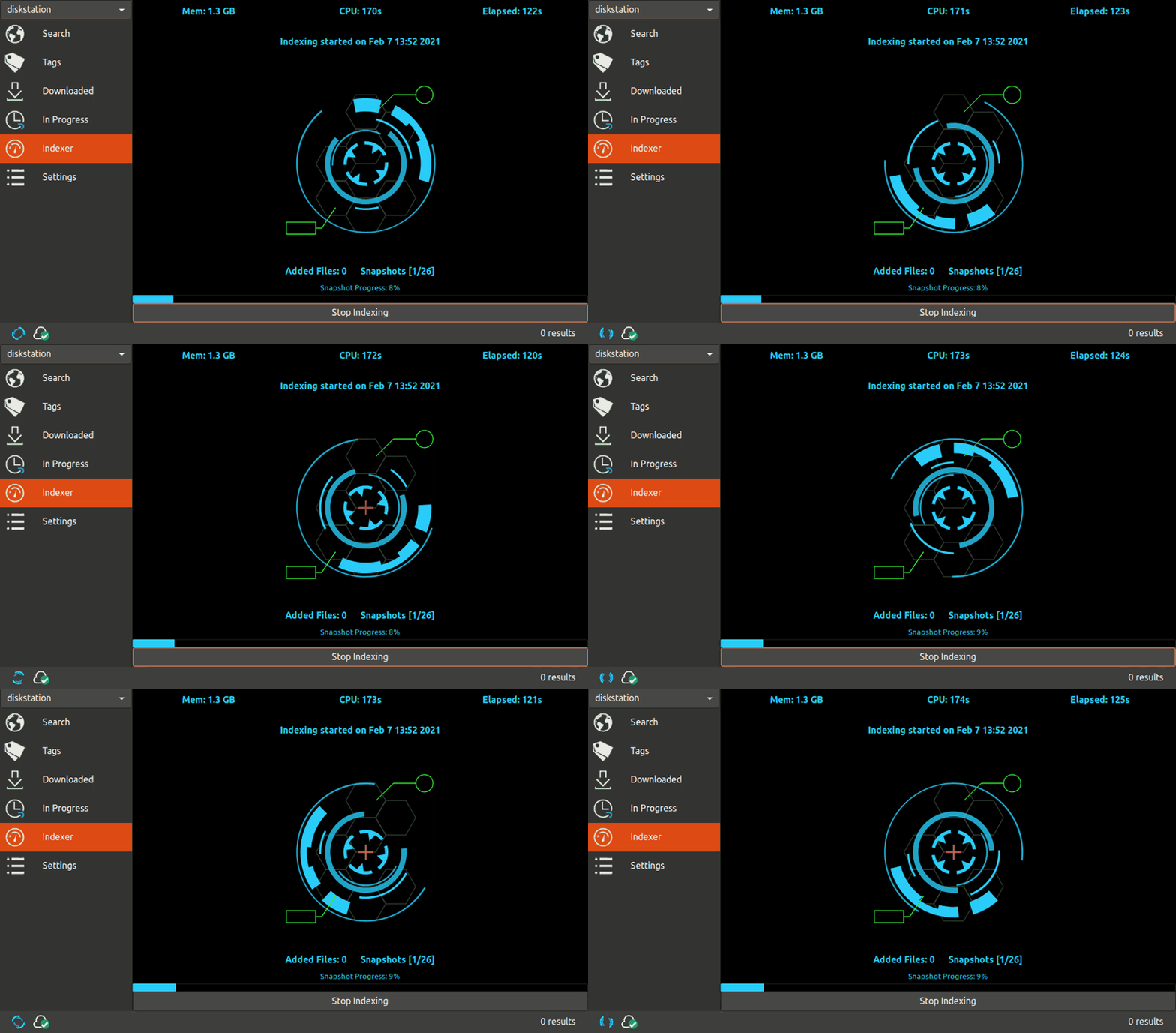 ### Tagger Tag you backed up files to quickly locate them later. 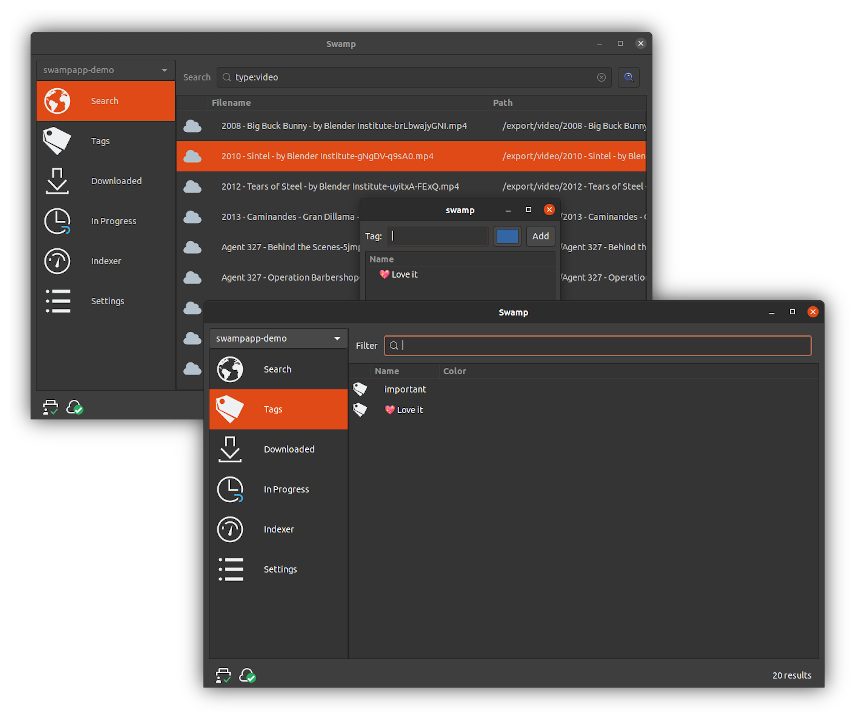 ### Multiple repositories Supports indexing and searching multiple Restic repositories. The author uses Restic repositories as "append-only, deduplicated and encrypted storage servers" (where files are never pruned/deleted) and shares some of those repositories with family members and friends, so Swamp tries to make it easier to search across them (the main motivation behind creating Swamp). ### Stream Download and Export your backed up data Swamp can stream your video or audio files or download/export any file and version to the desired location. 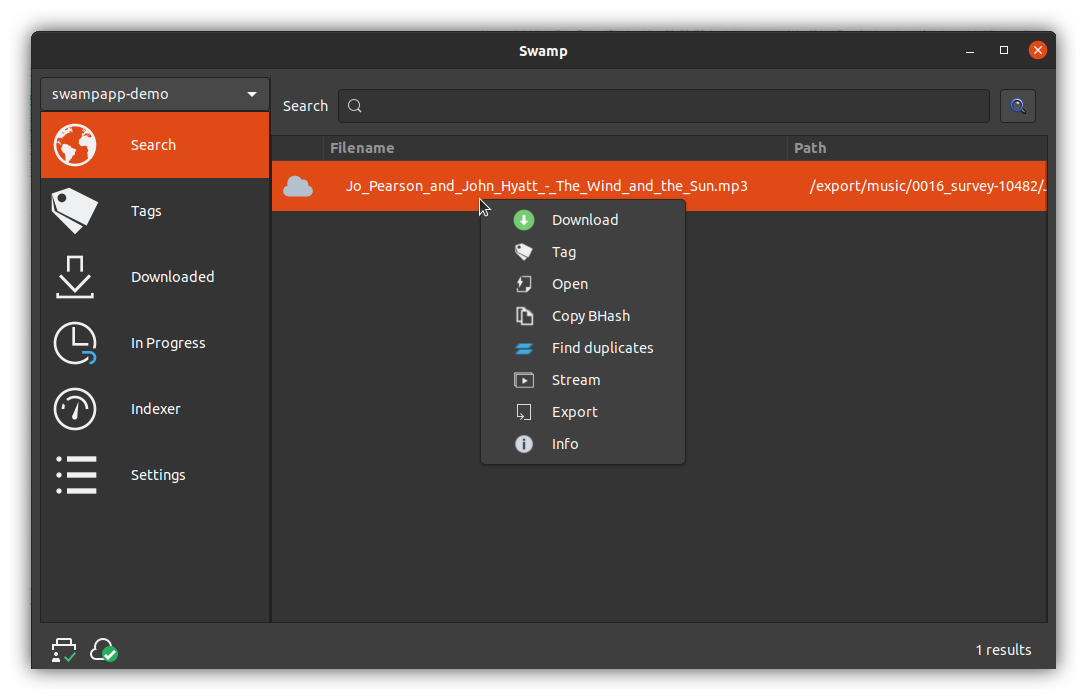 ### Keyboard friendly Swamp provides quick access to the most important features via keyboard shortcuts. See [keyboard shortcuts documentation](docs/keyboard-shortcuts.md). ### Command line interface Swamp includes a command line interface (`swp`) to query the repositories after being indexed. 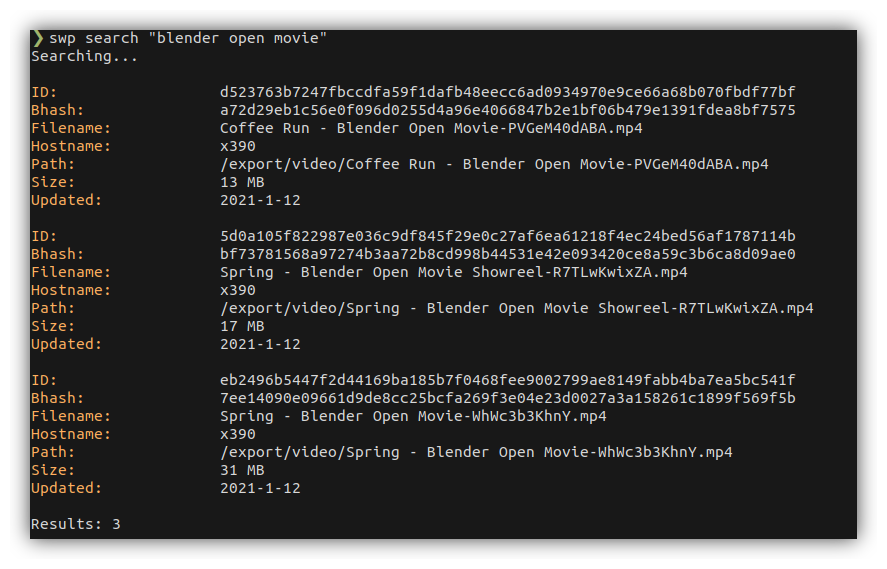 ## Quick Start Guide The [quick start guide](docs/quickstart.md) will get you started with swamp. Don't worry, if you already know Restic, this will be a walk in the park. ## Developer resources ### Building from source **Needs** [Go 1.16](https://golang.org/dl/#unstable), currently in beta. Install the required dependencies and run `make`: ``` sudo apt install build-essential libgtk-3-dev libcairo2-dev libglib2.0-dev libglib2.0-dev-bin upx make ``` ### Architecture See [architecture.md](docs/architecture.md) ### Credits * Awesome logos from [@blackirin](https://github.com/blackirin) * Animated gifs from [loading.io](https://loading.io) * Application icons ([Qogir](https://github.com/vinceliuice/Qogir-icon-theme), [Tela](https://github.com/vinceliuice/Tela-icon-theme), [We10x](https://github.com/yeyushengfan258/We10X-icon-theme), [Infinity Lavender](https://www.gnome-look.org/p/1457365), [McMuse](https://github.com/yeyushengfan258/McMuse-icon-theme)) * [Restic](https://github.com/restic/restic) code is used by swamp via [RAPI](https://github.com/rubiojr/rapi) * [Bluge](https://github.com/blugelabs/bluge) powers repository indexing and search (via [rindex](https://github.com/rubiojr/rindex)) * [Gotk3](https://github.com/gotk3/gotk3) is the graphical toolkit doing the pixel pushing * [Keyring](https://github.com/zalando/go-keyring) provides access to the GNOME keyring * A few libraries from the amazing [@muesli](https://github.com/muesli) * [Zerolog](https://github.com/rs/zerolog) for superb structured logging * [Go LevelDB](https://github.com/syndtr/goleveldb) to store out-of-the-index bits used by Swamp * [CLI](https://github.com/urfave/cli), my favorite command line parser * [Humanize](https://github.com/dustin/go-humanize) makes some numbers easily parseable by humans
