KO
|
EN
gitlite — search
Search
#typescript
#ai-agents
#ai
#dsh-plugin
#deepseek-harness
#open-source
#cli
#claude-code
#codex
#developer-tools
#react
#windows
intellijPywal
★ 66
Open GitHub ↗
Intellij Pywal integration
Download README (.md)
Explore Similar Repositories
archcraft-i3wm
:
// Configuration : I3wm
i3wm-rice-BlueLain
:
My i3wm rice Serial Experiments Lain
arcolinux-i3wm
:
No description available.
dotfiles
:
My dotfiles
Screenz
:
A script to facilitate and automate multiple monitors under i3wm.
// repository documentation
Was this content helpful?
★ 0
(0 ratings)
Select Rating:
★
★
★
★
★
Submit Feedback
Recent Feedback
×
Download README
Do you want to download the
README.md
file for
intellijPywal
?
Download (.md)
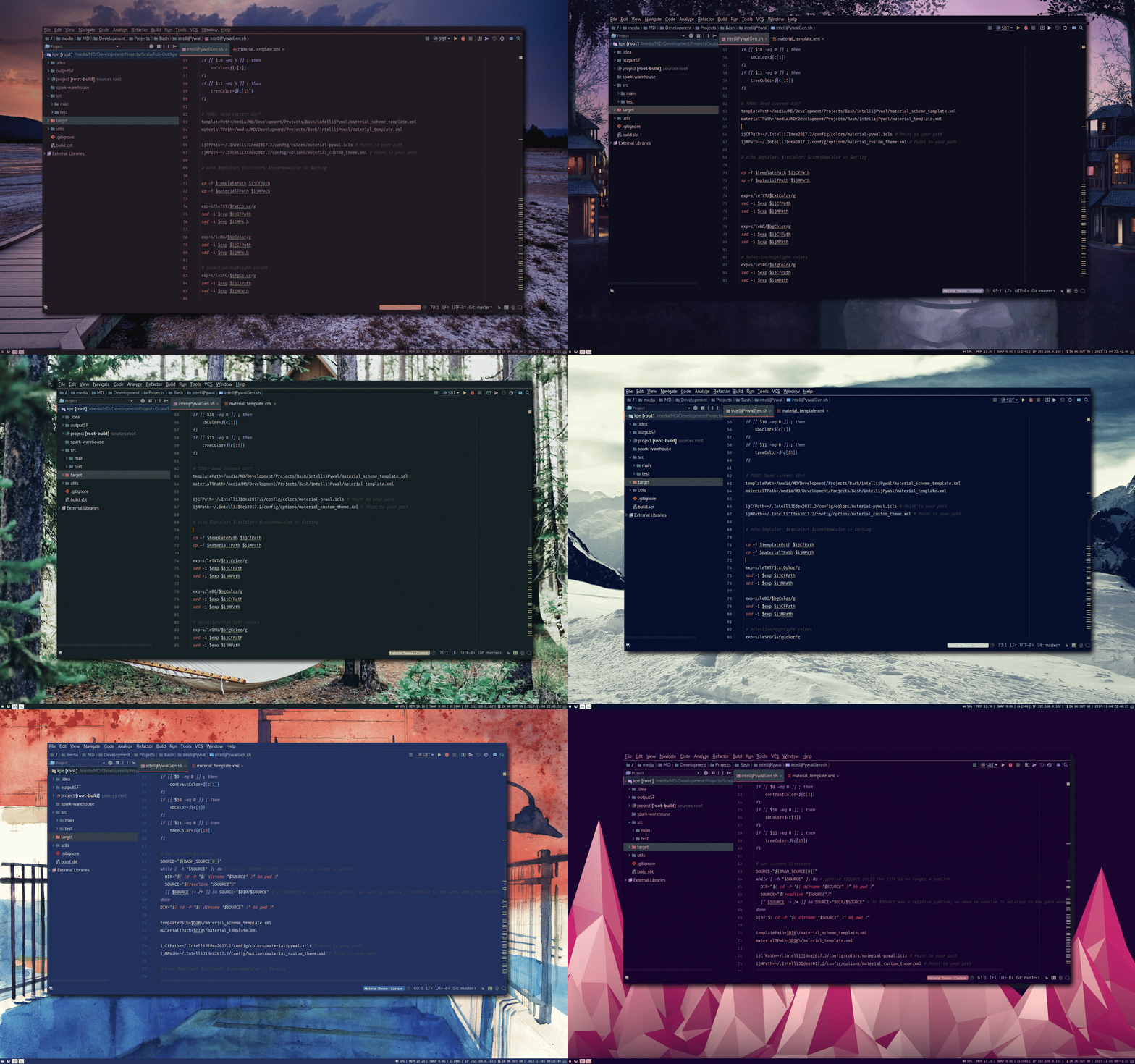
# Pywal Intellij Material Theme and Scheme Generator The script in this repository can generate Intellij themes based on [Pywal](https://github.com/dylanaraps/pywal) or other color scheme generator tools automatically. It is meant to be used in combination with [Material Theme Plugin](https://plugins.jetbrains.com/plugin/8006-material-theme-ui) to integrate with every element of Intellij's UI instead of just the editor's color scheme. ## Dependencies - Intellij (or some other Jetbrains IDE) + Material Theme Plugin - Pywal ## Installation >**Warning**: this script overrides `material_custom_theme.xml` so be sure to backup your custom material theme configuration if you care for it. 1. Clone or download the files in this repository 2. Run `intellijPywalGen.sh` and make sure to pass the path to your [config directory](https://intellij-support.jetbrains.com/hc/en-us/articles/206544519-Directories-used-by-the-IDE-to-store-settings-caches-plugins-and-logs) (eg.: `./intellijPywalGen.sh $HOME/.IntelliJIdea2018.1/config`) 3. Set material theme to "custom theme" `(Intellij -> Tools -> Material Theme -> Material Theme Chooser -> Custom Theme)` 4. Import `material-pywal.icls` editor scheme which should be located in your config/colors folder via `(Intellij -> File -> Settings -> Editor -> Color Scheme -> Scheme : -> Import Scheme...)` 5. Set the editor's color scheme `(Intellij -> File -> Settings -> Editor -> Color Scheme -> Scheme: Material Pywal)` 6. Restart Intellij After the first time you'll only need to restart Intellij after you run the script in order for changes to take effect. #### Mac If you use `intellijPywalGen.sh`, you will [get error about sed](https://stackoverflow.com/questions/4247068/sed-command-with-i-option-failing-on-mac-but-works-on-linux). Therefore, you can use `intellijPywalGenmac.sh` instead. The following is an example code, when CLion2020.1 in mac. ``` ./intellijPywalGenmac.sh $HOME/Library/ApplicationSupport/JetBrains/CLion2020.1 ``` ## i3wm Integration Integration with `i3` is very simple. A good way to go about it is to bind a shortcut to set a random wallpaper using pywal and then chain a call to this script on the same command to make sure pywal has updated the colors: bindsym $mod+Print exec "wal -i $HOME/Pictures/Wallpapers;/pathToScript/intellijPywalGen.sh $HOME/.IntelliJIdea2018.1/config" Notice both commands are separated by a semicolon without any space in-between and the params are passed with an unescaped space. ## Screenshots