KO
|
EN
gitlite — search
Search
#python
#java
#python3
#arduino
#golang
#machine-learning
#rust
#html
#flask
#javascript
#seismology
#nodejs
fontawesomefx-examples
★ 54
Open GitHub ↗
No description available.
Download README (.md)
Explore Similar Repositories
fontawesome-subset
:
Creates subsets of FontAwesome fonts for optimized use on the web.
jsonresume-theme-kendall
:
A theme for jsonresume
Fontawesome-AxureRPwidgetslibrary
:
Fontawesome字体的AxureRP部件库
wagtailfontawesome
:
Moved to GitLab
fontawesome.pri
:
Using FontAwesome in QML
// repository documentation
Was this content helpful?
★ 0
(0 ratings)
Select Rating:
★
★
★
★
★
Submit Feedback
Recent Feedback
×
Download README
Do you want to download the
README.md
file for
fontawesomefx-examples
?
Download (.md)
# FontAwesomeFX Examples and Demo Applications [Get the code here](https://github.com/Jerady/fontawesomefx-demoapps) ## Basic Usage ``` FontAwesomeIconView fontAwesomeIconView = new FontAwesomeIconView(FontAwesomeIcon.ANGELLIST); ``` 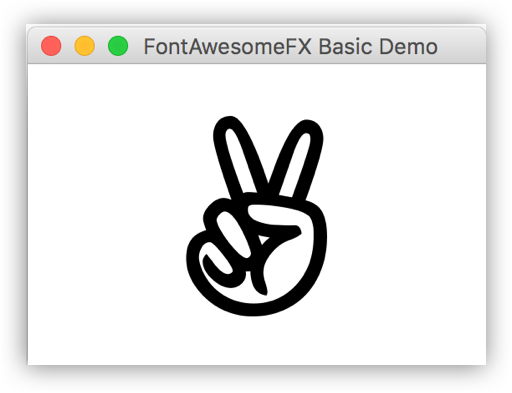 ``` MaterialDesignIconView materialDesignIconView = new MaterialDesignIconView(MaterialDesignIcon.THUMB_UP); materialDesignIconView.setSize("4em"); ``` ### Run BasicGlyphsApp demo `./gradlew -PmainClass=de.jensd.fx.glyphs.demo.apps.BasicGlyphsApp execute` ## Basic Usage using Factories ``` Text fontAwesomeIcon = FontAwesomeIconFactory.get().createIcon(FontAwesomeIcon.ANGELLIST); root.getChildren().add(fontAwesomeIcon); ``` ``` Text materialDesignIcon = MaterialDesignIconFactory.get().createIcon(MaterialDesignIcon.CHECK_ALL, "4em"); root.getChildren().add(materialDesignIcon); ``` ### Run BasicGlyphsFactoryApp demo `./gradlew -PmainClass=de.jensd.fx.glyphs.demo.apps.BasicGlyphsApp execute` ## CSS Styled Glyphs ``` FontAwesomeIconView thumbsUpIcon = new FontAwesomeIconView(); thumbsUpIcon.setStyleClass("thumbs-up-icon"); root.getChildren().add(thumbsUpIcon); ``` ``` FontAwesomeIconView thumbsDownIcon = new FontAwesomeIconView(); thumbsDownIcon.setStyleClass("thumbs-down-icon"); root.getChildren().add(thumbsDownIcon); ``` ``` WeatherIconView blueskyIcon = new WeatherIconView(); blueskyIcon.setStyleClass("bluesky-icon"); root.getChildren().add(blueskyIcon); ``` 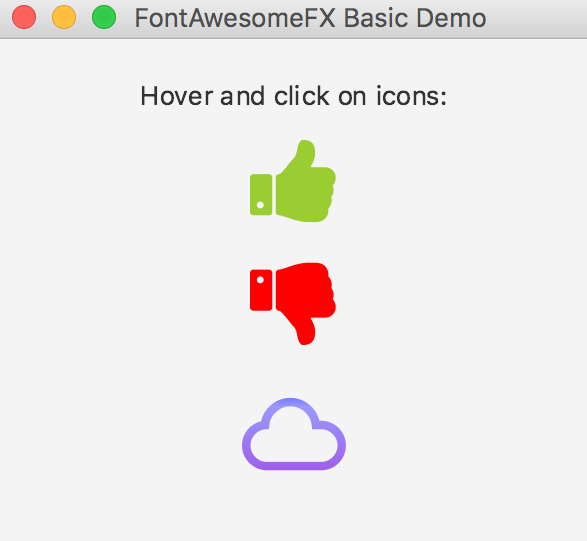 ####styles/glyphs.css ``` .root{ -icons-color: black; } .glyph-icon{ -fx-text-fill: -icons-color; -fx-fill: -icons-color; -glyph-size: 48px; } .glyph-icon:hover{ -fx-effect: dropshadow(three-pass-box, rgba(0,0,0,0.2), 4, 0, 0, 0); } .bluesky-icon{ -glyph-name: "CLOUD"; -icons-color: blue; -fx-fill: linear-gradient(-icons-color 0%, derive(-icons-color, 100%) 30%, derive(blueviolet, 30%) 85%); } .bluesky-icon:hover{ -glyph-name: "CLOUDY"; -icons-color: yellowgreen; -fx-effect: dropshadow(three-pass-box, rgba(156,115,241,0.6), 10, 0, 0, 0); } .bluesky-icon:pressed{ -glyph-name: "DAY_CLOUDY"; -icons-color: yellow; -fx-effect: dropshadow(three-pass-box, rgba(0,0,0,1.0), 10, 0, 0, 0); } .thumbs-up-icon{ -glyph-name: "THUMBS_UP"; -icons-color: yellowgreen; } .thumbs-up-icon:hover{ -fx-effect: dropshadow(three-pass-box, rgba(154,205,55,0.7), 10, 0, 0, 0); } .thumbs-up-icon:pressed{ -fx-effect: dropshadow(three-pass-box, rgba(0,0,0,1.0), 10, 0, 0, 0); } .thumbs-down-icon{ -glyph-name: "THUMBS_DOWN"; -icons-color: red; } .thumbs-down-icon:hover{ -fx-effect: dropshadow(three-pass-box, rgba(255,0,0,0.7), 10, 0, 0, 0); } .thumbs-down-icon:pressed{ -fx-effect: dropshadow(three-pass-box, rgba(0,0,0,1.0), 10, 0, 0, 0); } .android-icon{ -icons-color: yellowgreen; -fx-fill: linear-gradient(-icons-color 0%, derive(yellowgreen, 30%) 85%); -fx-effect: dropshadow(three-pass-box, rgba(0,0,0,1.0), 10, 0, 0, 0); } ``` 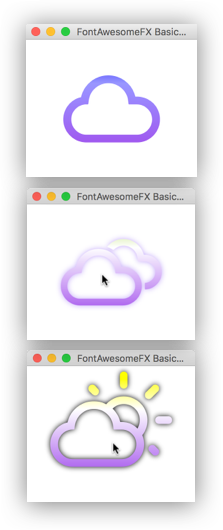 ### Run CssStyledGlyphsApp demo `./gradlew -PmainClass=de.jensd.fx.glyphs.demo.apps.CssStyledGlyphsApp execute` ## CSS Styled Glyphs using Factories ``` Text thumbsUpIcon = FontAwesomeIconFactory.get().createIcon(FontAwesomeIcon.THUMBS_UP, "4em"); thumbsUpIcon.getStyleClass().add("thumbs-up-icon"); root.getChildren().add(thumbsUpIcon); ``` ``` Text thumbsDownIcon = FontAwesomeIconFactory.get().createIcon(FontAwesomeIcon.THUMBS_DOWN, "4em"); thumbsDownIcon.getStyleClass().add("thumbs-down-icon"); root.getChildren().add(thumbsDownIcon); ``` ``` Text blueskyIcon = WeatherIconFactory.get().createIcon(WeatherIcon.CLOUDY, "4em"); blueskyIcon.getStyleClass().add("bluesky-icon"); root.getChildren().add(blueskyIcon); ``` ### Run CssStylesBasicGlyphsFactoryApp demo `./gradlew -PmainClass=de.jensd.fx.glyphs.demo.apps. CssStylesBasicGlyphsFactoryApp execute`
