KO
|
EN
gitlite — search
Search
#javascript
#python
#hacktoberfest
#react
#ai
#typescript
#llm
#go
#golang
#android
#machine-learning
#rust
#deep-learning
#linux
lmcache_frontend
★ 18
Open GitHub ↗
the frontend of lmcache
Download README (.md)
Explore Similar Repositories
deploying-ai
:
No description available.
gprxy
:
Go based SSO-first, psql-compatible proxy
submission
:
CVE-Genie
MOFFlow-2
:
Implementation for Flexible MOF Generation with Torsion-Aware Flow Matching
Seg2Track-SAM2
:
No description available.
// repository documentation
Was this content helpful?
★ 0
(0 ratings)
Select Rating:
★
★
★
★
★
Submit Feedback
Recent Feedback
×
Download README
Do you want to download the
README.md
file for
lmcache_frontend
?
Download (.md)
# LMCache Frontend [](https://opensource.org/licenses/Apache-2.0) LMCache Frontend is a monitoring and proxy service for LMCache clusters, providing a web interface for cluster management and HTTP request proxying to cluster nodes. 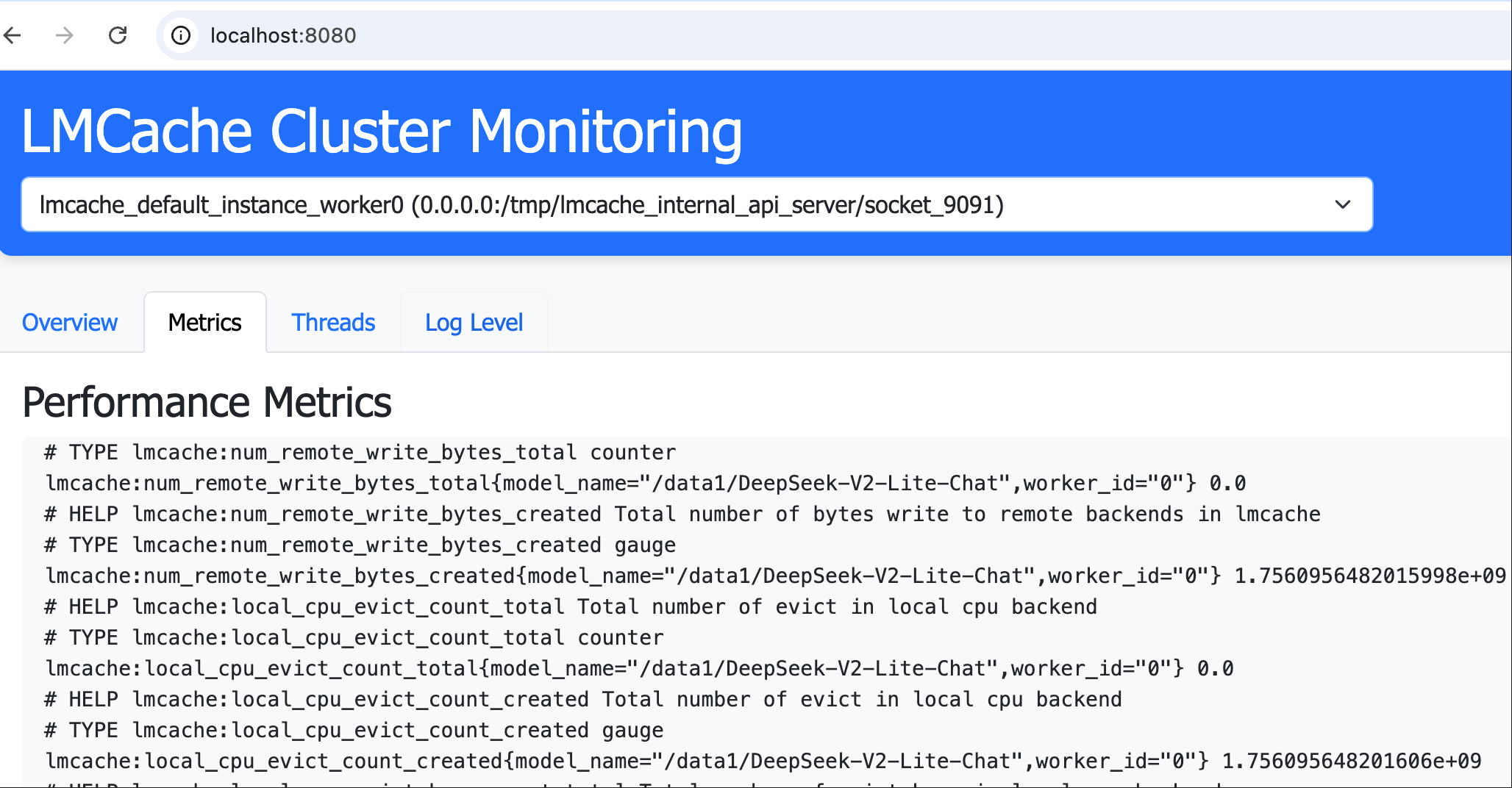 ## Features - **Cluster Monitoring**: Web-based dashboard for visualizing cluster status - **Request Proxying**: HTTP proxy service to forward requests to any cluster node - **Flexible Configuration**: Support for both IP:port and Unix domain sockets - **Plugin System**: Integration with LMCache plugin framework ## Installation 1. Clone the repository: ```bash git clone https://github.com/your-org/lmcache_frontend.git cd lmcache_frontend ``` 2. Install: ```bash # Install source pip install -e . # install from pypi pip install lmcache_frontend ``` ## Usage ### Starting the Service ```bash lmcache-frontend --port 8080 --host 0.0.0.0 ``` ### Command Line Options ``` --port Service port (default: 8000) --host Bind host address (default: 0.0.0.0) --config Path to configuration file --nodes Direct node configuration (JSON string) ``` ### Accessing the Web Interface After starting the service, access the dashboard at: `http://localhost:8080/` ### Proxying Requests Proxy requests using the format: ``` /proxy/{target_host}/{target_port_or_socket}/{path} ``` Example: ``` curl "http://localhost:8080/proxy/localhost/%252Ftmp%252Flmcache_internal_api_server%252Fsocket_8081/metrics" curl -X POST http://localhost:9090/proxy/localhost/8081/run_script -F "script=@/root/scratch.py" ``` ### Start by LMCache plugin framework Configure the following configs to `lmcache.yaml` ```yaml extra_config: plugin.frontend.port: 8080 internal_api_server_enabled: True internal_api_server_port_start: 9090 plugin_locations: ["/scripts/scheduler_lmc_frontend_plugin.py"] internal_api_server_socket_path_prefix: "/tmp/lmcache_internal_api_server/socket" ``` ## Configuration ### Node Configuration Create a `config.json` file with node definitions: ```json [ { "name": "node1", "host": "127.0.0.1", "port": "/tmp/lmcache_internal_api_server/socket/9090" }, { "name": "node2", "host": "127.0.0.1", "port": "/tmp/lmcache_internal_api_server/socket/9091" } ] ``` `port` can be both configured to int type port and string type socket path. ### Pre-commit Checks This project uses pre-commit hooks for code quality: ```bash pre-commit install pre-commit run --all-files ``` ## Development ### Project Structure ``` lmcache_frontend/ ├── app.py # Main application ├── lmcache_plugin/ │ └── scheduler_lmc_frontend_plugin.py # lmcache plugin integration ├── static/ # Web assets └── __init__.py ``` ### Building the Package ```bash python setup.py sdist bdist_wheel twine upload dist/* ``` ## License Apache License 2.0
