KO
|
EN
gitlite — search
Search
#javascript
#game
#python
#php
#library
#animation
#epub
#css
#go
#golang
#cli
#java
colidr
★ 55
Open GitHub ↗
Coherent Line Drawing implementation in Go.
Download README (.md)
Explore Similar Repositories
NeuralStrokes
:
Neural Strokes: Stylized Line Drawing of 3D Shapes (ICCV2021)
faceformer
:
[CVPR 2022] Neural Face Identification in a 2D Wireframe Projection of a Manifold Object
NDraw
:
Runtime line drawing utility for Unity
VRCMarker
:
A VRChat Prefab for drawing 3D lines with a custom rounded line renderer
ThickRedLine
:
Thick Red Line - drawing thick lines for SceneKit with metal shaders
// repository documentation
Was this content helpful?
★ 0
(0 ratings)
Select Rating:
★
★
★
★
★
Submit Feedback
Recent Feedback
×
Download README
Do you want to download the
README.md
file for
colidr
?
Download (.md)
# colidr - Coherent Line Drawing [](https://github.com/esimov/colidr/actions) [](https://raw.githubusercontent.com/esimov/colidr/master/LICENSE) [](https://github.com/esimov/colidr/releases/tag/v1.0.1) Implementation in Go of the [Coherent Line Drawing](http://umsl.edu/mathcs/about/People/Faculty/HenryKang/coon.pdf) algorithm developed by Kang et al, NPAR 2007. 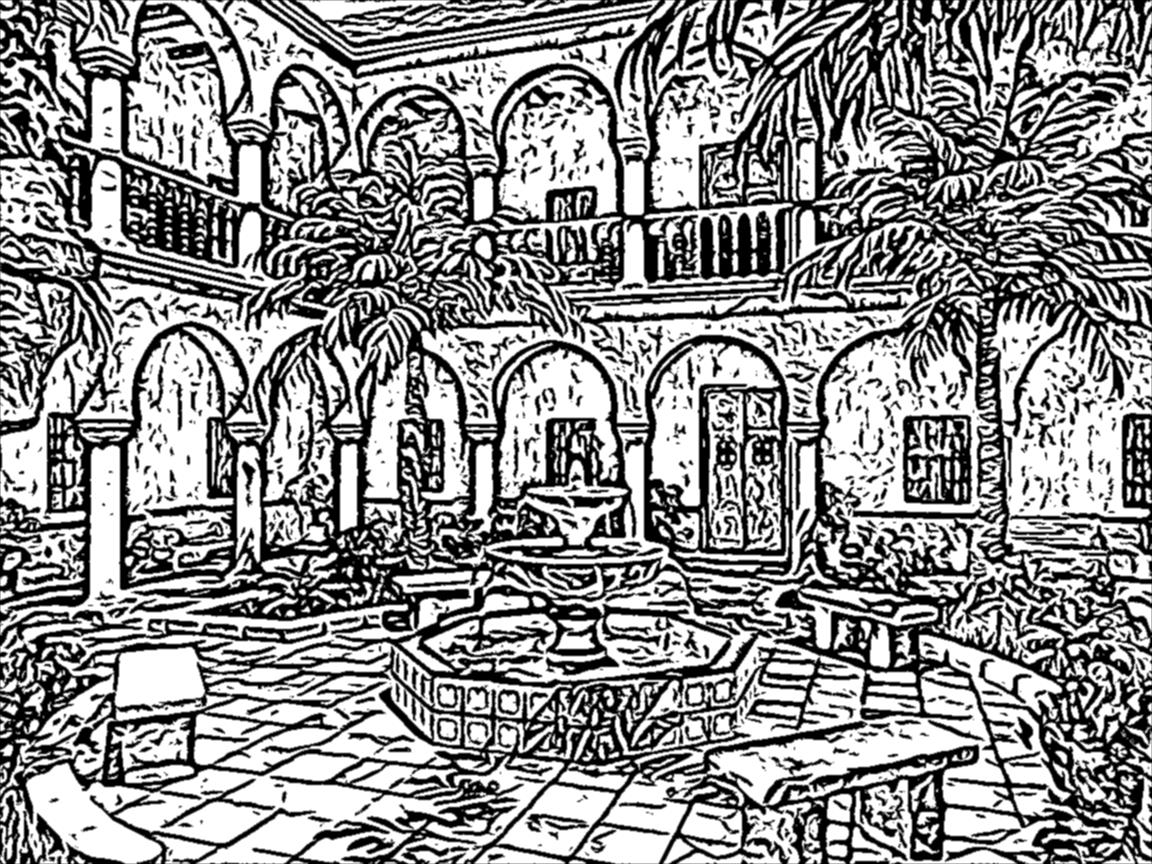 ## Requirements - Go 1.10 or higher, but it should work even with a lower version - OpenCV 3 (tested with 3.4.2) - [gocv](https://github.com/hybridgroup/gocv) (bundled into the project, since it was extended with missing OpenCV functions needed for the implementation) - [potrace](http://potrace.sourceforge.net/) - for transforming the bitmap into smooth, scalable image (however this is optional) ## Installation ```bash $ go get -u github.com/esimov/colidr/ $ go install ``` Another option is cloning the repository and running the `make` file. ```bash $ git clone https://github.com/esimov/colidr $ cd colidr $ make ``` This will generate the binary file. ## Usage ```bash $ colidr -h ┌─┐┌─┐┬ ┬┌┬┐┬─┐ │ │ ││ │ ││├┬┘ └─┘└─┘┴─┘┴─┴┘┴└─ Coherent Line Drawing CLI Version: 1.0.1 -aa Anti aliasing -bl int Blur size (default 3) -di int Number of FDoG iteration -ei int Number of Etf iteration (default 1) -in string Source image -k int Etf kernel (default 3) -out string Destination image -pt Use potrace to smooth edges (default true) -rho float Rho (default 0.98) -sc float SigmaC (default 1) -sm float SigmaM (default 3) -sr float SigmaR (default 2.6) -tau float Tau (default 0.98) -ve Visualize Etf -vr Visualize end result ``` Feel free to play with the values in order to modify the visual output of the generated (non-photorealistically rendered) image. To obtain higher fidelity results you need to increase the `kernel` value and also the ETF iteration number. Different combinations produces completely different output. The `-di`, `-ei`, `-k` flags are mostly used for fine tuning, on the other hand `-rho` and `-tau` flags could change dramatically the rendered output. You can also visualize the edge tangent flow if you enable the `-ve` flag. Below is the process illustrated: | Original image | Edge tangent flow | Coherent line drawing (final output) |:--:|:--:|:--:| |  | 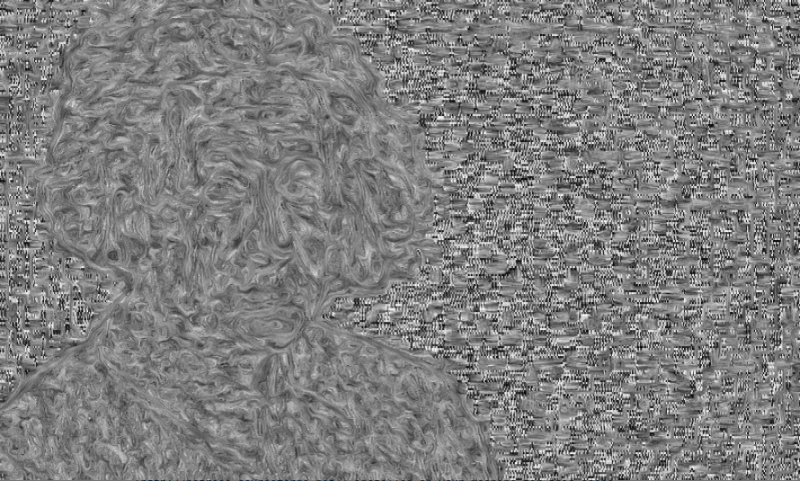 |  | Using the `-pt` flag you can trace the generated bitmap into a smooth scalabe image. You need to have [potrace](http://potrace.sourceforge.net/) installed on your machine for this scope. Below is an example whith and without the potrace flag activated. | Normal output | Potrace activated |:--:|:--:| |  |  | The above [image](http://hof.povray.org/images/patio.jpg) was ganareted with the following command: ```bash colidr -in ~/Desktop/patio.jpg -out ~/Desktop/patio_scene.png -k=1 -sr=2.5 -sm=3.2 -tau=0.9975 -di=1 -aa=1 -ve=1 -vr=0 -pt=1 -ei=1 ``` ## Sample images | Rasterized bitmap | Vectorized image |:--:|:--:| | 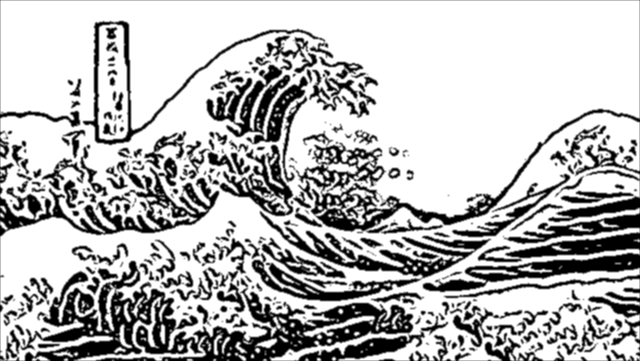 | 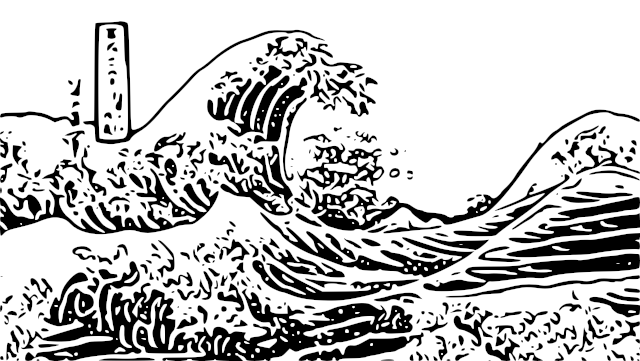 | |  |  | |  |  | |  |  | ## Todo - [ ] GUI support ## Author * Endre Simo ([@simo_endre](https://twitter.com/simo_endre)) ## License Copyright © 2019 Endre Simo This project is under the MIT License. See the [LICENSE](https://github.com/esimov/colidr/blob/master/LICENSE) file for the full license text.
