KO
|
EN
gitlite — search
Search
#javascript
#java
#python
#wordpress
#php
#rust
#android
#elixir
#discord
#discord-bot
#nodejs
#jekyll
Pulsoid-to-VRChat-OSC
★ 21
Open GitHub ↗
No description available.
Download README (.md)
Explore Similar Repositories
MiBandDemo
:
MiBand Demo Via CoreBluetooth by Swift / 小米手环项目Demo,基于蓝牙BLE (博客教程持续更新)
miband-2-fw-editor
:
A simple program to edit your mi band 2's firmware to change logos or texts
MiBandDecompiled
:
This is an attempt to decompile Xiaomi Mi Band official application
ATRI-miband
:
No description available.
rn-miband-connector
:
React-Native based connector to MiBand 3
// repository documentation
Was this content helpful?
★ 0
(0 ratings)
Select Rating:
★
★
★
★
★
Submit Feedback
Recent Feedback
×
Download README
Do you want to download the
README.md
file for
Pulsoid-to-VRChat-OSC
?
Download (.md)
# Pulsoid to VRChat OSC [中文文档](README_zh.md)  minasaki ## What's this? This is a software that allows you to use a heart rate bracelet to send heart rate to VRChat OSC via Pulsoid. ## Supported devices? Check This: https://www.blog.pulsoid.net/monitors In theory, it can support Mi Band 3/4/5/6 ## how to use? 1. Open Mi Sports, select the heart rate bracelet you want to use, and turn on the Bluetooth broadcast and exercise heart rate broadcast <br> 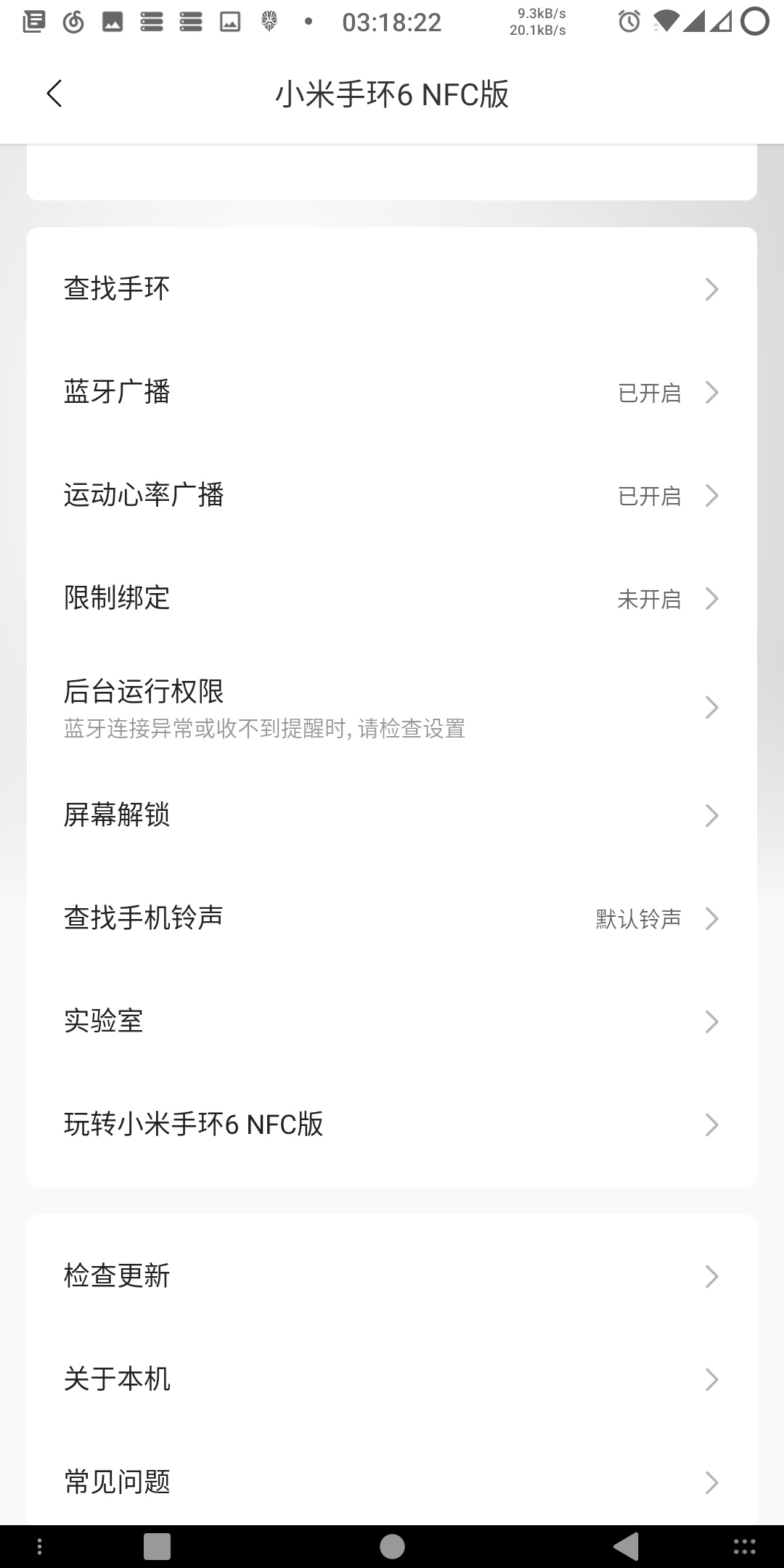 2. Install Pulsoid on your mobile phone and register an account 3. Connect the heart rate bracelet to be used <br> 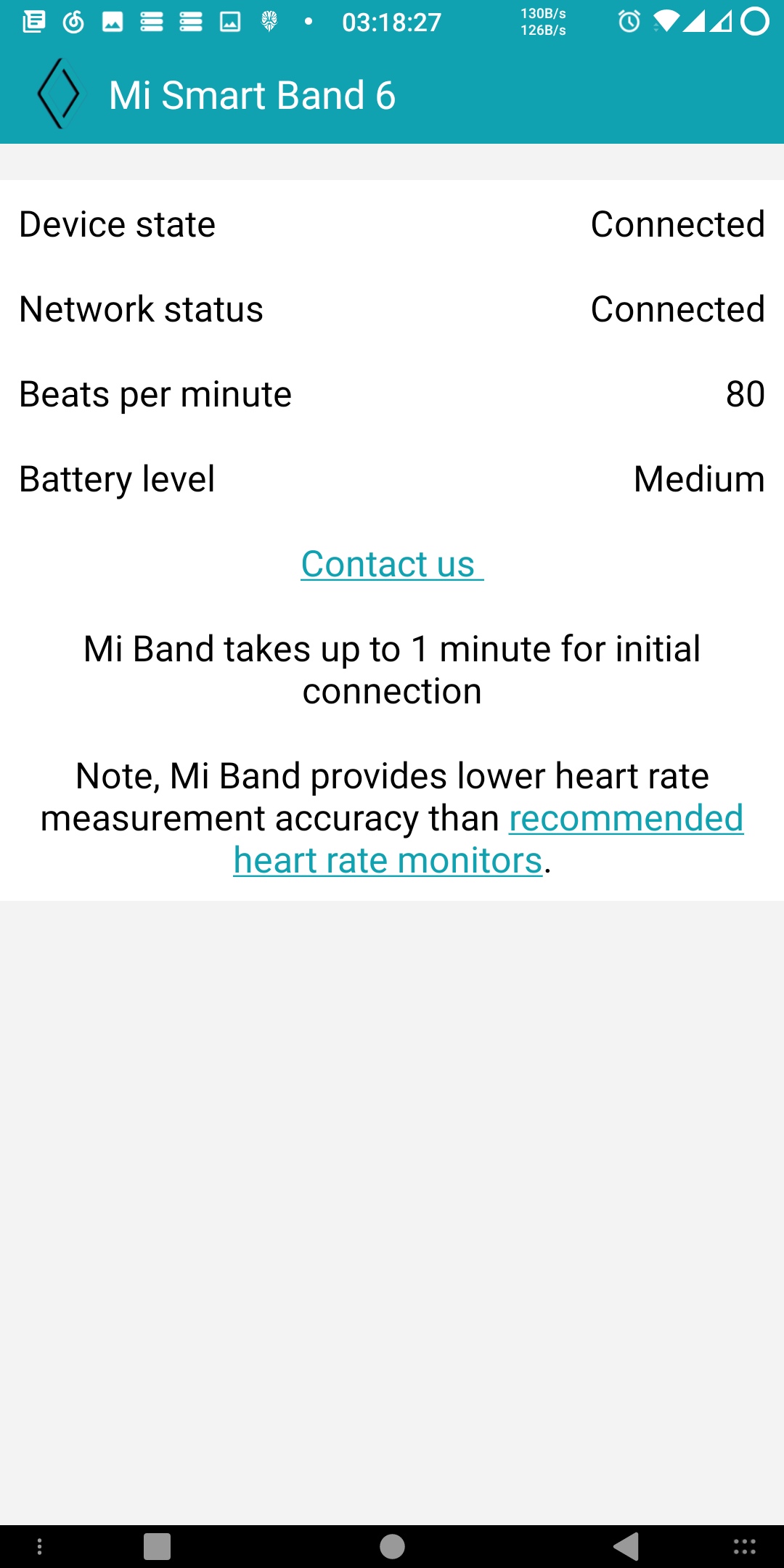 4. run.bat 5. The program will automatically open the browser and require you to log in for verification. After logging in, click the "Copy to clipboard" button to copy the token 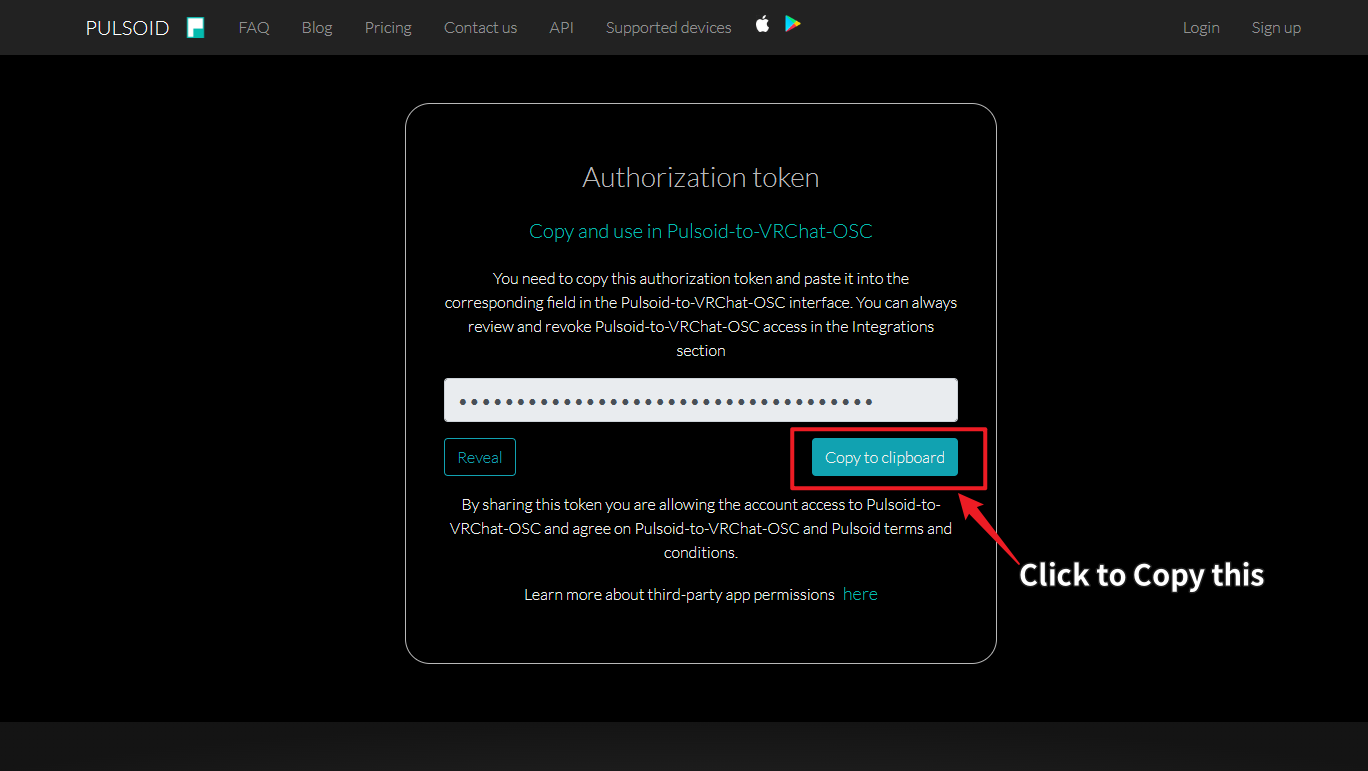 6. past Token 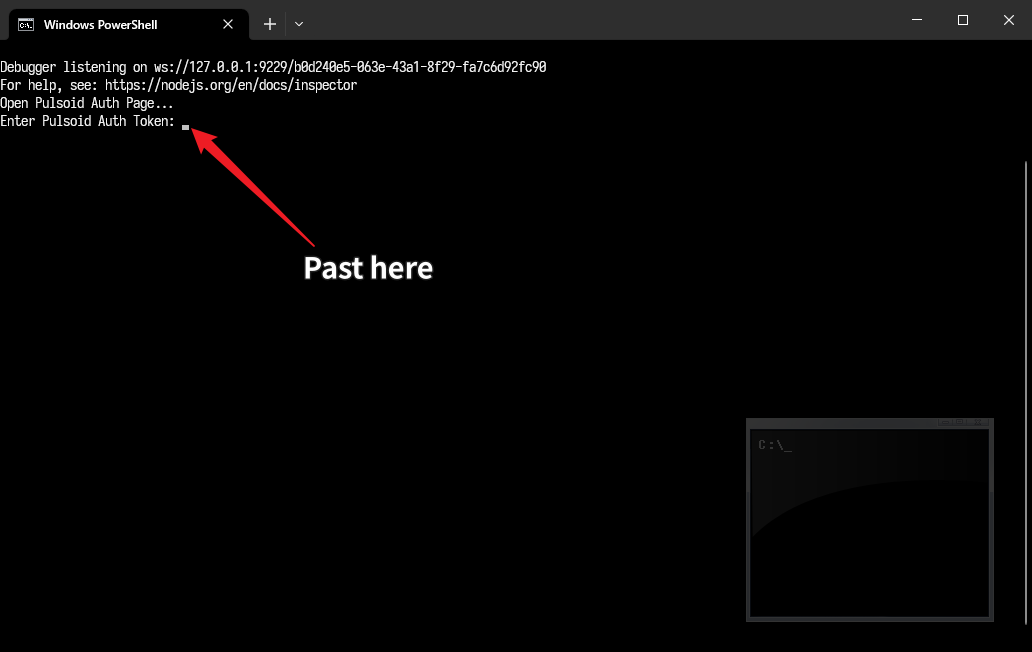 ## Addresses ? | Addresss | Value Type | Description | | ----------------------------------- | ---------- | ---------------------------- | | /avatar/parameters/HeartRateInt | Int | Int [0, 255] | | /avatar/parameters/HeartRate3 | Int | See HeartRateInt | | /avatar/parameters/HeartRateFloat | Float | Float ([0, 255] -> [-1, 1]) | | /avatar/parameters/HeartRate | Float | See HeartRateFloat | | /avatar/parameters/HeartRateFloat01 | Float | Float ([0, 255] -> [0, 1]) | | /avatar/parameters/HeartRate2 | Float | See HeartRateFloat01 | | /avatar/parameters/HeartBeatToggle | Bool | Reverses with each heartbeat | ## Example Avatars [Vard](https://twitter.com/VardFree) made this Avatar, you can use his Avatar to test: [Example_Avatar.unitypackage](https://github.com/vard88508/vrc-osc-miband-hrm/releases) (This Avatar uses RED_SIM's [Simple counter shader](https://patreon.com/posts/simple-counter-62864361) to display numbers) The value used by this Avatar is `Heartrate`, which is of type Float and ranges from -1(0bpm) to 1(255bpm). ## The following code is referenced: [Mi Band/Amazfit OSC heart rate monitor for VRChat](https://github.com/vard88508/vrc-osc-miband-hrm) [Mi Band Heartrate](https://github.com/mkc1370/miband-heartrate-osc)
