KO
|
EN
gitlite — search
Search
#python
#javascript
#typescript
#css
#reactjs
#swift
#android
#react
#php
#rust
#discord
#html
vim-monokai-phoenix
★ 41
Open GitHub ↗
Monokai Phoenix Theme for Vim
Download README (.md)
Explore Similar Repositories
asl
:
Arma Scripting Language - a clean scripting language compiling to Arma 3 SQF scripts.
yandex-course
:
Yandex C++ Course on Stepic
aeolis-python
:
A process-based model for simulating supply-limited aeolian sediment transport
tomato-shadowsocks
:
Automatic deployment ShadowSocks script on tomato
pxe
:
Docker Container for PXE Server, Support CentOS, Ubuntu, Freebsd, Debian, CoreOS, Panabit
// repository documentation
Was this content helpful?
★ 0
(0 ratings)
Select Rating:
★
★
★
★
★
Submit Feedback
Recent Feedback
×
Download README
Do you want to download the
README.md
file for
vim-monokai-phoenix
?
Download (.md)
# vim-monokai-phoenix A different monokai phoenix theme for Vim, based on Monokai-phoenix found in the Javascript-Next Sublime package. For the optimal JavaScript syntax experience, it is recommended to use [pangloss/vim-javascript](https://github.com/pangloss/vim-javascript) for your JS syntax needs. ## Installation Using Plug, you can do the following: ```vim Plug 'reewr/vim-monokai-phoenix' ``` Then do :PlugInstall and you're good to go ## Screenshot Example in GVIM / Terminal with True color 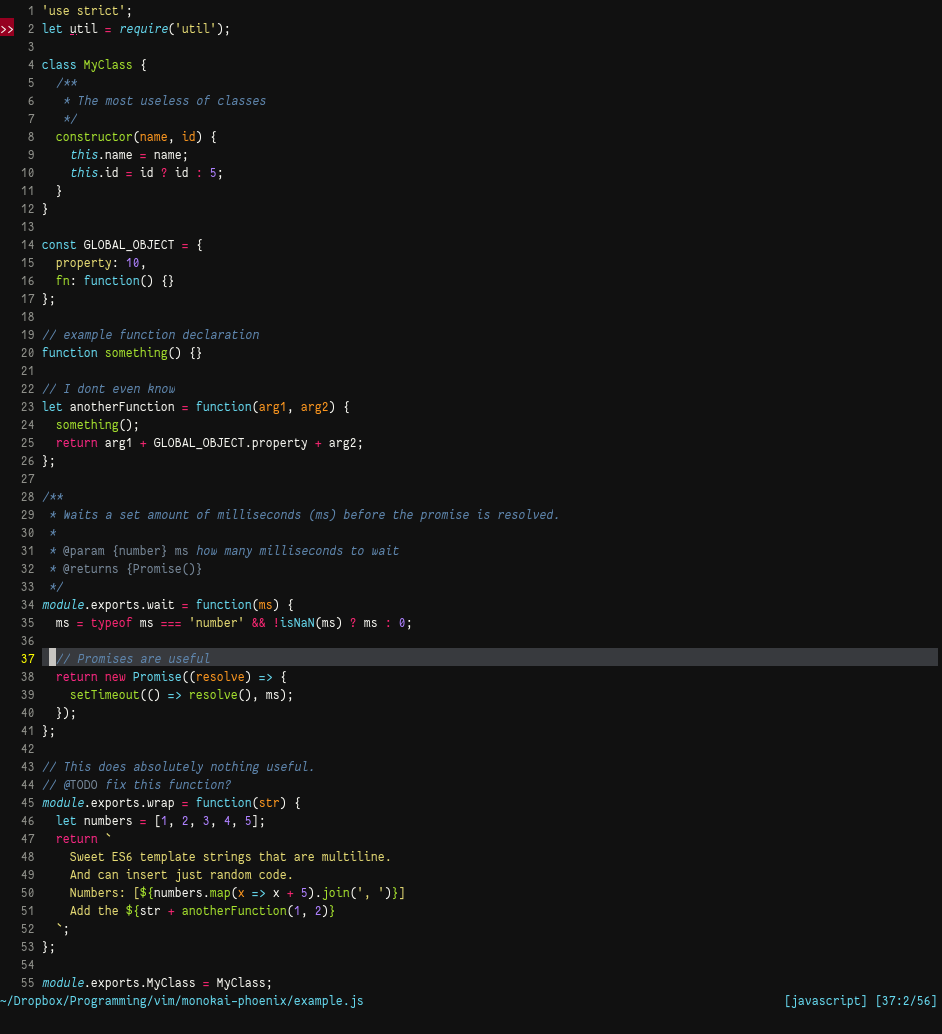 Example in terminal using 256 colors 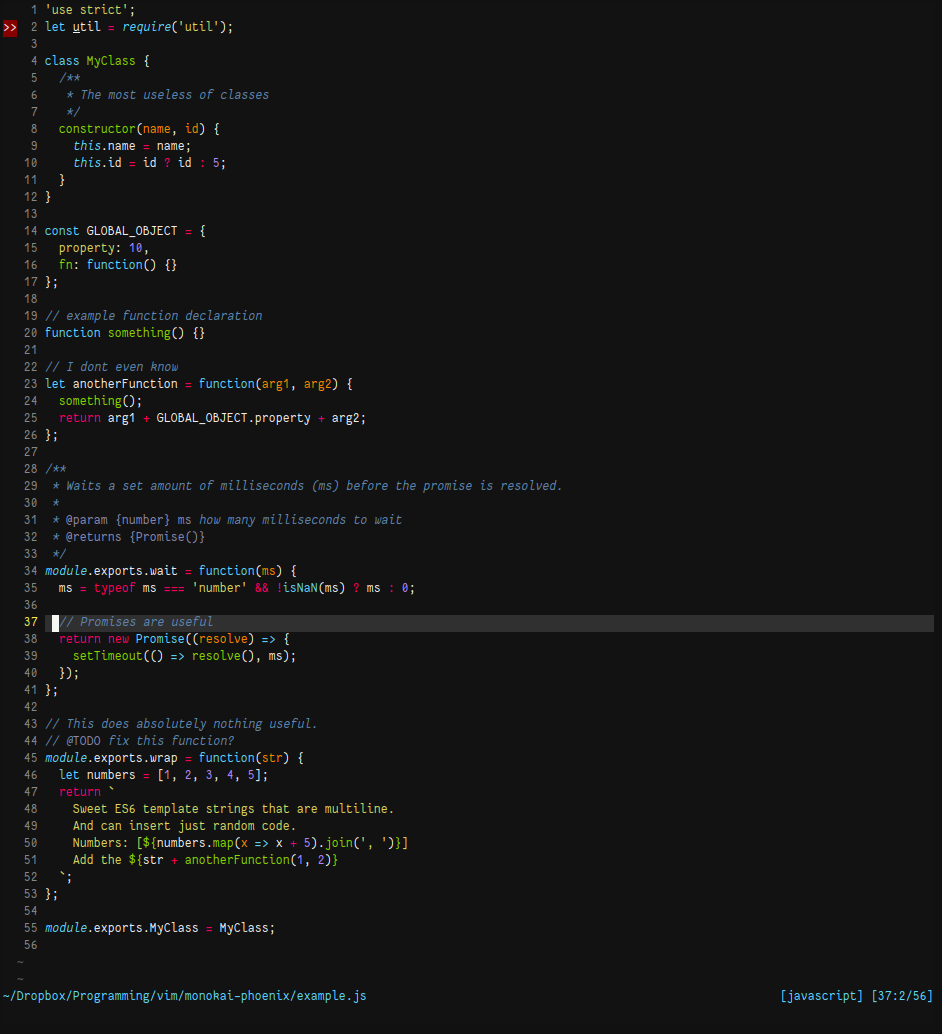 ## About This colour scheme is still being adjusted as it was created from scratch using the Sublime version as inspiration. There are some differences, mostly due to personal taste. If you have some suggestions on how to improve the colour scheme, please make an issue. ## Issues Below follows issues that are outside of my control. - [nvim-qt#145](https://github.com/equalsraf/neovim-qt/issues/145) does not apply terminal cursor colour correctly. This is specific to this application and I can therefore not apply a fix directly. There is however a fix for it: `hi TermCursor cterm=reverse gui=reverse` should display the cursor correctly.
